Light Template Manager V1.2
 CreateVisions


Documentation
Getting Started
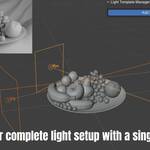
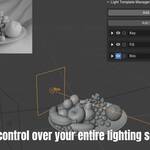
After installation, find Light Template Manager in the 3D Viewport sidebar under the "Light Template Manager" tab. The addon works with a simple two-step workflow: first add your lights to the manager, then create templates to save different lighting states.
Adding Lights to the Manager
Select the lights you want to control in your scene and click "Add Selected Lights". Only manually selected lights are added - the addon never imports lights automatically. This gives you complete control over which lights appear in your templates. You can add lights at any time during your workflow.
Creating and Managing Templates
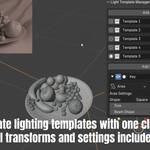
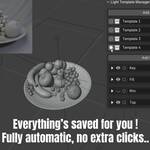
Click "Add New Template" to save your current lighting setup. Each template captures the complete state of all lights including position, rotation, color, energy, and type-specific properties like spot size or area light dimensions. Template names are editable directly in the interface.
Switch between templates by clicking the radio button next to each template name. The addon instantly applies all saved lighting properties to your scene. Delete unwanted templates using the trash icon.
Template Cycling with Hotkeys (New in v1.2)
For even faster workflow, use keyboard shortcuts to cycle through your templates:
Ctrl + Arrow Down: Switch to the next template
Ctrl + Arrow Up: Switch to the previous template
Cycle Templates Button: Click the cycle button in the templates section for quick switching
These hotkeys work in the 3D Viewport and allow you to rapidly compare different lighting setups without interrupting your creative flow.
Light Controls
Each light in the manager provides direct access to essential properties:
Visibility Toggle: Show or hide lights in both viewport and render
Solo Mode: Isolate a single light by hiding all others (click again to restore previous visibility states)
Expand Panel: Access detailed light-specific settings like spot angle, area light shape, or sun angle
Color and Energy: Adjust these properties directly in the manager interface
Light Type: Change between Point, Spot, Area, and Sun lights with automatic property updates
Collection Export
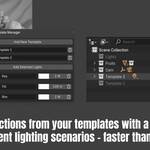
Use the collection icon next to any template to create a new collection containing copies of all lights with that template's settings applied. These collections are automatically excluded from the view layer, making them perfect for archiving setups or sharing with team members.
Advanced Features
The addon includes auto-save functionality that continuously updates your active template as you make changes. Light properties sync bidirectionally - changes made in the Light Template Manager update the actual objects, and vice versa.
Rename lights directly in the manager interface. The addon automatically updates the corresponding object names. Use the selection button next to light names to quickly locate lights in the outliner.
Compatibility Notes
Light Template Manager works with all light types and preserves custom properties. The addon is designed for 4.4.0 and later versions. All light transformations and properties are saved with full precision, ensuring your templates reproduce exactly as intended.
Discover more products like this
product-visualization Light Template Manager light manager blender addon ArchViz lighting workflow Workflow Lighting light light setup blender