Lighting Studio – Procedural Lighting Generator
 Domenas


Installation
- Open Edit → Preferences → Add-ons.
- Click Install...
- Select the downloaded ZIP file.
- Enable Lighting Studio in the add-on list.
Getting Started
- Open the Lighting Studio panel from the 3D View Sidebar.
- Choose the lighting tool you want to use.
- Click the corresponding button to generate the lighting setup.
- Adjust the generated lights using the addon controls or edit them manually in Blender.
Every generated lighting setup remains fully editable after creation.
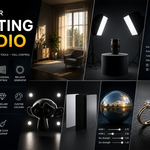
Included Tools
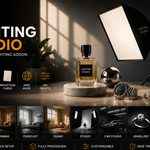
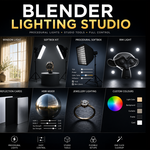
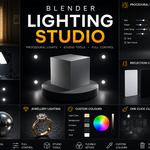
- Window Generator
- Product Photography Lighting
- Softbox Kit
- Procedural Softbox
- Rim Light Generator
- Car Studio Lighting
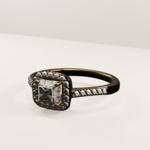
- Jewellery Lighting
- Reflection Cards
- HDRI Mixer
- Custom Colours
- Original Procedural Presets
- One Click Cleanup
Tips
- Every generated light can be moved, rotated and edited after creation.
- Multiple lighting setups can be used in the same scene.
- The One Click Cleanup tool removes lighting generated by the addon.
- The HDRI Mixer works with your own HDRI images.
$14.99$8.99
Have questions about this product?
Login to message
| Published | about 2 months ago |
| Blender Version | 4.2 - 4.5 |
| Extension Type | N/A |
| Render Engine Used | Cycles, Eevee |
| License | GPL |
