Which Blender versions are supported?
Can I remove all generated lighting at once?
Does the addon work with Eevee and Cycles?
Can I remove all generated lighting at once?
Yes. Lighting Studio includes a One Click Cleanup tool that removes the lighting created by the addon.
Can I edit the generated lights?
Yes. Every lighting setup remains fully editable after it is generated. You can move, rotate and adjust the lights just like any other Blender object.
Are the models shown in the preview images included?
Can I edit the generated lights?
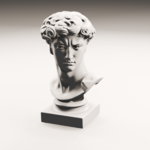
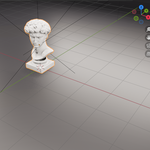
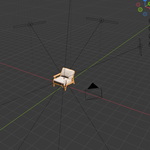
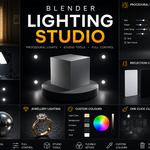
Are the models shown in the preview images included?
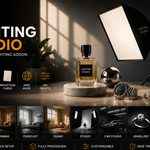
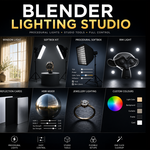
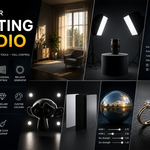
No. The preview images are for demonstration only. The download includes the Blender add-on only. Models, HDRI images, textures and other scene assets are not included.
Are the models shown in the preview images included?
No. The preview images are for demonstration only. The download includes the Blender add-on only. Models, HDRI images, textures and other scene assets are not included.
Are the models shown in the preview images included?
No. The preview images are for demonstration only. The download includes the Blender add-on only. Models, HDRI images, textures and other scene assets are not included.
Can I edit the generated lights?
Yes. Every lighting setup remains fully editable after it is generated. You can move, rotate and adjust the lights just like any other Blender object.
Does the addon work with Eevee and Cycles?
Yes. Lighting Studio works with both Eevee and Cycles.
Does the addon work with Eevee and Cycles?
Yes. Lighting Studio works with both Eevee and Cycles.
Does the addon work with Eevee and Cycles?
Yes. Lighting Studio works with both Eevee and Cycles.
Which Blender versions are supported?
Lighting Studio supports Blender 4.2 and newer. Please check the product page for the latest tested Blender version.
Which Blender versions are supported?
Lighting Studio supports Blender 4.2 and newer. Please check the product page for the latest tested Blender version.
Which Blender versions are supported?
Lighting Studio supports Blender 4.2 and newer. Please check the product page for the latest tested Blender version.
Can I edit the generated lights?
Yes. Every lighting setup remains fully editable after it is generated. You can move, rotate and adjust the lights just like any other Blender object.
Can I edit the generated lights?
Yes. Every lighting setup remains fully editable after it is generated. You can move, rotate and adjust the lights just like any other Blender object.
Can I edit the generated lights?
Yes. Every lighting setup remains fully editable after it is generated. You can move, rotate and adjust the lights just like any other Blender object.
Which Blender versions are supported?
Lighting Studio supports Blender 4.2 and newer. Please check the product page for the latest tested Blender version.
Does the addon work with Eevee and Cycles?
Yes. Lighting Studio works with both Eevee and Cycles.
Which Blender versions are supported?
Lighting Studio supports Blender 4.2 and newer. Please check the product page for the latest tested Blender version.
Does the addon work with Eevee and Cycles?
Yes. Lighting Studio works with both Eevee and Cycles.
Does the addon work with Eevee and Cycles?
Yes. Lighting Studio works with both Eevee and Cycles.
Which Blender versions are supported?
Lighting Studio supports Blender 4.2 and newer. Please check the product page for the latest tested Blender version.
Does the addon work with Eevee and Cycles?
Yes. Lighting Studio works with both Eevee and Cycles.
Which Blender versions are supported?
Lighting Studio supports Blender 4.2 and newer. Please check the product page for the latest tested Blender version.
Which Blender versions are supported?
Lighting Studio supports Blender 4.2 and newer. Please check the product page for the latest tested Blender version.
Which Blender versions are supported?
Lighting Studio supports Blender 4.2 and newer. Please check the product page for the latest tested Blender version.
 Domenas