Lightpilot Pro
 Dmitrii Smirnov


Frequently Asked Questions
Quick answers for the most common buyer questions about LightPilot Pro, installation, workflow, and compatibility.
Does LightPilot Pro create lights automatically?
No. LightPilot Pro focuses on faster control, organization, and refinement of the lights already used in your scene.
Does it replace Blender's native light properties?
No. Blender's native light controls remain available. LightPilot Pro brings the most common lighting actions closer to the viewport so the workflow stays faster and clearer.
Which light types are supported?
Point, Spot, Area, and Sun lights are supported, with the HUD adapting to the active light type.
Can I type exact values?
Yes. The workflow supports both fast drag interaction and exact numeric entry.
Does isolate mode restore my previous light setup?
Yes. Isolate mode is designed to restore the previous enabled and disabled light state when turned off.
Can I rename lights from the add-on?
Yes. LightPilot Pro includes renaming inside the viewport workflow so it is easier to keep multi-light scenes readable.
What is the Scene Light Table for?
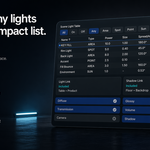
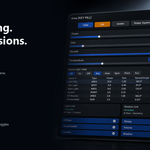
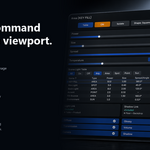
The Scene Light Table helps you inspect visible lights, sort columns, filter by type or state, rename lights, compare values, and toggle lights without breaking the viewport workflow.
What can I control from the HUD?
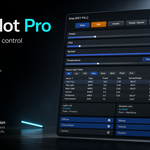
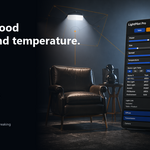
Depending on the active light type, you can control values such as power, size, spread, angle, blend, color, and temperature, plus Light Link, Shadow Link, and render contribution behavior.
Can I control how a light affects the render?
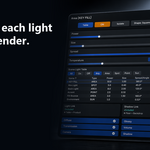
Yes. LightPilot Pro gives you quick access to contribution toggles for Diffuse, Glossy, Transmission, Volume, Camera, and Shadow.
Does it support Kelvin temperature workflow?
Yes. You can use direct color control or Kelvin temperature workflow from the viewport HUD, which is especially useful for product lighting, studio setups, and lookdev.
Who is LightPilot Pro for?
It is designed for lighting artists, product visualization artists, look-development artists, motion designers, and Blender users working with multiple lights in the same scene.
Is documentation included?
Yes. The package includes written documentation, and the product page also includes installation and quick-start guidance.
How do I install it?
Open Blender, go to Edit > Preferences > Add-ons, click Install from Disk, select the LightPilot Pro ZIP file, enable the add-on, and then select a supported light in the 3D Viewport.
Which Blender versions are supported?
LightPilot Pro is currently listed for Blender 4.5+.
Have questions about this product?
Login to message
| Published | 5 months ago |
| Blender Version | 4.5 - 5.1 |
| Extension Type | N/A |
| Render Engine Used | Cycles, Eevee |
| License | GPL |
Discover more products like this
blender addon viewport lighting Scene lighting shadow-linking render workflow light-linking lookdev light-control blender Scene Management productivity Lighting