Lim – Unofficial Animation Toolkit for Human Generator & Blender
 LIM - Life in Motion.


Is this addon a one-time purchase or subscription?
One-time purchase.
Buy once → Use forever → Free updates for future versions.
Can I add my own animations to LIM’s browser?
Yes!
LIM’s Animation Browser supports both Armature Actions and Object Actions.
You can easily add your own custom animations (into an external *.blend file) using the dedicated addon function, and they will appear in the browser alongside the built-in presets.
This allows you to build your personal animation library and manage both your own actions and the ones provided with LIM – all from the same interface.
Does LIM load all library actions directly into my current .blend project?
No.
LIM uses a virtual action index stored in Blender’s Python memory during your session.
When browsing the animation library, you’re only viewing a temporary list of available actions – nothing is physically imported into your .blend file.
An action is only loaded into your project when you explicitly choose to apply it.
This ensures that your .blend file remains clean and optimized, containing only the animations you actually use.
Will LIM animations work with other rigs like Rigify?
LIM animations are specifically designed for the Rigify-based armatures generated by Human Generator.
While you may technically apply them to other Rigify rigs, differences in bone naming, hierarchy, and proportions will likely cause misalignment or unexpected results.
For best results, use LIM animations with Human Generator characters, as they’re tailored to match that exact bone structure and rig logic.
Is mirroring full action fast?
Mirror speed depends on your PC performance and animation length.
Shape key mirroring is lightning fast, but armature actions (especially long mocap animations) can take significantly more time.)
Can I use LIM animations for commercial projects?
Absolutely.
You can use these animations in both personal and commercial projects, as long as you don’t resell the animations as a standalone product.
Is there a built-in animation browser?
Yes!
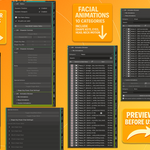
LIM includes a lightweight, Blender-native Animation Browser.
Preview, pick, and apply animations without leaving your viewport.
Are all animations loopable?
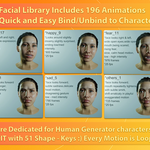
✅ Facial animations: All are loopable.
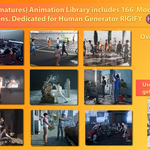
✅ Body animations: At least half categories are loopable.
How many animations are included?
Over 360 ready-to-use animations, covering both facial and full-body motions, across 10 categories for Armatures and 9 categories for Facial mechanis (Shape keys / eyes / head / neck).
Does LIM require Human Generator to work?
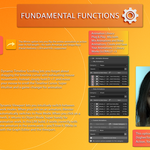
Nope! While LIM is tailored for Human Generator characters, many features (like timeline tools, animation mirroring, and browsing)
Discover more products like this
human generator pose fast Animation iphone mocap Human Generator Animations Tools animation facial-expressions animations pack mirror MOCAP ANIMATION Facial Animation facemocap