 Gihan-Maddumage



LinkFlow
Production Link Library Management Toolkit for Blender
Take full control of your linked libraries. LinkFlow gives you a centralized dashboard to monitor, manage, repair, and organize every external reference in your Blender scene — from a single panel.
Free Version Available
Already using LinkFlow? The free version is available on Blender Extensions. This Pro version adds batch operations, snapshots, CSV export, ownership tags, badges, custom views, and more.
Why LinkFlow?
As projects grow, managing linked ….blend files becomes a real bottleneck. Paths break when files move, overrides pile up without oversight, and nobody knows which library is actually being used. LinkFlow replaces all that guesswork with a single, always-visible panel that keeps your pipeline healthy.
- ✓ See every linked library, its status, path type, size, and dependencies at a glance.
- ✓ Catch broken or missing libraries before they reach review.
- ✓ Create, inspect, and remove library overrides with full control.
- ✓ Batch-relink broken paths when project files move to a new location.
- ✓ Export CSV reports for team-wide pipeline health tracking.
- ✓ Everything lives inside Blender — no external tools required.
Dashboard Sections
LinkFlow is built around seven modular dashboard sections you can reorder, hide, or show all at once depending on the task at hand.
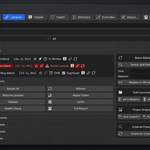
Library List
Browse every linked library with real-time status badges, smart search, sorting by name/status/path/overrides/users, and status filtering (Healthy / Missing / Broken). Favorite and pin the libraries you work with most. Assign ownership tags so the team knows who is responsible for each file.
Details View
Drill into any single library to see its resolved path, absolute path, file size, path type (Relative / Absolute), health status, override count, object & collection counts, dependency graph, and ownership information — all in one place.
Health Dashboard
Get an at-a-glance project health score with a visual progress bar. The issues section surfaces missing paths, broken overrides, unused libraries, and duplicate references instantly. Run a full health check or generate a detailed text report with one click.
Statistics
View total objects, collections, linked objects, linked collections, overrides, instances, path type distribution, and per-library breakdowns. All data is cached for instant display and only recalculates when the scene actually changes.
Override Management
Create overrides for entire libraries or individual collections. Compare override properties against their references. Highlight, select, or remove specific overrides. Batch operations let you clean up all overrides at once. Everything uses Blender’s native override API with full undo support.
Dependency Graph
See exactly which objects, collections, instances, and overrides in your scene depend on each library. When a linked file changes, you instantly know what is affected.
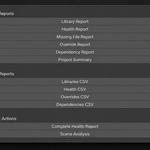
Reports
Generate health, override, dependency, missing-library, and full-scene text reports. Export any report as a CSV file for pipeline tracking, spreadsheets, or automated CI checks.
Key Features
- ✓ Smart Search — Search libraries by name, path, or any object/collection they contain.
- ✓ Favorites & Pins — Mark important libraries and pin them to the top of your list.
- ✓ Ownership Tags — Assign responsible artists to each library for team accountability.
- ✓ Path Conversion — Convert all paths between relative and absolute with one click.
- ✓ Batch Relinking — Find and replace broken paths across all libraries at once.
- ✓ Library Groups — Organize libraries into named groups and filter by group.
- ✓ View Presets — Save and load custom dashboard layouts for different workflow stages.
- ✓ Custom Views — Reorder, hide, or show dashboard sections to match your workflow.
- ✓ Project Snapshots — Save and restore the complete library state of your scene.
- ✓ External Change Detection — Detect when linked files have changed on disk since last load.
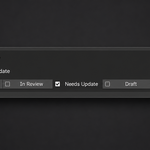
- ✓ Library Badges — Tag libraries with custom badges (In Progress, Needs Update, etc.) and filter by badge.
- ✓ Open / Edit Linked — Jump directly to the linked file in a new Blender instance for editing.
- ✓ Full Undo Support — Every destructive operation registers with Blender’s undo system.
- ✓ Production Error Handling — Every operator is guarded. No crashes from missing files or corrupted data.
Compatibility
- Blender 4.5 through 5.2 LTS
- Windows, macOS, and Linux
- Works with any file format Blender can link (.blend, .abc, .usd, .vdb)
- No external dependencies — pure Python add-on
Perfect For
Film & VFX • Game Development • ArchViz • Animation Studios • Any Multi-File Blender Pipeline