Linkflow
 Gihan-Maddumage



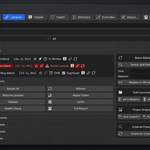
LinkFlow is a Blender add-on for managing linked libraries. It provides a dashboard to monitor, organize, repair, and analyze every external .blend reference in your scene.
LinkFlow supports Blender 4.5 through 5.2 LTS on Windows, macOS, and Linux.
No. LinkFlow is a pure Python add-on with no external dependencies.
- Download the ZIP file.
- Open Blender.
- Go to Edit → Preferences → Add-ons.
- Click Install.
- Select the downloaded ZIP file.
- Enable LinkFlow from the add-ons list.
- Find it in the N side panel.
Make sure you enabled the add-on checkbox in Preferences. If it still does not appear, restart Blender and check the console for error messages.
No. LinkFlow only reads library metadata. It never writes to or modifies linked .blend files.
Yes. LinkFlow manages any library that Blender can link, regardless of file format.
The library shows a Missing status in the dashboard. You can repair the path using Batch Relink (find and replace across all libraries) or Locate Missing (scan a folder for the file).
Yes. The Path Conversion tools in the Libraries section let you convert all library paths to relative or absolute with one click. Converting to relative requires the .blend file to be saved first.
The health score is a percentage out of 100%. It decreases based on the number of missing paths, broken overrides, unused libraries, duplicate references, and absolute paths. A higher score means a healthier pipeline.
- Missing file paths
- Broken overrides
- Unused libraries (linked but not referenced by any object or collection)
- Duplicate path references
- Absolute paths that could be relative
Statistics and path checks are cached and only recalculated when the scene data actually changes. This keeps the dashboard fast even in large scenes.
LinkFlow manages collection overrides created through Blender's native override system. It can create, inspect, compare, select, highlight, and remove overrides.
Yes. Use Compare Override to see a list of all properties that differ between the override and its reference.
Batch Relink searches for a path string across all libraries and replaces it with a new path. This is useful when project files move to a new drive or directory.
Batch Reload reloads every linked library from disk in one operation, ensuring your scene reflects the latest saved state of all files.
Groups let you organize libraries into named categories such as Characters, Environments, or Props. You can then filter the library list by group.
View Presets save your custom dashboard layout — which sections are visible and in what order. Switch between presets for different workflow stages like Production, Review, or Cleanup.
Yes. Toggle any section on or off from the Custom View panel. You can also enable Show All to display every non-hidden section in a single scrollable view.
A snapshot saves the complete library state of your scene including paths, favorites, pins, ownership tags, and badges. You can restore a snapshot later to undo bulk changes.
It scans all linked files on disk and compares their modification times against the last known state. Any file that has changed is listed so you can decide which libraries to reload.
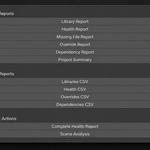
- Health Report
- Library Report (selected library)
- Missing Report
- Override Report
- Dependency Report
- Scene Summary
- Blender version
- LinkFlow version
- Operating system
- Steps to reproduce the issue
- Console error messages if any
Have questions about this product?
Login to message
| Published | 2 months ago |
| Blender Version | 4.5 - 5.2 |
| Extension Type | N/A |
| Render Engine Used | Cycles, Eevee, Luxrender, Vray |
| License | GPL |
Discover more products like this
productivity Scene Management override management Workflow library management pipeline diagnostics linked libraries batch operations production tools blender addons file management