Live MIDI Visualizer – Real-Time MIDI Controller Add-on for Blender
 Egon Castle


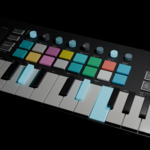
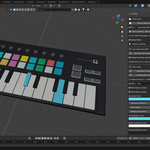
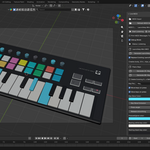
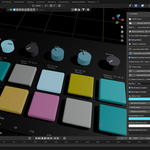
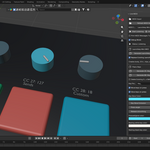
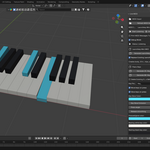
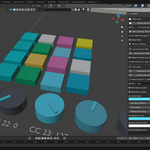
MIDIFlare Live – Real-Time MIDI Visualizer for Blender
MIDIFlare Live is a Blender add-on that visualizes live MIDI input directly inside Blender.
Connect a MIDI controller and see keys, pads, knobs, and buttons react in real time inside the Blender viewport. It is useful for music creators, MIDI controller demos, educational videos, audiovisual experiments, and live performance visuals.
Main Features
Real-time MIDI input visualization
Support for MIDI piano keys
Support for drum pads
Support for knobs using MIDI CC values
Support for buttons and controller actions
Animated key press and release feedback
Pad glow and button feedback
Knob rotation based on MIDI CC values
Debug display for incoming MIDI messages
Useful for Novation Launchkey-style controller visuals
Great for music videos, tutorials, demos, and live visuals
What It Does
MIDIFlare Live listens to incoming MIDI messages and converts them into visual feedback inside Blender.
When a MIDI key is pressed, the matching key object can move or glow. When a drum pad is pressed, the pad can light up. When a knob is turned, the matching knob object can rotate based on the MIDI control value.
Basic Workflow
Install and enable the add-on in Blender.
Connect your MIDI controller to your computer.
Open the Live MIDI panel in Blender.
Refresh MIDI devices.
Select your MIDI input device.
Start listening.
Play your MIDI controller and watch the objects react in real time.
Supported MIDI Message Types
note_on for keys, pads, and note-based buttons
note_off for key and pad release
control_change for knobs, sliders, and CC-based buttons
Use Cases
MIDI controller demonstration videos
Music visualizer scenes
Live performance visuals
Blender music animation projects
Educational MIDI tutorials
Keyboard and drum pad visualization
Novation Launchkey-style controller animations
Important Notes
This product is for MIDI input visualization, not audio detection.
It does not convert MP3 or WAV files into MIDI notes.
Live MIDI requires your MIDI device to be detected by your operating system.
Some setups may require installing MIDI Python dependencies into Blender's Python environment.
Recommended For
Blender artists
Music producers
MIDI controller users
Content creators
Educators
Motion graphics artists
MIDIFlare Live helps turn your MIDI controller into an interactive visual object inside Blender.
 Included
Includes 12 months of
- Support from Egon Castle
- Product updates
Extend this product’s Support Period +12 months: 25% of product price
Have questions before purchasing?
Login to message
| Dev Fund Contributor | |
| Published | 4 months ago |
| Blender Version | 3.6 - 5.1 |
| Render Engine Used | Blender-Internal, Cycles, Eevee |
| License | GPL |
Discover more products like this
music visualizer Live MIDI Controller Visualizer midi animation midi controller Blender Add-on Drum Pads real-time motion graphics MIDI Keyboard Music