 Danilo Caliro
LIVE RETOPOLOGY. DIRECTLY ON YOUR MODEL.
Live-Surface Retopology for Blender®
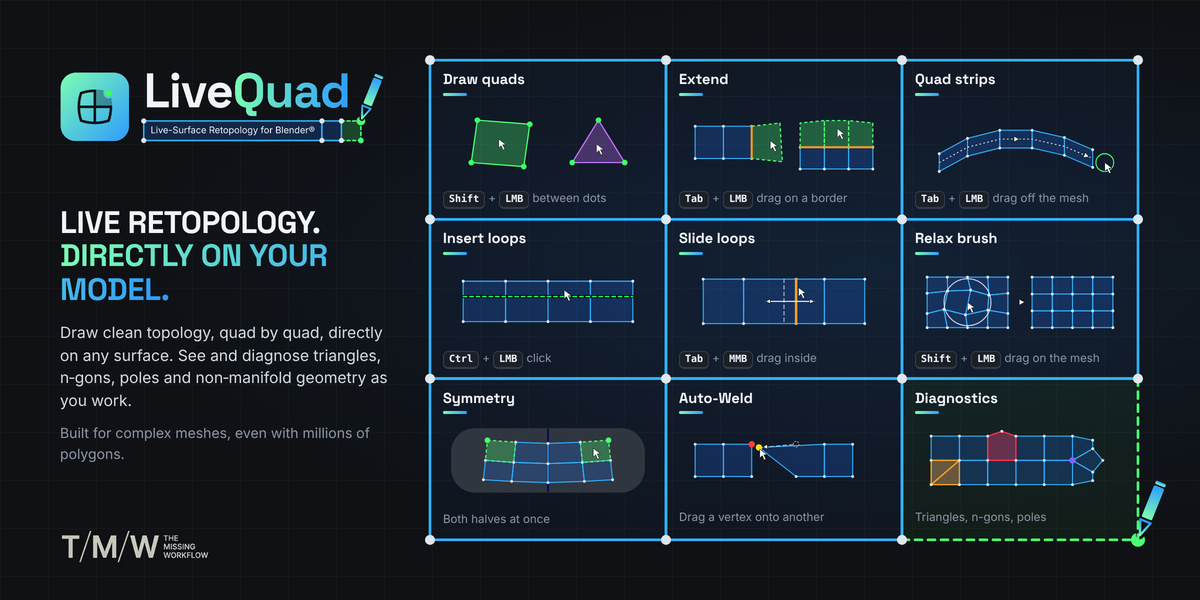
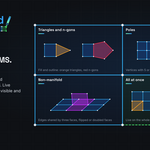
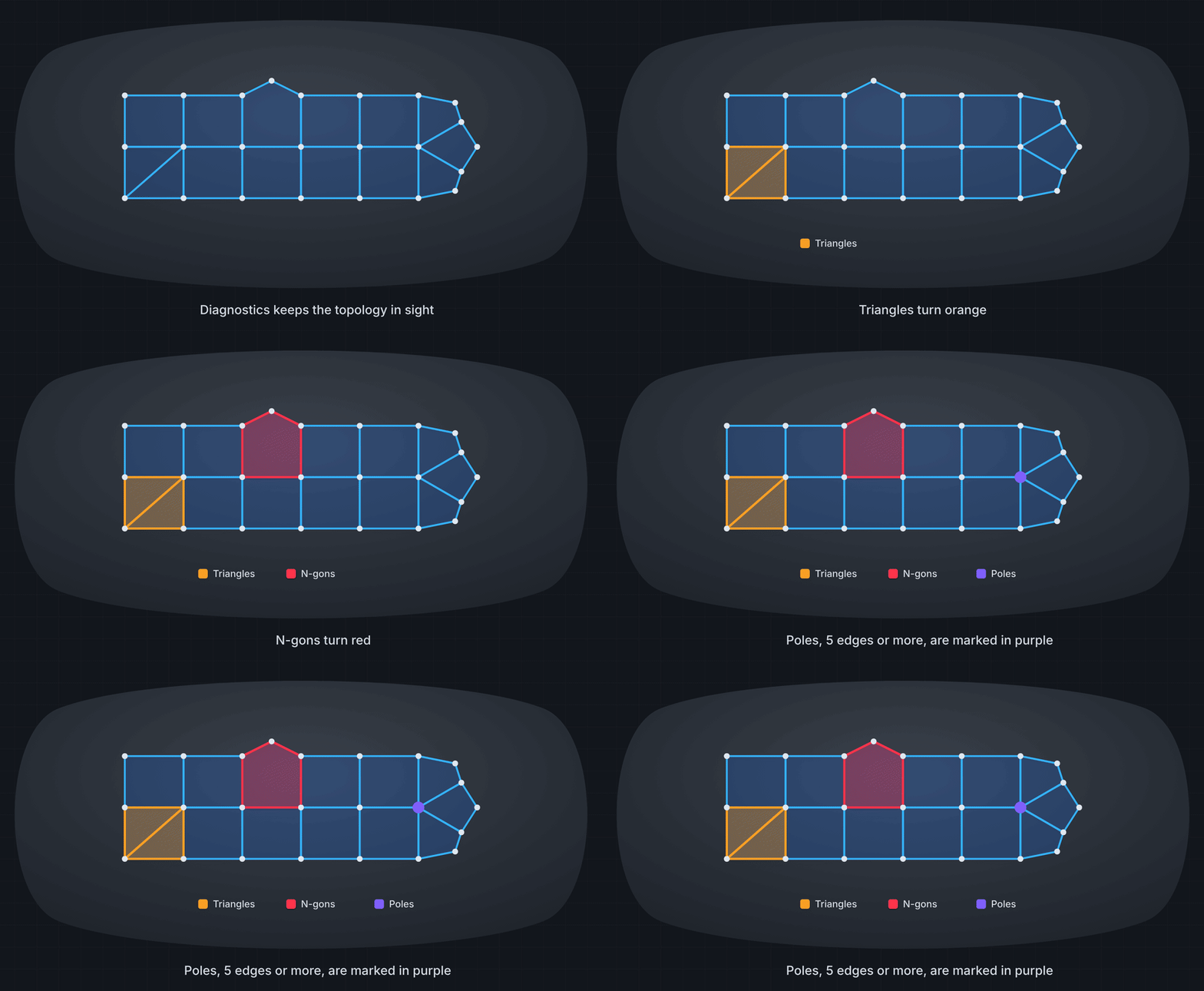
Draw clean topology, quad by quad, directly on your model. Build, extend and refine your mesh while keeping every operation connected to the underlying surface. Live diagnostics reveal triangles, n-gons, poles and non-manifold geometry as you work
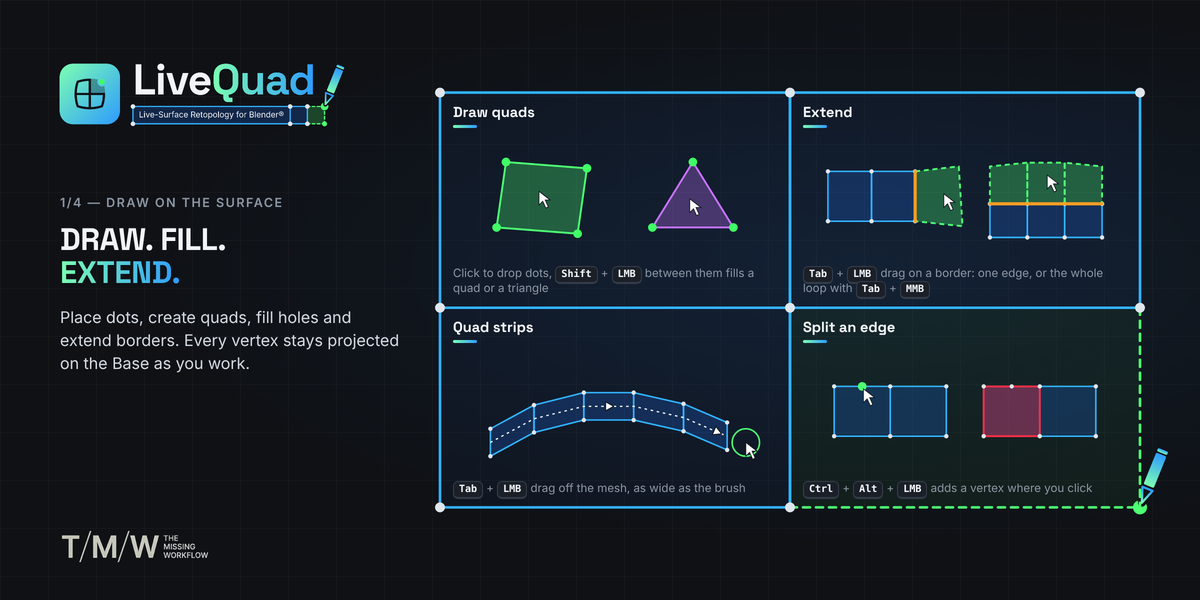
01 — DRAW. FILL. EXTEND.
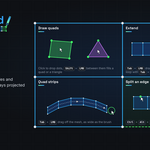
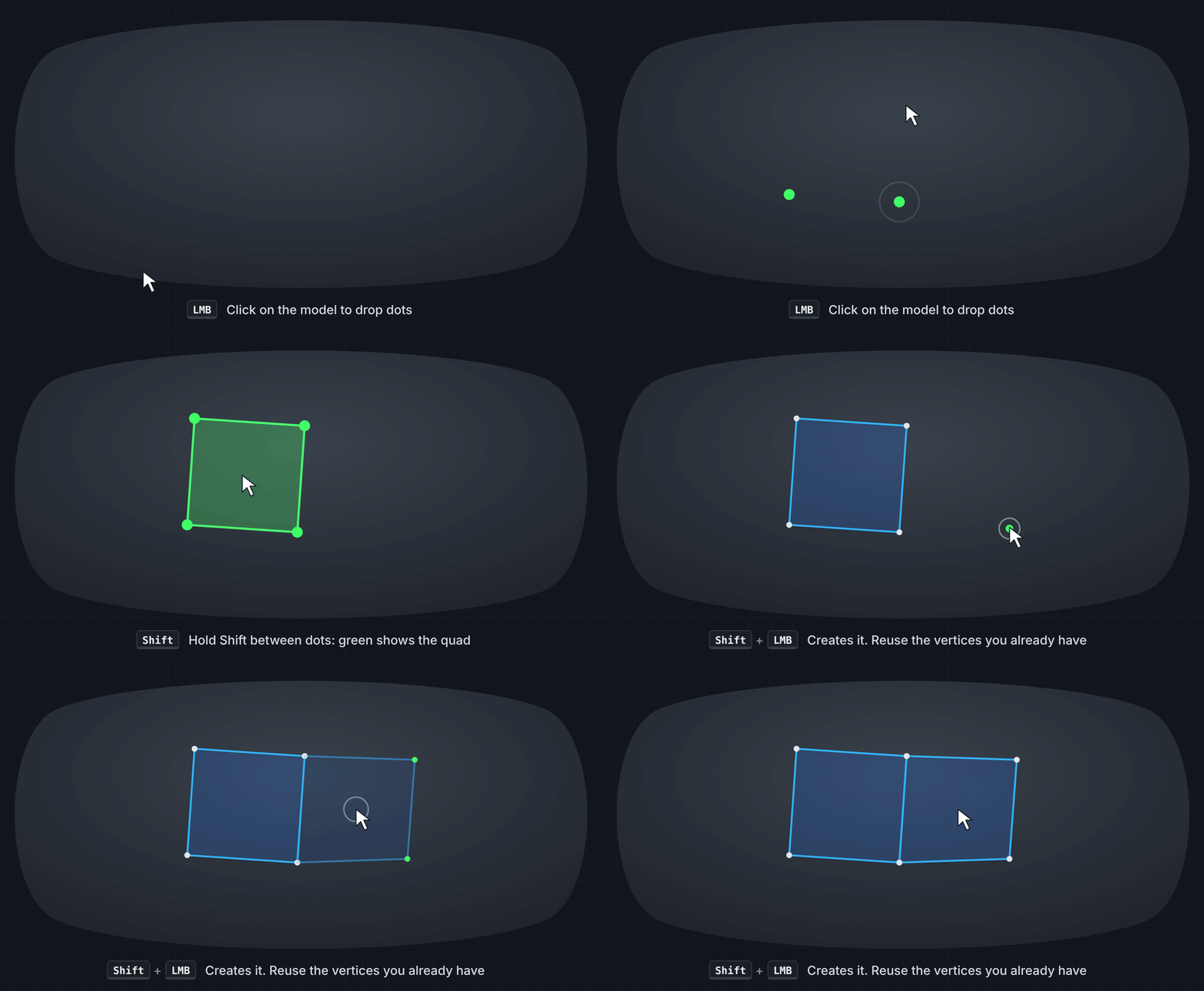
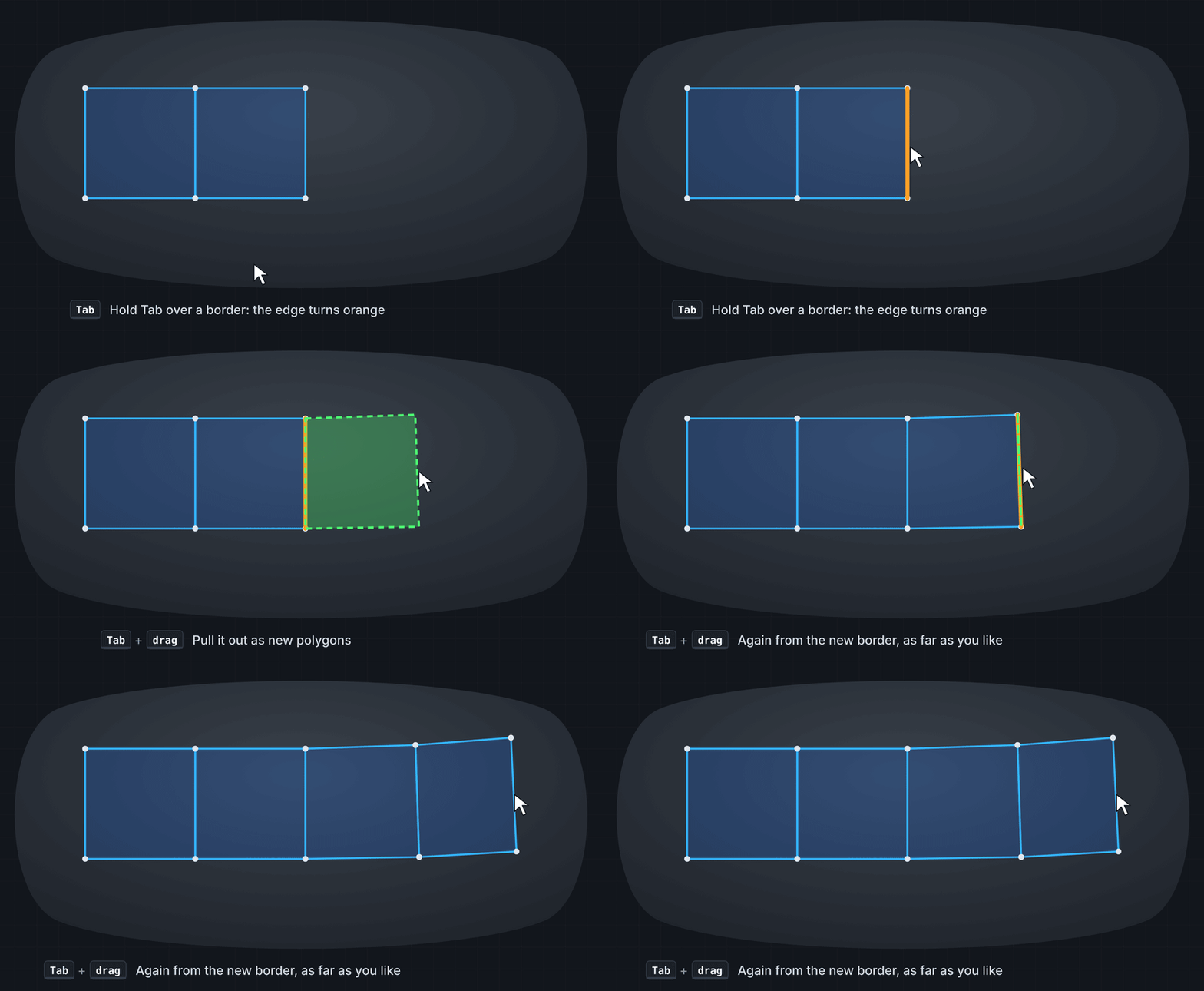
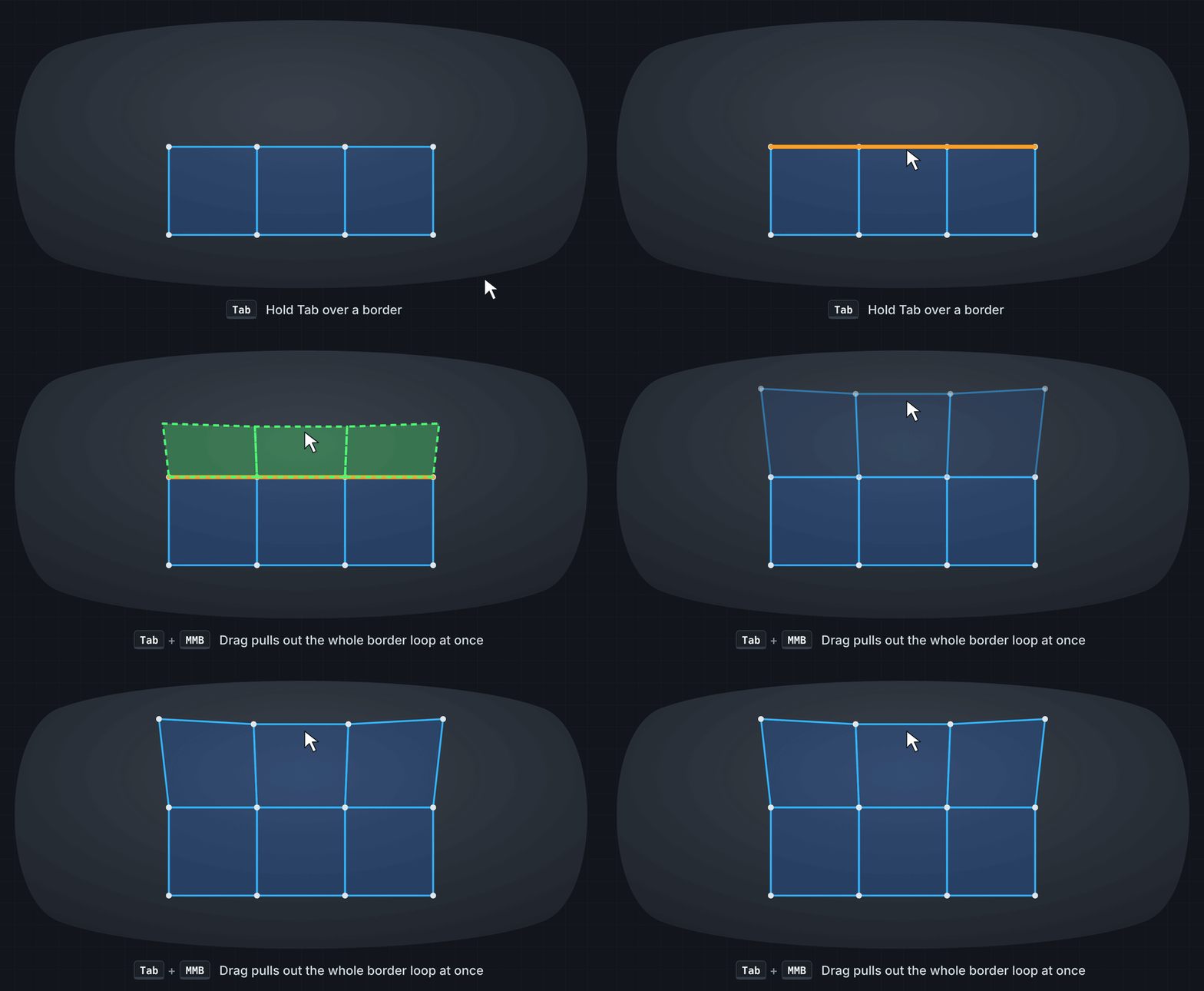
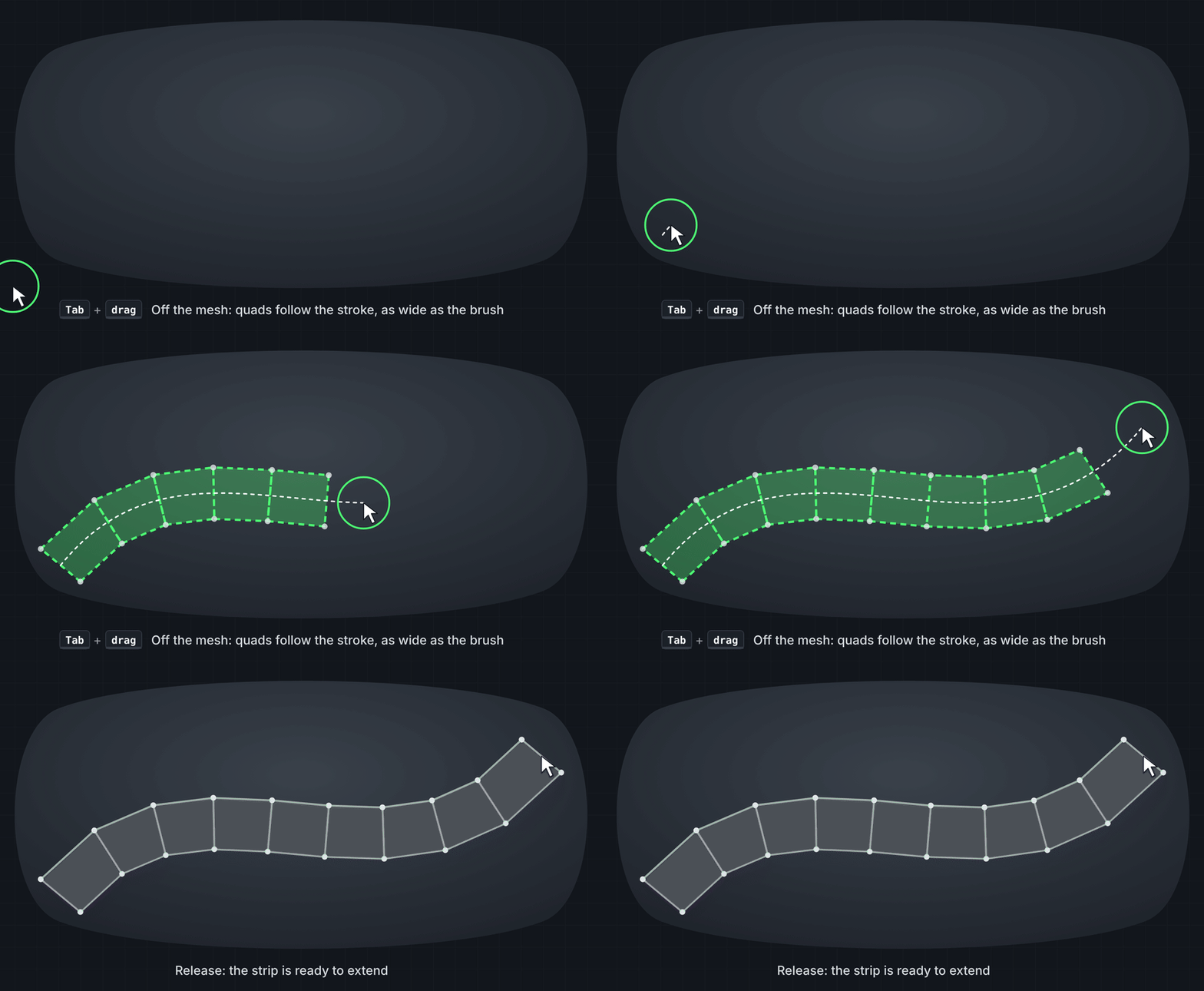
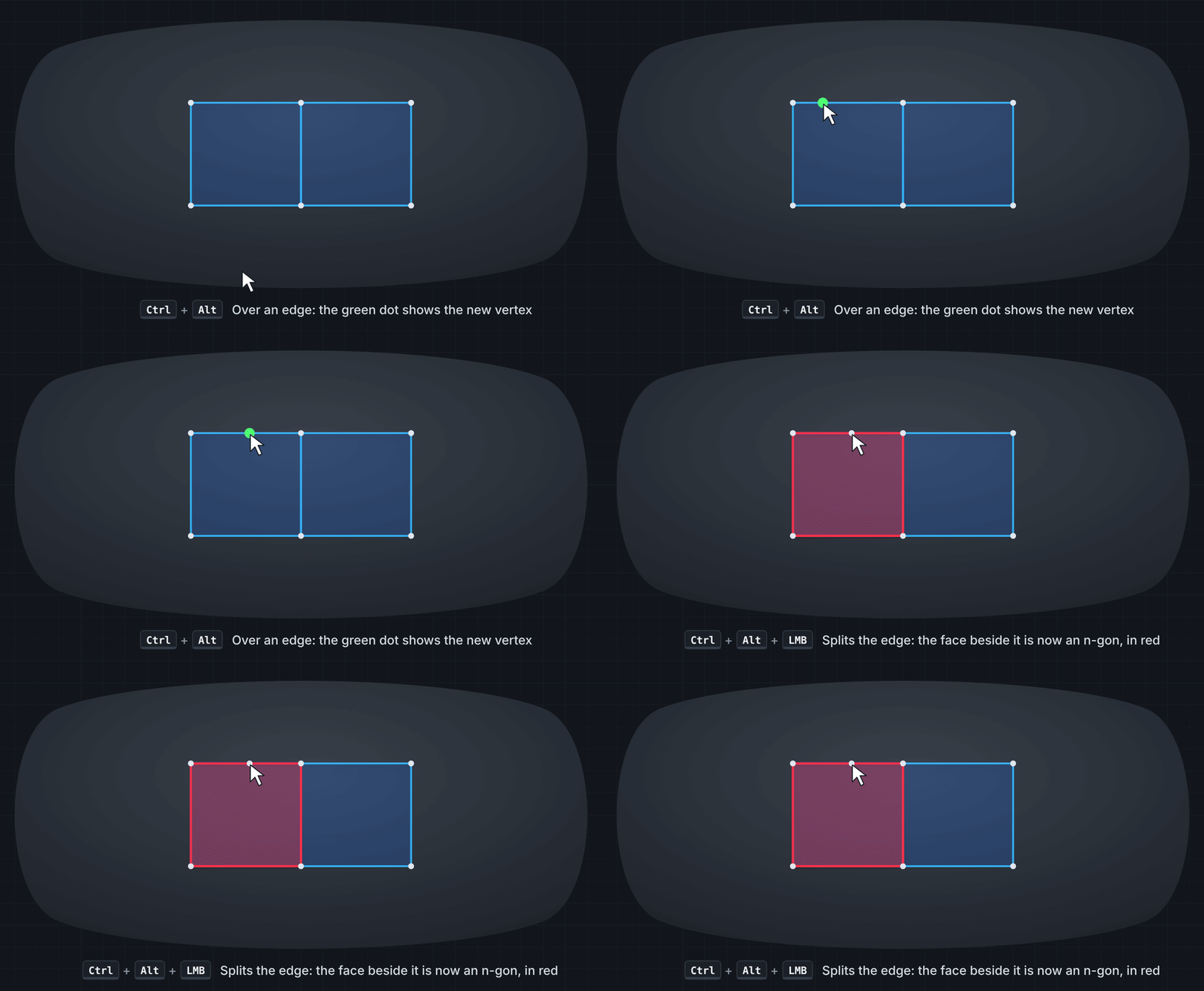
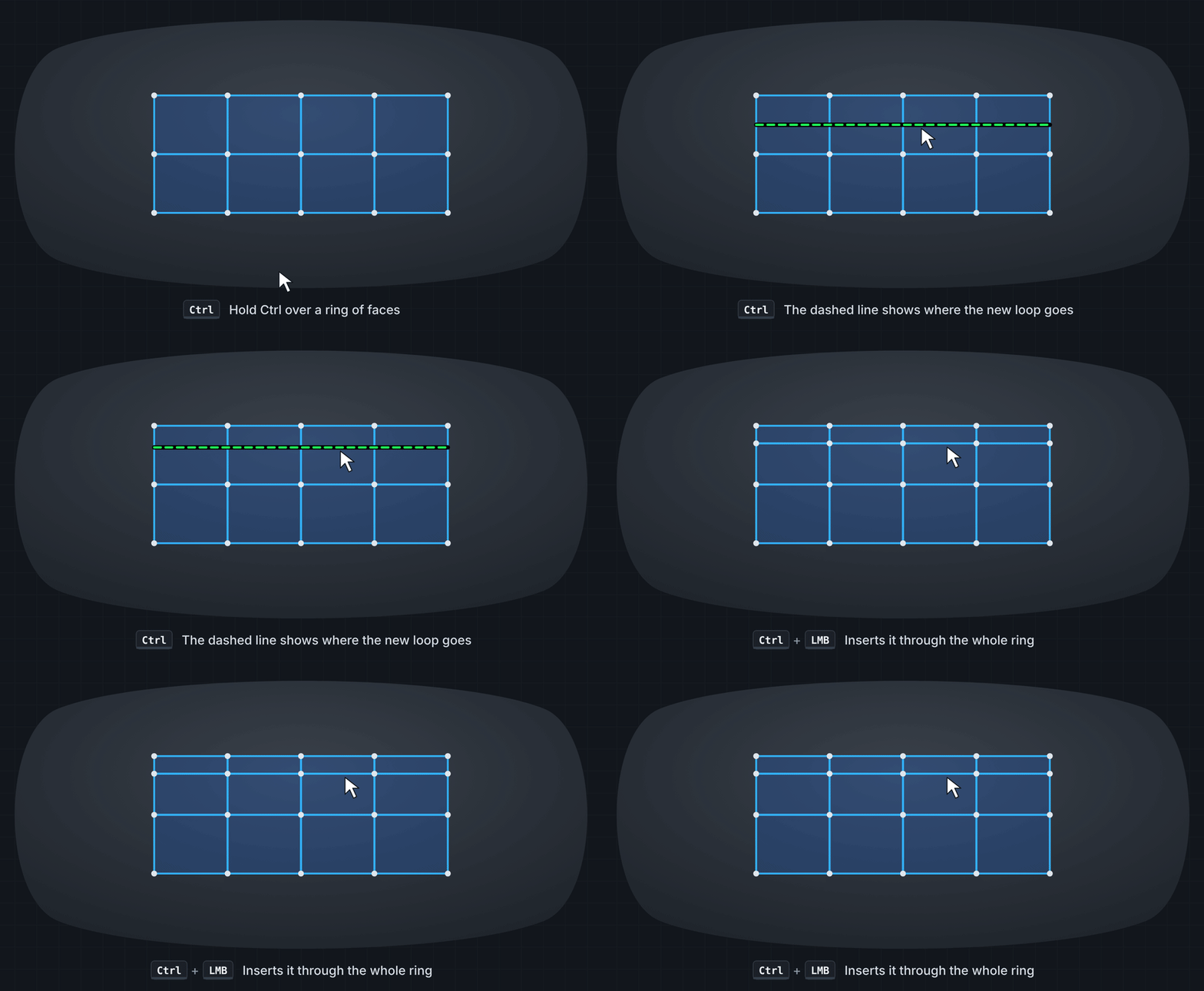
Place dots, create quads, fill holes and extend borders directly on the Base surface. Build quad strips, split edges and insert new loops without switching tools. Every vertex created by LiveQuad is projected onto the underlying surface.
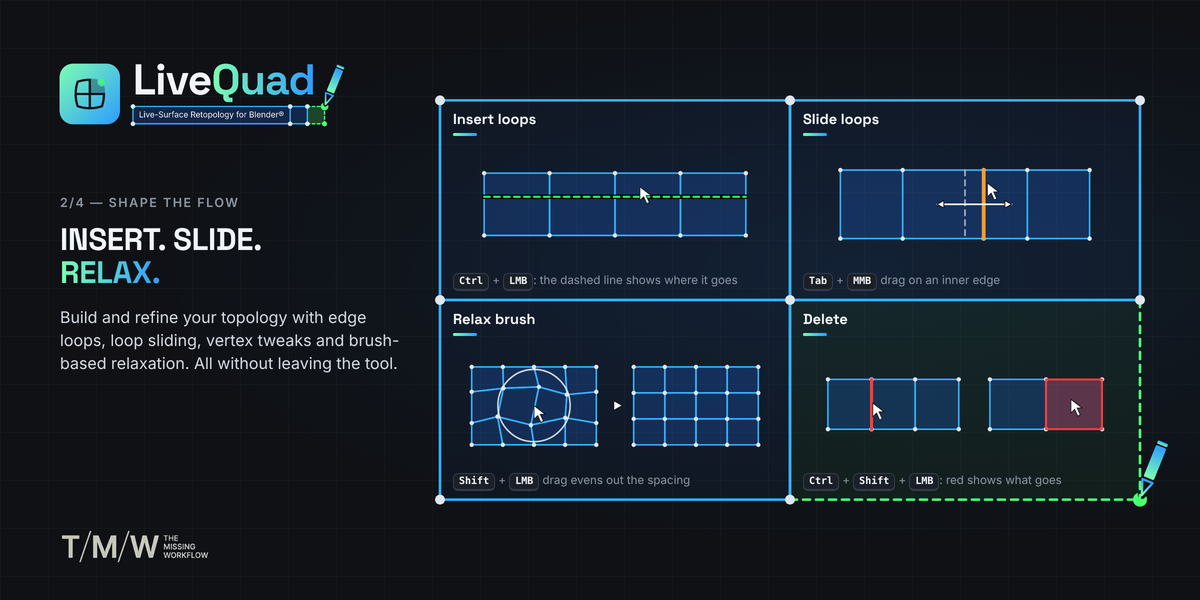
02 — INSERT. SLIDE. RELAX.
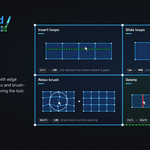
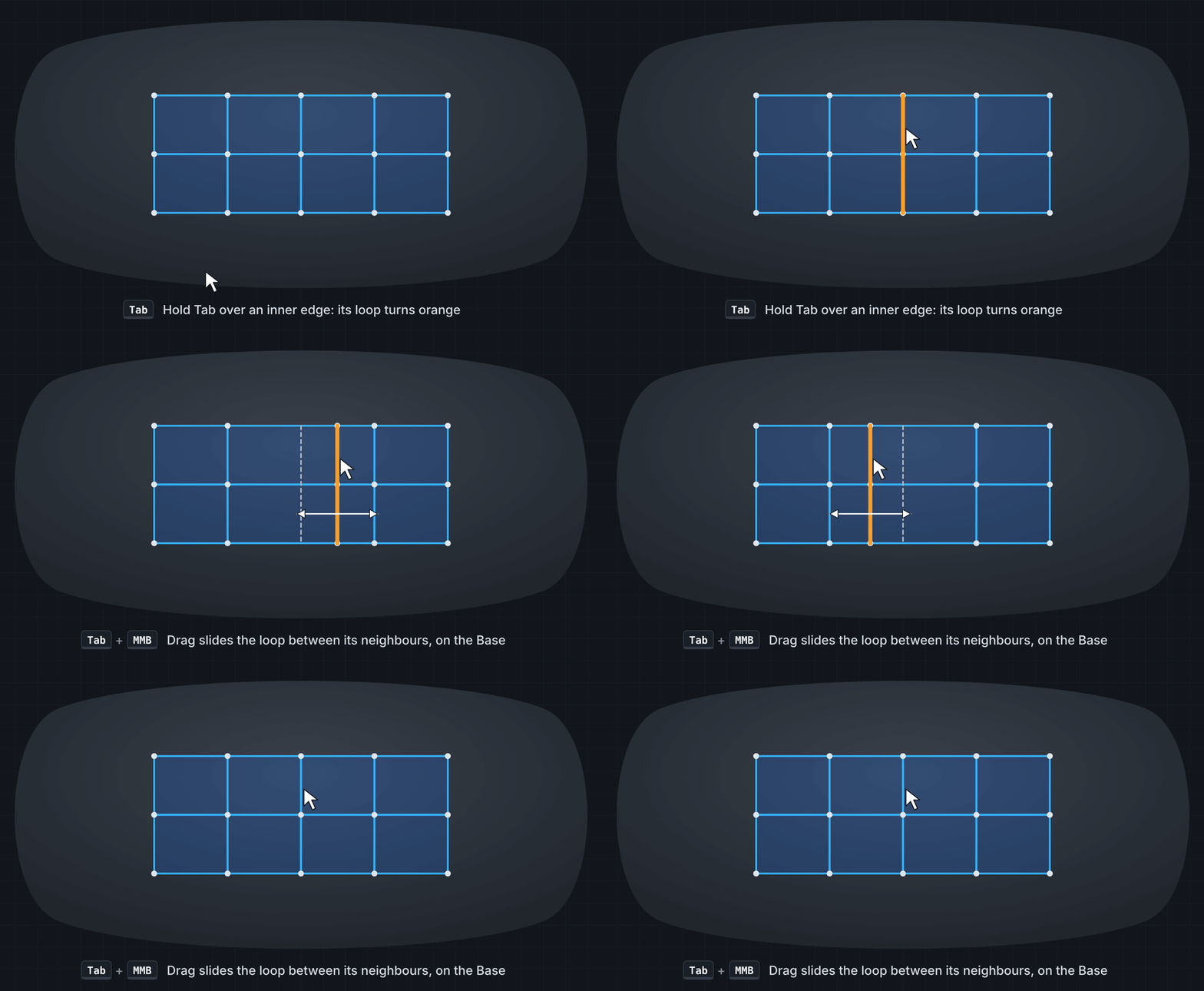
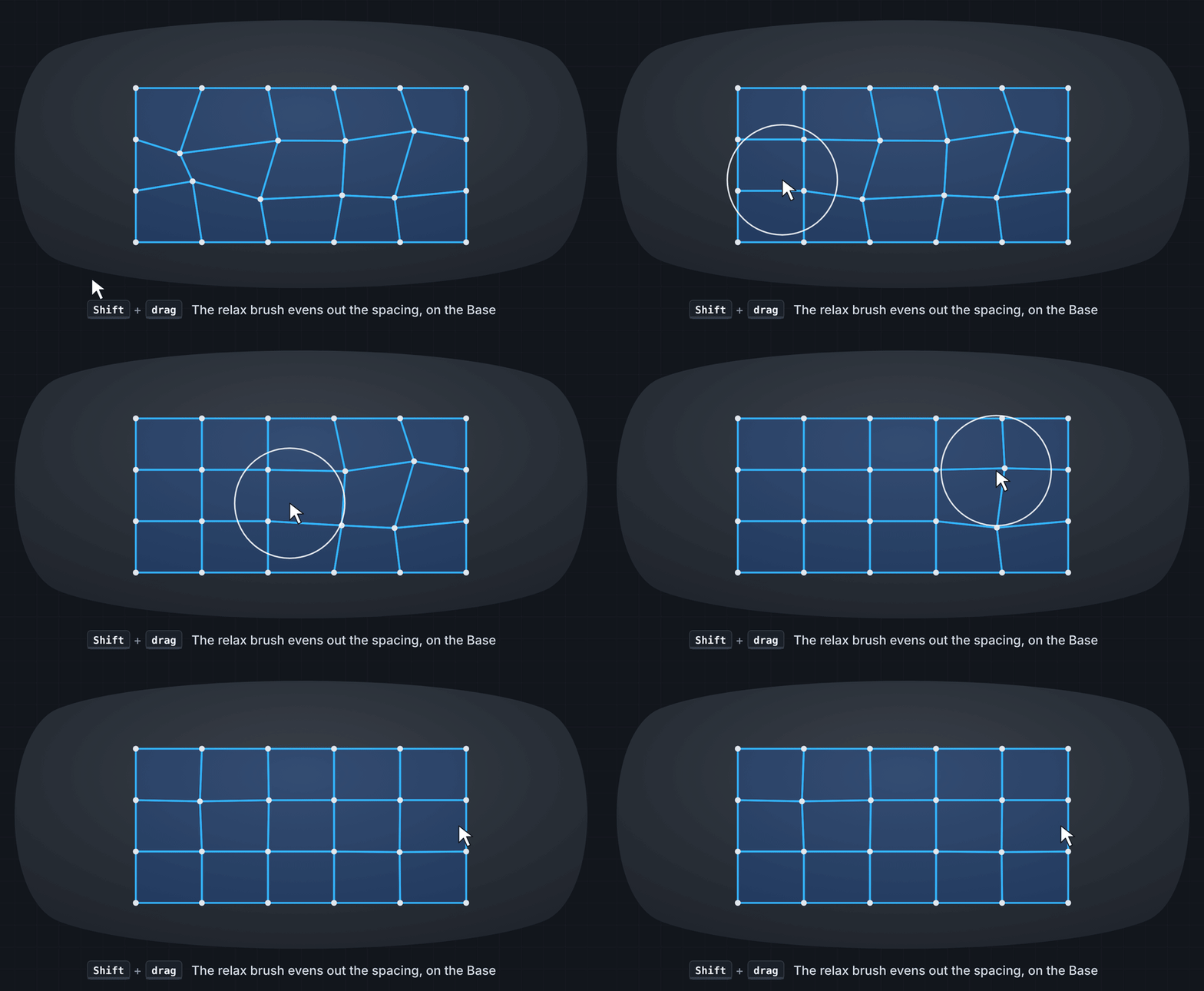
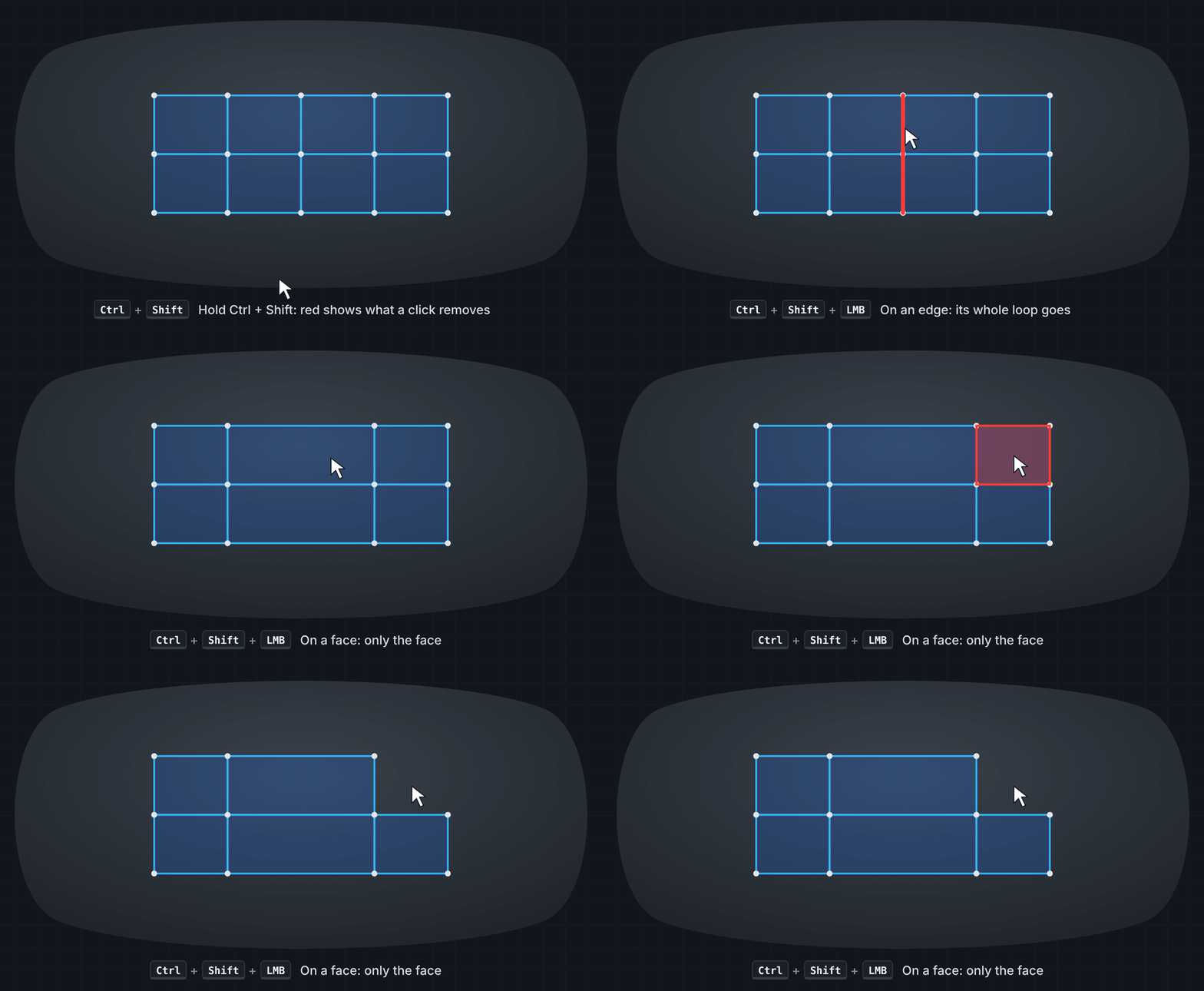
Refine your topology without leaving the tool. Slide edge loops across the surface, tweak vertices, use proportional editing and relax your mesh with a dedicated brush or on selected geometry. Remove individual elements or entire edge loops when needed.
03 — WORK HALF. BUILD BOTH.
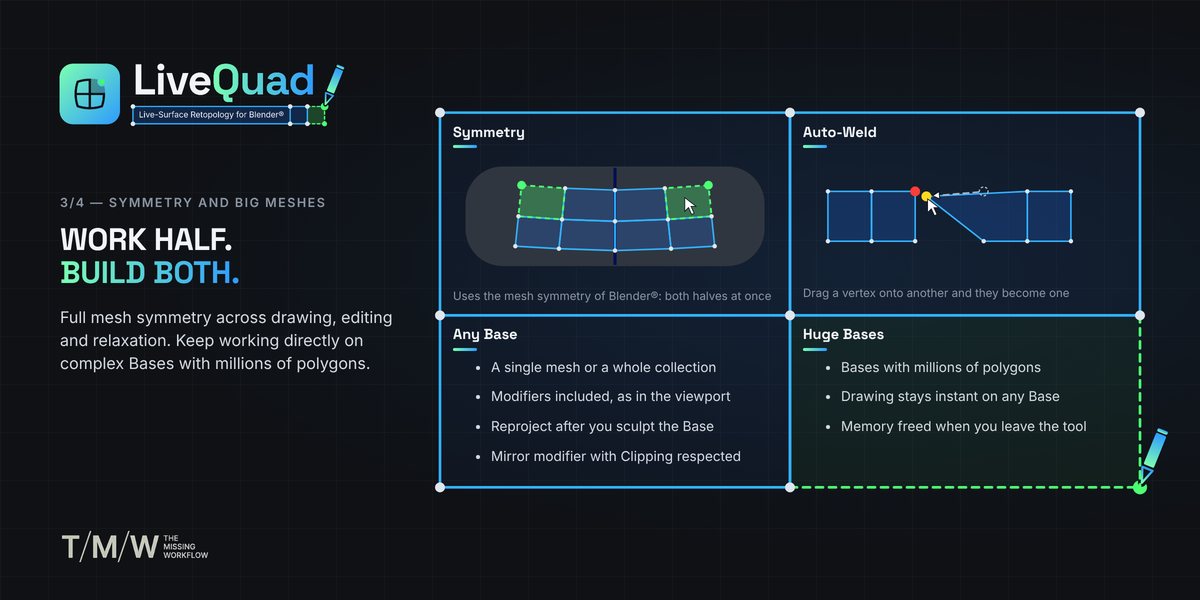
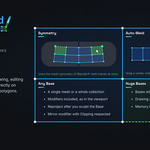
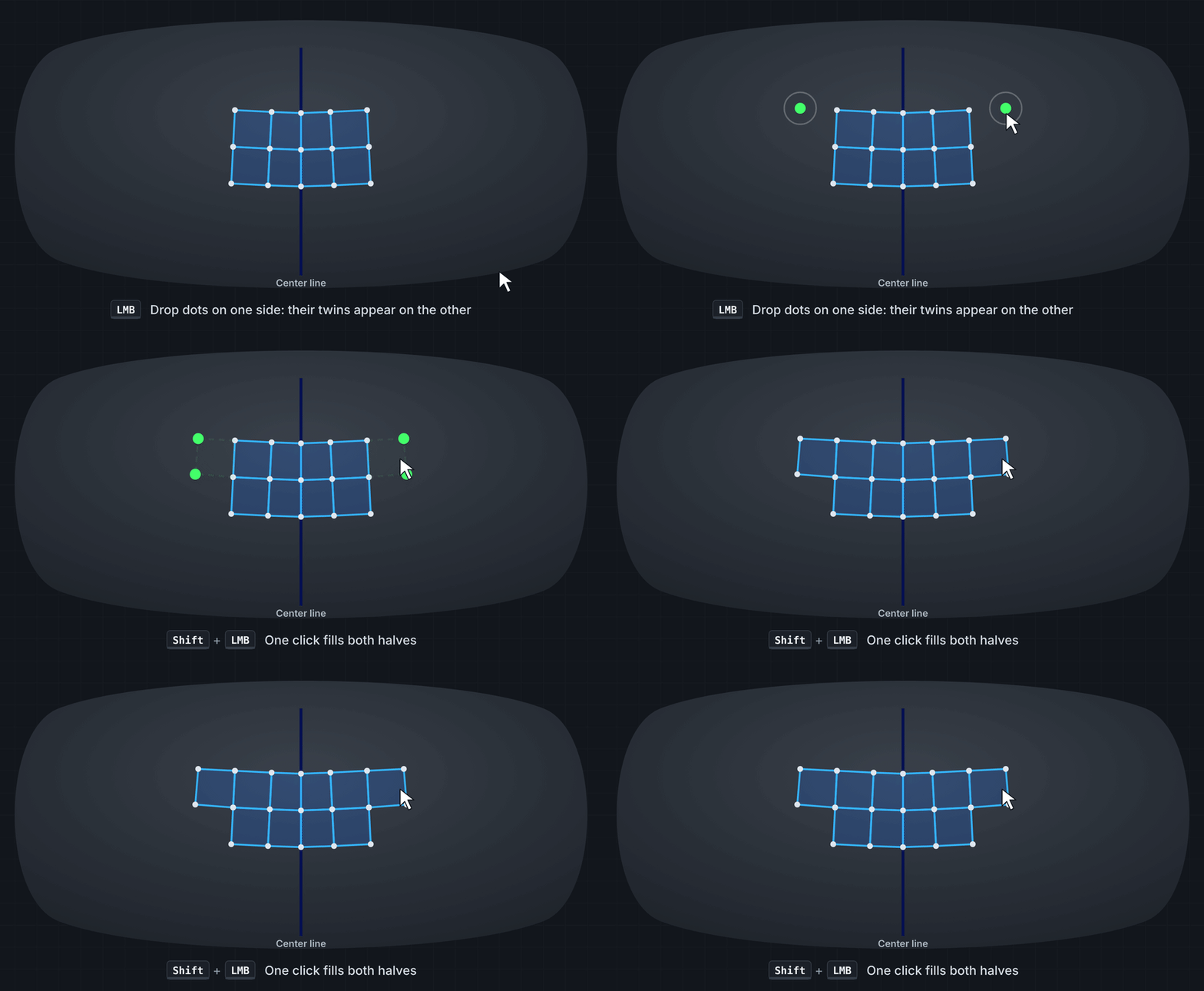
Use Blender's X, Y or Z mesh symmetry to work on both sides of your model. Symmetry applies across supported drawing, filling, extending, editing and relaxation operations, with center-line snapping to keep your topology aligned.
04 — SEE THE PROBLEMS. FIX THEM.
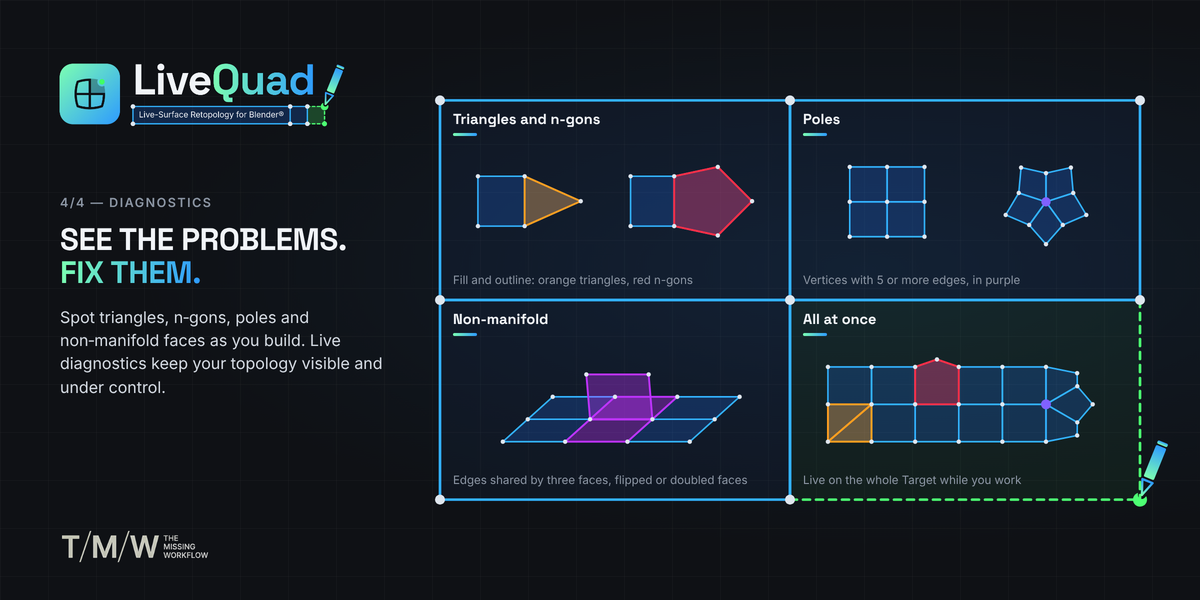
Live diagnostics keep your topology visible as you build. Identify triangles, n-gons, poles and non-manifold faces directly in the viewport, with dedicated color coding and live statistics. Spot potential issues as they appear, then fix them on the spot.
BUILT FOR COMPLEX SURFACES
LiveQuad is designed to keep the retopology workflow responsive, even when working against dense source geometry. It has been tested on Base meshes containing more than 5 million triangles, with responsive viewport interaction while drawing, hovering, dragging and relaxing.
Use a single mesh or an entire collection as your Base. Enable modifier evaluation when needed, adjust surface offset and visibility, and reproject your topology after making changes to the source surface.
ONE TOOL. ONE CONTINUOUS WORKFLOW.
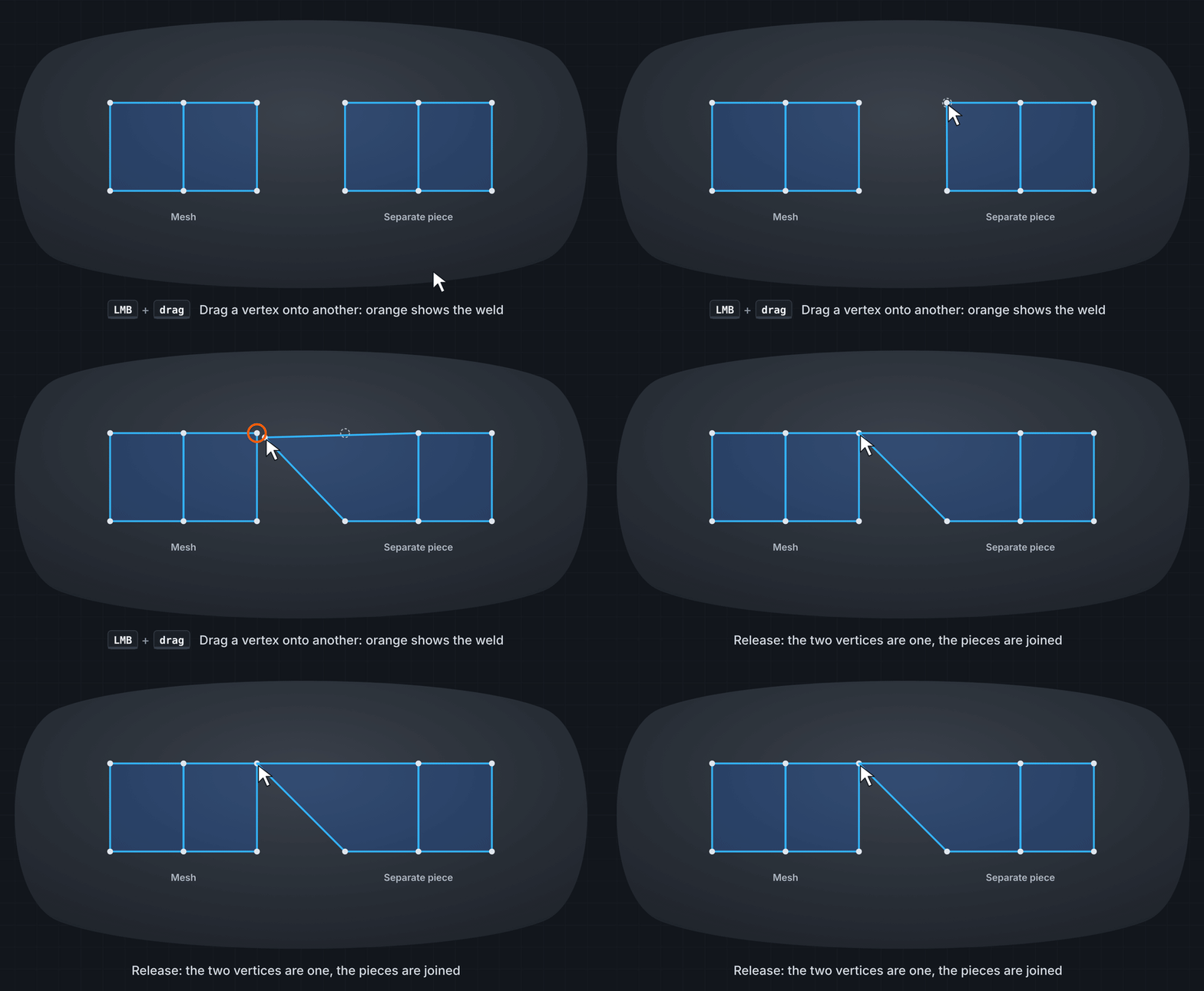
LiveQuad brings drawing, filling, edge extension, loop operations, editing, relaxation and topology diagnostics into a single Blender tool. Preview important operations before committing them, use Auto-Weld to merge nearby elements within an adjustable screen-space tolerance, and keep your focus on the surface instead of switching between separate tools.
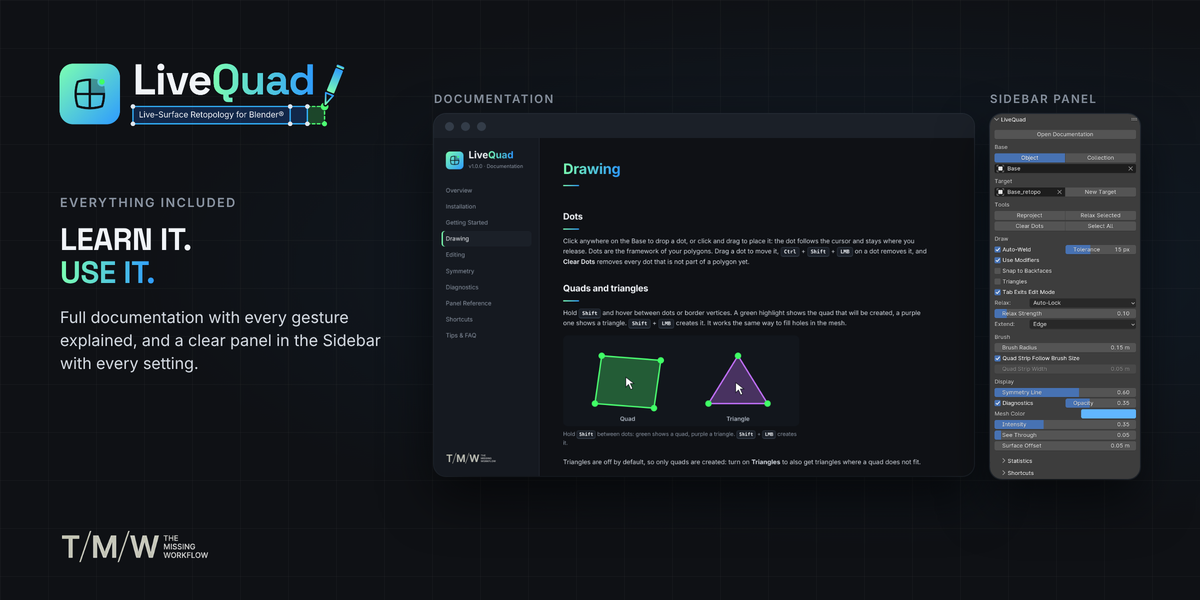
Essential controls are available directly in the tool header, with additional settings in the LiveQuad sidebar. Shortcuts are active only while LiveQuad is the selected tool, leaving Blender's normal shortcuts available everywhere else.
WHAT'S INCLUDED
- LiveQuad Blender add-on
- Complete offline HTML documentation
- Live topology diagnostics and statistics
- X, Y and Z mesh symmetry support
- Single-object and collection-based Base workflows
- Modifier evaluation support
- Adjustable display, visibility and surface offset controls
REQUIREMENTS
- Blender 4.5 or later
- Windows, macOS or Linux
Blender® is a registered trademark of the Blender Foundation. LiveQuad is an independent third-party add-on and is not affiliated with or endorsed by the Blender Foundation. The Missing Workflow