 Lewiskratos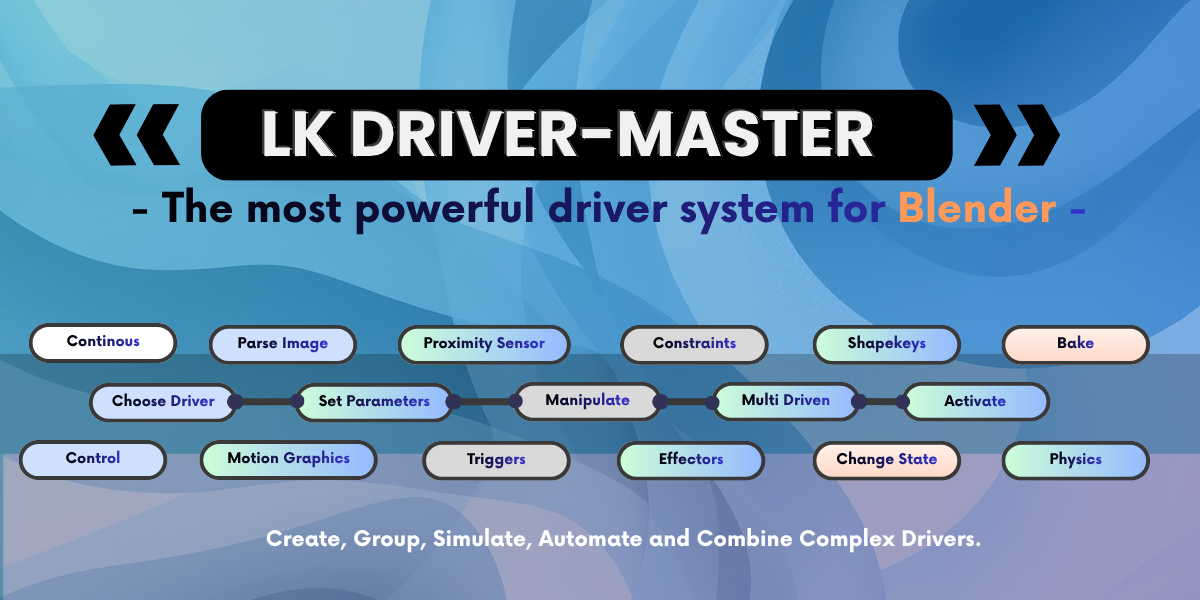


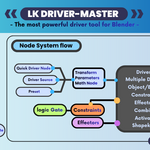
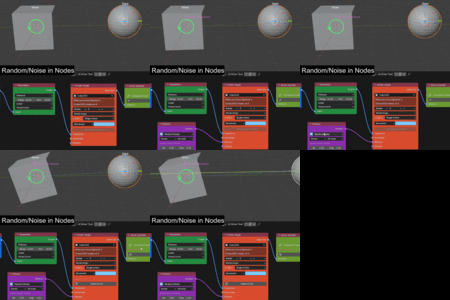
LK DriverMaster: Visual Driver & Procedural Animation Engine
LK DriverMaster is a visual driver and procedural animation engine for Blender. It eliminates the need to write Python formulas, hunt cryptic data paths, or manage fragile rigging scripts when connecting object and rig behaviors.
Why is LK DriverMaster a Big Deal?
In standard Blender, making one object move another (like a bone opening an eyelid, a gear turning a dial, or wheels rotating when a car moves) is frustrating. You have to hunt down cryptic data paths, write Python math formulas in tiny input boxes, or create dozens of dummy empty cubes just to drive a facial shape key. If you want bouncy jiggle or rope physics, you usually have to bake heavy simulations that drop your viewport down to 15 FPS. What LK DriverMaster does is incredibly smooth and built to perform at project scale:
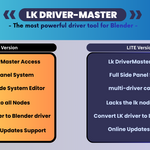
There Are Two Versions: LITE and PRO
Choose the edition that best fits your workflow, from essential panel rigging to full procedural studio simulations.
| Feature / Capability | LITE Edition (Free) | PRO Edition (Studio) |
|---|---|---|
| 4-Step Sidebar Driver Wizard (N-Panel) | [+] Included | [+] Included |
| Driver Outliner (Activate, Toggle, Remove) | [+] Included | [+] Included |
| Preset System (Save, Load, Share Rigs) | [+] Included | [+] Included |
| 3D Viewport Real-Time Visualizer Overlays | [+] Included | [+] Included |
| Native C-Speed Driver Evaluation (60 FPS) | [+] Included | [+] Included |
| Zero-Addon Portability (Clients & Render Farms) | [+] Included | [+] Included |
| One-Click In-App Automatic Updater | [+] Included | [+] Included |
| Full Visual Node Graph Pipeline | Not Included (Panel Only) | [+] Full Modular Node Tree |
| Quick Workflow Compact Nodes | Not Included | [+] 10 All-in-One Compact Nodes |
| Secondary Physics & Harmonic Springs | Not Included | [+] XPBD Cables + Live Spring Jiggle |
| Autonomous Continuous Motors & Governors | Not Included | [+] Curve Tangents & Speed Controls |
| Kinetic Typography (Text MoGraph) | Not Included | [+] Split Letters/Words & Cascades |
| Real-Time Mesh Proximity Ray-Casting | Not Included | [+] Surface Distance Sensing |
| Change State Node (Anti-Flicker Gear Shift) | Not Included | [+] Deadband Mode Cushioning |
| Logic Gates & Tripwire Trigger Systems | Not Included | [+] Cross-Rig Signals & Gates |
| Shape Key Multi-Step Interpolation | Not Included | [+] 4 Blend Modes (Smooth, Gradual, etc.) |
| Included Production .blend Scenes | 2 Starter Onboarding Rigs | [+] 40+ Production Blend Scenes |
| Master Documentation Suite | Quick Start Guide | [+] Complete Offline Manual (All Chapters) |
Complete Offline Master Documentation Suite Included
INCLUDED IN DOWNLOADPackaged directly inside your download files is a standalone, offline HTML documentation manual that you can open locally in any browser without an internet connection. It has all the explanations and example file references for the 40+ .blend files you can try and test. This documentation will help you troubleshoot node connections, explain in detail what each node does, and show real-world use cases where you can apply them in your projects.
Step-by-step guides for the 4-step sidebar wizard, coordinate spaces, and batch multi-object tools.
Every socket, parameter, math function, and logic condition explained with clear wiring diagrams.
Deep setups for XPBD rope physics, live harmonic springs, text MoGraph cascades, and proximity sensors.
Real production setups: car gearboxes, facial blink arrays, cartoon bounce landing, and troubleshooting tips.
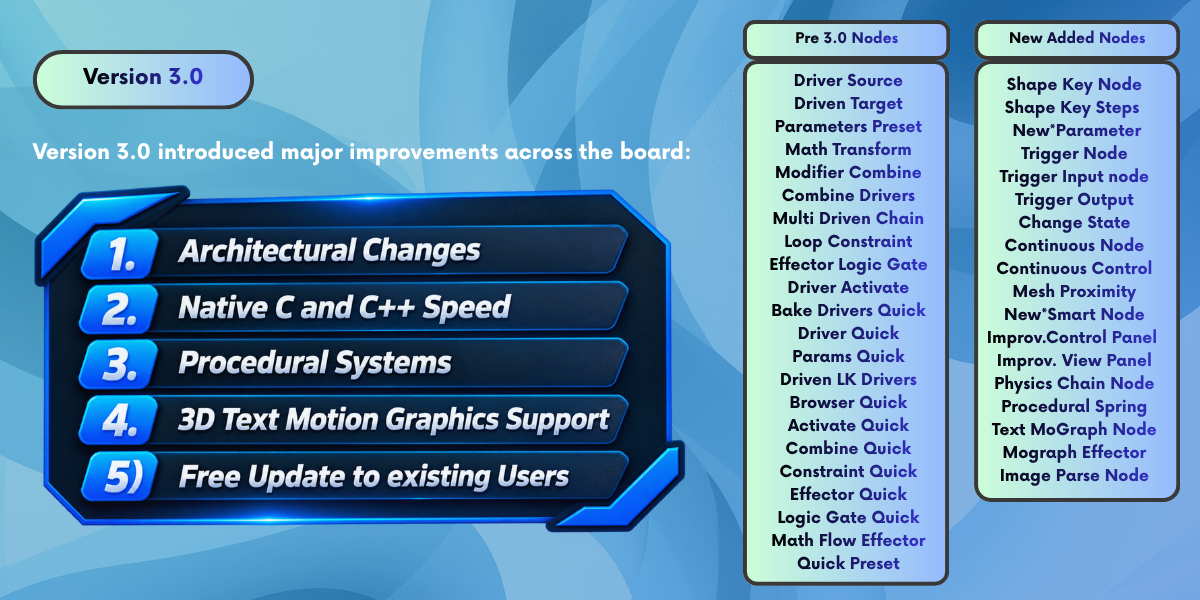
The 11 New Nodes in Version 3.0.0
We are introducing 11 new nodes in the 3.0.0 family. These nodes represent a generational leap in how you control and create custom drivers: from springs and jiggle dynamics to automated loops, physics-based objects, and trigger mechanisms. The continuous nodes make it effortless to automate complex clockworks, mechanical rigs, and dynamic motion graphics that run natively without Python overhead. Below are the new nodes included in version 3.0.0 (experimental simulation nodes are labeled with a [Beta] badge):
Samples pixel buffer luminance, RGB channels, and color data from images or live video textures to drive light wattage, color, and object transforms dynamically.
Traverses armature and parent hierarchies with directional propagation (Root-to-Tip, Tip-to-Root, Center-Out, Random Seed) and overrides downstream action types.
Dispatches evaluation events based on spatial thresholds, emitting continuous, pulse, or one-shot signals to toggle, mute, or activate downstream driver chains.
Procedurally splits 3D typography into independent letter or word objects with automatic center origins, driving progressive wave cascades, flips, and pop drops.
Measures real-time 3D distances between objects and target mesh surfaces, mapping distance falloffs into driver values to trigger lights, deformation, or scale.
Executes iterative recursive signal loops across bone chains or object arrays with controlled attenuation, step delays, and feedback without dependency cycles.
Real-time Extended Position Based Dynamics (XPBD) rope and cable solver with 6 physical material presets, dual-pinning anchors, floor collision, and zero baking.
Interactive second-order harmonic oscillator introducing mass inertia, stiffness, and damping to any transform channel, settling organically during viewport grabs.
An automatic gear-shifter for animations. Switches modes smoothly based on speed or distance (e.g. Idle to Walk to Run, or Sphere to Spiked Ball) with built-in anti-flicker protection so your model never vibrates or stutters between states.
Autonomous kinematic motor generating continuous non-blocking motion (rotation, translation, oscillation) along axes or 3D Bezier curve path tangents without keyframes.
Master speed regulator and directional governor for continuous motors, providing interactive acceleration curves, braking thresholds, reverse toggles, and ratchet holds.
Existing Standard Nodes & What They Do
The battle-tested foundation of LK DriverMaster. Connect, map, constrain, and blend drivers with zero coding:
Selects the controller object or bone and reads its position, rotation, or scale in local or world space.
Maps input ranges to output values with smooth Bezier/linear easing curves, influence multipliers, and inversions.
Defines the receiver object, bone, shape key, or custom property that receives the animated driver signal.
The final chain terminal. Automatically compiles the entire node setup into native, zero-lag Blender C++ drivers.
Enforces hard motion clamps (Limit Location, Rotation, Scale, Distance) so objects never over-rotate or clip.
Injects procedural motion on top of drivers: organic Noise jitter, bouncy Springs, time Delays, and periodic Echoes.
Drives up to 8 different objects or bones simultaneously from a single driver source signal with individual offsets.
Blends two or more controller sources (e.g. wrist bone rotation + custom UI slider) into one combined motion signal.
Gathers multiple separate driven target chains into a single unified wire feeding into Driver Activate.
Evaluates conditions (Greater Than, Less Than, Equal, AND, OR) to dynamically pass, invert, or mute signals.
Performs instant math operations (Add, Multiply, Divide, Power, Square Root, Modulo, Clamp, Absolute) on driver values.
Compact inline tool for scaling influence, shifting offsets, and inverting axis directions without full parameter nodes.
Instantly loads and auto-fills complete Driver Source + Parameters + Target setups from saved rigging templates.
Bakes live procedural driver motion into standard Blender keyframes and editable animation curves in 1 click.
Tailored parameter mapper specifically calibrated for 0.0 to 1.0 facial morph targets, eyelid blinks, and phonemes.
Version Comparison: v2.0.2 vs. v3.0.0
See the technical leap from version 2.0.2 to the new 3.0.0 architecture:
| Feature / Capability | Version 2.0.2 | Version 3.0.0 Final |
|---|---|---|
| Driver Execution Engine | Python driver evaluation | Native Blender C-Speed F-Curves (0ms lag) |
| 3D Viewport Interaction | Timeline playback required | Live Viewport Grab (G/R/S) with dynamic settling |
| Secondary Physics Simulation | Basic mathematical noise only | XPBD Physics Solver (6 presets) & Harmonic Springs |
| Shape Key Binding | Required manual paths or dummy empties | Direct mesh morph channels with 0 dummy empties |
| Continuous Motion Motors | Frame-counter manual formulas | Autonomous Motors + 3D Bezier Curve Tangents |
| Kinetic 3D Typography | Not supported | Text MoGraph letter/word splitter with wave cascades |
| Spatial Surface Proximity | Basic coordinate distance | Real-Time Mesh Proximity ray-cast surface distance |
| Animation State Switches | Simple condition gates (causes edge flicker) | State Machine with anti-flicker deadband cushion |
| Render Farm Compatibility | Required Auto-Run Python permissions | 100% Native Driver Compilation (Zero addon required) |
| Node Ecosystem | 7 Standard Nodes | 12 Pro Nodes + 5 Beta Simulation Nodes |
| Included Sample Scenes | 10 Core Rigs | 40+ Production Blend Scenes across 12 categories |
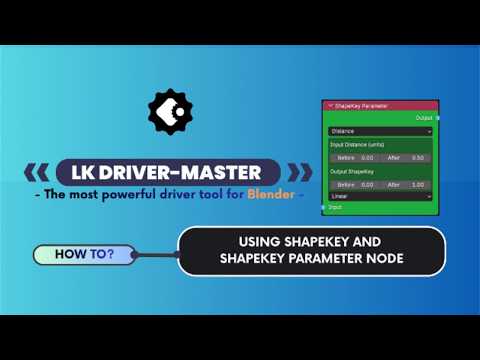
Featured Video Tutorials & Masterclass
Watch step-by-step walkthroughs and explainers covering both the sidebar panel and node workflows.
The YouTube channel collection showcases everything needed to test, view, run, and create with the LK Driver side panel and node system.
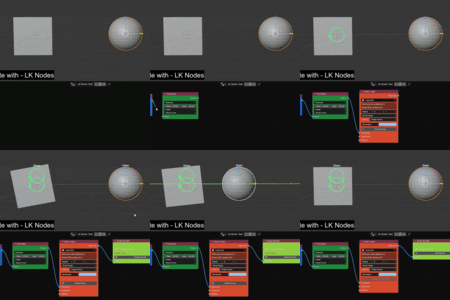
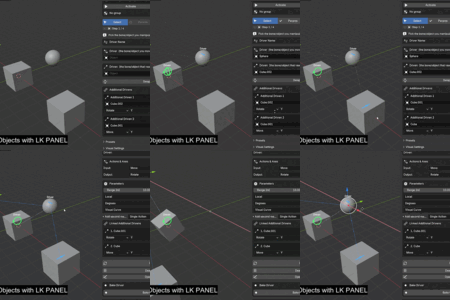
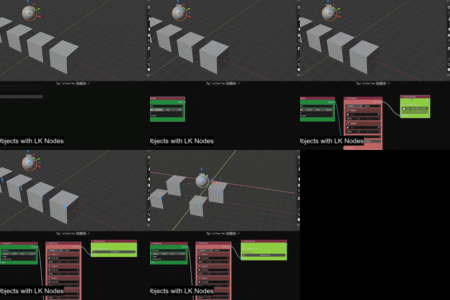
Featured Viewport Demonstrations
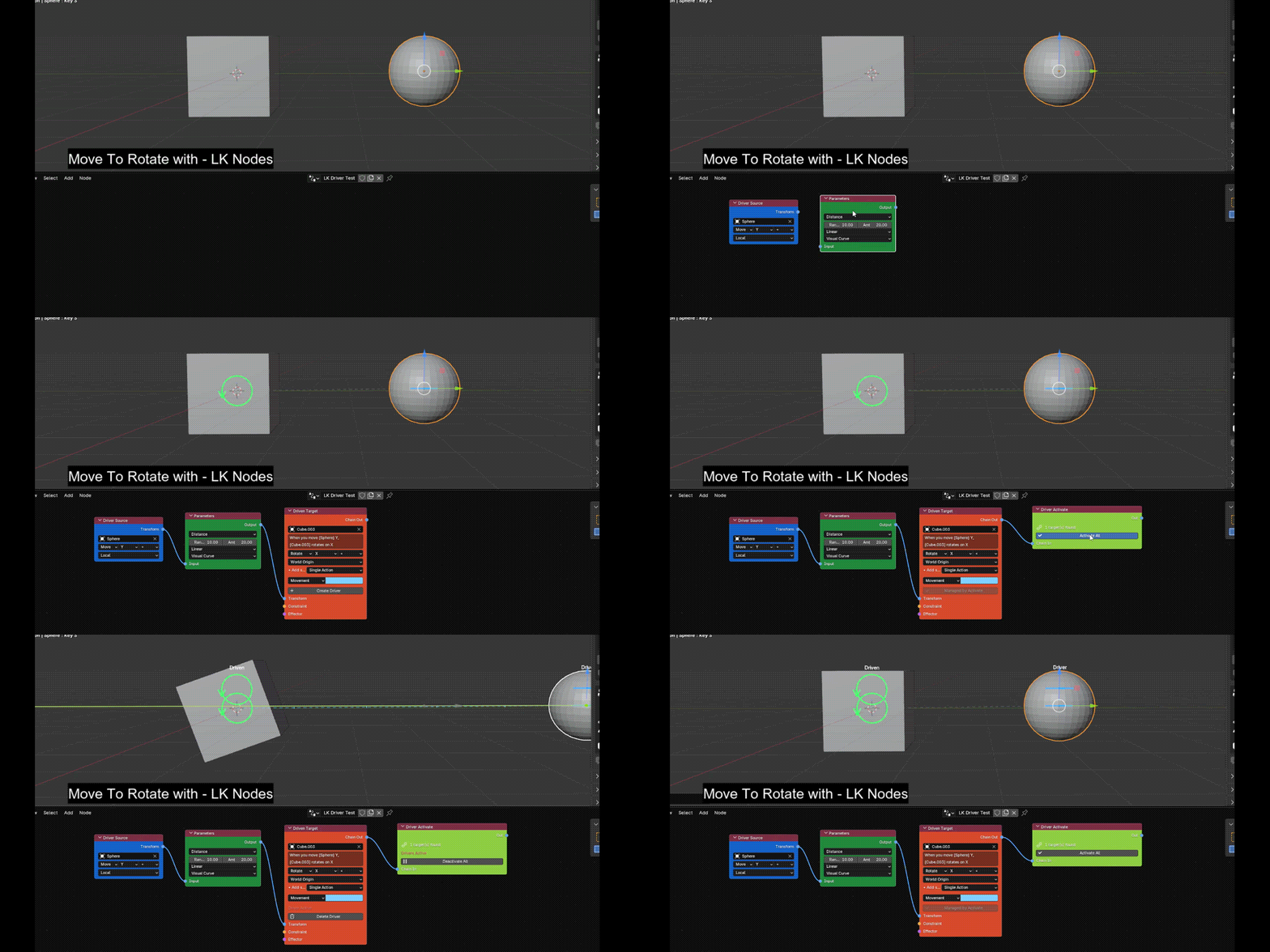
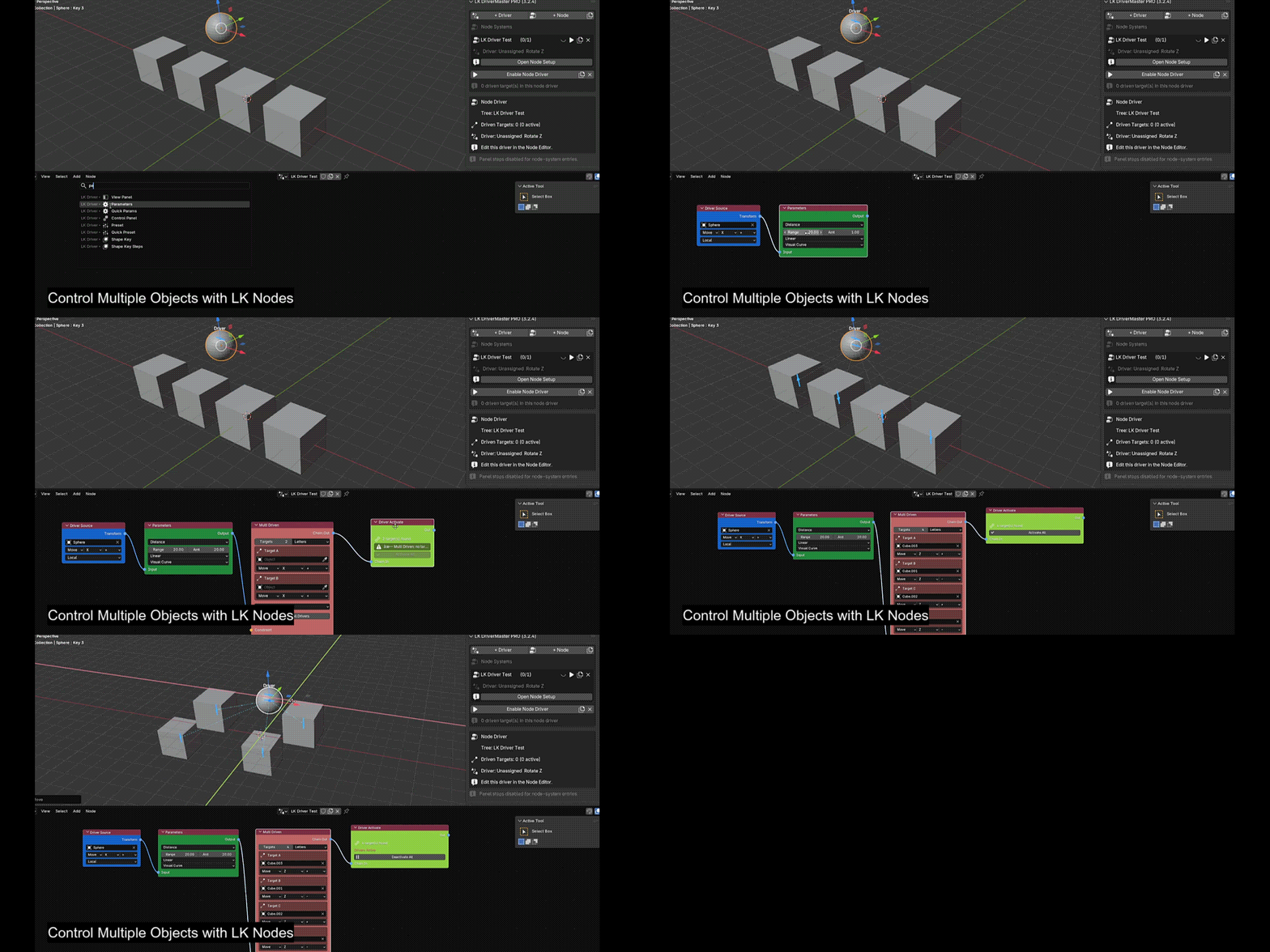
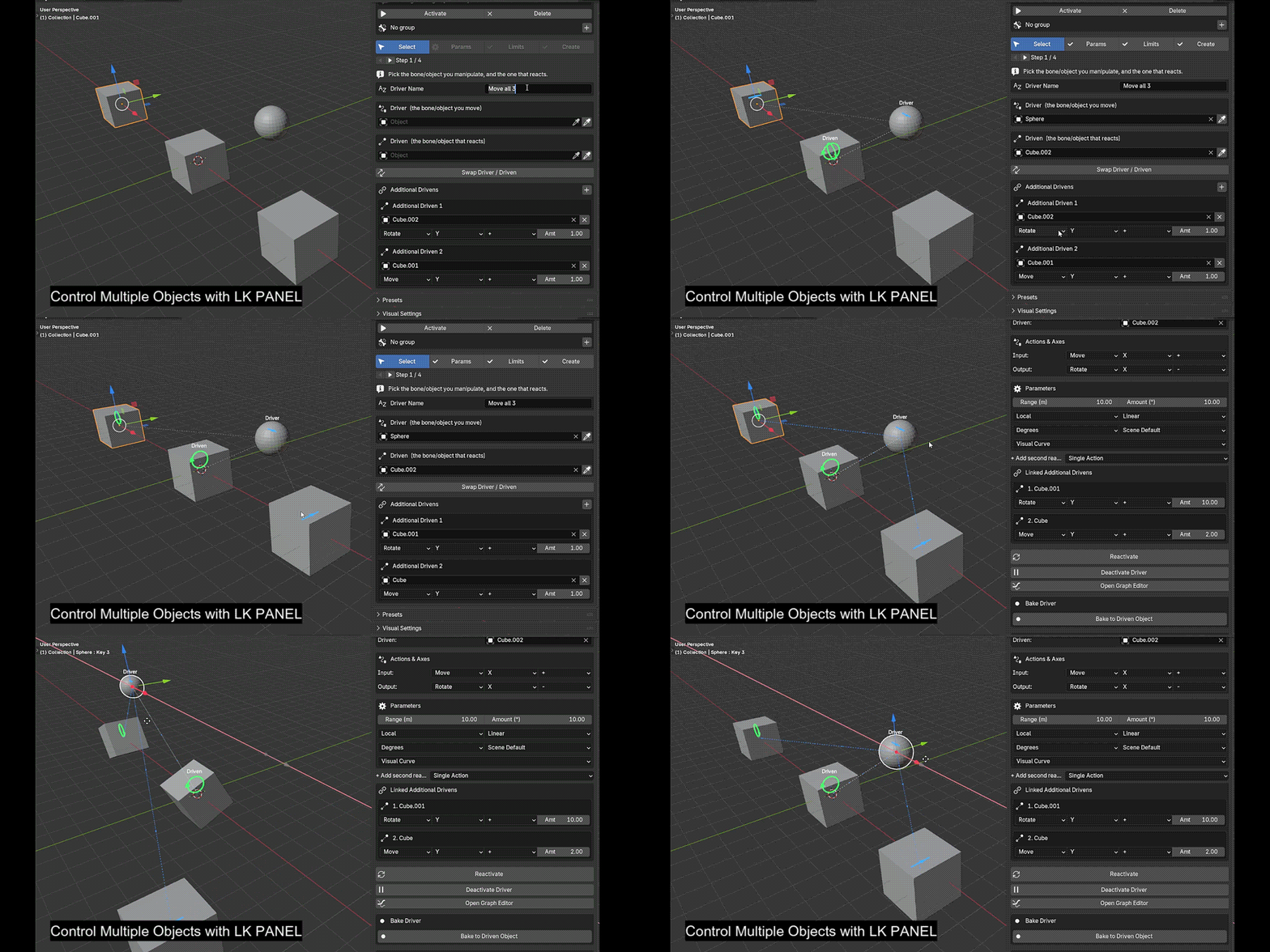
Sample scenes showcasing how the Node System is used to drive, manipulate, and control geometry and objects in the Blender 3D viewport:
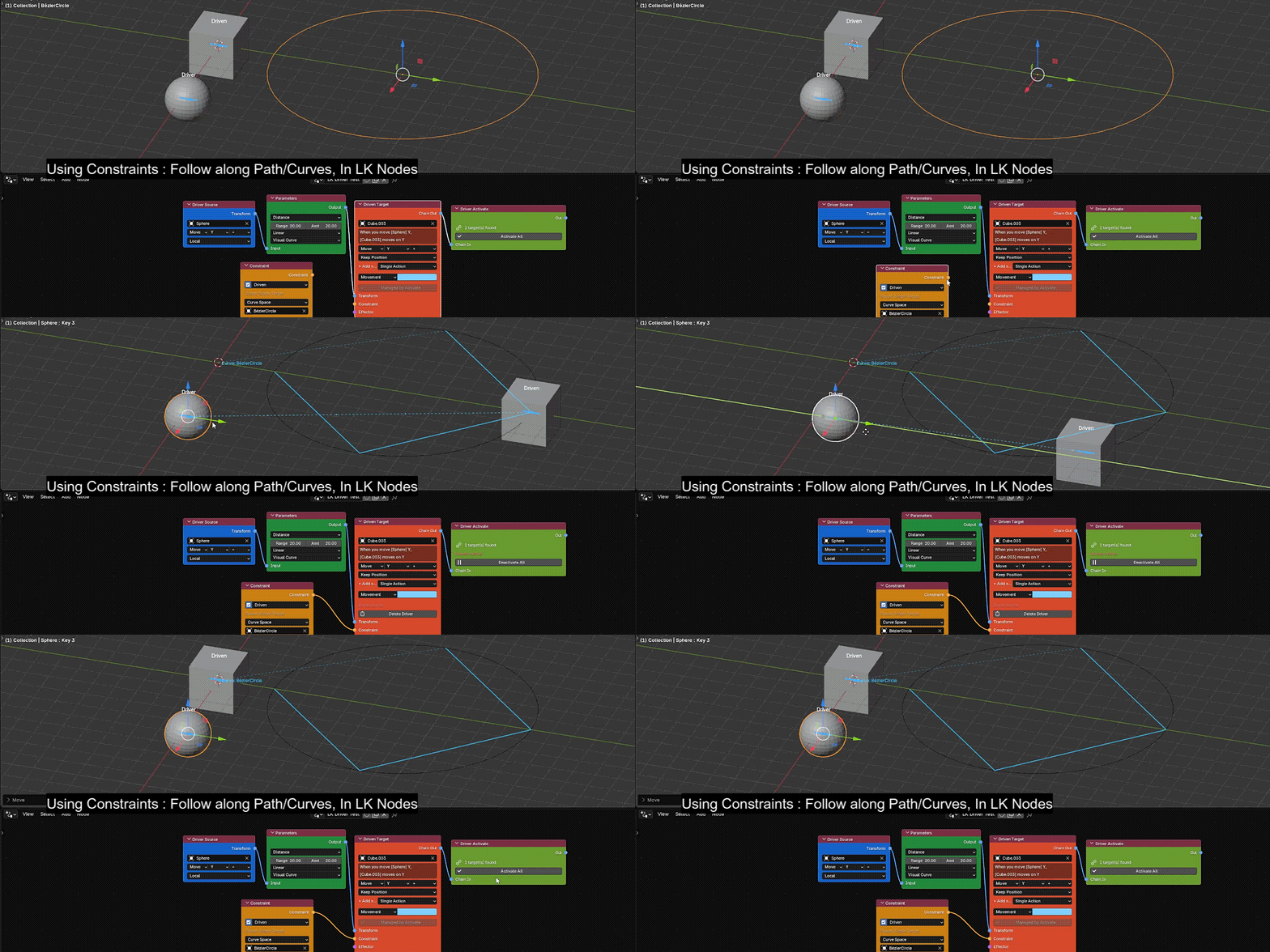
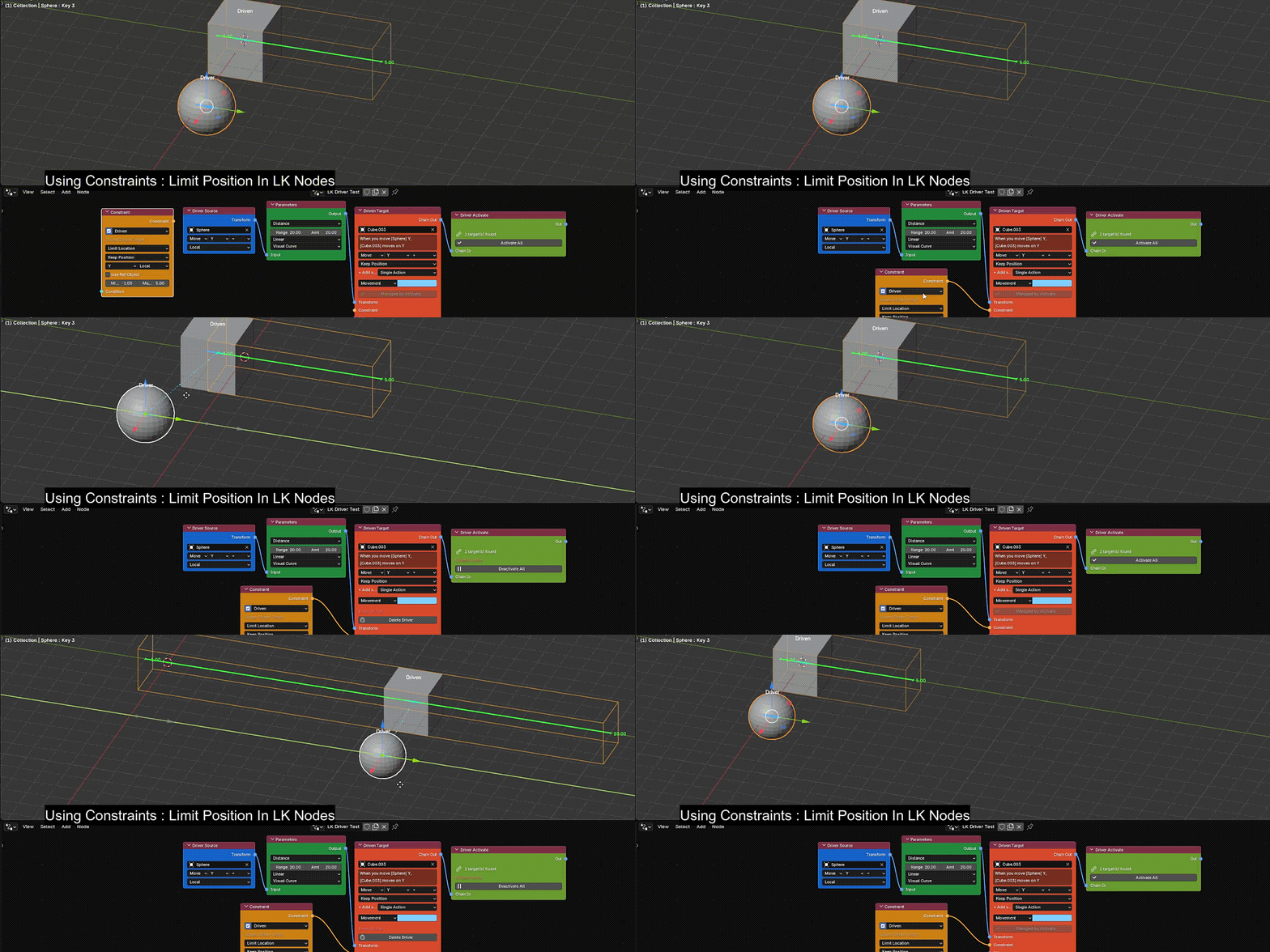
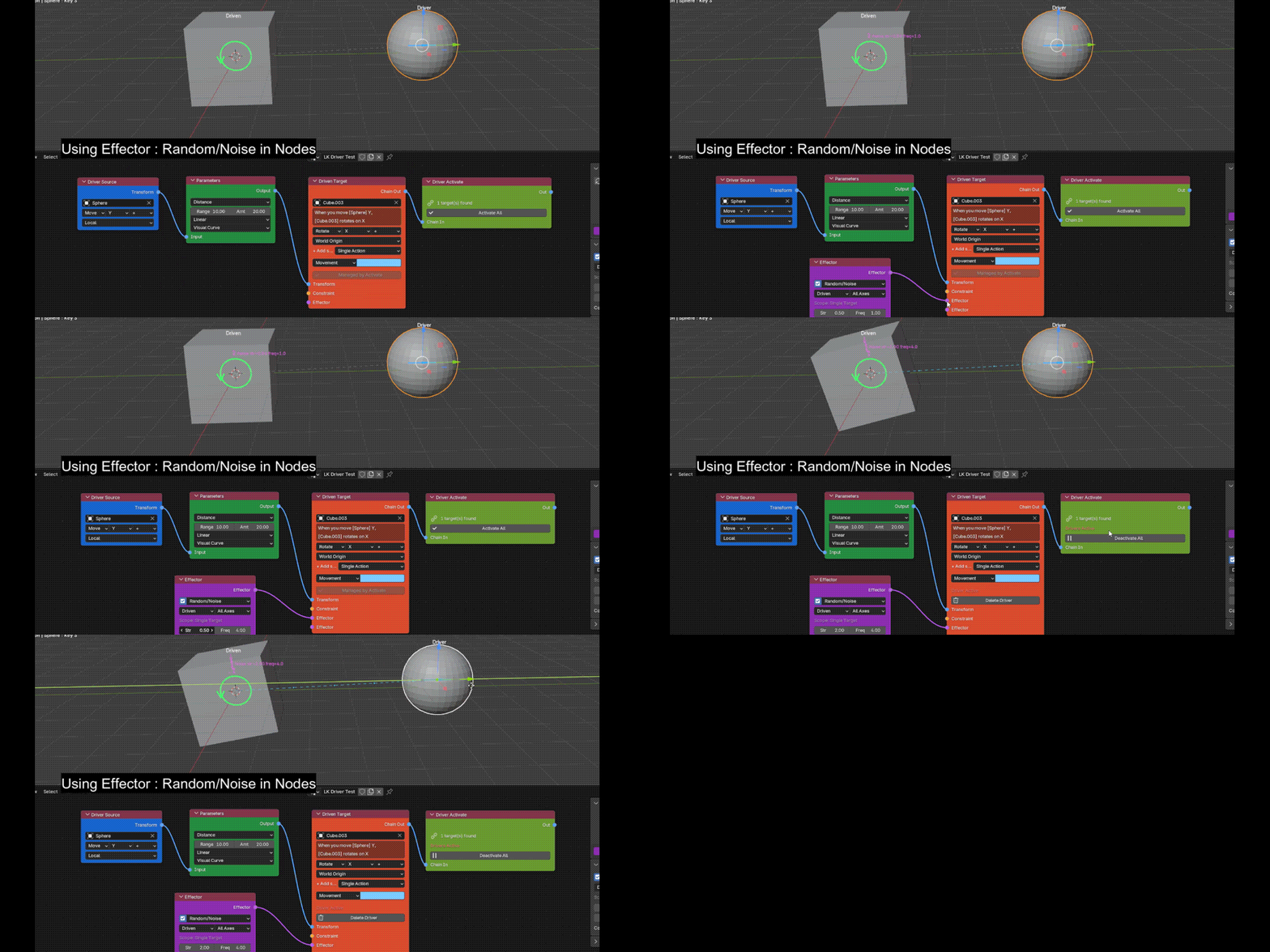
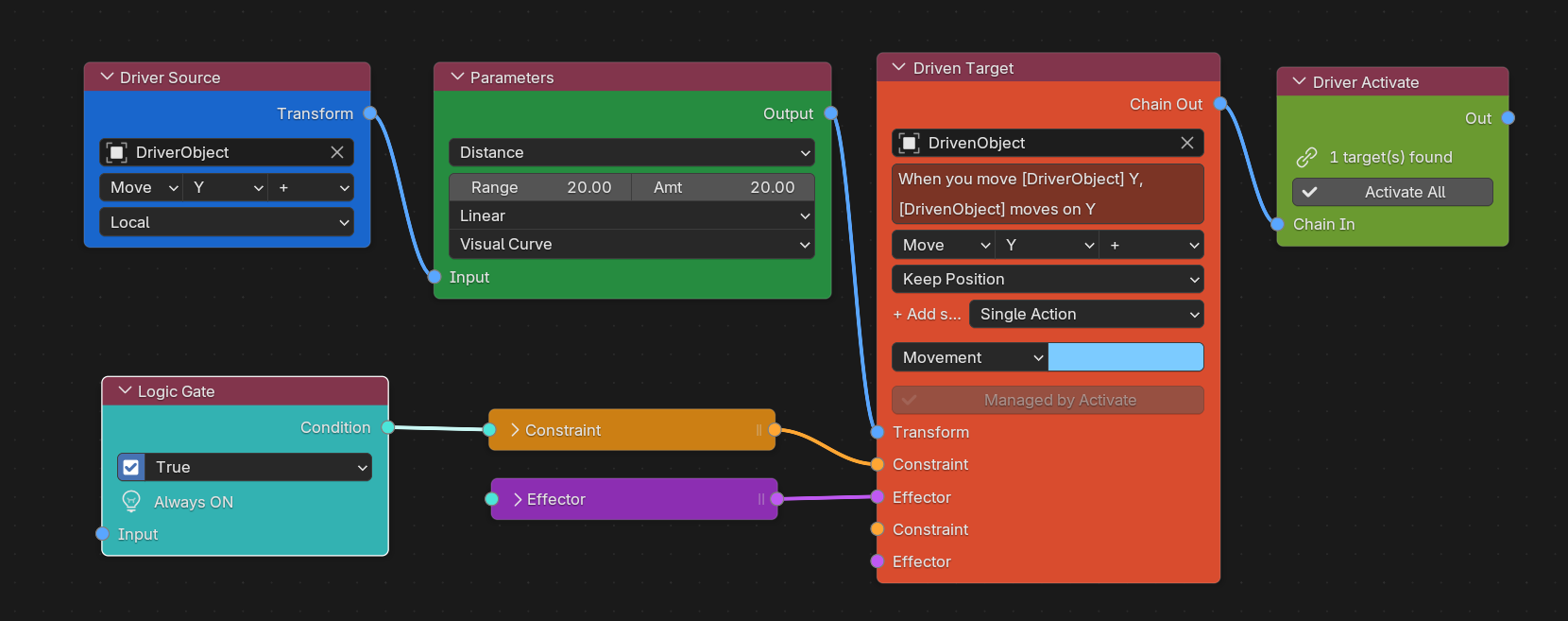
The Standard Way vs. LK DriverMaster
Built specifically for technical artists and character riggers looking to eliminate manual coding.
| The Standard Way
| The DriverMaster Advantage
|
Node Pipeline[+] Source → Params → Driven [+] Inject math modifiers dynamically [+] Unlimited Multi-Driven targets [+] Flow Effector bone propagation [+] 1-click bake to animation curves | Quick Workflow[+] Consolidated all-in-one nodes [+] Instantaneous evaluation logic [+] Chainable Triggers & 6 gate actions [+] Named Shape Key Step arrays [+] Auto-fill fields via presets | Panel Workflow[+] Complete setups without node editor [+] Clean 4-step sidebar wizard [+] Intuitive coordinate axis picking [+] Smart Node scan & Repair Flow [+] Single-click driver compilation |
Shape Key Multi-Step Interpolation
Use named collections of Shape Keys mapped across distance thresholds — normalized blend weights are calculated automatically (Basis keys filtered). Ideal for facial phonemes and muscle bulges.
| Smooth Sinusoidal ease curves between key thresholds. | Gradual Linear transition parameters for mechanical consistency. | Instant Binary structural steps that snap immediately. | Proximity Priority strictly based on local factor proximity. |
40+ Complete Production Example Scenes Included
Meticulously built, audited, and verified in Blender 5.0+ across 12 categories:
| Category | Key Highlights | Production Scenes |
|---|---|---|
| 00 Core Quick Start | Immediate onboarding templates. | Cube Basic Flow, Multi-Target Starter. |
| 01 Standard Drivers | Essential 1:1 transform pairing. | Move-to-Move, Move-to-Rotate, Move-to-Scale, Rotate-to-Rotate. |
| 02 Constraints | Hard limit clamps and soft stops. | Limit Location, Limit Rotation, Soft Hinge Clamp. |
| 03 Proximity Bulbs | Spatial distance-based illumination. | Proximity Radial Bulb, Mesh Sensor Gate. |
| 04 Logic Gates | Conditional boolean thresholding. | AND / OR Gates, Gated Blinking Eye. |
| 05 Math Operations | Mathematical transform scaling. | Multiply, Add, Power, Modulo Gears. |
| 06 Trigger Sequences | Spatial tripwires and cascades. | Sequential Wave Chain, Cross-Rig Handshake. |
| 07 Spring Dynamics | Harmonic overshoot and damping. | Vehicle Suspension, Cartoon Jiggle Belly. |
| 08 Continuous Motors | Autonomous non-blocking rotation. | Radar 360 Sweeper, Reciprocating Crank Engine. |
| 09 Presets & Shape Keys | Facial morphs and phonetic steps. | Dual Symmetric Blink, 4-Stage Smile Steps. |
| 10 Kinetic Typography | Procedural 3D text animation. | 3D Split Letter Cascade, Word Pop Stagger. |
| 11 Physics & State | XPBD chains and rolling morphs. | Dynamic Floor Drag Chain, Rolling Morph FSM. |
Support Continuous Pipeline Development
Since LK DriverMaster is continuously updated with community requests, you can support future milestones directly on Ko-fi:
Support Development on Ko-fiBlender Compatibility & Requirements
Fully tested and compatible with Blender 5.0+ (the new example scenes tested in version 5.2 LTS). Runs natively on Windows, macOS (Intel & Apple Silicon M1-M4), and Linux. Fully compatible with tools like Auto-Rig Pro, Blender's Rigify, and custom studio rigs.

