Lk Driver Master
 Lewiskratos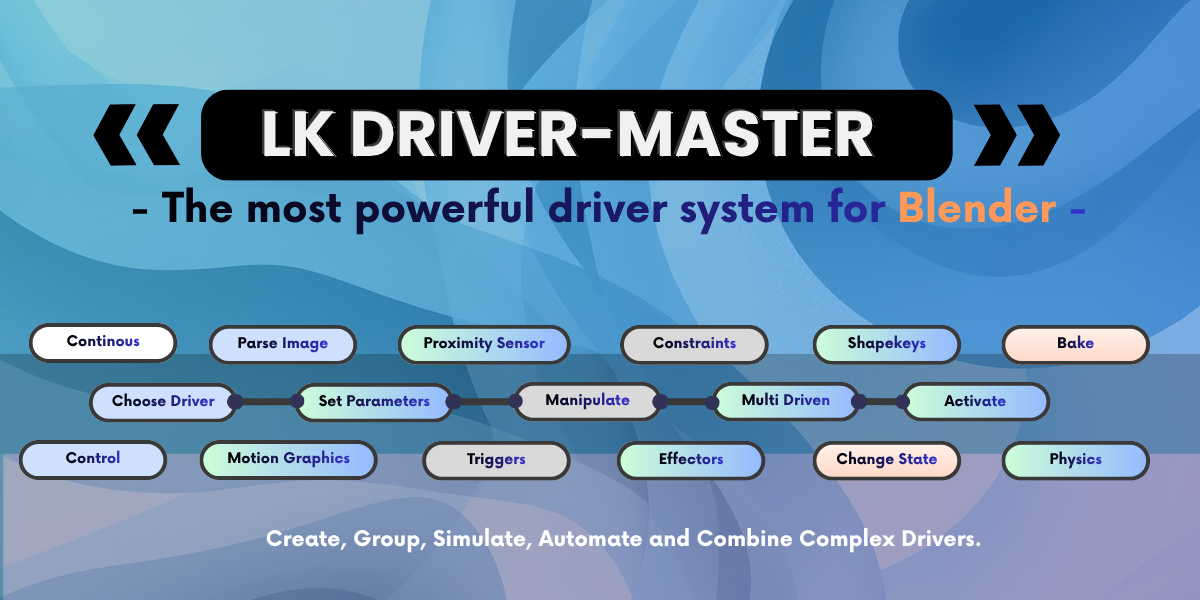
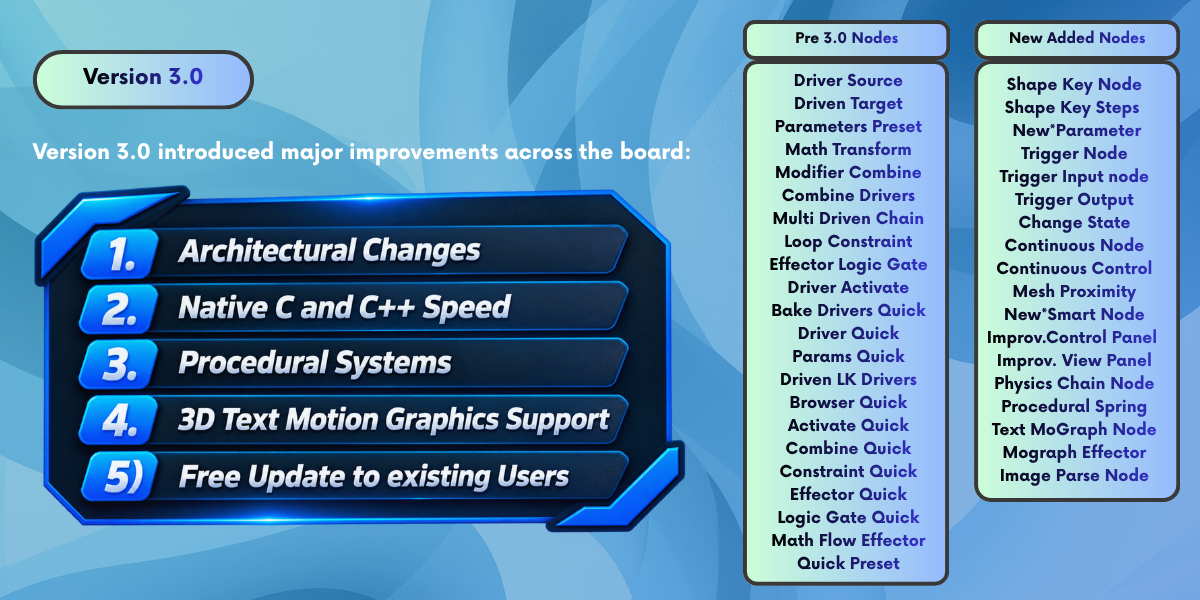


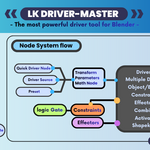
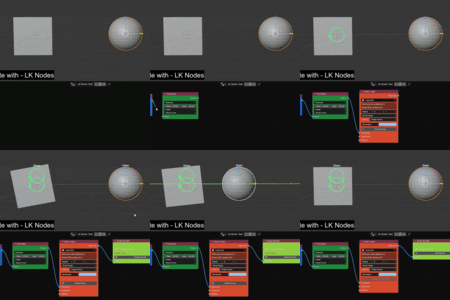
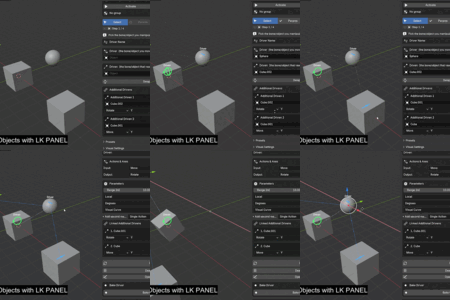
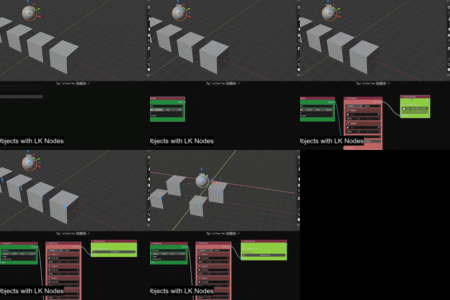
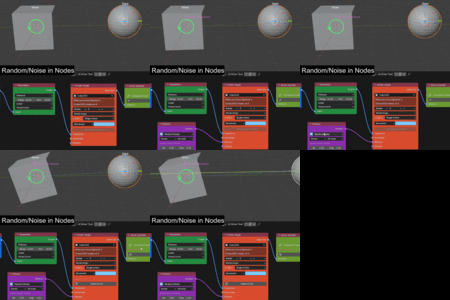
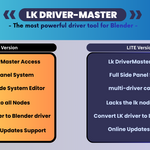
1. Core Architecture & Node Ecosystem
- Pro vs. Beta Node Segmentation: Formal separation into 12 Core Pro Nodes (zero runtime overhead, evaluated at native C-speed inside Blender's Dependency Graph) and 5 Beta Simulation Nodes (iterative physics, procedural motors, and dynamic sensors).
- Native C-Speed Driver Compilation: Eliminates external proprietary binary dependencies; massive boost and compiles and uses Blender's internal C/C++ engine in its core architecture..
- Blender 5.0+ to 5.2 LTS + Native Parity : Full compatibility with modern Blender releases, including new Action slot channel bags, modern extension manifest specifications and safe undo/redo memory hooks.
- Undo/Redo Crash Prevention: Added persistent hooks to prevent memory corruption in Blender 5.2+ during active timer loops.
- Far-Viewport Coordinate Guard: Clamps extreme position vectors (10,000 unit safety threshold) to prevent floating-point division crashes.
- Orphaned Tree Registration: Automatically rebinds unassigned node trees into the sidebar outliner upon loading .blend files.
- Overlay Cleanup on Deletion: Eliminates ghost relationship lines and stuck viewport bracket guides when nodes or links are removed.
- Current Position Calibration: Fixed origin offset calculations reading live evaluated values prematurely by using stored rest-pose transformations.
Bone Chain Propagation: Flow tools to control bone chains from root-to-tip, tip-to-root, or center-out.
Trigger Action Menu: Multi-action menu (pass, activate, mute, reset) with driver-chain gating.
Shape Key Steps: Named shape key collections with automatic blend weight normalization.
Smart Node Tools: Scan timing, preview status, and one-click socket repairs.
Logic Gating: Live influence and expression gating for all effectors.
Vertical Sorting: Top-to-bottom execution sorting for constraints and effectors.
Auto Drivers: Automatic driver creation for extra effector axes.
- A new shapekey parameter node for better shapekey flow (Pro Only)
- Improvement in node connection data path (Pro)
- Better UI and Quality of life improvements for Lite and Pro
- New Tutorials on how Nodes work via Youtube Links.
- Better MultiDriven axis mapping for Armature Bones (Pro version)
- Constraint type safety
- Fixed Signed direction visuals
- Multidriven Node Unified override controls fix(Pro version)
Key Performance & UI Improvements (Both Versions)
Better Performance: Animated viewport dots and driver scans are now cached and capped per frame, making dense setups run much smoother.
Cleaner Interface: Panel spacing has been refreshed so it looks less cramped and is easier to navigate.
Grouped MultiDriven Entries: Linked targets are now neatly grouped under a single named panel driver instead of cluttering the UI.
Flow Improvements: Added Sensitivity and Target Delay features to the Flow nodes/effectors for easier cascading animations.
Exclusive to the Pro Version
Delay Effector Mode: Adds a dedicated waiting period before driven values start to respond.
Math Node Support: The Math Node now actively integrates with and affects Quick Flow and MultiDriven chains.
Documentation: Refreshed and updated documentation.
⚠️ Important Update Requirements
Minimum Version: You must already be on v1.0.5 or higher to automatically update.
Older Versions: If you are running v1.0.4 or below, you cannot auto-update. You will need to contact the Addon Developer to manually get version 1.0.5 first.
Version 1.0.5 Stable Version
Consolidated Stability, Sync, and System Updates
- In-Editor Update Notifications: You can now see when a new version is available directly within the LK node network work area, ensuring you never miss an optimization.
- Improved Panel & Node Sync: Enhanced the synchronization between the sidebar panel and the node system to ensure data consistency across your entire workflow.
- Better Chain Handling: Optimized how data is managed across complex node connections for smoother performance when handling multiple driven objects.
- Constraint Visual Guides: Added new viewport overlays that provide intuitive visual limiting guides to assist in setting precise motion boundaries.
- Enhanced Constraint Support: Fixed long-standing issues with driver and driven constraints, ensuring they now default to the correct native movement types.
- Advanced Visualizers: Improved 180-degree rotation arcs and cube-style scale guides for better real-time visual feedback.
- Console Error Prevention: Implemented major code refactoring to eliminate background console errors that previously led to system crashes.
- UI Robustness: Resolved a specific crash in the Activate Node UI during validation, improving stability for Blender 5.1 users.
- Accurate Animation Baking: The "Bake to Keyframes" system is now more reliable, correctly preserving constraints as native Blender keys.
- Trigger Node (Beta): Introduced new stackable trigger logic that supports up to five linked conditions and integrates with existing constraints.
- Relationship Visualization: Node-editor relationship lines now draw through the entire chain, including Math and Trigger nodes.
1. Core Architecture & Node Ecosystem
- Pro vs. Beta Node Segmentation: Formal separation into 12 Core Pro Nodes (zero runtime overhead, evaluated at native C-speed inside Blender's Dependency Graph) and 5 Beta Simulation Nodes (iterative physics, procedural motors, and dynamic sensors).
- Native C-Speed Driver Compilation: Eliminates external proprietary binary dependencies; massive boost and compiles and uses Blender's internal C/C++ engine in its core architecture..
- Blender 5.0+ to 5.2 LTS + Native Parity : Full compatibility with modern Blender releases, including new Action slot channel bags, modern extension manifest specifications and safe undo/redo memory hooks.
- 40+ Verified Production Example Scenes: Comprehensive test library covering character rigs, mechanical linkages, suspensions, physics chains, and kinetic typography.
- Interactive Viewport Grab Hook : Simulation and spring nodes now evaluate during active 3D Viewport grab, rotate, and scale operations (G, R, S) without requiring timeline playback.
- Autonomous Settling Engine : Damped inertia timer smoothly settles spring and physics momentum when mouse transform modal is released.
- Zero Timeline Dependency : Riggers can test dynamic elasticity, secondary bounce, and limits in static posing modes without pressing Spacebar.
- Physics Chain Node : Extended Position Based Dynamics (XPBD) iterative particle solver for multi-segment bone chains with head/tail dual-pinning and ground collision.
- MoGraph Effector Node : Drives collections of lights, meshes, or text elements across 6 distribution patterns (All, Index, Sequence, Wave Pulse, Random Seed, Gravity Fall).
- Text MoGraph Node : Splits 3D typography into individual letter or word objects with kinetic procedural wave cascades and material routing.
- Continuous Motion Node: Autonomous motor engine simulating infinite rotation, translation, or pulsing across 4 waveforms without timeline keyframes.
- Continuous Control Node: Real-time interactive control linking keyboard hotkeys (Space, C, T, R, G, 1-3, Enter, Arrows) and logic signals to procedural motors.
- Mesh Proximity Node: Spatial sensor measuring 3D distances from probe points to target mesh surfaces with smoothstep falloff curves.
- Spring Node : Calibrated harmonic physics solver featuring Tension, Damping, Mass, and Velocity buffers for organic secondary follow-through.
- Change State Node : Finite State Machine (FSM) evaluating thresholds with hysteresis deadbands to trigger rolling scale/visibility morph transitions.
- Trigger Input Node : Intercepts driver signals to automate bone hierarchy traversal (Root-to-Tip, Tip-to-Root, Center-Out, Random).
- Trigger Output Node : Cross-chain event routing that monitors thresholds and pulses downstream activation groups.
- Image Parse Node: Actuates transforms or lighting based on pixel luminance, texture channels, or streaming video maps.
- 6 Calibrated Material Presets: One-click setups for Cable/Rope, Heavy Chain, Soft Rope, Stiff Antenna, Whip, and Rubber Band.
- Dual-Pinning Constraint Engine: Support for pinning root bone, tip bone, or both ends simultaneously (e.g., hanging power cables or suspension bridges).
- Ground Collider Clamping: Restricts physics particle positions above ground_z to eliminate mesh floor penetration.
- Factory Reset Function: Instant clearing of velocity and position accumulators, returning bone hierarchies to their rest positions.
- 4 Core Waveforms: Linear (constant velocity), Smooth (sinusoidal cycle), Stepped (ratchet/clock escapement), and Ping-Pong (reciprocating limit bounce).
- Continuous Gear Traversal : accumulate_turns option enables endless rotation past 360 degrees without popping or snapping back to zero.
- Path Curve Linking : Traverses Bezier and Poly curves continuously while aligning object rotations to curve tangents (follow_path_tangent).
- Procedural Random Wander : Per-axis translational drift and rotational vibration with custom frequency, amplitude, and random seed.
- Spherical Boundary Limits : Enforces maximum travel radius with selectable Clamp, Bounce, or Wrap behaviors.
- Dwell & Pause Gap Windows : Temporarily holds motion inside user-defined frame or phase windows before resuming travel.
- Photometric Lighting Control : Direct driver integration onto light intensity (data.energy), RGB coloration (data.color), and exposure (data.exposure) with non-negative safety clamping.
- Ground Impact Behaviors : Collection elements falling under simulated gravity react upon landing with Stick, Elastic Damped Bounce, or Dynamic Scatter.
- Rigid Body Physics Handover : Automatically assigns Blender native Passive rigid bodies to floor colliders and Active rigid bodies to collection targets upon impact.
- Live Collection Preview : Visual outliner displays collection hierarchy order and highlights active preview indexes prior to compilation.
- Direct Mesh Channel Compilation : Compiles drivers directly into mesh key_blocks without auxiliary empty objects or intermediate custom properties.
- Automatic Basis Key Protection: Automatically shields the base geometry key block from receiving destructive driver overrides.
- Neutral-Point Zero Clamping: Guarantees unactuated shape keys remain firmly locked at 0.0.
- Shape Key Steps Array: Multi-stage sequential morphing across up to 6 progressive expressions with Linear, Smooth, Stepped, or Proximity falloffs.
- Target Scoping Guards : Isolates constraints to specific targets within a multi-driven chain (e.g., clamping Target A without restricting Target B or C).
- 5 Directional Coherence Modes : Forward, Reverse, Symmetric (+ + - -), Alternating (+ - + -), and Cascade.
- Live Reactivate Dirty Tracking : Visual amber indicator signals when node settings have changed, enabling one-click driver recompilation.
- Safe Pose Restoration : Reverts driven channels to their exact pre-activation transform offsets during deactivation instead of collapsing to world zero.
- One-Click NLA Action Push : Bakes live procedural continuous motion and spring dynamics directly into dedicated Actions and NLA tracks for headless render farm compatibility.
- Native Constraint Conversion : Baking removes internal add-on prefixes (LK_) and preserves constraints as standard Blender native constraints.
- Clean Client Portability : Output scenes contain standard Blender animation and driver data; recipient workstations and render nodes do not require LK DriverMaster installed.
- Undo/Redo Crash Prevention: Added persistent hooks to prevent memory corruption in Blender 5.2+ during active timer loops.
- Far-Viewport Coordinate Guard: Clamps extreme position vectors (10,000 unit safety threshold) to prevent floating-point division crashes.
- Orphaned Tree Registration: Automatically rebinds unassigned node trees into the sidebar outliner upon loading .blend files.
- Overlay Cleanup on Deletion: Eliminates ghost relationship lines and stuck viewport bracket guides when nodes or links are removed.
- Current Position Calibration: Fixed origin offset calculations reading live evaluated values prematurely by using stored rest-pose transformations.
- Managed-by-Activate Protection: Automatically disables the "Create Driver" button on Driven nodes connected to an active downstream Activate node to eliminate duplicate driver conflicts.
Bone Chain Propagation: Flow tools to control bone chains from root-to-tip, tip-to-root, or center-out.
Trigger Action Menu: Multi-action menu (pass, activate, mute, reset) with driver-chain gating.
Shape Key Steps: Named shape key collections with automatic blend weight normalization.
Smart Node Tools: Scan timing, preview status, and one-click socket repairs.
Logic Gating: Live influence and expression gating for all effectors.
Vertical Sorting: Top-to-bottom execution sorting for constraints and effectors.
Auto Drivers: Automatic driver creation for extra effector axes.
Mograph Previews: Collection order and index previewing before applying.
Multi-Driven Presets: 2/3-target batch presets with custom X/Y/Z channel mapping.
Target Delay: Per-target delay modes on multi-driven connections.
- A new shapekey parameter node for better shapekey flow (Pro Only)
- Improvement in node connection data path (Pro)
- Better UI and Quality of life improvements for Lite and Pro
- New Tutorials on how Nodes work via Youtube Links.
- Better MultiDriven axis mapping for Armature Bones
- Constraint type safety
- Fixed Signed direction visuals
- Multidriven Node Unified override controls fix
Key Performance & UI Improvements (Both Versions)
Better Performance: Animated viewport dots and driver scans are now cached and capped per frame, making dense setups run much smoother.
Cleaner Interface: Panel spacing has been refreshed so it looks less cramped and is easier to navigate.
Grouped MultiDriven Entries: Linked targets are now neatly grouped under a single named panel driver instead of cluttering the UI.
Flow Improvements: Added Sensitivity and Target Delay features to the Flow nodes/effectors for easier cascading animations.
Exclusive to the Pro Version
Delay Effector Mode: Adds a dedicated waiting period before driven values start to respond.
Math Node Support: The Math Node now actively integrates with and affects Quick Flow and MultiDriven chains.
Documentation: Refreshed and updated documentation.
⚠️ Important Update Requirements
Minimum Version: You must already be on v1.0.5 or higher to automatically update.
Older Versions: If you are running v1.0.4 or below, you cannot auto-update. You will need to contact the Addon Developer to manually get version 1.0.5 first.
Version 1.0.5 Stable Version
Consolidated Stability, Sync, and System Updates
- In-Editor Update Notifications: You can now see when a new version is available directly within the LK node network work area, ensuring you never miss an optimization.
- Improved Panel & Node Sync: Enhanced the synchronization between the sidebar panel and the node system to ensure data consistency across your entire workflow.
- Better Chain Handling: Optimized how data is managed across complex node connections for smoother performance when handling multiple driven objects.
- Constraint Visual Guides: Added new viewport overlays that provide intuitive visual limiting guides to assist in setting precise motion boundaries.
- Enhanced Constraint Support: Fixed long-standing issues with driver and driven constraints, ensuring they now default to the correct native movement types.
- Advanced Visualizers: Improved 180-degree rotation arcs and cube-style scale guides for better real-time visual feedback.
- Console Error Prevention: Implemented major code refactoring to eliminate background console errors that previously led to system crashes.
- UI Robustness: Resolved a specific crash in the Activate Node UI during validation, improving stability for Blender 5.1 users.
- Accurate Animation Baking: The "Bake to Keyframes" system is now more reliable, correctly preserving constraints as native Blender keys.
- Trigger Node (Beta): Introduced new stackable trigger logic that supports up to five linked conditions and integrates with existing constraints.
- Relationship Visualization: Node-editor relationship lines now draw through the entire chain, including Math and Trigger nodes.
-
$8.99
Only Get the LK Panel , with Some Improvements, Core Updates and UI Updates.
-
$14.99
LK Panel + The Enhanced LK Driver Node system with procedural tools, MotionGraphics and Physics. Full Documentation Included
 Included
Includes 12 months of
- Support from Lewiskratos
- Product updates
Extend this product’s Support Period +12 months: 50% of product price
Have questions before purchasing?
Login to message
| Blender Extension Compatible | Yes |
| Sales | 10+ |
| Published | 5 months ago |
| Blender Version | 5.0 |
| Extension Type | Add-on |
| Render Engine Used | Cycles, Eevee |
| License | GPL |
