 Steven Seidler (Blendscapes3D)



Stop building LOD levels by hand.
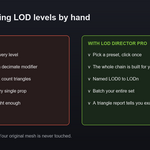
A game asset is not done at one resolution. The engine needs a chain of lighter versions so distant props stop eating your frame rate. Doing that by hand means duplicate, add a decimate modifier, tune the ratio, apply, rename, count the triangles, and repeat for every level and every prop.
LOD Director Pro does the whole chain in one click. Select your mesh. Pick a preset. Done. You get a clean set of levels named the way Unity, Unreal and Godot expect, with a triangle report so you know exactly what you shipped.
Decimation presets
Standard
Mobile
Hero
Custom
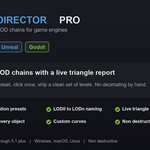
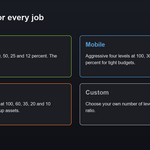
Standard for everyday assets, Mobile for tight budgets, Hero for close up models, and Custom where you choose the number of levels and the final ratio. One click builds the whole chain.
Correct naming
Levels are named LOD0 through LODn, the convention game engines read for LOD groups.
Live triangle report
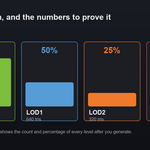
After generating you see the triangle count and the percentage of the original for every level. No guessing.
Batch the whole set
Select a hundred props and build a chain for each in one click.
Totally non destructive
Every level is a decimated copy built from your evaluated mesh, so modifiers are respected and your original is never touched.
Organised automatically
The chain goes into a LODs collection. Turn on a preview offset to spread the levels apart and compare them side by side.
Easy cleanup
Clear the chain for your selection, or wipe every LOD in the scene, with one button.
Requires Blender 4.2 or later. Tested through 5.1. Pure Python, works on Windows, macOS and Linux.
Works beautifully next to Export Director Pro and Collision Director Pro as a complete game asset pipeline.