Lod Director Pro
 Steven Seidler (Blendscapes3D)



LOD Director Pro Documentation
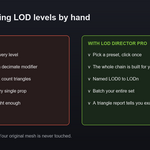
One click LOD chains for game engines. Select a mesh, pick a preset, and get a full set of decimated levels named LOD0 to LODn with a live triangle report. Levels are decimated copies, so your original mesh is never modified.
Installation
- Download the zip file from your Superhive purchase.
- In Blender open Edit, then Preferences, then Get Extensions.
- Open the drop down menu in the top right corner and choose Install from Disk.
- Pick the zip file.
- Open a 3D Viewport, press N, and click the LOD tab.
Requires Blender 4.2 or later. Tested through 5.1.
Quick start
- Select one or more mesh objects.
- In the N panel LOD tab pick a preset, or click a quick button for Standard, Mobile or Hero.
- Click Generate LODs.
The chain appears as name underscore LOD0 to name underscore LODn in the LODs collection.
Presets
| Preset | Levels |
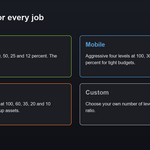
| Standard | 100, 50, 25 and 12 percent |
| Mobile | 100, 30, 10 and 4 percent |
| Hero | 100, 60, 35, 20 and 10 percent |
| Custom | Your own level count and final ratio |
Triangle report
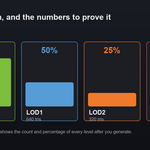
After generating, open the Triangle Report sub panel. It lists every level with its triangle count and its percentage of the original, so you know exactly what you shipped.
Options
- Preview Offset. Spread the levels apart along X to compare them side by side. Zero stacks them in place.
- Move to Collection. Place the chain in a dedicated LODs collection.
- Hide Source After. Hide the original object once the chain is built.
- Custom Levels and Final Ratio. Used by the Custom preset to shape the curve.
Regenerating and clearing
Running Generate again replaces the previous chain for that object cleanly, even if you switch to a preset with fewer levels, so there are no leftover levels. Use Clear Selected to remove the chains for your selected objects, or Clear All to remove every LOD in the scene.
Tips
- Use Mobile when you need a tiny memory footprint, and Hero for assets the player sees up close.
- Turn on the preview offset while tuning, then set it back to zero before export so the levels sit in place.
- Export the chain straight to your engine with Export Director Pro.
- Generate chains for a whole set at once by selecting every object first.
Troubleshooting
- A level looks too broken. Pick a gentler preset such as Hero, or raise the final ratio in the Custom preset.
- I see old levels after regenerating. This is handled automatically now. Every existing level for that object is removed before the new chain is built.
- The selected object is already a LOD. The tool skips objects that are already named as a LOD so suffixes do not stack.
Compatibility
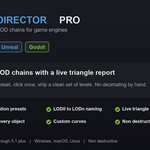
Blender 4.2 through 5.1 plus. Windows, macOS and Linux. Pure Python with no external dependencies.
Support
Questions or requests are welcome by email at [email protected]
Have questions about this product?
Login to message
| Blender Extension Compatible | Yes |
| Published | 3 months ago |
| Blender Version | 4.2 - 5.1 |
| Extension Type | Add-on |
| Render Engine Used | Cycles, Eevee |
| License | GPL |