 Skava


Download the zip and do not unpack it. In Blender open Edit > Preferences > Add-ons, click the drop-down arrow in the top-right corner and choose Install from Disk, then pick the zip. Tick the checkbox next to LOD Forge. Press N in the 3D Viewport and open the LODForge tab.
No external Python packages are needed: the add-on is pure Python with no compiled binaries.
Blender 4.2 LTS and later, tested through 5.2.
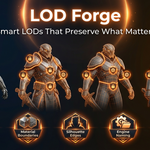
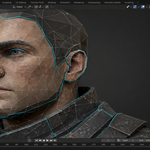
Plain decimation does not know what matters, so it merges UV islands, crosses material borders and rounds off the outline. LOD Forge still decimates, but first builds a protection vertex group from the options Protect UV Seams, Protect Material Boundaries and Protect Silhouette (edges sharper than the Angle Threshold, 60 degrees by default) and feeds it to the decimator inverted, so those areas are reduced last.
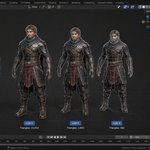
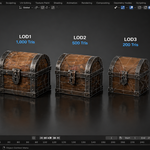
Choose Unity, Unreal Engine or Custom as Engine. The source object becomes Name_LOD0 and the new levels Name_LOD1, Name_LOD2 and so on. With Parent to Empty on, they are grouped under an empty called Name_LODGroup (Unity and Custom) or Name_LODs (Unreal). The add-on does not export; use your usual exporter.
Each level gets up to three decimation passes, each with a corrected ratio, to land at or below its target. If it is still above, the protected geometry alone is larger than the budget: raise that level's target or lower the protection. Show LOD Metrics lists the triangles and reduction of every level and marks the ones over budget.
Batch Generate runs the same settings on every selected mesh. Remove LODs deletes the generated levels and the group empty, renames LOD0 back to the original name and removes the protection vertex group from it.
No. The add-on makes no network calls.
Yes. LOD Forge is licensed under GPL-3.0; the license covers the add-on code, and the meshes you make with it are yours to use in commercial projects. Full documentation is on the Documentation & FAQ tab of this product page, and a README.md is inside the zip.
Have questions about this product?
Login to message
| Sales | 10+ |
| Published | 7 months ago |
| Blender Version | 3.1 - 5.1 |
| Extension Type | N/A |
| Render Engine Used | Arnold, Blender-Internal, Blender-Game-Engine, Cycles, Eevee, Freestyle, Luxrender, Mental-Ray, Octane, Vray, Yafaray |
| License | GPL |
Discover more products like this
unity LOD uv-preservation LOD polygon budget performance game optimization silhouette-protection Batch processing level of detail unreal LOD mesh tools smart-decimation