 Dreamy Art World


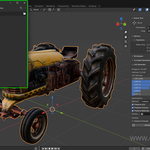

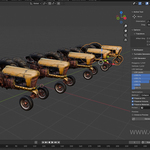
LOD Generator - Blender
Version 2.0 Released
🚀 New Features
-
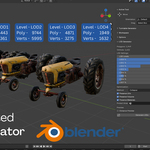
Added support for up to 8 LOD levels with per-level enable/disable toggles
-
Introduced real-time LOD Distance Preview Mode with camera-based switching
-
New Smart Export v2 system with engine-specific export presets
-
Added Unity Prefab metadata generation
-
Added Unreal Blueprint metadata generation
-
Added AR/VR Manifest file generation for WebXR/AR/VR pipelines
-
Implemented LOD polygon & vertex estimation display for accurate reduction preview
-
Added preset system with industry profiles:
Mobile Performance, Console/PC Balanced, High-End Cinematic, VR/AR Optimized, RTS, Ultra Mobile, Custom -
Added vertex group protection (protect important details during reduction)
-
New three optimization methods:
✔ Collapse
✔ Un-Subdivide
✔ Planar Reduce
✨ Improvements
-
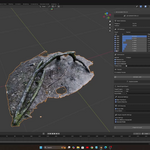
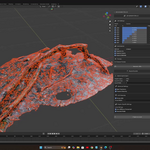
Fully redesigned UI panel for faster LOD setup
-
Improved naming system:
Object_LOD0→Object_LOD7 -
Better material, UV, and volume preservation
-
More accurate reduction for complex meshes
-
Optimized multi-object batch LOD generation
-
Cleaner export hierarchy management with optional grouping
-
Improved transform baking pipeline during export
-
Enhanced compatibility with Blender 4.1+
-
Smarter auto-detection of cameras for preview mode
⚙️ Export Workflow Enhancements
Unity
-
Auto LODGroup JSON file generation
-
Proper axis orientation (Forward: -Z, Up: Y)
-
Improved FBX export with embedded textures
Unreal Engine
-
Auto LOD system metadata
-
Correct axis setup (Forward: X, Up: Z)
-
Cleaner Blueprint metadata structure
AR/VR
-
Optimized GLB pipeline for WebXR & mobile
-
New manifest.json generation
-
Animation export supported
🐞 Fixes
-
Fixed issues with broken topology on some Collapse operations
-
Fixed missing textures during OBJ export (auto-copy enabled)
-
Fixed LOD preview not exiting on some systems
-
Resolved incorrect LOD naming bugs in multi-object processing
-
Improved handling of invalid export paths
-
More stable behavior with high-poly meshes
-
Fixed issues with LODs distorting when using Planar reduction
📦 Technical Additions
-
New manifest.toml for marketplace compatibility
-
Operators reorganized into:
lod_creation.py,Smart_export.py,ui_panel.py, andproperties.py -
Added more robust error popup handler for export issues
-
Added mesh statistics display to UI panel
📚 Documentation
-
Fully rewritten documentation covering all workflows
-
Added multiple real-world examples (Mobile Game, VR Environment, RTS Unit, Custom Setup)
-
Expanded FAQ and troubleshooting sections
----------------------------------------------------------------------------------------
🛠️ DAW LOD Generator for Blender v1.0 — Automatic LOD Creation Addon
The ultimate time-saving addon for game artists, asset creators, and Blender professionals focused on real-time performance and optimization.
The DAW LOD Generator for Blender is a powerful, production-tested addon that automates the entire Level of Detail (LOD) workflow directly within Blender’s interface. Whether optimizing for Unreal Engine, Unity, WebGL, or any custom game engine, this tool helps you reduce polygon counts while preserving UVs, volume, and materials, without manual effort.
🔍 Key Features
✅ Generate up to 8 LOD levels (LOD0 to LOD7) with one click
🎚️ Set custom poly reduction values per LOD using sliders
⚙️ Choose from three reduction modes: • Crunch – Aggressive optimization
• Protect – Balanced and clean
• Exclude – Minimal reduction for visual fidelity
👀 Real-time distance preview support in the camera view
📉 Displays poly and vertex count for selected objects
🧠 Preserve UVs, volume, and materials during mesh decimation
🧩 Clean and simple UI inside the N-panel (press N to access)
📁 Auto-naming system (_lodX appended to object names)
🔄 Works on multiple selected objects for batch LOD generation
📦 What’s Included
Step-by-step installation instructions
Full documentation and usage guide
Email-based technical support
