Lod Generator
 Dreamy Art World



18. Is commercial use allowed?
Yes. You can use the addon to create assets for commercial projects, games, films, and client work.
(You cannot redistribute or resell the addon itself.)
17. Will this addon speed up my workflow?
Yes. It’s designed for fast production environments, helping artists:
Avoid manual decimation
Maintain clean naming and grouping
Export engine-ready LOD chains in one click
Preview LOD switching instantly
Save hours per asset
16. Does it support high-poly or scanned meshes?
Yes, but results vary depending on topology.
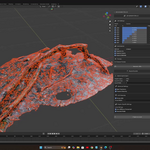
For extremely dense scans, Collapse works best.
15. Is this addon suitable for mobile games?
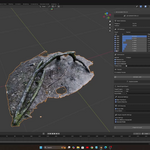
Absolutely.
The addon includes presets like:
Mobile Performance
Ultra Mobile
VR/AR Optimized
These create aggressive but clean reductions for mobile hardware.
14. Can I create LODs for multiple objects at once?
Yes. Select multiple objects and generate LODs together.
Each will get its own correctly named LOD chain.
13. Do modifiers work with the addon?
Yes.
Modifiers must be applied before generating LODs for consistent results.
During export, transforms and modifiers can be baked automatically.
12. Is animation supported?
No, It will not preserve animation.
11. Does the export include LOD metadata?
Yes. The addon automatically generates:
prefab.json for Unity
blueprint.json for Unreal
manifest.json for AR/VR
This helps set up LOD groups faster in your engine.
10. Which game engines are supported for export?
LOD Generator v2.0 exports to:
Unity (FBX + prefab metadata)
Unreal Engine (FBX + blueprint metadata)
AR/VR / WebXR (GLB + manifest)
General pipelines (OBJ)
9. Can I preview LOD switching inside Blender?
Yes!
The addon includes a Real-Time Distance Preview Mode that simulates how LODs switch based on camera distance—similar to Unity/Unreal behavior.
8. Does it work for characters, props, and environments?
Yes. LOD Generator v2.0 is production-ready for:
Characters
Weapons
Vehicles
Buildings
Foliage
Scanned meshes
Environment objects
Hard-surface and organic assets
7. Will my UVs, materials, and volume be preserved?
Yes. The addon has dedicated options for:
✔ Preserve UVs
✔ Preserve Volume
✔ Preserve Materials
✔ Vertex Group Protection for high-detail areas (faces, logos, weapons, etc.)
6. Which reduction algorithms are supported?
LOD Generator v2.0 includes three professional decimation methods:
Collapse (best for general meshes)
Un-Subdivide (best for grid-like geometry)
Planar Reduce (best for hard-surface & architecture)
5. How many LOD levels can I generate?
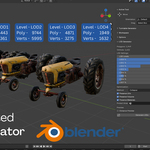
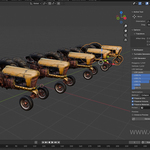
You can enable and generate up to 8 LOD levels, each with unique reduction percentages and optimization settings.
4. Will this modify my original mesh?
No. Your base mesh is never changed.
The addon creates new objects named:
Object_LOD0, Object_LOD1, ..., Object_LOD7.
3. What Blender version is required?
LOD Generator v2.0 requires Blender 4.1 or higher.
Older versions are not supported because the addon uses updated APIs and new decimation functions.
2. Do I need any coding knowledge to use this addon?
No. The entire workflow is UI-based and very approachable. Just install the addon, select a preset, and click Generate LODs.
1. What exactly does LOD Generator v2.0 do?
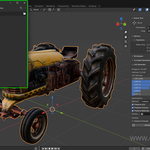
LOD Generator v2.0 automatically creates multiple Level of Detail (LOD) versions of your mesh optimized for real-time performance. It supports up to 8 LOD levels, automatic naming, distance preview, and smart export tools for Unity, Unreal, and AR/VR pipelines.
-
$29.99
-
$89.99
Have questions about this product?
Login to message
| Blender Extension Compatible | Yes |
| Sales | 30+ |
| Published | over 1 year ago |
| Blender Version | 4.1 - 5.1 |
| Extension Type | Add-on |
| Render Engine Used | Arnold, Cycles, Eevee, Freestyle, Mental-Ray, Octane, Vray, Yafaray |
| License | GPL |

Discover more products like this
UnrealEngine batch LODs LODs maker LOD optimization Auto LOD Game ready Lods blender3d gamedev LOD Generator LOD 3D Models optimize blender LOD addon realtime3d LOD generation BlenderAddon unity3d LOD creator