Loops Worker - Edge Loop Tools
 Stachu Jacewicz


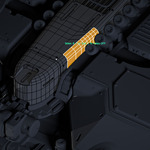
Which topology works best? Is this automatic retopology?
Loops Worker is for interactive topology editing. Use continuous, unbranched edge selections and orderly quad patches. Loop Curve needs one continuous open chain or closed loop with at least three vertices. Branches, poles, triangles, n-gons and non-manifold areas can prevent quad-patch adjustment from working as expected. The add-on does not automatically retopologize an arbitrary mesh.
How do I install it, and which Blender versions are supported?
Download the ZIP without unpacking it. In Blender, open Edit > Preferences > Add-ons > Install from Disk, choose the ZIP, and enable Loops Worker. Open N > Loops in the 3D View. The product supports Blender 4.5 LTS and 5.x; the tested baseline is Blender 5.2 LTS on Windows. This is a standard manually installed add-on, with no external Python packages required.
Do I need a mouse with side buttons?
No. Mouse 5 is only the default binding for Smart Transform and Edit Master. You can assign a different key in Loops Worker Preferences, and launch Smart Transform from the Loops sidebar. Replacing Blender's normal G/R/S shortcuts is optional and disabled by default.
Smart Transform does not start
Place the cursor over the 3D View and briefly click Mouse 5 to start Smart Transform. Holding the same button opens Edit Master instead. You can also launch Smart Transform from N > Loops. If you changed the shortcut, check that it is enabled in Loops Worker Preferences and check Blender's Keymap for conflicts. Move the mouse to preview the transform; Enter finishes and Esc cancels.
A shortcut does not work
1. Put the mouse cursor over the 3D Viewport.
2. Check that you are in the required mode, usually Edit Mode on a mesh.
3. Open Loops Worker Preferences and confirm the shortcut is enabled.
4. Check Blender’s Keymap for a conflict with another add-on or command.
5. Re-record the shortcut or choose another combination.
6. Restart Blender after a major keymap change if necessary.