LuminaTtoB – Textures to Blender in One Click
 H3 STUDIO ZOO




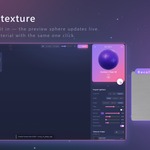
Fix: Edge Wear sent the largest textures (8K / 4K) for a Top or Under material that was dragged in without opening it. It now uses the default resolution (2K, created from the original once if it does not exist yet), the same as applying a single material. Re-apply Edge Wear to replace big textures that are already in your .blend file.
Edge Wear: a Reset button next to Light / Medium / Heavy brings every Edge Wear setting back to the start (Edge image Noise, Scratch image Procedural, curves, sizes; Top and Under stay). The cube preview shows a spinner while textures load, instead of spinning the old look. The notice for objects without the edge modifier now floats in the middle of the window (Later / Add edge modifier). Recipe names in Favorites use an underscore instead of a slash, like the material names.
Have questions about this product?
Login to message
| Published | about 2 months ago |
| Blender Version | 4.0 - 5.2 |
| Render Engine Used | Cycles, Eevee |
| License | Royalty Free |