 Miks3d


M3D Prep Tools — Product Summary
Version: 1.1.0
Blender: 2.80 and newer
Author: Mik Santos
License: GNU General Public License v3.0 or later (GPLv3+)
Disclosure: AI-Assisted Development! M3D Prep Tools was mostly "vibe coded" by Claude AI (Anthropic), with guidance, direction, and iterative testing by me and volunteer 3D Artists.
Every feature in this add-on originated from real bake-prep pain points raised by 3D artists working on actual game-asset pipelines.
What is M3D Prep Tools?
M3D Prep Tools is an all-in-one bake-prep workflow add-on for 3D game artists working in Blender. It replaces the tedious manual work of renaming low and high poly meshes, coloring them for bake ID maps, and exporting them — and makes the whole pipeline faster, cleaner, and less error-prone.
What's inside
🏷️ Name Tagger
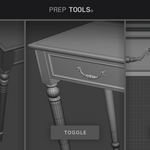
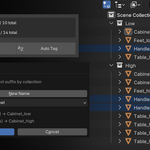
Batch rename and organize meshes into low-poly / high-poly bake families. Select your meshes, click **Tag** or **Auto Tag**, pick an existing family from the dropdown or type a new base name, and the meshes are renamed, moved into their target collection, and hidden from the viewport.
🎛️ Mesh Group Hub
The command center for your bake groups. Pick your MG1 (low) and MG2(high) collections once, then use:
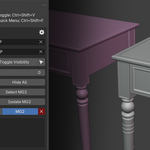
- Compare View — shifts MG1 to sit beside MG2 with an adjustable gap tick, so you can eyeball both groups without toggling visibility.
- Retopology Helper — per-collection rows with cursor (selectability) and eye (visibility) icons that cascade into sub-collections, plus Select and Isolate buttons for MG1 and MG2. Also includes Select Family and Isolate Family for working on a single bake pair.
- Bake Family Check — scans MG1 and MG2 and flags mesh families missing their low and high partner. Each family row is expandable to show LP and HP sub-rows with individual Select and Isolate buttons. Bulk buttons led you select or toggle visibility of all tagged meshes, or select all floating (untagged) meshes at once. The panel opens and refreshes automatically after every tag action.
🎨 Color Tagger
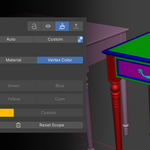
Assign clear, distinct viewport colors to meshes so you can tell groups apart at a glance. Apply to Material, Vertex Color, or both at once. Three sub-tabs:
- Quick — instant swatch coloring with preset and custom colors.
- Auto — unique colors assigned per mesh or per family group, cycling through a primary palette then generating additional distinct hues.
- Custom — manual layer-based system for per-object color control.
📦 Export Manager
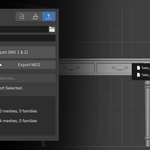
Collection-based FBX export that Just Works. One button exports both MG1and MG2 as two separate FBX files, auto-unhiding any hidden meshes and restoring the scene afterwards. Custom _low / _high suffix overrides are supported. Export Selected gives you a per-file dialog when you need it.
⌨️ Quick-Action Menu
A popup menu bound to a configurable hotkey (default Ctrl+Shift+F)that surfaces the most common actions — Smart Tag, Compare View toggle, visibility toggles, collection selection, color tagging — without leaving the viewport. Three more dedicated hotkeys cover Compare View, visibility toggle, and Auto Tag.
Who it's for
- Game artists prepping their meshes for baking in Substance or Marmoset.
- Anyone tired of manually renaming meshes to
_low/_high - Artists who want to move fast through bake prep without losing track of which meshes belong to which group.
- Game artists who wants to save time bake prepping many assets.
- Studios that want a consistent, repeatable naming and export convention across their team.
Requirements
- Blender 2.80 or newer
- No external dependencies — pure Blender Python, no pip installs.
License
M3D Prep Tools is free software, released under the GNU General Public License version 3 or later (GPLv3+), in compliance with Blender's own licensing terms. You are free to use, study, modify, and redistribute it under the terms of the GPL. See the LICENSE file for the full license text.
