 Olivier Crespo Barrio



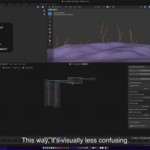
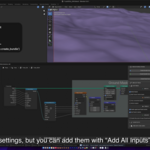
Magic Bundle Nodes
Compatible with Blender 4.5 and 5.x
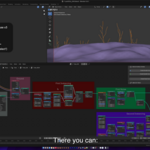
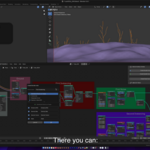
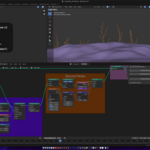
Magic Bundle Nodes (MBN) accelerates node workflows by automating the creation and organization of Panels and Bundle nodes. With a single click, it removes the need to manually connect sockets, letting you focus on creation instead of setup.
MBN is built around three core functions:
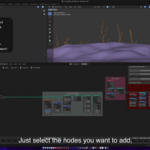
- Create Panels and Bundle nodes from selected nodes inputs.
- Create Bundle nodes from selected nodes outputs.
- Create Panels from selected nodes inputs.
In Blender 5.x, all three functions are available.
In Blender 4.5, where Bundle nodes do not exist, only "Create Panels" workflow is available.
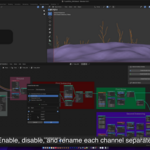
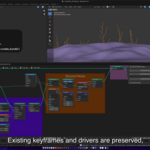
Inputs can be enabled, disabled, and renamed individually. Vector inputs can be automatically separated into channels, allowing per-channel control and naming (MBN creates a Combine XYZ node, connects it to the input, and includes it in the batch process). Inputs using Curves or Drivers are created and updated automatically.
Reusing Existing Bundle Nodes
When creating Bundles, MBN supports reusing existing nodes instead of creating new ones. This behavior is inspired by Blender’s Parent Object workflow:
- If a Combine Bundle node is selected as the last selected node, MBN will reuse both the node and its Panel.
- If a Separate Bundle node is selected as the last selected node, MBN will reuse its Panel, its linked Combine node, and the Separate node itself.
This allows you to extend or modify existing Bundle setups without recreating them.
Core Functions
From Inputs (Blender 5.x)
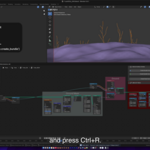
Ctrl + R / Shift + R (Inputs Options)
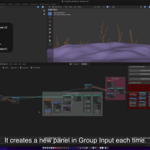
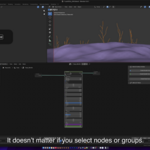
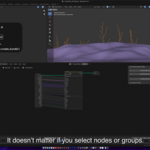
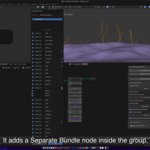
All unconnected inputs are first organized into a new Panel in Group Input, and then connected to newly created Combine and Separate Bundle nodes.
From Outputs (Blender 5.x)
Ctrl + Shift + R
All outputs are connected to a new Combine Bundle node, whose output is linked to a new Separate Bundle node.
Create Panels (Blender 4.5 & 5.x)
OSKey + R / OSKey + Shift + R (Blender 5.x)
Ctrl + R / Shift + R (Blender 4.5)
Creates a new Panel and adds all unconnected inputs to it without using Bundle nodes. This is the only available workflow in Blender 4.5, and it serves as the base step for Bundle creation in Blender 5.x.
Features
One-click node organization
Panel creation from inputs or outputs
Full Bundle node automation (Blender 5.x)
Blender 4.5 compatible workflow without Bundles
Per-input enable/disable and renaming
Automatic Vector input channel separation
Curve and Driver preservation
Reuse existing Bundle and Panel setups
Experimental recursive Group support
Reroutes creation between nodes
Reroutes enabling/disabling labels, with automatic naming
Nodes navigation following their links
Automatic Frames random coloring
Automatic Frames labels size
Reordering inputs by node (in Inputs Options)
Recursive Panels creation (Group nodes)
Sort nodes by position: Sort selected nodes by their positions respect of each other
Add all inputs / outputs: Includes inactive sockets
Add Texture Vector inputs: Includes Vector inputs (disabled by default)
Only connected outputs: Processes only already connected outputs
Uppercase Panel names: Toggle automatic uppercase naming
Use Frame name: Uses the parent Frame’s name for new Panels
Recursive Groups (Experimental): Replaces multiple group inputs with a single Bundle while preserving links, keyframes, and drivers
Create Reroutes: Create Reroutes between selected nodes and Group Input / Modifier
Follow Links: Nodes navigation following their links
Set random colors: Frame random coloring
Panels closed by default: Set new panels closed by default
Create Panels recursively: Create a Panel as usual, and recreate selected node panels inside of it
Designed to integrate seamlessly into Blender’s native node workflow, Magic Bundle Nodes provides a consistent experience across Blender versions while unlocking the full power of Bundle nodes in Blender 5.x.