Magic Bundle Nodes
 Olivier Crespo Barrio



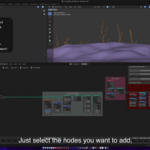
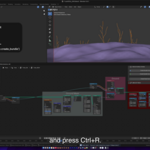
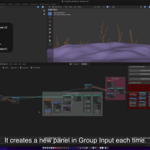
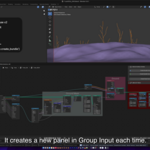
Magic Bundle Nodes
DOCUMENTATION
https://github.com/OlyDJ/Magic-Bundle-Nodes/wiki
TUTORIAL
CHANGELOG
v1.6.6
v1.6.5
v1.6.4
- Added: Blender 5.2+ compatibility.
- Added: "Change Category" setting. Change the label of N-View tab. "MBN EXTRAS -> SETTINGS".
- Added: "Center nodes in view" option to "Inputs Options". Enabled, when you select any node, it will be centered in the Node Editor. Useful to make sure which node you are setting up.
- Added: "Reset center" button to "Inputs Options" (Below "Move Nodes" buttons). This will center all nodes in view.
- Fixed: Remove Bundles (parent node) crash on some situations.
- Fixed: Remove All crash on some situations.
- Fixed: Nodes order (in "Inputs Options" list) now is correct in all situations.
- Fixed: Some inputs icons wrong in "Inputs Options" list.
- Fixed: "Recursive Groups" not finding correct panel in a specific situation.
v1.6.3
- Fixed: "Create Bundle Nodes" with "Recursive Groups". If processing again a Group node (having unlinked inputs), it duplicates previous inputs.
- Final nodes are now properly centered on mouse cursor (when using "Input Options", there will be a difference based on the cursor location before and after pressing "Ok").
v1.6.2
- Fixed: "Create Bundle Nodes" error with drivers.
- Fixed: "Remove Bundle Nodes" removing all does not remove empty Panels in Group Input.
- Fixed: "Remove Bundle Nodes" removing all bundles does not remove drivers and keyframes, so adding them again shows error "same keyframe in channelbag".
- Added: "Position" inputs on "Points" nodes.
- Removed: "Instance Index" inputs on "Instance On Points" nodes.
v1.6.1
- Fixed: "Remove Bundle Nodes" leaving some Separate Nodes in the node tree.
- Fixed: "Remove Bundle Nodes" error in node trees with an Output Bundle socket linked.
- Fixed: "Remove Bundle Nodes" leaving some Separate Nodes in the node tree.
v1.6.0
- Added: "Create Input Names Database". Each time a user changes an input name in "Input Options", it will be saved in the MBN database. Users can select any of their custom names (from the last icon in each row) and the input will be automatically renamed. The file is created and removed directly with this switch. This also saves significant time.
- Added: "Max Recent Names". Set the maximum number of recently used input names.
- Added: "MBN Database Backup". Allows uninstalling MBN without losing the current database and/or copying it to another Blender installation. The backup is created and removed with this switch and updated each time users process inputs. Enable this to save your custom names. While this file exists, MBN will automatically restore it if necessary.
- Added: "Recursive Frames". Always recreates the exact Frame hierarchy. For example, if you have nodes inside a Frame, and that Frame is inside another Frame, MBN will create Panels following the Frame hierarchy. This overrides "Use Frame Names". "Move Nodes" in Input Options and "Logic Order" do not apply and will not be shown.
- Added: "Remove Bundle Nodes". Removes each Combine/Separate node, Reroute, and JoinBundle. You will achieve the same result, but without Bundle nodes.
- Added: "Remove All". Removes each Combine/Separate node, Reroute, JoinBundle, and all related sockets in Group Input. This allows to start the process again from scratch. Inputs on target nodes will take its group value.
- Added: CTRL + P shortcut for "Random Frame Colors".
- Added: "Only Selected Frames" option to "Random Frame Colors". If Frames are selected, only those will change their color. Otherwise, it works as before.
- Added: Next/Previous node name display in "Follow Links" (when input/output has more than 1 link, instead of just a number). When there are many links, buttons will shrink and hide their names, but you can see them in the hover popup.
- Added: Next/Previous Socket preview in "Follow Links". Now, when you select any socket, both selected and next/previous nodes will be centered without closing MBN panel.
- Added: Next/Previous Link preview in "Follow Links". Now, when there are more than 1 link from same input/output socket, and you select one of them, both selected and next/previous nodes will be centered without closing MBN panel.
- Added. "Select Reroute Nodes" button. Selects all Reroute nodes linked to any input of active node.
- Updated: "Recursive Groups" status changed from "Experimental" to "Beta" (I think it works in all situations, but in case of).
- Fixed: "Recursive Groups" error when processing a linked node tree. Linked node trees are read-only. They can be processed with or without Bundles instead.
- Fixed: "Recursive Groups" issue where already processed nodes would still create Panels and Bundles.
- Fixed: "Recursive Groups" not creating Reroutes.
v1.5.0
- Added: "Panels Closed by default". Set new Panels closed by default.
- Added: "Move Nodes". In Inputs Options panel, now you can move the nodes up and down to organize them.
- Added: "Create Panels recursively". Enabled, if a selected node is a Group, it will create a Panel as usual, and it will recreate selected node panels inside of it. So at the end, you will end up with an exact copy of the interface, inside a new Panel.
- Added: "Sort Nodes by Position". When enabled, MBN will sort selected nodes from left to right, and if a node has another one above/below it, from top to bottom.
- Added: "Nodes Tolerance". When sorting nodes, MBN relies on their positions. Useful in case of incorrect node order. If nodes are too close to each other, set a lower value. Otherwise, set a higher value.
- Added: New "Extras" panel. Next new features are located here.
- Added: "Create Reroutes". When enabled, MBN will create 3 reroutes: the first one next to its input, the second next to the first reroute, and the last one before the selected node. You will end up moving the second reroute, third reroute, and Separate Bundle node (instead of just the Separate node). If the mode is "Create Panels", you will end up moving the second and third reroutes.
- Added: "Add Reroute Labels". When enabled, all reroutes will show their labels (input names).
- Added: "Follow Links". Shortcuts: ALT + LEFT_ARROW: Backwards – ALT + RIGHT_ARROW: Forwards. Select a node and press the Next or Previous button to center the next or previous linked node. If a node has different inputs/outputs, a list will be shown to select the desired one. If an input has more than one link, you will be able to select which link to follow. Kind of silly, but it turns out that I use it more than I thought.
- Added: "Random Frame Colors". Set random colors to frames.
- Added: "All Frames". When enabled, all frames will change their color. Otherwise, only frames that have "Use Custom Color" disabled will change their color.
- Added: "Enable Label Size". When enabled, all frames will change their label size to the selected value.
- Added: "Label Size". Set the size of frame labels.
- Fixed 2 socket types where the icon was wrong.
- Code improvements.
v1.3.0
- Geometry, Shader, and Compositing nodes fully supported (fixed some bugs).
- "Use only 1 panel" removed! Now, if you want to add sockets to an existing panel, select your desired nodes, select the Combine Bundle node you want to add sockets to, and process them (same workflow as “parenting” two objects in Blender). If the last selected node is a Separate Bundle node, it will do the same, but using that Separate node (instead of creating another one).
- "Enable inputs options" removed. Now, for "Inputs Options", use SHIFT+R; otherwise, use CTRL+R. This fixes both Blender crashes with "undo" actions and issues when more than one Node Editor window is visible.
- Moved: the "Inputs Options" panel to the operator itself. When enabled, the Input Options panel will appear in a pop-up when processing nodes.
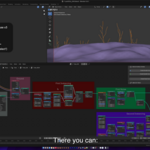
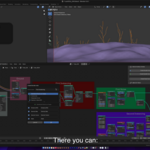
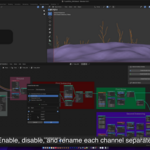
- Added: "Auto Separate Vector inputs" to Inputs Options. When an input is a Vector or Rotation type, a switch will appear near the Input Name box to enable/disable "Auto Separate Vector". When enabled, all channels will appear, and you can disable or rename them as well.
- "Custom Panel name" option removed. Since you can rename it in the "Input Options" panel, now, if "Use Frame Name" is disabled, it automatically switches to "Custom Panel name". This basically allows custom panel names when processing inputs "without options".
- "From Outputs" hotkey changed to CTRL+SHIFT+R.
- "Only to Group" hotkeys changed to OSKEY+R, and OSKEY+SHIFT+R for "Inputs Options".
- A lot of code improvements. Some parts were recoded from scratch.
v1.2.0
- Added: Blender 4.5+ compatibility. Recursive Groups and Use Outputs are not available.
- Added: "Create Panel from inputs". It only creates panels and sockets, without Bundle nodes (in Blender 4, this is the only button and it has CTRL+R assigned).
- Shortcut changes:
- CTRL+R = Create Bundle from inputs (Blender 5) / Create Panel from inputs (Blender 4.5)
- CTRL+SHIFT+R = Enable/Disable the "Only 1 Panel" setting (check the wiki documentation → “How to use this add-on” section to speed up your workflow).
- SHIFT+ALT+R = Create Panel from inputs (Blender 5 only)
- CTRL+ALT+R = Create Bundle from outputs (Blender 5 only)
- "Recursive Groups" now creates a new panel with the bundle input inside (this way, drivers and keyframes will not be incorrect).
- Removed: warning at Blender startup regarding Node Editor windows.
- Settings, Shortcuts, and Documentation panels moved to a new panel.
v1.1.1
- Fixed: an input name error when "Enable options" is disabled.
- Fixed: an error when drivers or keyframes are present on a node.
v1.1.0
- EXPERIMENTAL!!! Added "Enable inputs options". Enabled, when you select any node/s, there will be a list with them. When you select (on the list) one, it will show all its relevant inputs. There you can disable and change their names. There are some known issues: - Only works if there is just 1 Node Editor window. - Undo actions may cause a Blender crash.
v1.0.0
- Initial release.
Discover more products like this
group inputs advanced geometry nodes bundle_nodes Blender_Geometry_Nodes