 TastyVoxels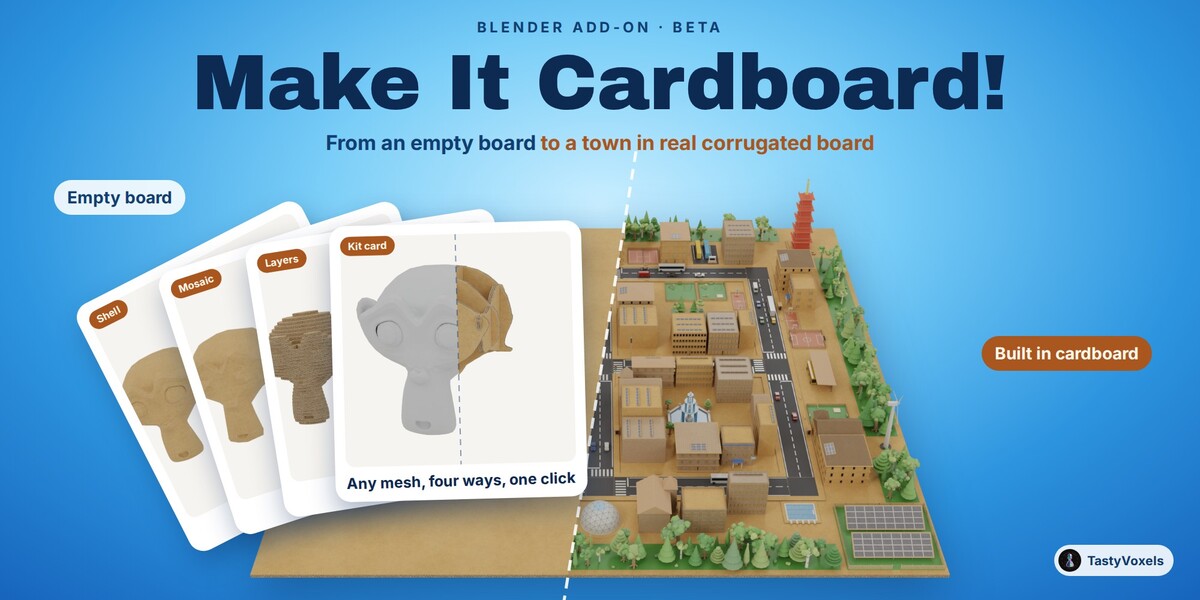
Cardboard is the friendliest material on earth. Now it is the friendliest in Blender.
What it is, in one sentence. Make It Cardboard! is a Blender add-on that builds cardboard dioramas: it generates a whole town of corrugated-board houses, roads, parks and landmarks on an empty board, and it turns any mesh you already have into cardboard four ways (a shell, laser-cut layers, a glued mosaic of flat pieces, or a kit card of slotted profiles), with the flutes showing on every cut edge.
Who it is for. Motion designers and studios making explainer and advertising spots in the handmade cardboard look (sustainability and renewable energy campaigns above all: solar fields, solar carports, wind turbines and battery storage are built in); illustrators and 3D artists who want a stop-motion, papercraft or miniature style without modelling every flap; architects and planners who present a district as a friendly model; teachers and makers who show how a kit card or a contour model is built; game artists who want a cosy cardboard world baked to one GLB or FBX.
This is the beta. What it gives you today are advanced bases, fully editable: a district, a terrain, a row of houses laid out for you, then a few clicks of adjustment and your diorama is done. Everything described here works and is checked by an automated suite in Blender 4.2 and 5.2; the add-on is still young, and every piece of feedback, through Superhive chat, helps it reach 1.0. Buying the beta means every update after it, 1.0 included, at no extra cost.
Make It Cardboard! builds houses, sets, props and packaging out of corrugated cardboard, in a few clicks, and keeps every number live. It is a numbered panel that ticks itself as you go: draw, thicken, open, join, tape, light.
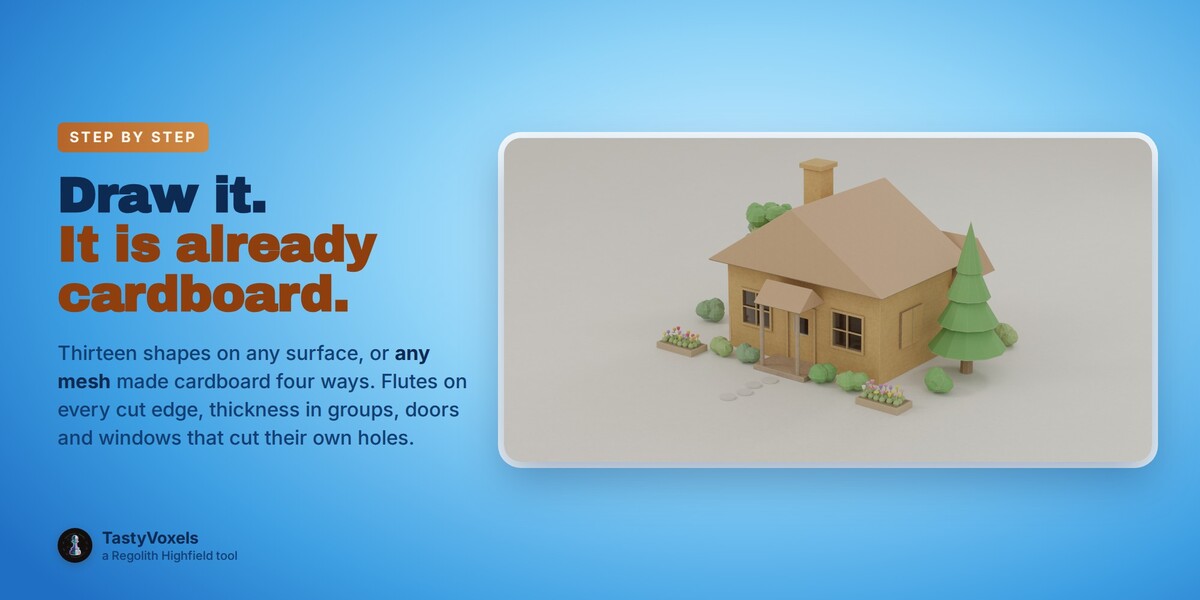
Draw it. Click a shape, press on any surface, drag the base, pull the height, click. The shape lands upright on the face you clicked, already cardboard. Thirteen shapes: box, wall, floor, corner, roof, pyramid, dome, sphere, cylinder, cone, tube, arch, stairs. Segments, rings, open tops stay live sliders: a rounder dome is never a rebuild.
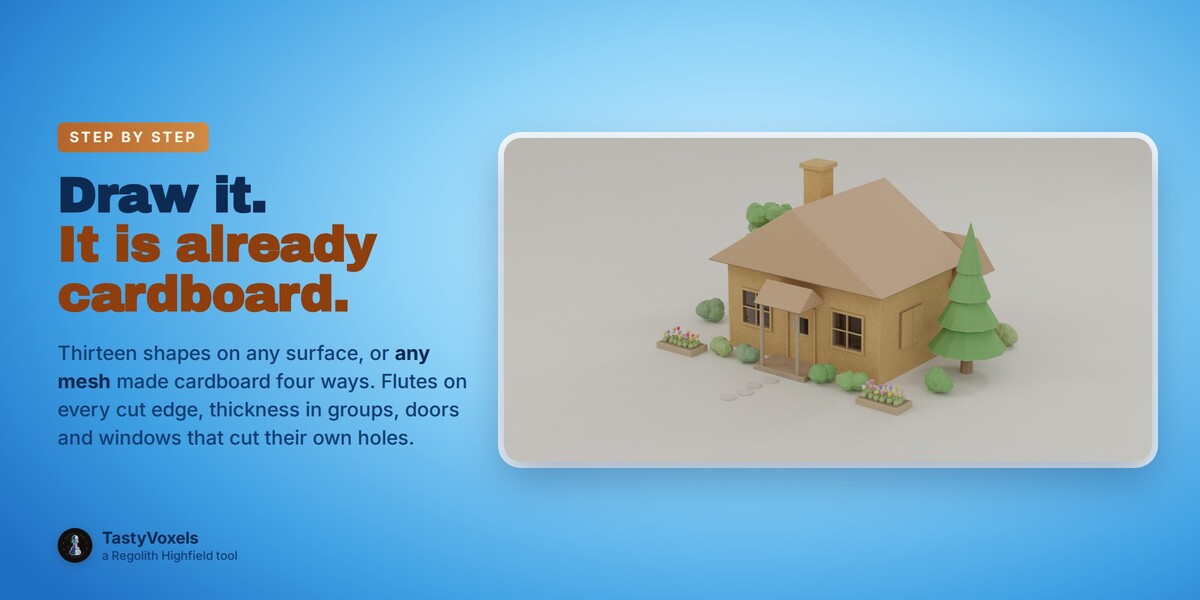
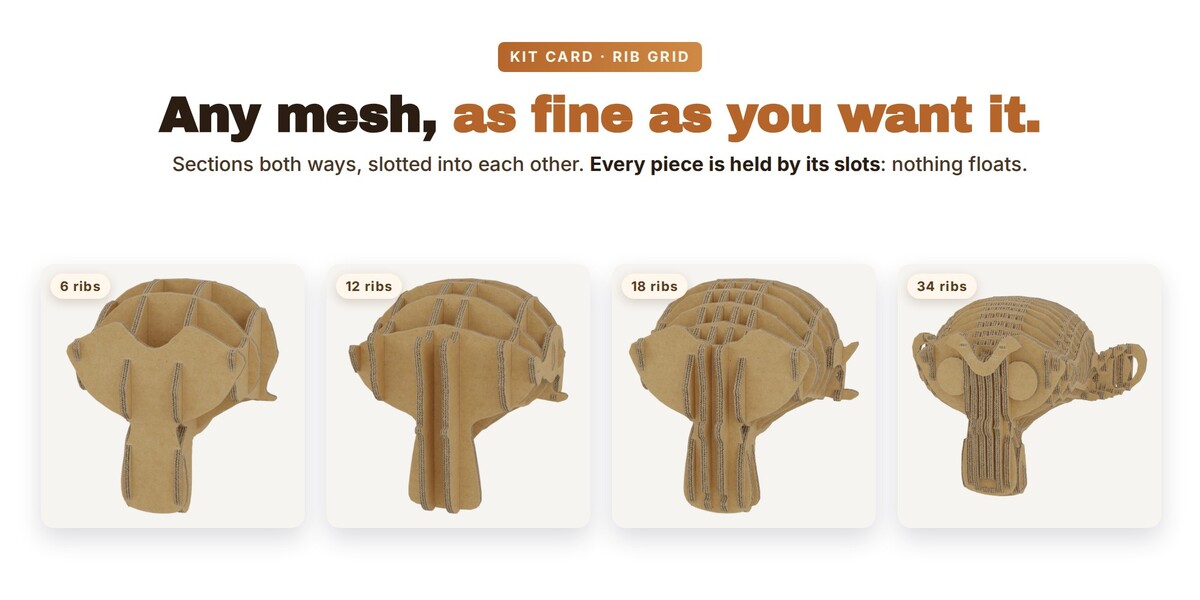
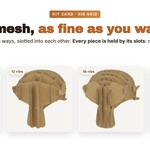
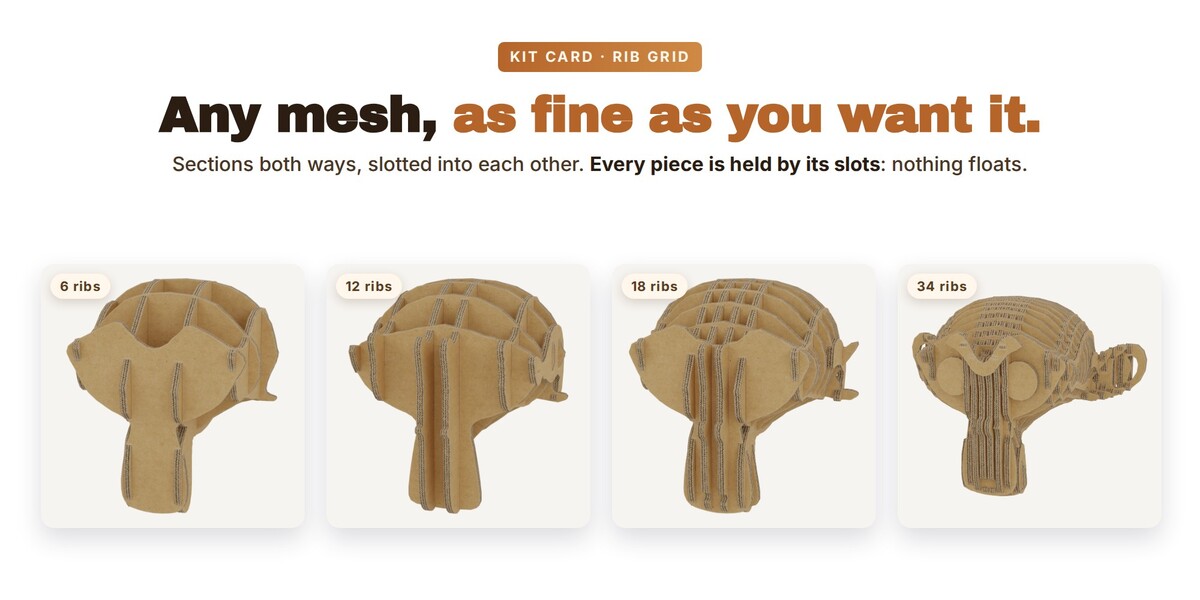
Or convert it, four ways. Select any mesh, curve or text and press Make It Cardboard! As a shell (one sheet over the surface), as stacked laser-cut slices in one direction, as flat panels (a mosaic of pieces of board glued edge to edge, flush or with a seam round every piece, or plates with finger joints cut where they meet at a corner), or as a kit card: two crossed silhouettes, a silhouette with ribs like the flat-pack animals, or a rib grid of sections both ways slotted into each other like a cardboard sliceform sculpture, as fine as you set it. Openings in the model, like the eyes of a face, are cut through the profile. Every piece is joined to the rest through its slots: nothing stands alone in the air. The original is kept, hidden.
Thicken it in groups. One slider for all the walls, another for the roof, another for the packaging. Change 3 mm to 7 mm and every sheet in the group follows at once, holes and window frames included. Every cut edge shows the flutes, at the pitch you choose; or cover it, or give it a material of your own. Rounded folds and a gentle warp per group, scuffed edges in every look: board that reads as board.
Real cardboard looks. A library of PBR image sets: plain kraft, faint flutes, corrugated liner, paper fibres, torn, worn, craft, grainy, soft, fibreboard, glossy paperboard, kraft paper, canvas, graph and lined paper, silk paper, honeycomb wrap, polystyrene, eggcrate and bubble foam, five tapes, three stickers, and a Mixed shelf of woods, roof tiles, printed plastics and metals for the rest of the diorama. Box-projected in object space: no unwrapping, no seams, any size. The cut edges get their own coordinates so the flutes run along the edge whichever way it faces. A second, Toon set draws the same library procedurally, lighter and tintable, with no images at all.
Doors, windows, porticos that behave. Click a wall: the piece lands facing out and cuts its own hole; move it and the hole moves. Panes of translucent silk paper (or glass), paper curtains that ripple. Scale it with S and it adapts instead of stretching: a window gets more panes, a door keeps its frame and its leaf, a portico gets more columns. Doors and shutters open, now or on keyframes.
Joints like a kit card. Where two sheets cross, Insert slots one around the other and Cross-lap slots both to the middle so they slide together. The slot is a modifier on a hidden copy of the other sheet: move a sheet and its slot follows.
Tape and stickers. Click anywhere: tape lands flat, torn ends and all, and wraps over the edges of whatever you clicked. Stickers come round, square, crown or as a label with a printed word.
Bake and export. One object, one material, one atlas: select the pieces, press the button, and every modifier is applied, everything is joined and unwrapped, and every look is baked into colour with alpha, normal and roughness, with a GLB written next to them. Ready for the web, AR and VR; your originals stay live.
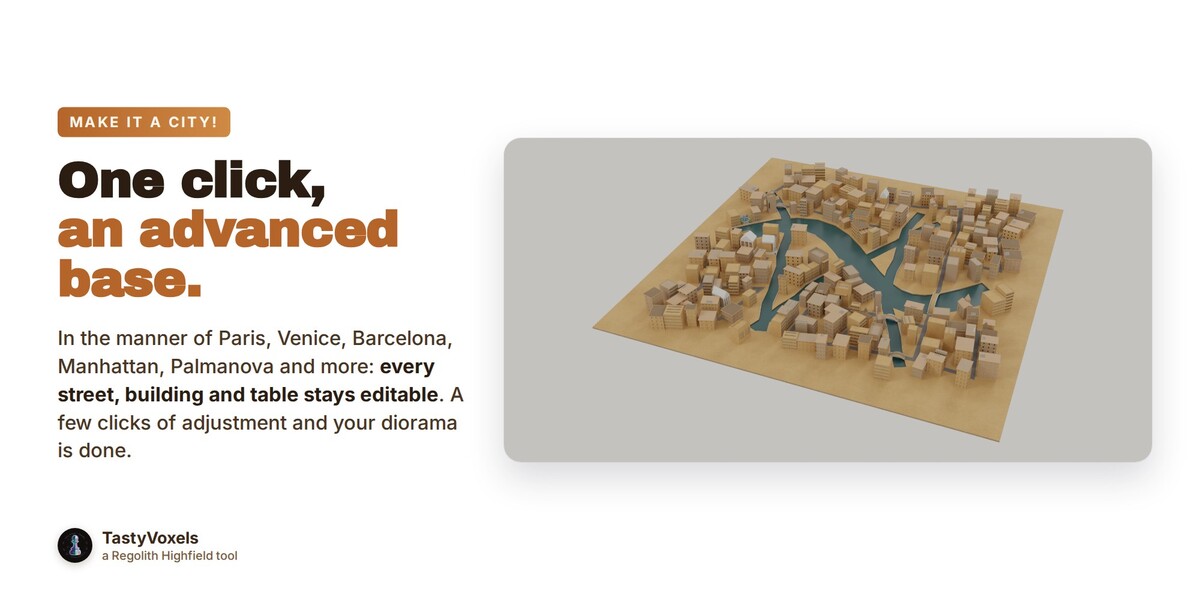
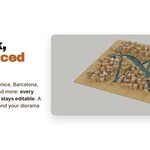
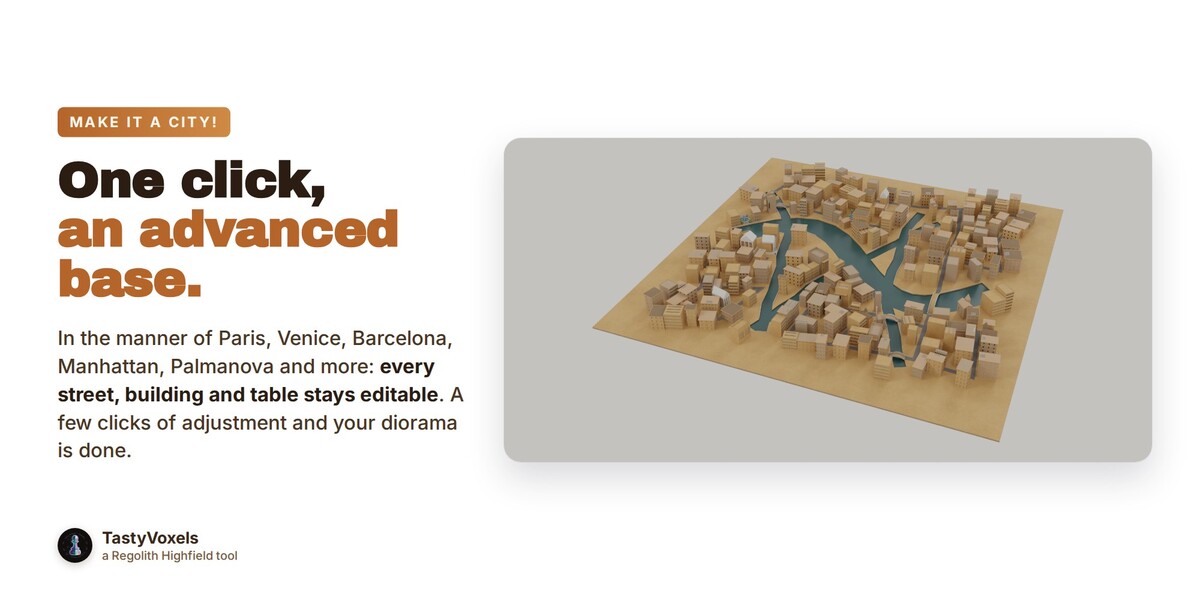
Make It a City! Pick a city from a gallery of pictures and press one button for an advanced base you then adjust: Manhattan or Madrid grids, Barcelona's chamfered blocks, Palmanova's star, Karlsruhe's fan, Paris with its star squares, a medieval Italian town, Venice with canals and stone footbridges, an industrial quarter with its port, or the Stacks, a vertical slum of the future gone to ruin. Or turn your own blocks into buildings.
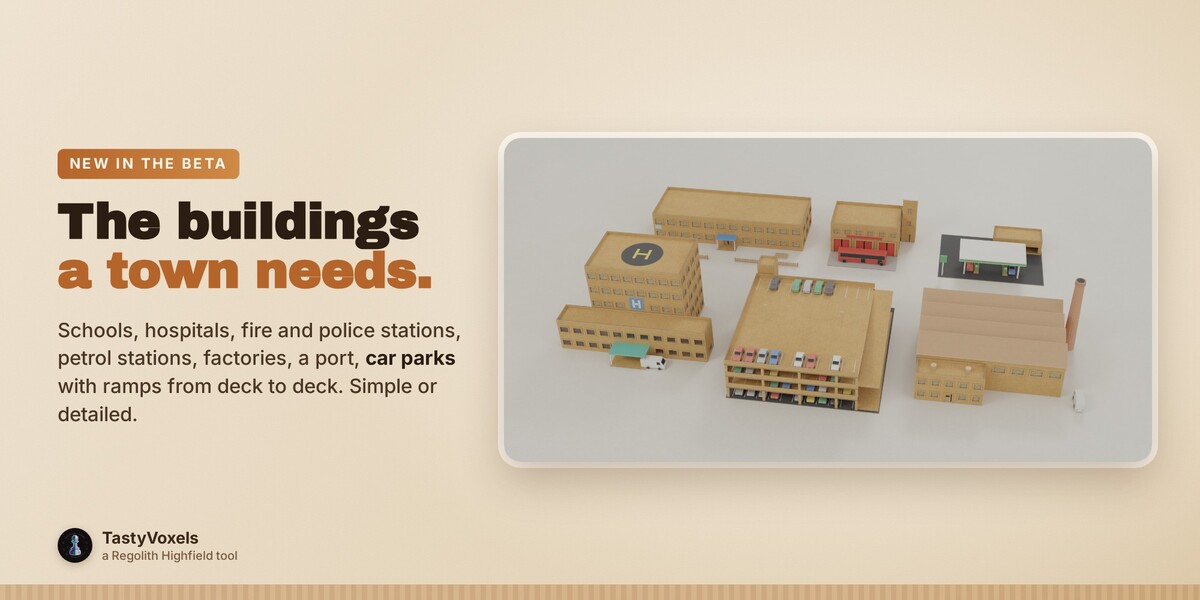
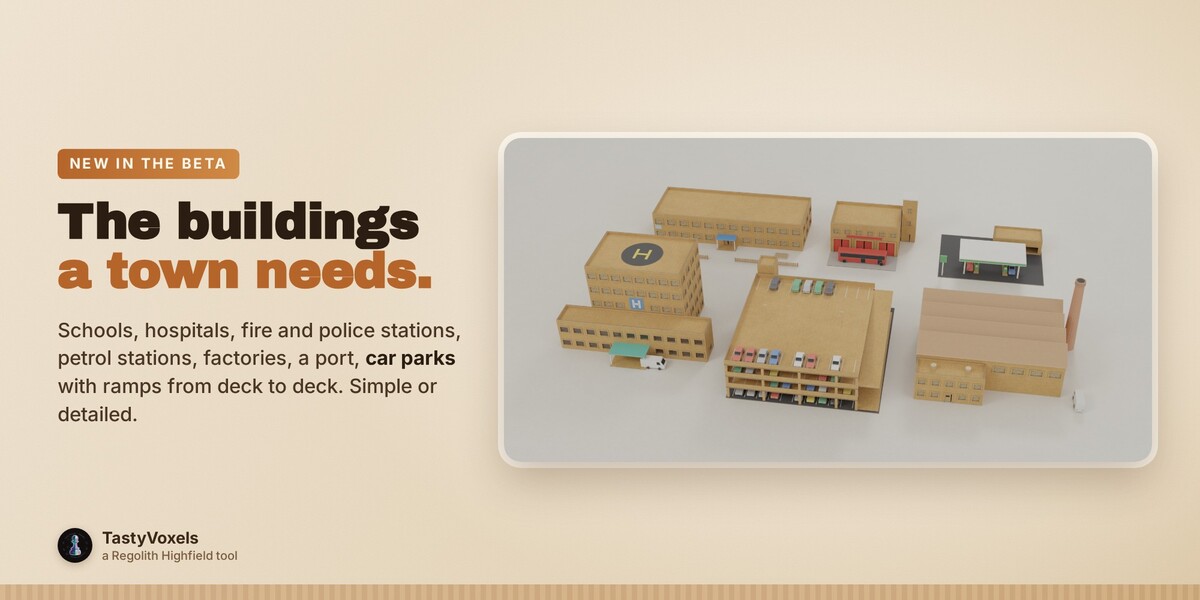
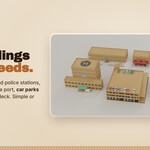
The buildings a real town needs. Schools, hospitals, fire and police stations, petrol stations, factories with sawtooth roofs and their stacks, warehouses with loading doors, a container port with its crane, car parks with painted bays and a multi-storey car park whose ramps run from deck to deck. Simple or detailed, each with its chance in the odds table; the city styles mix them in where they belong, and one that does not fit its lot gives way to a plainer one.
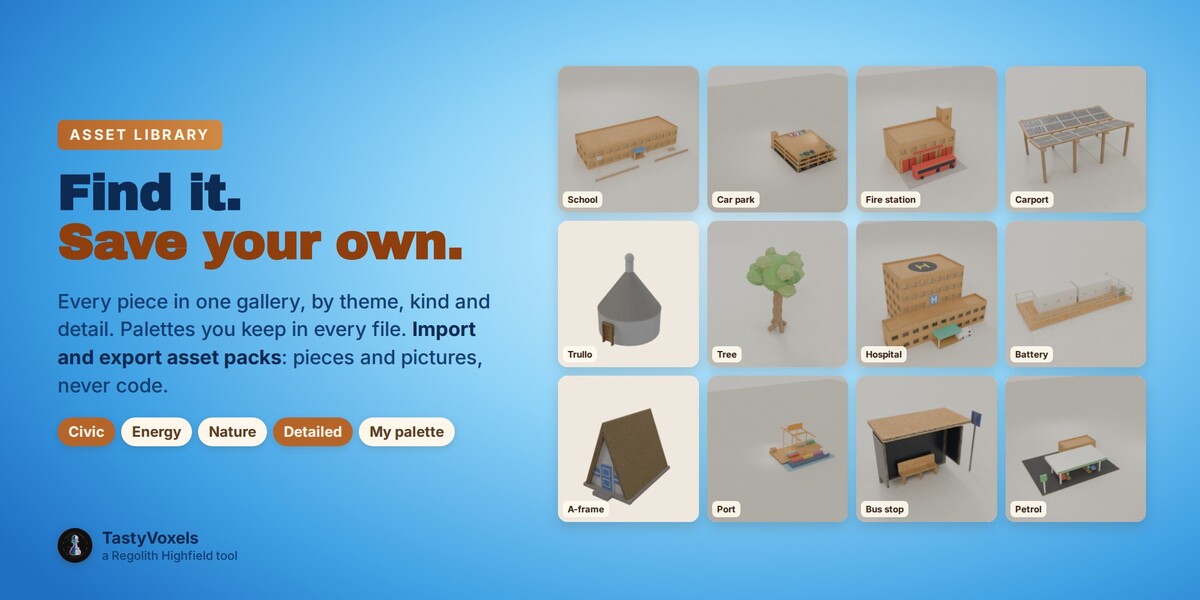
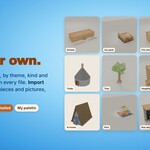
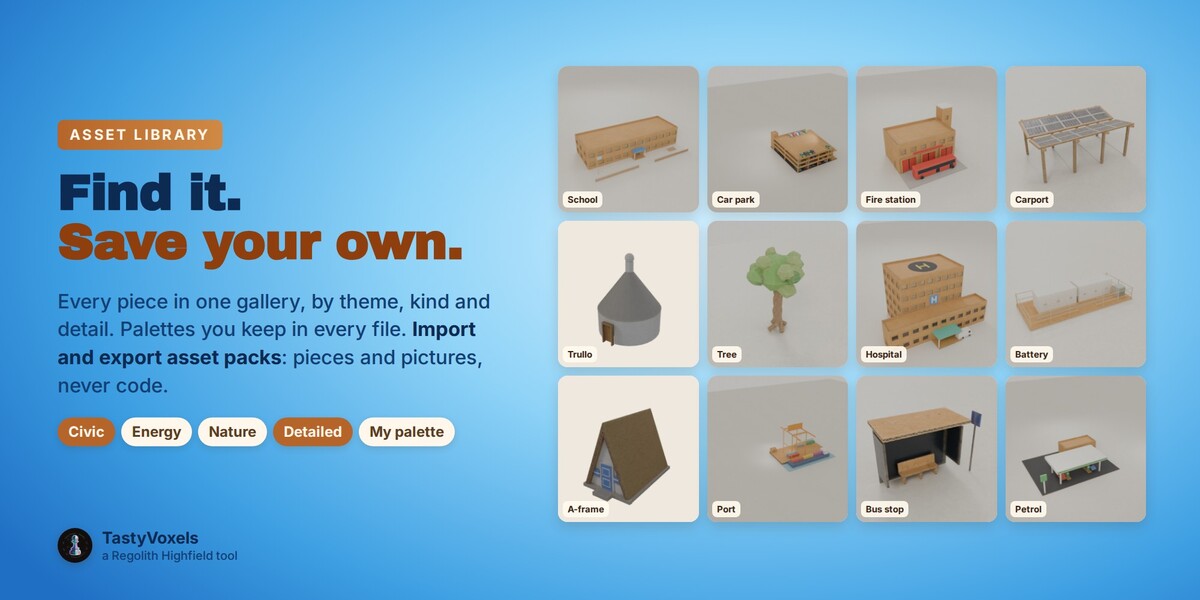
One library for everything, and your own packs. Every piece of the add-on in one gallery: search by theme, kind, detail or a word. Save your filters and your favourite pieces as palettes, there in every file. Turn anything you model into a piece of your own library with Save as Asset, with its themes and a picture. Import asset packs, or export your own pieces as a pack to share or to sell: a pack is pieces, pictures and categories, never code.
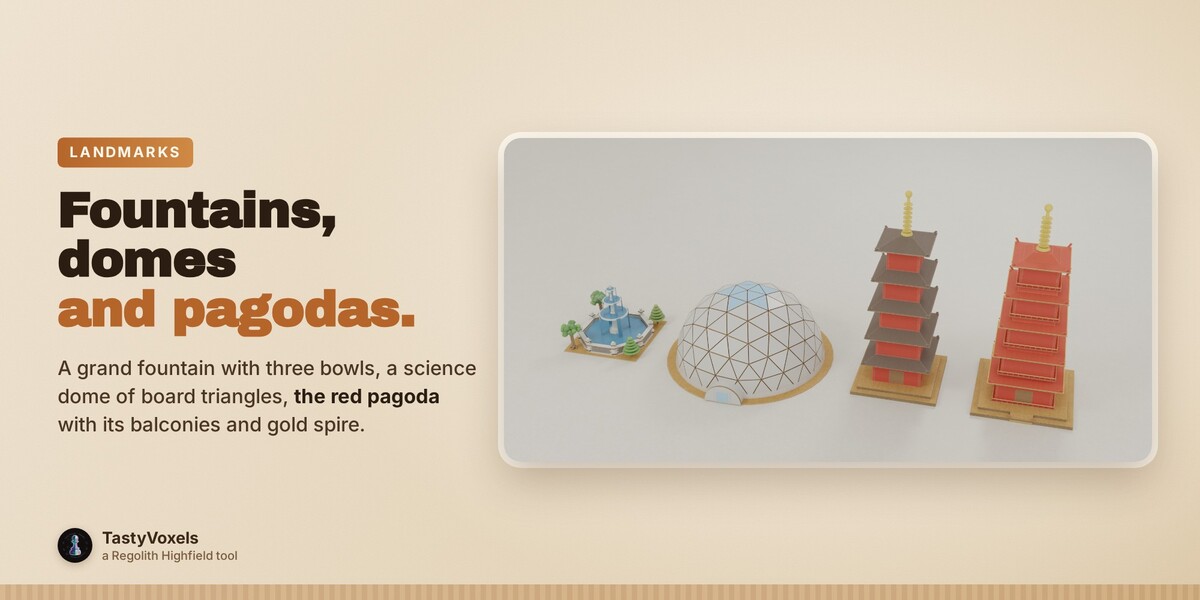
A cardboard city to start from. Scatter cubes, select them, one click: each becomes a building or an area of its size, from cottages, townhouses, shops and churches to European palazzi, a museum with its columns, a town hall with a clock tower, a bus station, a monument square (an obelisk, a column, a figure, a fountain or a grand fountain with brick-faced walls and three bowls), a park, a swimming pool, a bus park, a row of trees, a playground, a sports ground, a solar field or wind turbines that turn. Or generate a district in the manner of a real city: Manhattan or Madrid grids, Barcelona's chamfered blocks, Palmanova's star, Karlsruhe's fan, Paris boulevards between star squares, a medieval Italian town that builds up every gap, Venice with canals and footbridges.
Every share exact, every table yours. A palette decides the look and tint of every kind of element, an odds table the presets and styles, an elements table the chance, 0 to 100, of every optional piece: chimneys, solar panels, balconies, benches, bus stops, vehicles. 70/20/10 on ten buildings is seven, two and one, never a roll of the dice. Change them for one project, reset one line or all of them.
Roads that make sense. Draw the streets as mesh edges or a curve, or drop boxes; square ones become roundabouts. Junctions get zebra crossings, stop lines, traffic lights, stop and give way signs, for right or left hand traffic. Benches and bus stops line the pavements, cars, vans and buses keep to their lane and drive routes round the network over the timeline. Streets off the ground become bridges.
Made by hand, if you want. Machine cut, careful hands or a child with scissors: dents pressed in by fingers, cuts that wander and jag, the outer paper torn past the cut in a ragged lip that peels at the corners, and fine bent fibres, most short, a few long. Set it for a close-up or for a whole city seen from far, and thin or turn off the hairs while you work.
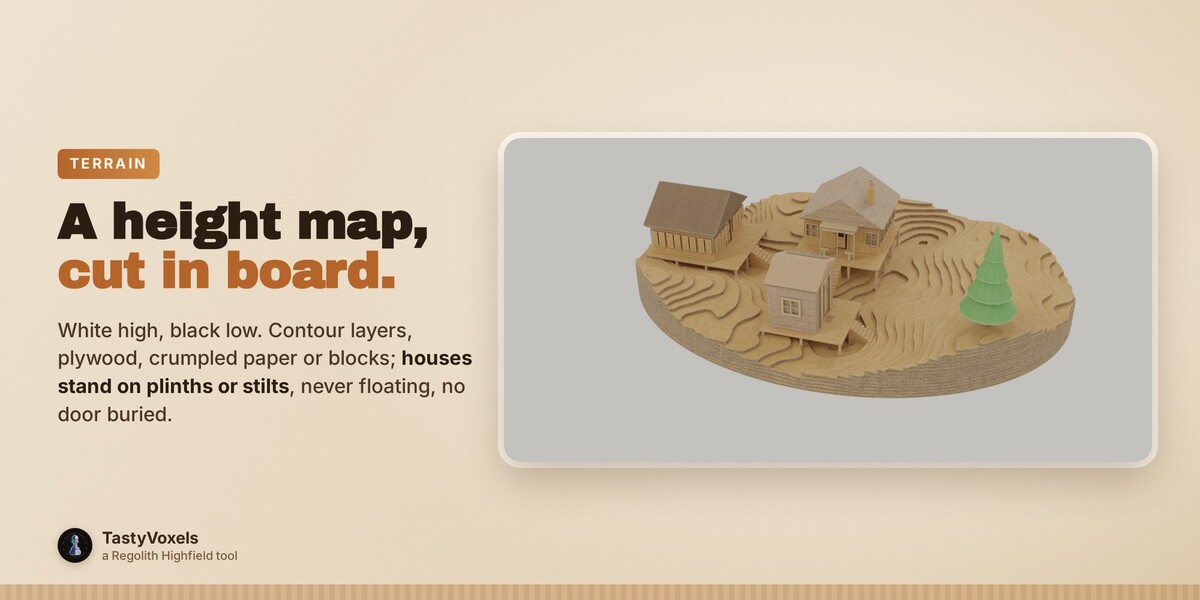
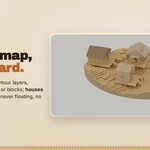
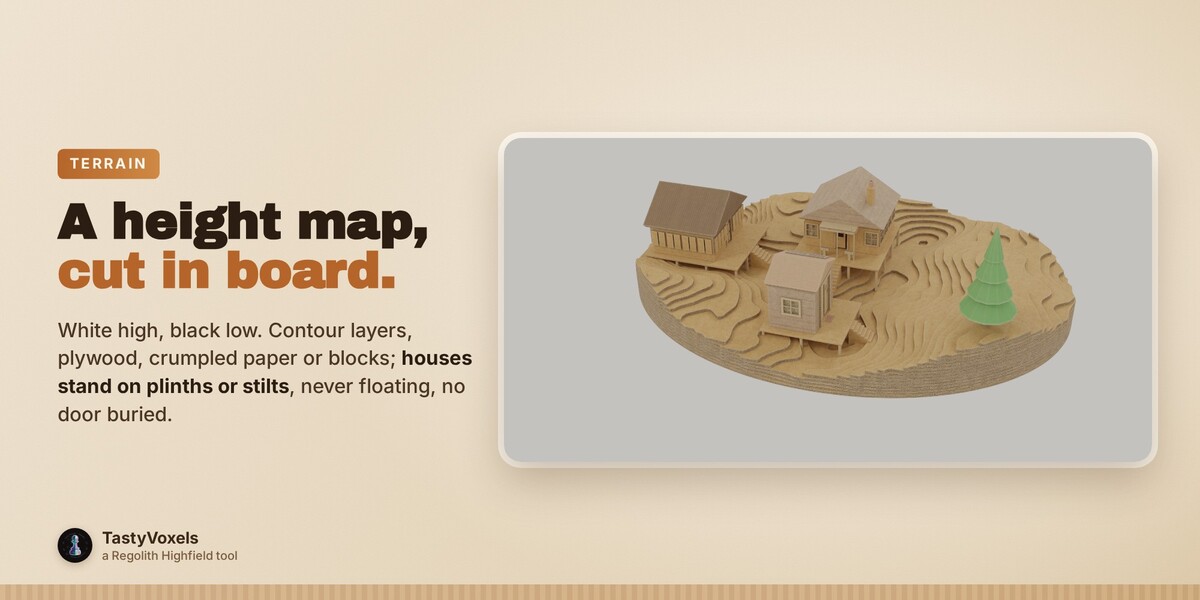
A terrain from a height map. White is high, black is low: any height or displacement map, or seeded hills. Cut it as cardboard contour layers, plywood layers, one crumpled sheet of paper or board blocks, with water up to the level you choose, and every setting stays live. Add houses and each stands where the ground allows, on a plinth or on stilts that reach the ground: no floor floats, no door is buried in the hill.
Paint a city. Paint roads, houses, palazzi, shops, towers, parks, water and squares on a grid in Vertex Paint, press Build: streets with their junctions, a building on every cell facing its street, lawns and ponds. Paint again, press again.
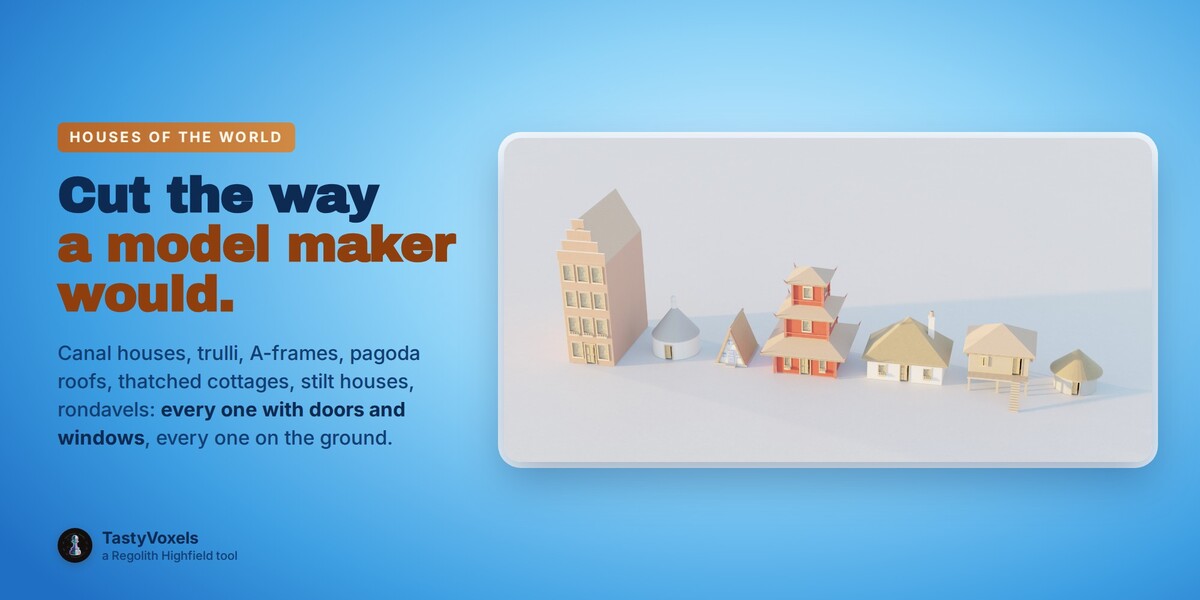
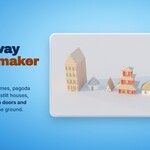
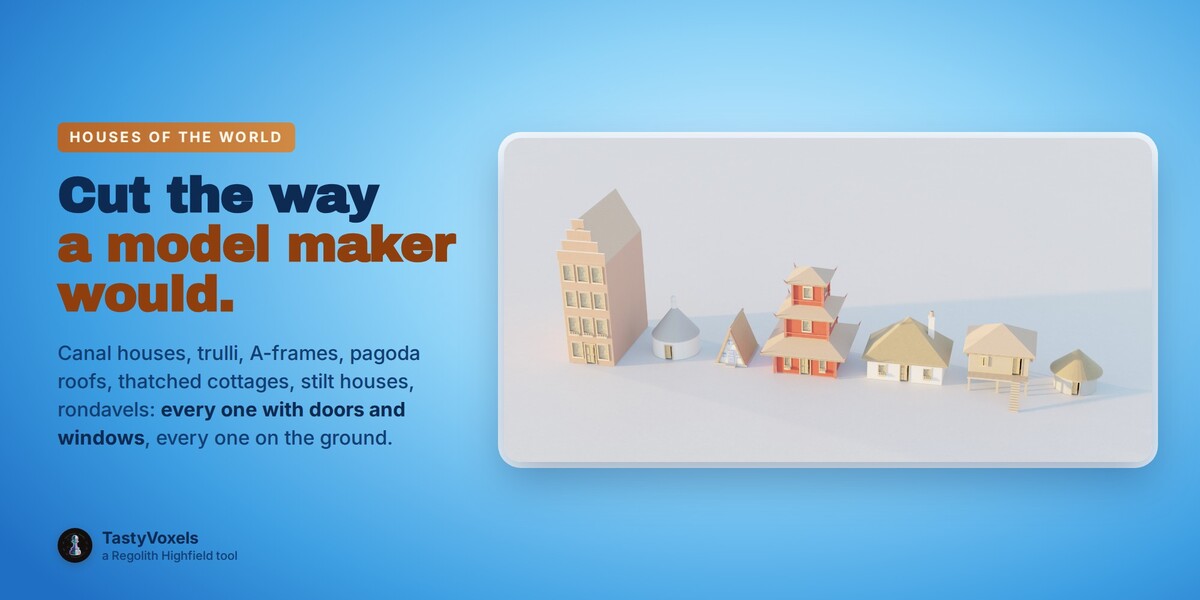
Houses of the world. Canal houses, trulli, medina cubes, adobe pueblos with ladders roof to roof, thatched and half-timbered cottages, A-frames, pagoda roofs, yurts, rondavels, stilt houses: simplified the way a model maker would cut them, in a gallery.
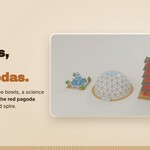
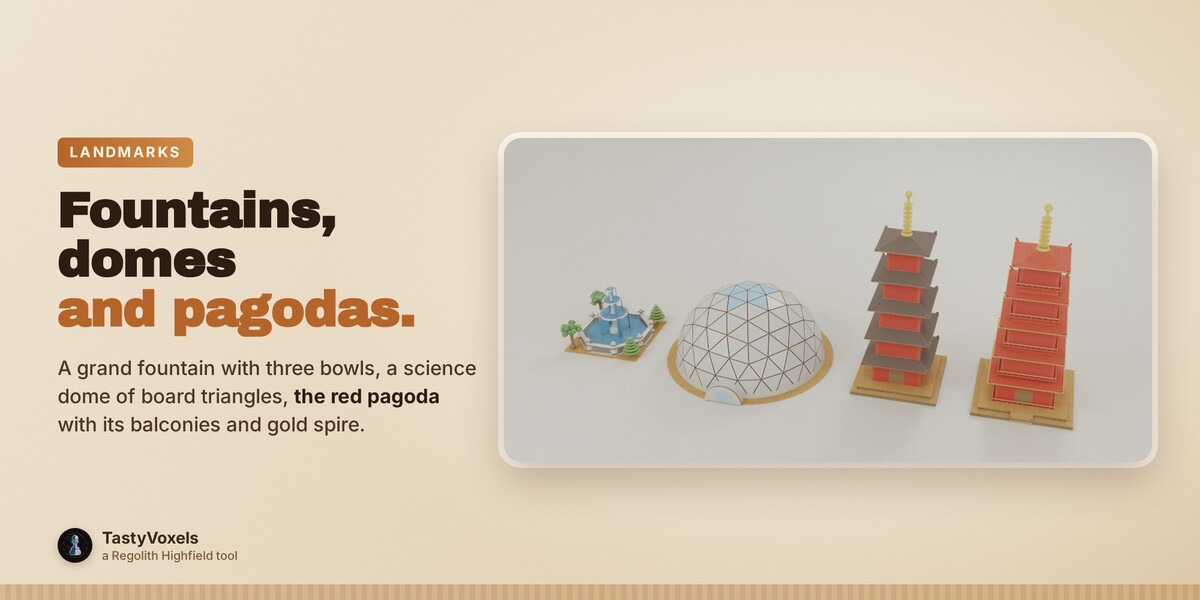
Landmarks and green. A science museum dome of white triangles cut from board and glued edge to edge, a five-storey pagoda and the traditional red pagoda with its railed balconies and gold spire, a grand fountain with three bowls. Parks with crossing paths, swimming pools, a bus park, a belt of woodland round the board, tree-lined streets (each street has its chance of an avenue, 70 in 100 by default).
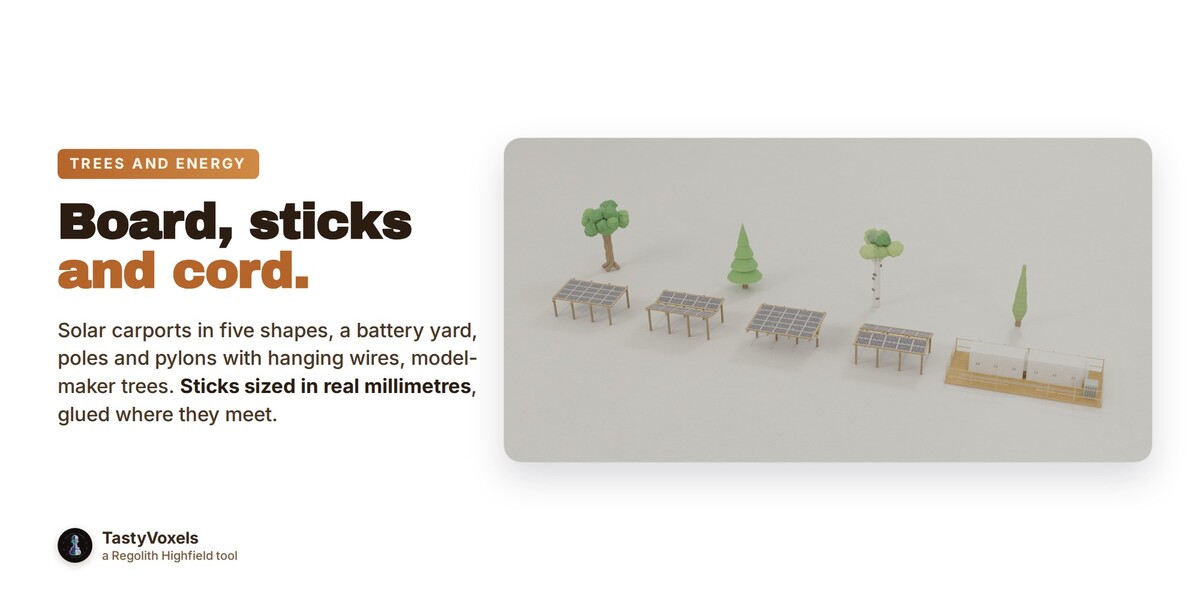
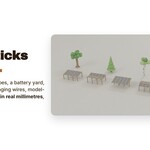
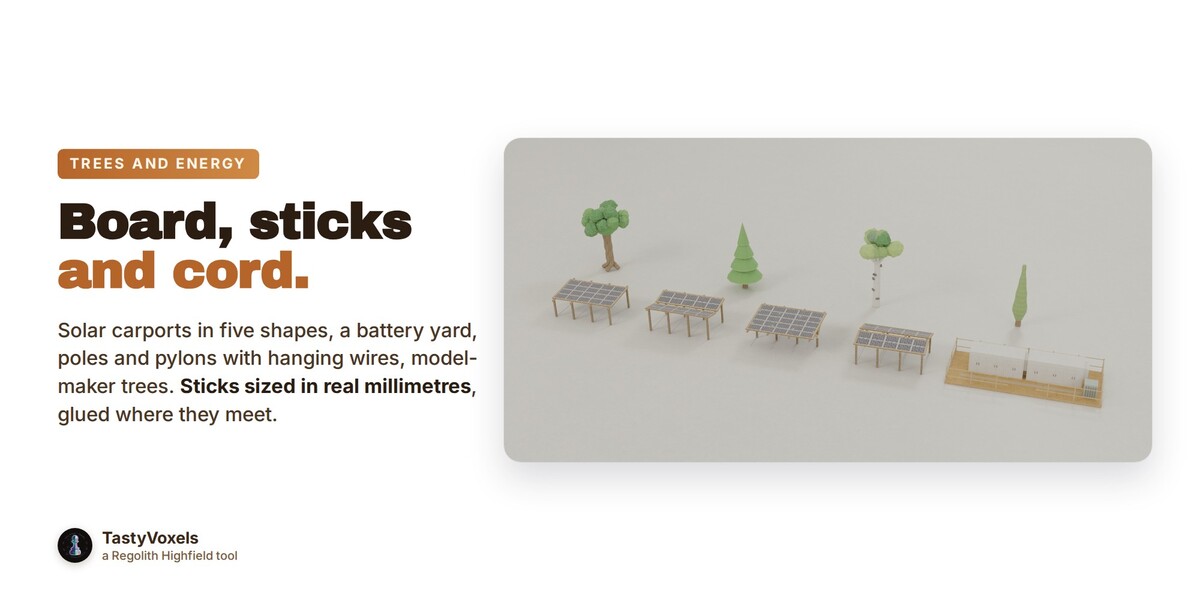
Trees and energy. Model-maker trees (tufted, pine, cypress, kit card, palm, birch) on twisted trunks, bushes and flower beds; solar carports in five shapes, rooftop turbines, a battery storage yard, water towers, and lines of poles of four kinds (high and medium voltage pylons, low voltage and telephone poles) with wires of cord that hang, even along your roads, on the kerb and clear of the crossings. All in board and sticks sized in real model millimetres.
For games too. Export one baked GLB, or an FBX for Unreal or Unity with the right units and axes, simple collision boxes and levels of detail.
A real place, honestly. From an OpenStreetMap file (or a download when you ask): the real street plan, water, parks, the true outlines and heights of the buildings, and the relief if you want it. By default a plain concept, with nothing made up; switch to Inspired by for your own city in the spirit of the real one. The attribution to show is written for you.
A marble maze. A tray of board, walls of strips with their flutes on the ends, one way from the marble to the hole, a new maze with every seed.
Why real geometry, not a generated picture. Solid, with no artifacts between frames; the logical imperfections of handmade board that read as care and credibility; exact palettes and odds you choose; every step live and under your control; the same model in every still, animation and export, reproducible from the same file and seed.
Light it. Nine presets sized to what is in the scene, from soft studio to golden hour, blue hour, night and overcast, always with a raking light so the flutes read; warm lights inside a share of the buildings so the paper panes glow; a cardboard backdrop curving up behind everything.
One-click example. Example House builds a complete little house, doors, windows, portico, tape and light, so you can see every feature live before you draw your own.
No AI inside the product. No model, no inference, no telemetry, no data collection: plain geometry and node code that runs on your computer. It goes online only if you ask it to, when you press Download in A real place to fetch the map of a place.
How it is made. I have been programming since long before generative tools were mainstream. AI assists me now: it writes code with me, and it translates my documentation into English, which is not my first language. The decisions, the references and the checks are mine: every piece is built, checked for parts that float or lie face on face, and rendered before it ships.
Updates and support are included for good: no support period, no renewal fee.