 Media Brennt GmbH


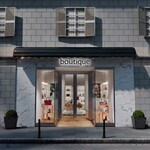

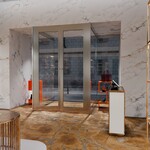
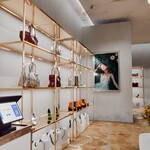
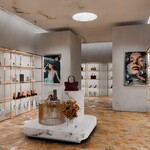
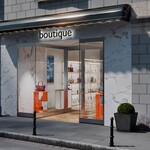
Luxury Marble Boutique Storefront Scene
A complete ready-to-render Blender retail environment for fashion boutiques, handbag and shoe visualization, commercial interiors, storefront concepts, product shots and architectural visualization.
Overview
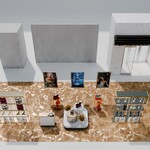
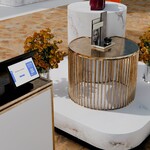
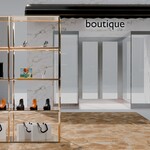
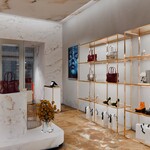
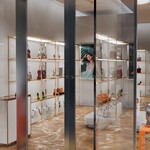
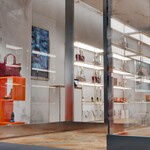
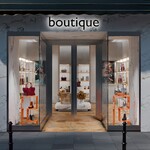
Luxury Marble Boutique Storefront Scene is a polished high-end retail environment built natively in Blender. The scene combines a clean marble storefront, black awning, glass entrance, illuminated boutique signage, warm gold display shelving, handbags, shoes, shopping bags, product props, decorative flowers, posters, checkout elements and an urban street context.
It is designed for artists, archviz creators, product visualization studios, motion designers, and Blender users who need a complete luxury shop environment that can be opened, customized, and rendered without building a retail set from scratch.
Key Features
- Complete luxury boutique storefront and interior scene
- Marble exterior façade with black awning and glass entrance
- High-end retail interior with warm gold display shelving
- Handbags, shoes, shopping bags, product props and decorative details
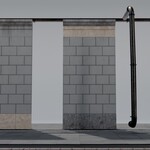
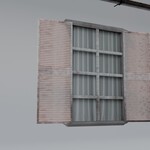
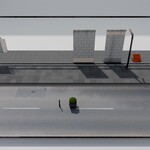
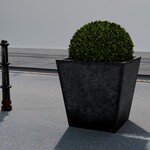
- Urban street context with façade, windows, curb, bollards and plants
- Prepared lighting setup for storefront and interior renders
- 9 prepared cameras for storefront, interior and detail shots
- Organized scene collections for easier navigation and customization
- Collection instances used for repeated shelf systems
- Procedural and node-based material setups
- Shader-based surface variation, weathering and detail control on selected materials
- Packed textures inside the Blender file
What You Can Use It For
- Fashion boutique renderings
- Handbag and shoe product visualization
- Luxury retail store concepts
- Commercial interior design presentations
- Archviz storefront scenes
- Advertising backgrounds and campaign visuals
- Portfolio renders and cinematic product shots
- Social media, website and brand presentation visuals
Blender Scene Details
| File | MB-Retail_Store-05-BLENDPACK.blend |
| Blender Version | 5.1.2 |
| Render Engine | Cycles |
| Cameras | 9 prepared cameras |
| Lighting | 14 scene lights |
| Mesh Objects | 210 mesh objects |
| Textures | Packed inside the Blender file |
Scene Organization
The scene is organized into clear main collections for cinematics, building and street context, across-street elements, storefront, store construction, furniture, retail products and lighting. This makes it easier to hide, adjust, or reuse larger parts of the environment depending on your project.
Repeated retail shelf systems are integrated using collection instances, allowing the scene to keep a clean structure while still offering a complete, detailed store presentation.
Material System
The material setup combines packed image textures with procedural and node-based shaders for materials such as marble, concrete, wood, glass, metal, chrome, leather, fabric, plastic and product packaging.
Several materials include shader-based variation systems, surface imperfections, weathering, dust, edge wear and visual selection setups. This helps reduce repetition across duplicated products and display elements while keeping the scene editable.
Customization
- Replace placeholder posters and framed visuals with your own images
- Adjust product colors and materials directly inside Blender
- Hide or show larger scene areas through the collection structure
- Move, remove or duplicate shelves, products and display furniture
- Use the prepared cameras as starting points for your own render angles
- Customize signage, branding and visual elements for your own boutique concept
Performance Notes
The scene contains detailed product props, flowers, street elements, glass materials and high-resolution textures. For lighter viewport performance, you can hide heavy collections such as street context, plants, bouquet details or product displays while working on layout changes.
- Use collection visibility to focus on one area at a time
- Switch to material preview or simplified viewport modes while editing
- Disable exterior street context if you only need interior shots
- Use the prepared cameras to avoid unnecessary scene navigation
Support
If you have any questions about the scene, customization, materials or usage inside Blender, feel free to reach out. We are happy to help.
