Marmoset Toolbag Bridge
 Tachyon Studio


What does the Marmoset bridge do?
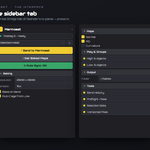
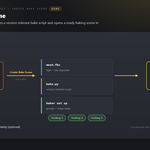
Tag your high- and low-poly meshes in Blender and send them into Marmoset Toolbag as a ready-to-bake scene in one click. It exports the FBX, writes the bake script and opens Toolbag with the baker already set up — no manual export and no baker configuration. It can also pull the finished maps back onto your Blender mesh as a material.
Do I have to install anything in Marmoset?
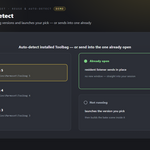
No. There's no companion plugin to install on the Marmoset side — the bridge drives Toolbag directly. When Toolbag is closed it launches the version you picked; when it's already open it sends into that instance with no new window.
Which Toolbag versions does it work with?
Marmoset Toolbag 3, 4 and 5. The generated bake script is version-tolerant: settings a particular build doesn't support are skipped rather than erroring, so the bake still runs.
How do I mark high- and low-poly meshes?
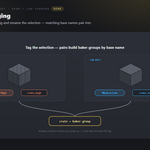
Select the meshes and click Mark as High or Mark as Low — they're renamed with `_high` / `_low`, and meshes sharing a base name pair into one baker group. If your meshes already end in `_high/_hi/_h` or `_low/_lo/_l`, they're picked up automatically even without tagging.
Which maps can it bake?
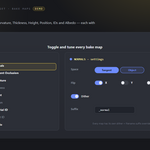
Normals (tangent and object space, with flip X/Y/Z), Ambient Occlusion (ray count, floor occlusion), Curvature, Thickness, Height, Position, Material ID, Object ID and Albedo. Each map has a dither toggle and a filename-suffix override, and you set resolution, bit depth, samples, padding and format globally.
What output formats and resolutions are supported?
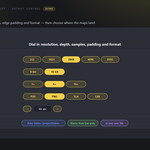
Resolution from 512 up to 8192, 8-bit or 16-bit, 1× / 4× / 16× samples, adjustable edge padding, and PSD, PNG, TGA or EXR output.
Can it bring the baked maps back into Blender?
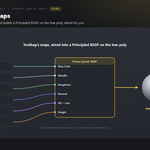
Yes. Import Baked Maps finds the maps Toolbag wrote and builds a Principled BSDF material on the low-poly mesh — base colour, metalness, roughness, normal, height, emission, alpha and AO (multiplied into base colour) — matched by filename suffix.
Where do the baked files go?
To a bake folder you choose, or by default a `bakes` folder next to the saved `.blend` (a temp folder while the file is unsaved). You can set the base name, pull it from the low-poly name, or point everything at a single save file.
What if I just want to send objects for look-dev, not bake?
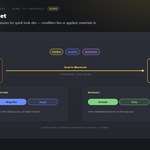
Use the Send Objects panel. It imports the selected meshes, empties and armatures into Toolbag with no bake setup — you can keep modifiers live or apply them, and include or strip materials (with embedded textures).
Can I control which modifiers get applied?
Yes. Turn Apply Modifiers on per side (high / low) or per send, then use the per-modifier picker to tick exactly which modifiers are baked on export; the rest are temporarily muted. All / None set them at once.
What shared tools come with it?
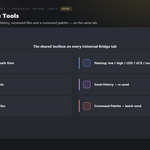
As part of the Universal Bridge line it also adds Preflight checks (scale/rotation, UVs, materials, n-gons, non-manifold) with safe fixes, a Naming convention helper (low / high / LOD / UCX / socket), Selection Sets, Send History with re-send, Versioned Files and a Command Palette with batch send — shared with any other Universal Bridge products you own.
Which Blender versions are supported?
Blender 3.3 through 5.2. On 4.2+ it installs as a modern Extension; on 3.3–4.1 as a classic add-on. Windows.
Can I use it for commercial work?
Yes. Like all Blender add-ons it's licensed under the GPL, so you can use it in any commercial project. Marmoset Toolbag is Marmoset Toolbag is required and sold separately. You need your own licensed copy from Marmoset. No Marmoset Toolbag licence is included with this product - it is the Blender-side bridge only, and is not affiliated with, endorsed by, or a reseller of Marmoset.
Do I need Marmoset Toolbag, and is a licence included?
You need your own Marmoset Toolbag - it is sold separately by Marmoset and is not included with this product. This add-on is the Blender side of the bridge only, and is not affiliated with, endorsed by, or a reseller of the vendor. It is also Windows only: macOS and Linux are not supported.
Can I change the icons, or turn them off?
Yes. Preferences ▸ Button Icons offers Brand Colours (the default, each bridge in its own colour), Mono with a colour swatch you pick, and Blender Built-ins if you would rather have no custom icons at all. Colour-code Status decides whether link and modifier icons keep their green / amber / red. The icons are drawn from masks and tinted as they load, so any colour stays crisp.
Have questions about this product?
Login to message
| Blender Extension Compatible | Yes |
| Published | about 2 months ago |
| Blender Version | 3.3 - 5.2 |
| Extension Type | Add-on |
| Render Engine Used | Cycles |
| License | GPL |
Discover more products like this
curvature normal map baking bridge ambient occlusion high poly pipeline texture-baking Marmoset low poly toolbag bake maps