Material Spreader for Blender
 ztrztr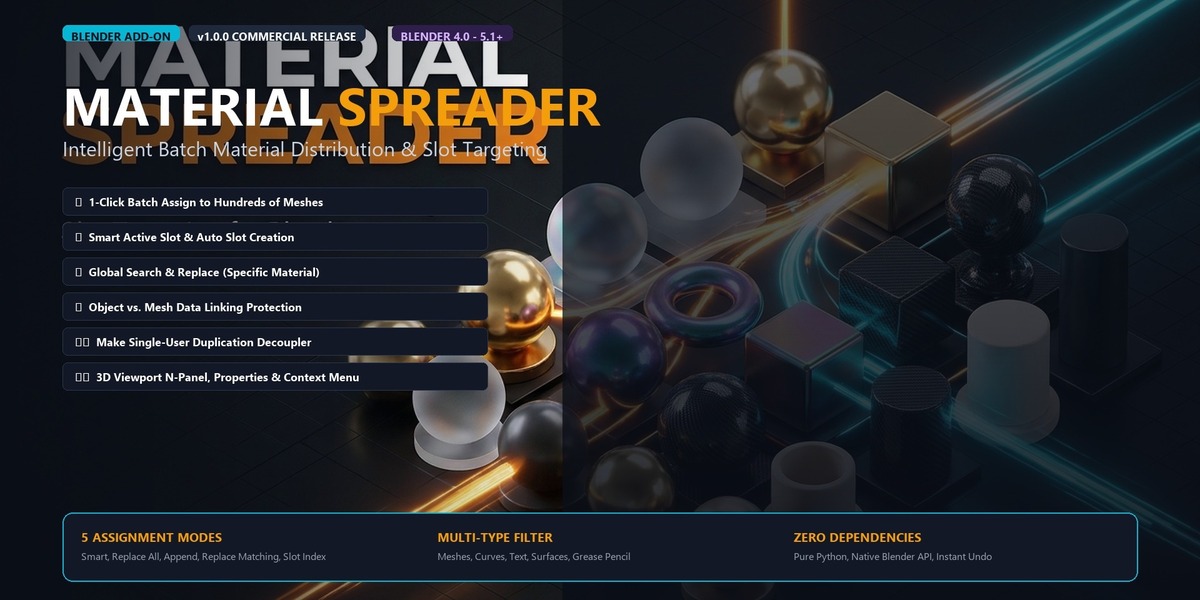








What Blender versions are supported?
Blender **4.0**, **4.1**, **4.2 LTS**, **4.3**, and **5.x**. Both legacy add-on installation and modern extension manifests (`blender_manifest.toml`) are included.
How do I undo if I made a mistake?
Press standard Blender undo: **`Ctrl + Z`**. The entire operation across all selected objects is registered as a single undo step.
Can I use this on Curves, Text, and Grease Pencil?
**Yes.** Under **Target Filter**, select **All Supported**. Material Spreader supports Meshes, Curves, Text, Surfaces, Grease Pencil, and Volumes.
What happens if an object in my selection has no material slots?
The **Smart Active Slot** and **Specific Slot Index** modes detect objects with 0 slots and automatically create the required slot and assign the material seamlessly.
Will it destroy my multi-material vertex/face assignments?
**No**, as long as you use **Smart Active Slot** or **Append as New Slot**. Unlike Blender's native `Ctrl + L -> Link Materials`, Material Spreader does not wipe other slots or face indices unless you deliberately choose the **Replace All Slots** mode.
Does this work with linked duplicate objects (`Alt + D`)?
If you want your linked duplicate objects to have different materials while still sharing their vertex data, set the **Material Link** option to **Object Container (`OBJECT`)**. If you want them to share the material, choose **Mesh / Data (`DATA`)**.
Have questions about this product?
Login to message
| Blender Extension Compatible | Yes |
| Published | about 4 hours ago |
| Blender Version | 4.0 - 5.2 |
| Extension Type | Add-on |
| Render Engine Used | Cycles, Eevee |
| License | GPL |
