 Fulford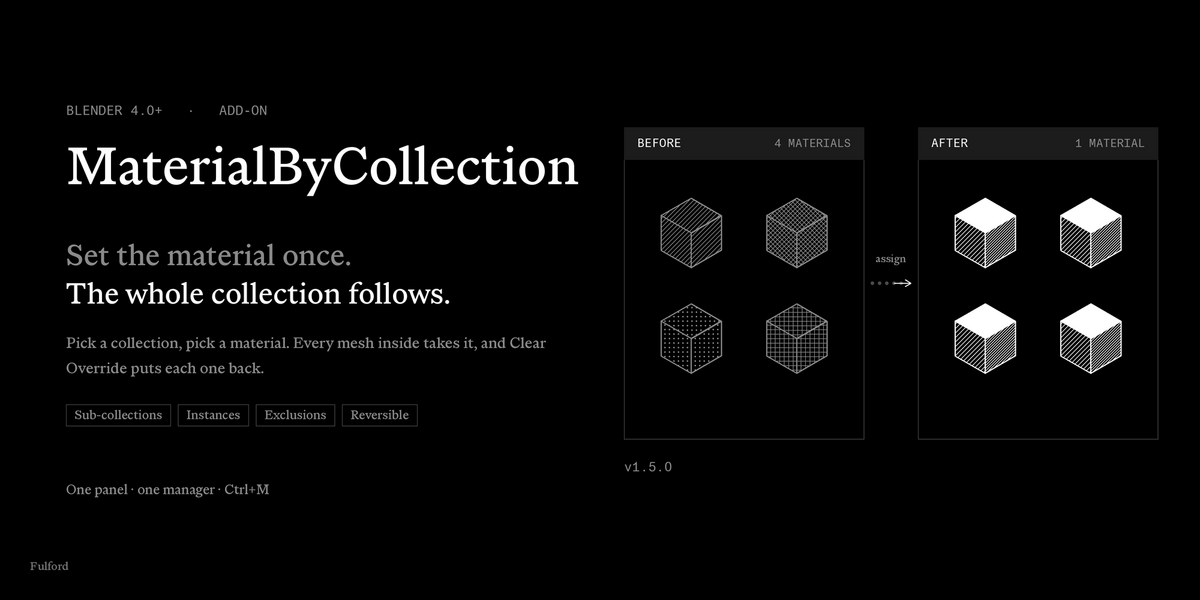


MaterialByCollection
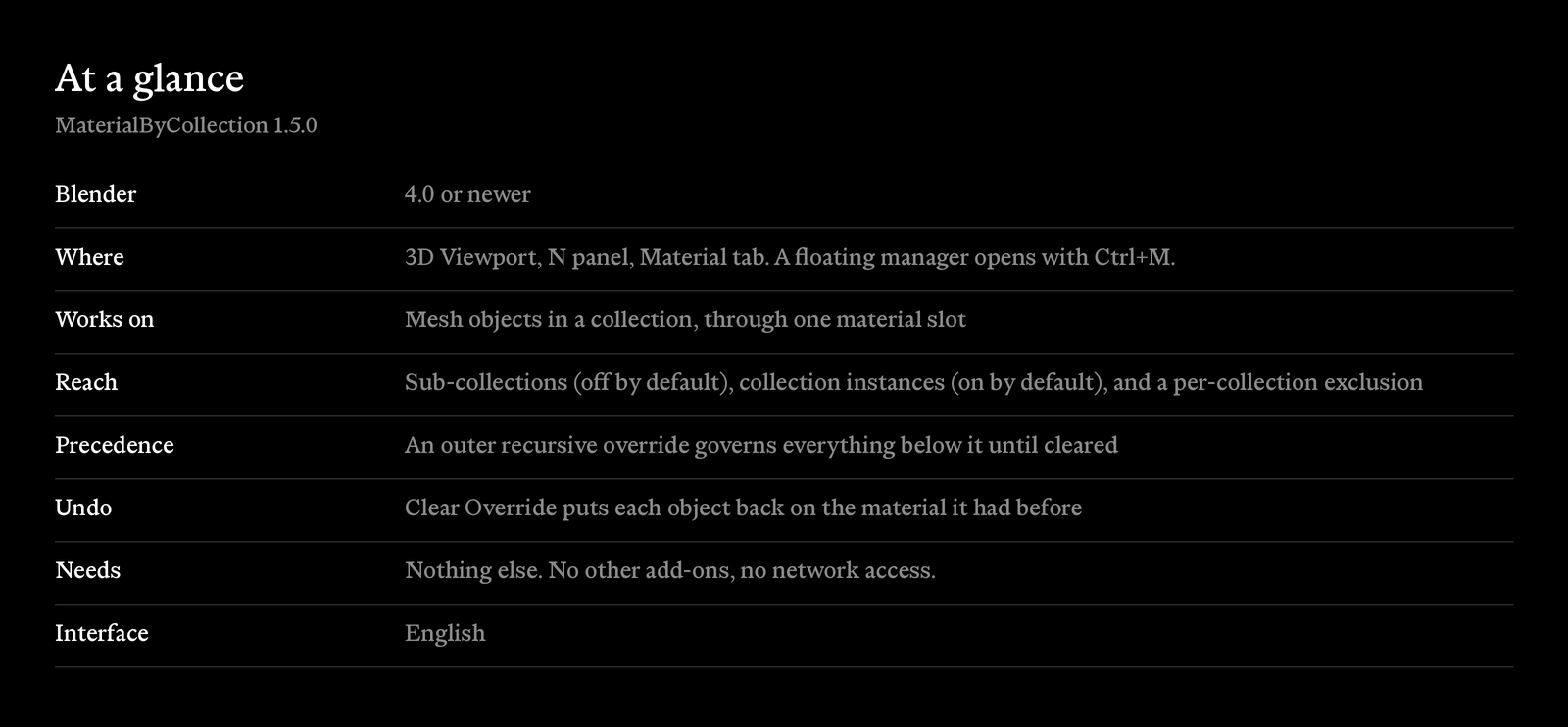
A Blender add-on that assigns materials by collection. Pick a collection, pick a material, and every mesh object inside takes it. Clear the override and each object goes back to the material it had before. Works in Blender 4.0 and newer.
A panel in the 3D Viewport sidebar follows the active collection. A floating manager lists every collection in the scene in one table, so you can set materials across a whole file without selecting objects. Overrides reach sub-collections, collection instances and nested overrides, and each of those is a switch you control.
How it works
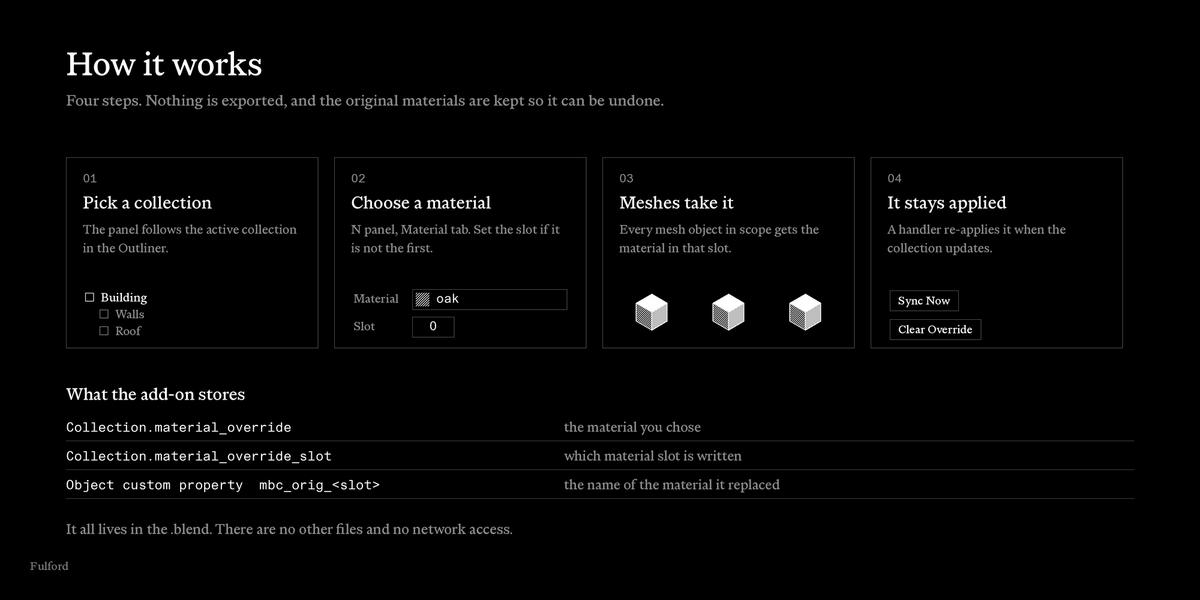
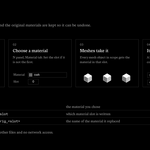
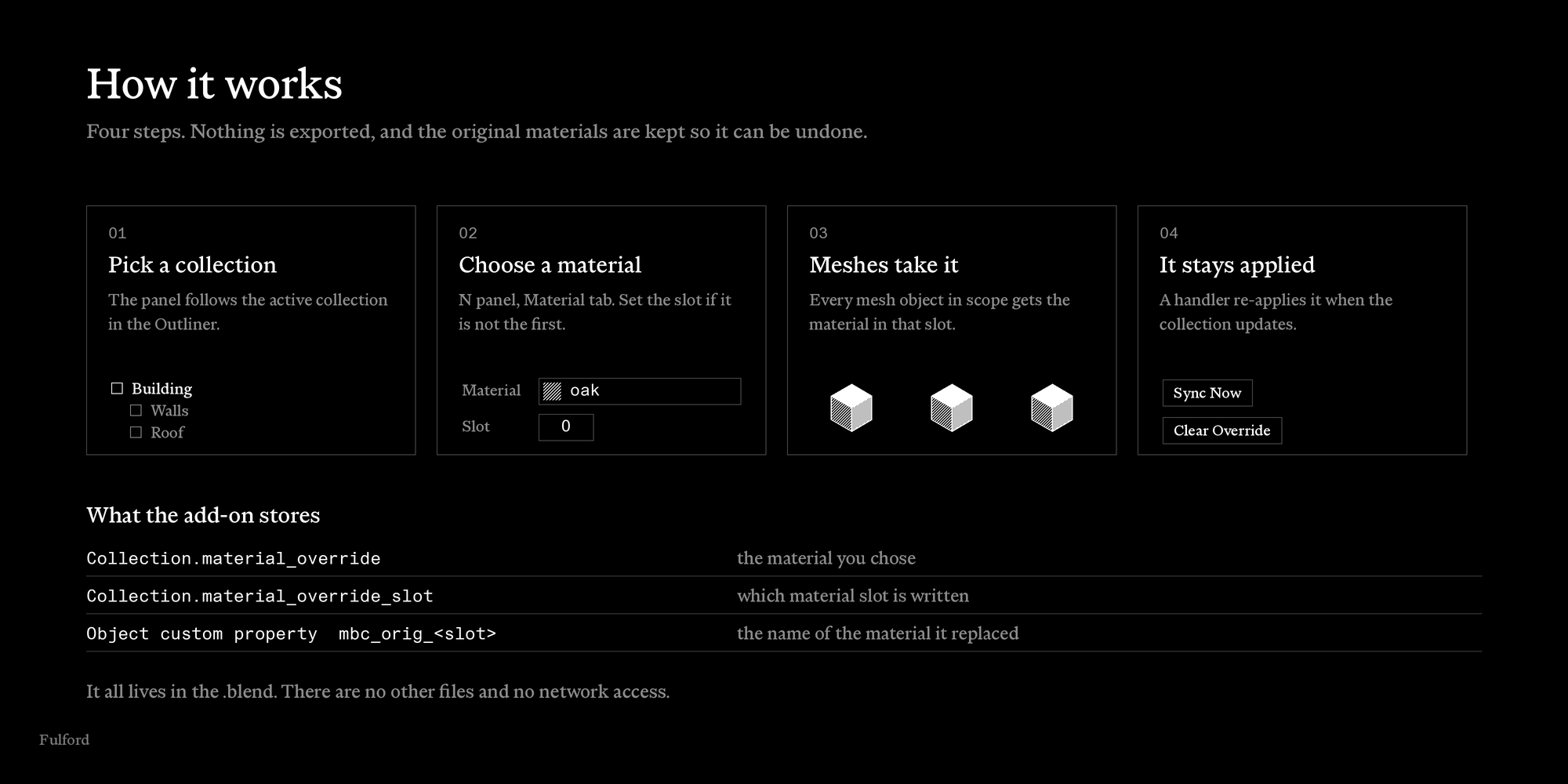
You pick a collection in the Outliner. The panel shows that collection. You choose a material. The add-on writes it into the chosen material slot of every mesh object in scope, and remembers the material each one had before. A handler re-applies the override when the collection updates. Clear Override removes it and restores the originals.
Everything is saved in the .blend. There are no other files and no network access.
Decide how far it reaches
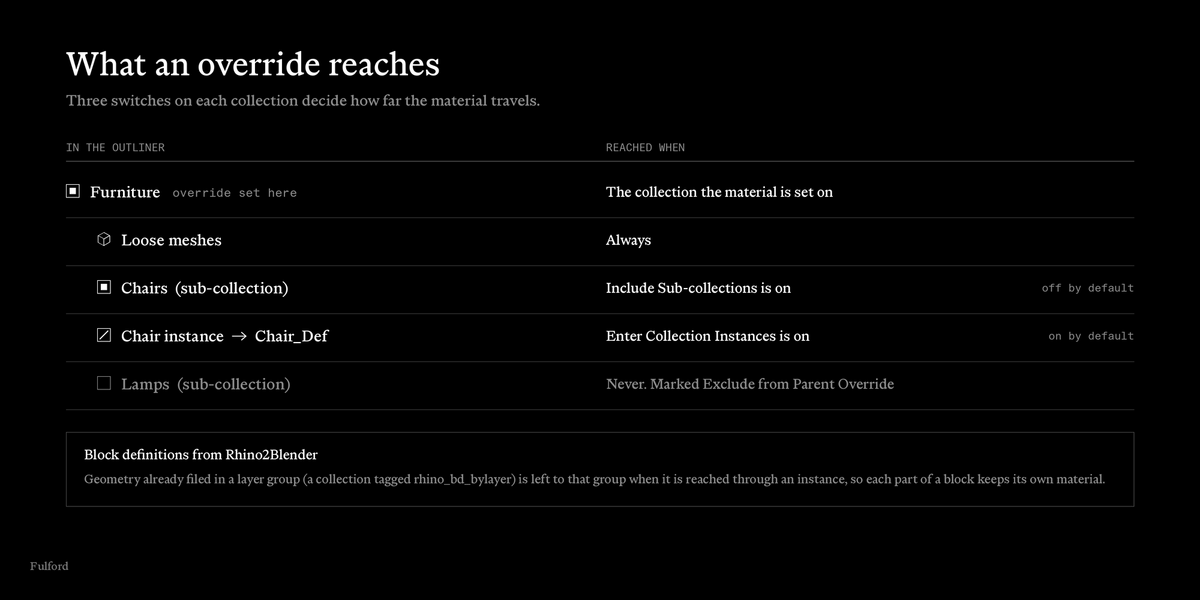
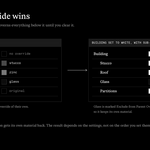
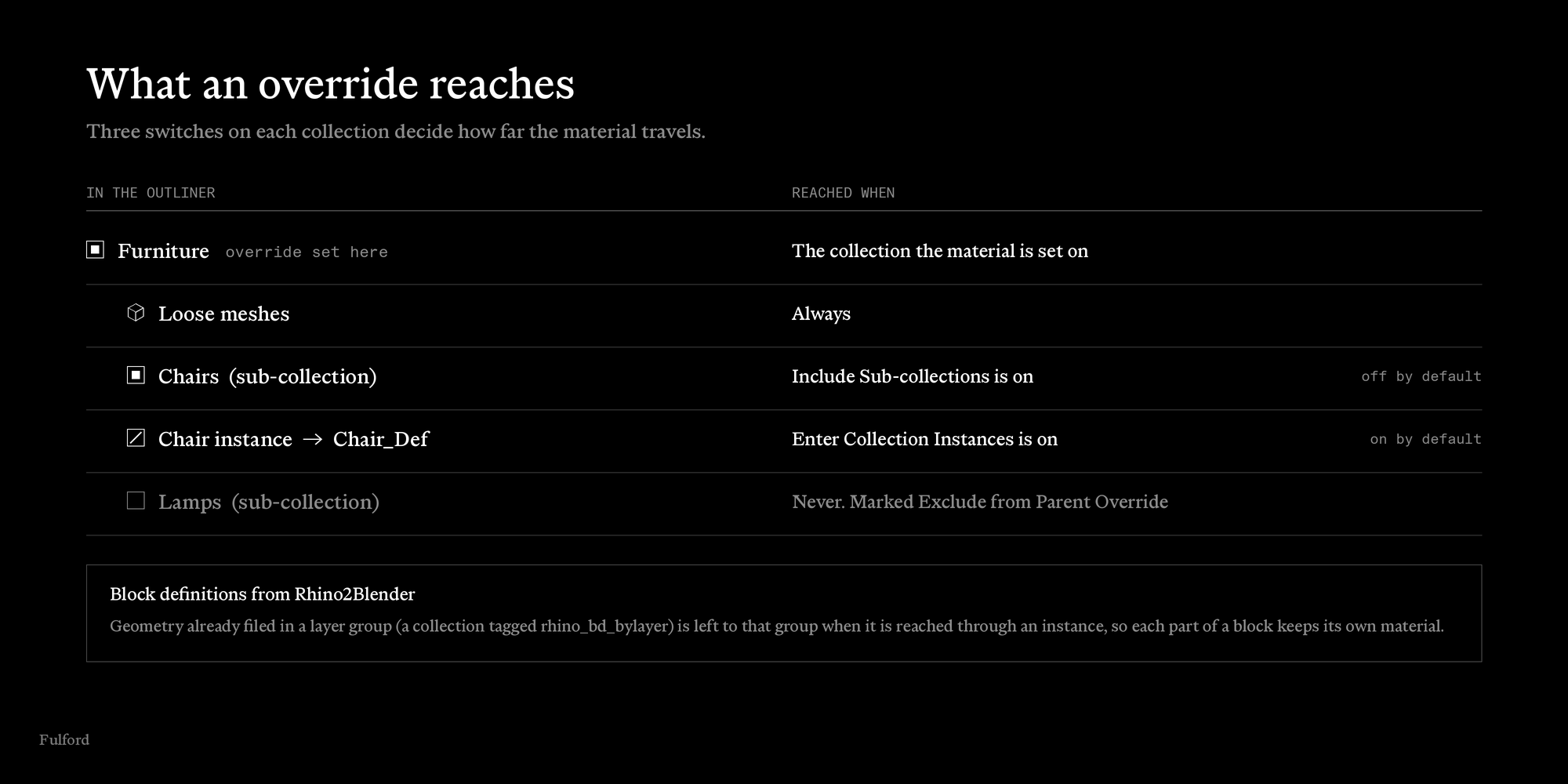
Three switches on each collection decide how far a material travels.
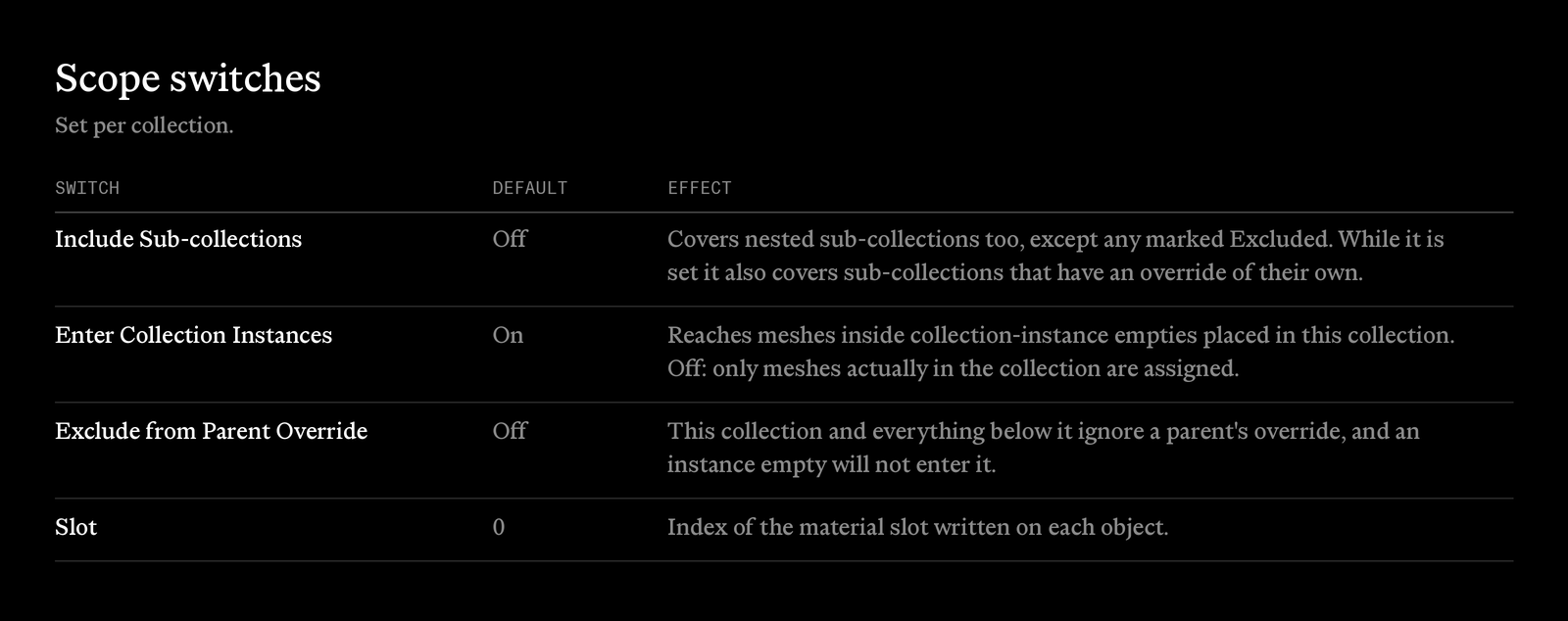
- Include Sub-collections covers nested sub-collections too. Off by default.
- Enter Collection Instances reaches the meshes inside collection-instance empties placed in the collection. On by default. Turn it off to assign only what is really in the collection.
- Exclude from Parent Override keeps a collection, and everything below it, out of any parent's override.
If you bring Rhino models into Blender with Rhino2Blender, block definitions keep their own grouping. Geometry already filed in a layer group is left to that group when it is reached through an instance, so each part of a block can keep its own material.
Nested overrides have a clear rule
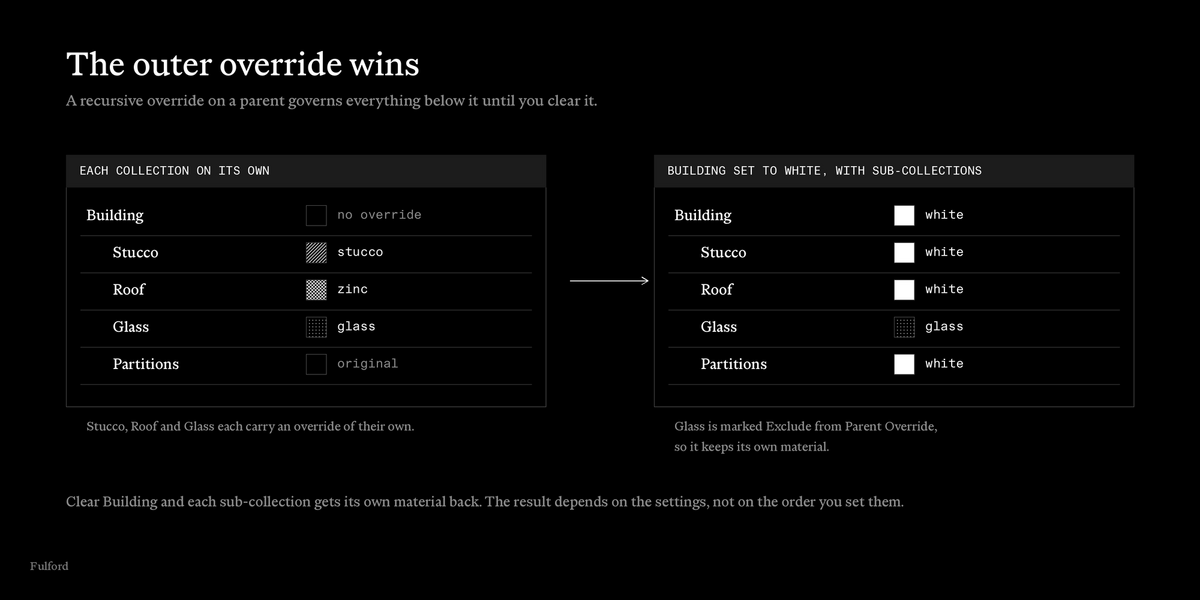
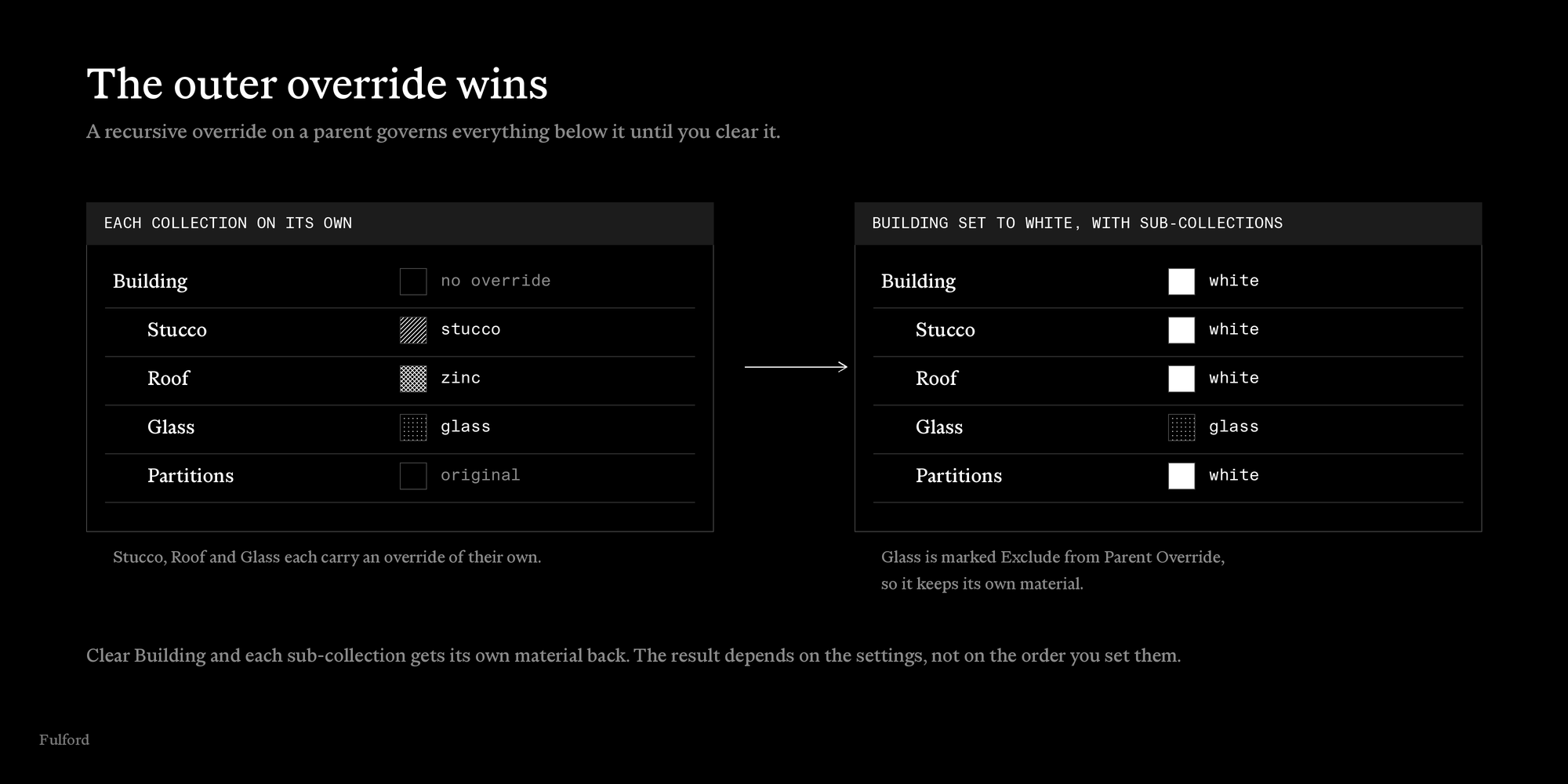
An override on a parent with Include Sub-collections covers everything below it, including sub-collections that have an override of their own, for as long as it is set. Set a whole building to white for a sun study, keep the glass as glass, then clear it and every sub-collection gets its own material back.
- With several outer overrides, the outermost one paints.
- Exclude from Parent Override opts a sub-collection out and takes effect at once.
- The result depends on the current settings, not on the order you changed them in.
- A governed collection shows which collection is in charge.
The panel
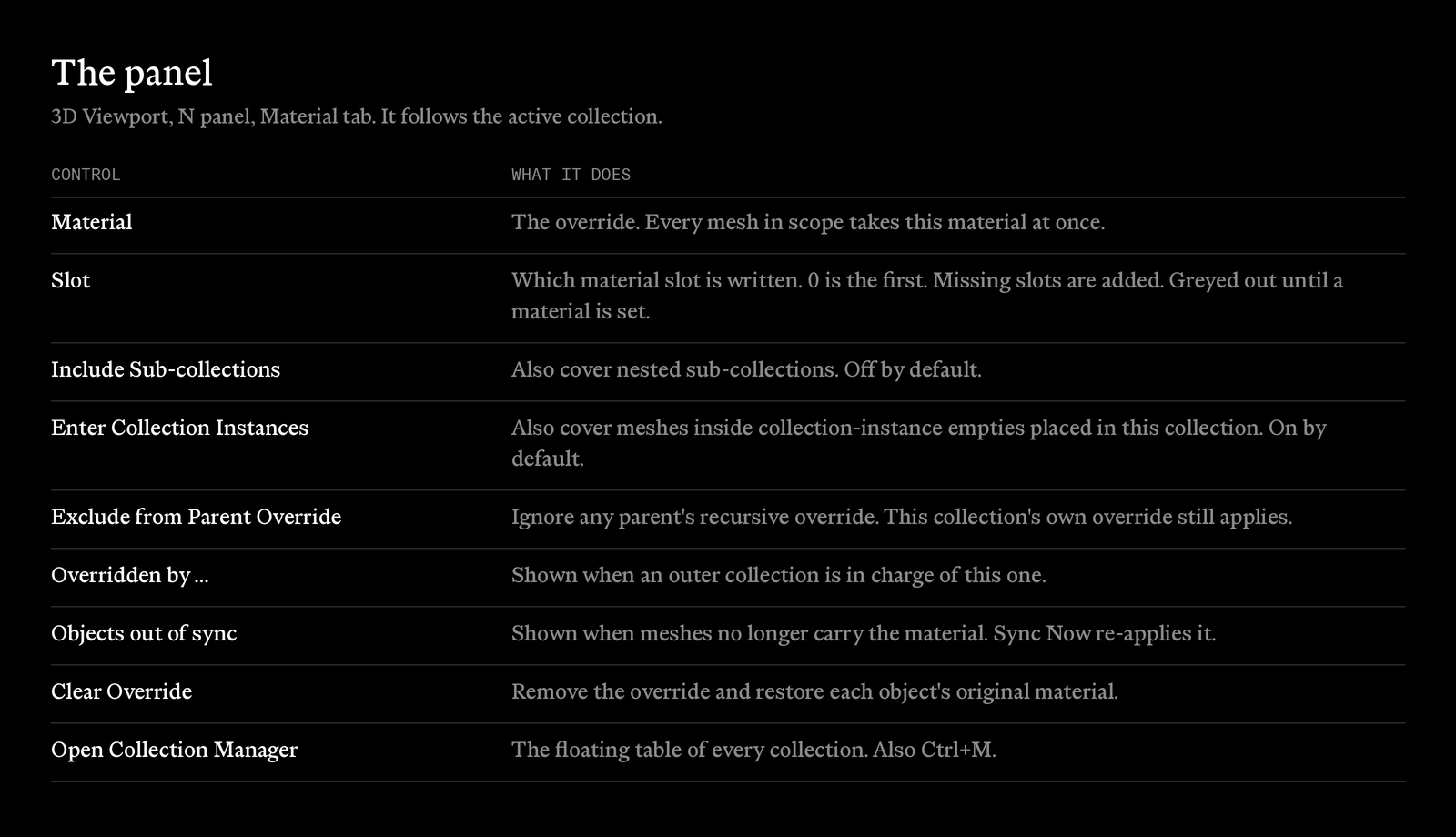
The panel lives in the 3D Viewport sidebar, Material tab. It follows the active collection and holds the material, the slot, the three switches, a warning when objects are out of sync with a Sync Now button, and Clear Override.
The Collection Manager
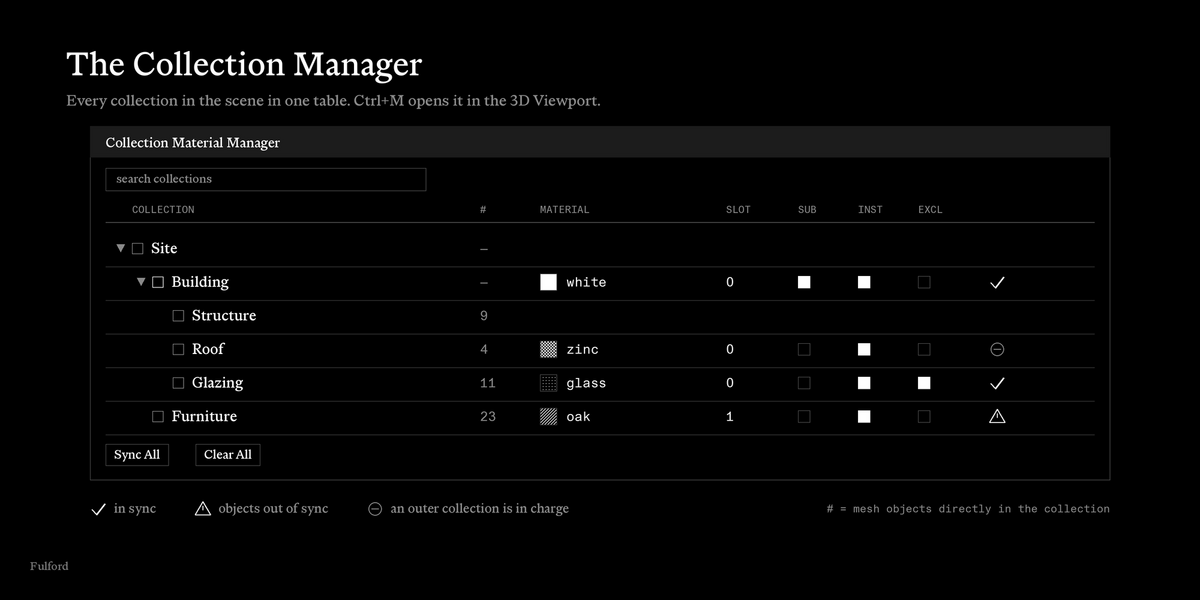
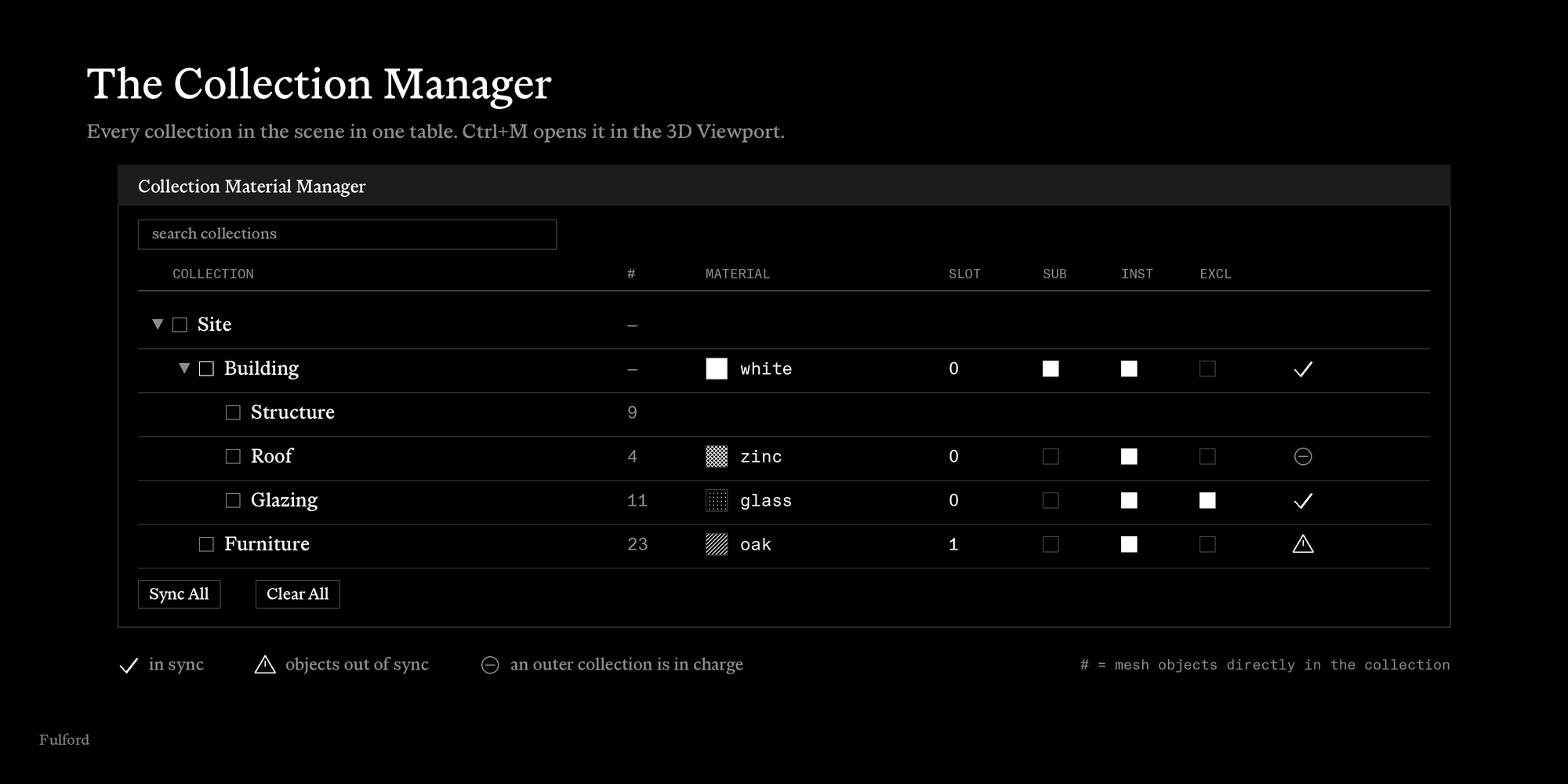
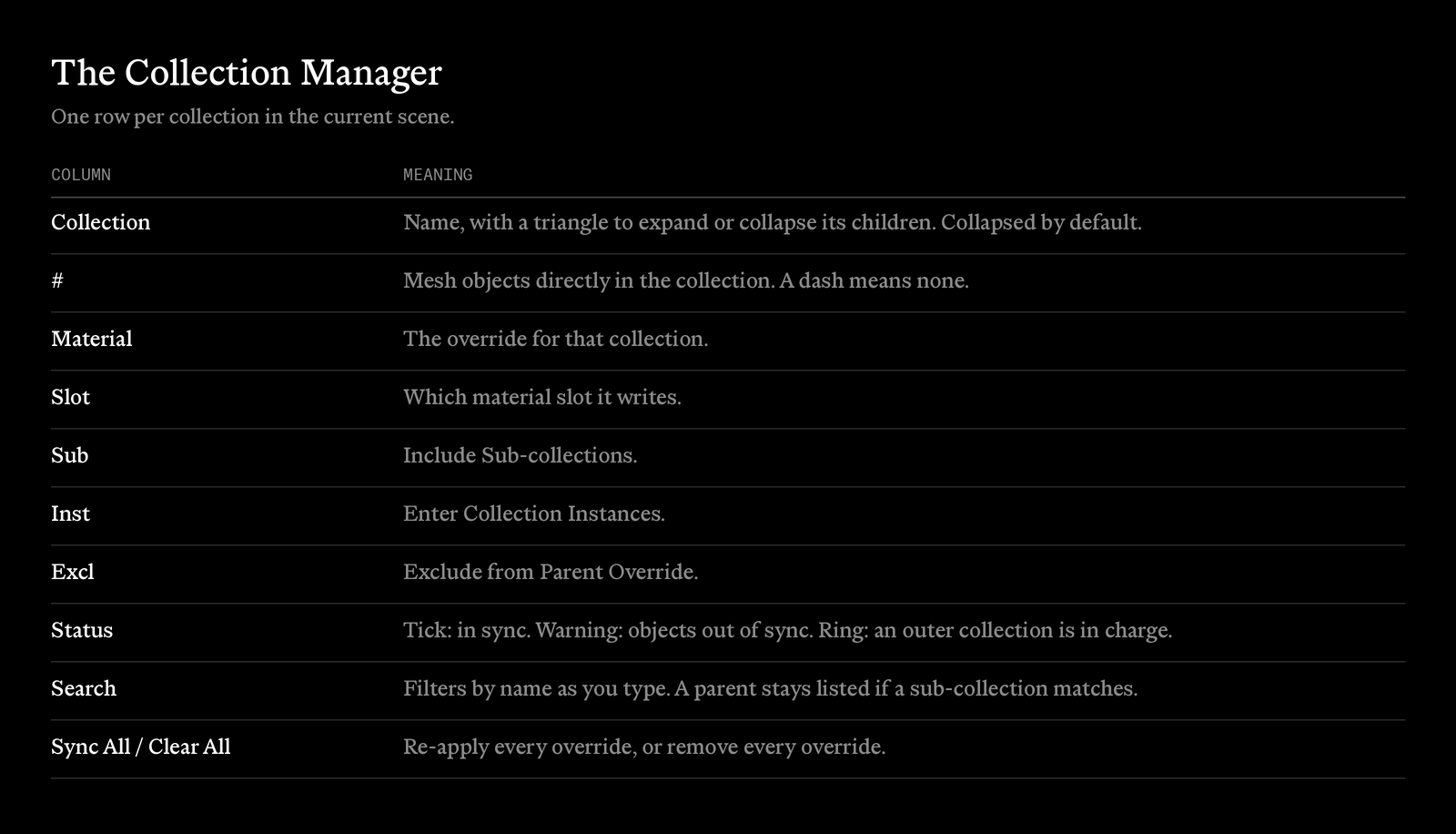
Press Ctrl+M in the 3D Viewport, or use the button in the panel. One row per collection in the scene, with material, slot and the three switches in the row, a count of the meshes directly in each collection, and a status icon. Type to filter by name. Sync All re-applies every override and Clear All removes every override.
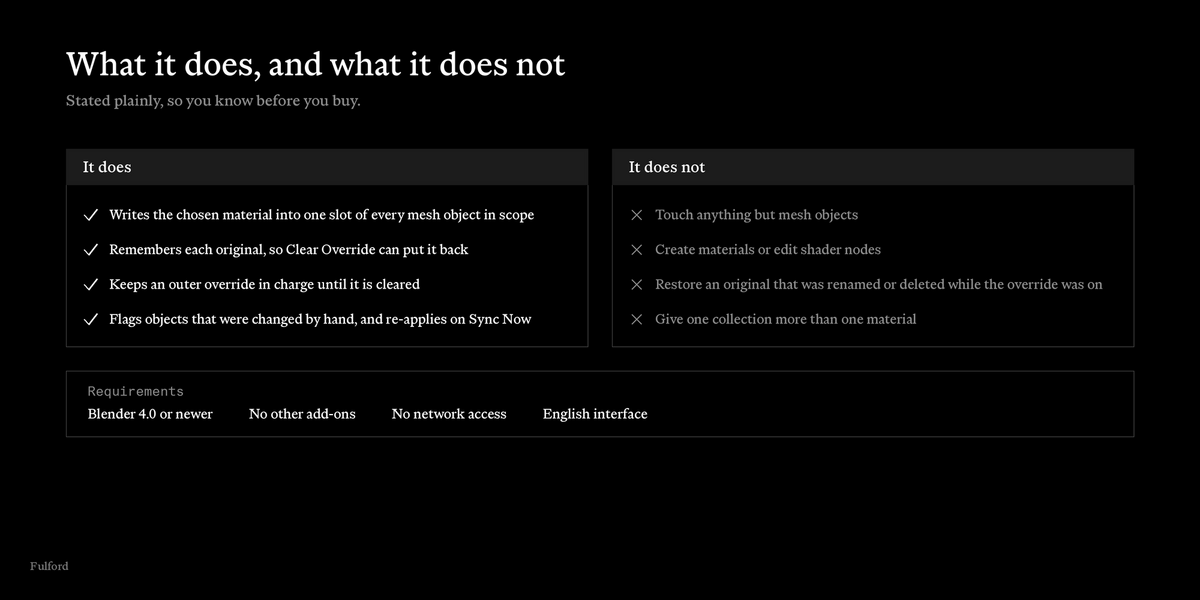
What it does not do
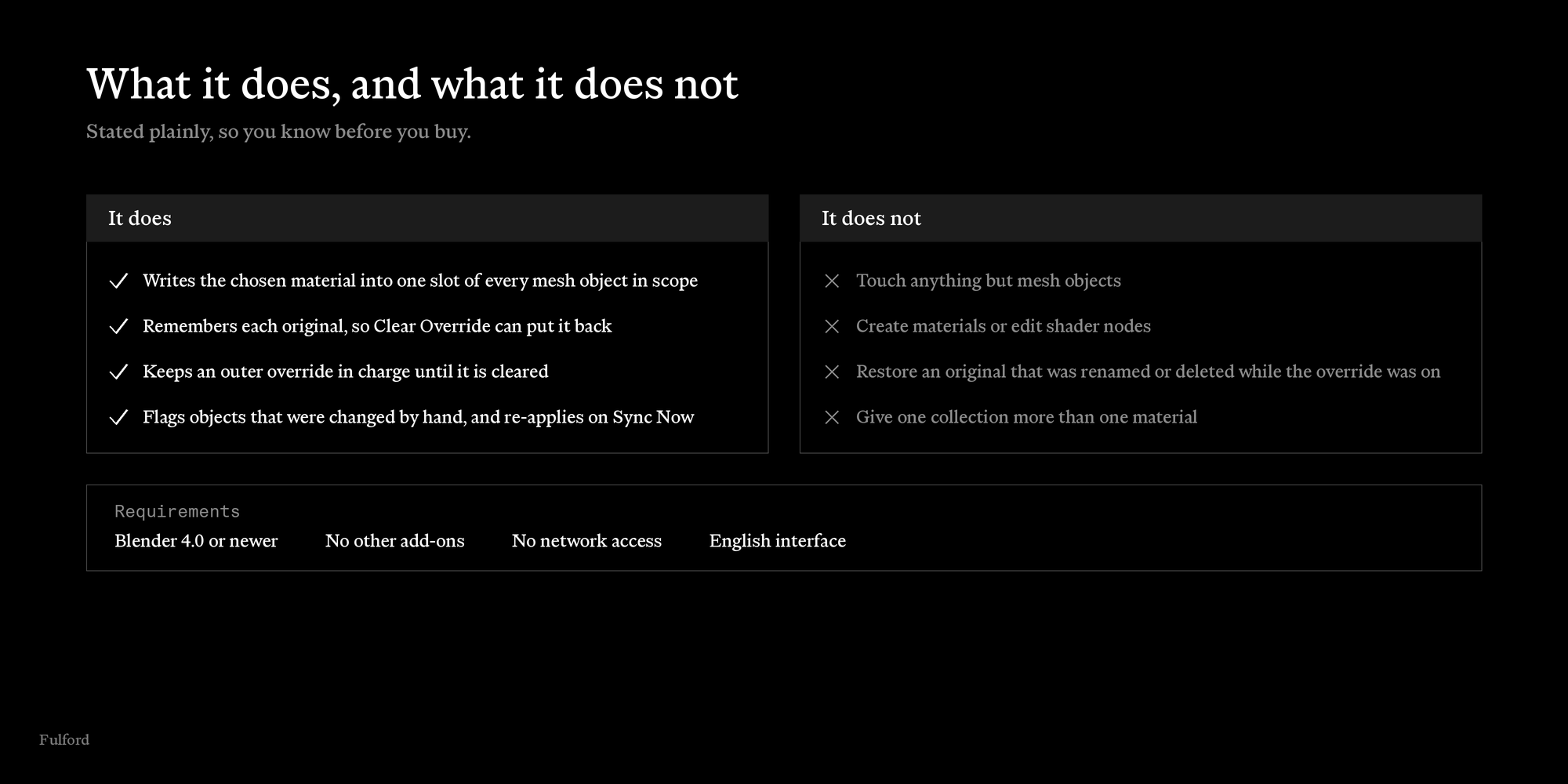
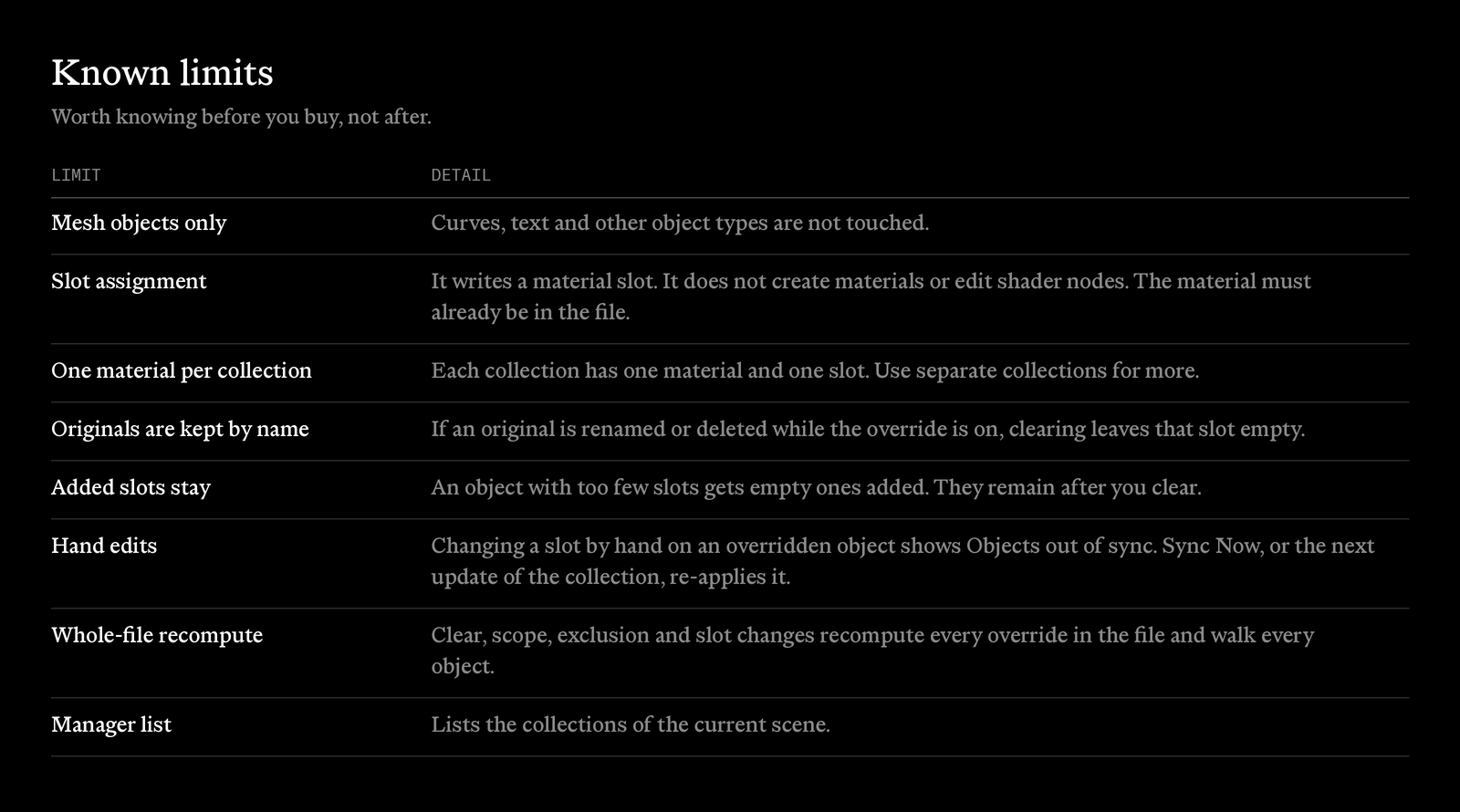
Things worth knowing before you buy, not after.
Installation
- Download MaterialByCollection-X.XX.X.zip.
- In Blender, open Edit, Preferences, Add-ons. In Blender 4.0 and 4.1 press Install. In Blender 4.2 and newer use the menu at the top right and choose Install from Disk. Pick the zip.
- Enable Material By Collection.
- Open the 3D Viewport sidebar (N), Material tab. The panel is called Material by Collection.
MaterialByCollection, by Fulford
