Matshelf
 Haseeb Ahmed



Technical Details
Compatibility: Blender 4.2.0 and above
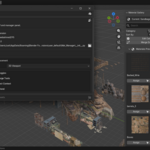
Panel Locations: The addon panel can be placed in three locations via Preferences:
- 3D Viewport Sidebar (default)
- Shader Editor Sidebar
- Properties Editor → Scene Tab
Display Modes:
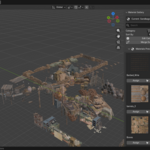
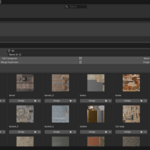
- Grid View — multi-column thumbnail grid with adjustable column count (1–8) and preview size (1x–6x)
- List View — compact single-row layout with inline action buttons
Preview Shapes: 7 built-in shapes for material thumbnails — Sphere, Cube, Shader Ball, Flat, Hair, Cloth, and Fluid. Stored per-scene so different scenes can use different shapes.
Material Assignment:
- Object Mode — assigns the selected material to the active material slot of all selected objects (Mesh, Curve, Surface, Font)
- Edit Mode — assigns the material only to selected faces using bmesh, automatically adding the material to the object's slots if not already present
Category System: Categories are stored as a CollectionProperty on the Scene, so they save inside your
.blend file. Each material has an EnumProperty (mat_category) for its assigned category.
Sorting Methods: Name A→Z, Name Z→A, Most Used, Least Used
Merge Duplicates: Detects materials ending in
.001, .002, etc., remaps all users to the base material, and removes the duplicate.
Purge Unused: Removes zero-user materials with options for local data-blocks, linked data-blocks, and recursive deletion (up to 10 passes).
Data Storage:
- Categories, active index, and preview shape are stored on
bpy.types.Scene - Search filter, display settings, sort method, and grid columns are stored on
bpy.types.WindowManager(session-only, reset on restart) - Material category assignment is stored on
bpy.types.Material(saves with the file)
License: GPL-3.0-or-later
$10
Have questions about this product?
Login to message
| Blender Extension Compatible | Yes |
| Published | 3 months ago |
| Blender Version | 4.2 - 5.2 |
| Extension Type | Add-on |
| Render Engine Used | Cycles, Eevee |
| License | GPL |
