 Hoa Vu


What's the difference between Edit Mode and Object Mode?
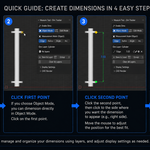
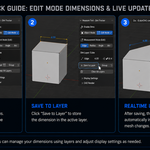
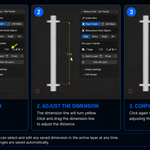
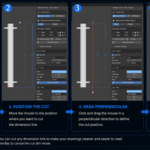
Edit Mode shows real-time dimensions based on your current mesh selection, and these can be saved so they automatically update when the mesh is edited. Object Mode lets you click two points to define a measurement, then click a third point to place the dimension line — ideal for quick measurements without entering edit mode. Edit mode will always display dimensions for the vertex/edge/face you choose and it will display parameters according to the dimension mode you choose, so sometimes there will be a situation where many dimensions appear and cause confusion in the viewport when you edit the mesh.
Are saved dimensions lost when I close the file?
No, every dimension is stored as a dedicated layer inside the scene and persists permanently within the .blend file.
$10
Have questions about this product?
Login to message
| Blender Extension Compatible | Yes |
| Sales | 10 |
| Published | 4 months ago |
| Blender Version | 5.0 - 5.2 |
| Extension Type | Add-on |
| Render Engine Used | Blender-Internal |
| License | GPL |