CGDive



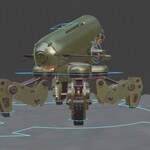
MECHANICAL RIGGING IN BLENDER: THE ESSENTIAL MINI-COURSE
If you’ve ever tried rigging a mechanical model in Blender, you know the pain:
hard-surface meshes that bend instead of staying solid
joints that twist the wrong way
Pistons that break or stretch
And a rig that looks simple but becomes a mess once you animate it
Don’t spend weeks trying "to reinvent the piston" :) . Spend just 75 minutes with this course and learn essential mechanical rigging techniques.
Who This Course Is For
Intermediate and advanced Blender users who understand rigging basics but want to rig mechanical models properly. Note that this is not a beginner's course. While every step is demonstrated and explained, understanding of rigging concepts is assumed.
What to expect
This is not a 10-hour, theoretical course bloated with filler. Instead, it is a compact workflow you can start using today. You get a laser-focused workflow that’s practical, fast and applicable to your own models.
You’ll follow along with a real mechanical model and learn not just what buttons to press but why each step is important.
Here is what you'll learn in just 5 lessons.
PART 1
Preparing Mechanical Models for Rigging: Learn how to split, organize, and orient mechanical meshes so rigging is simple and predictable.
PART 2
Clean Bone Structure for Mechanical Parts: Learn how to control the joints so that they rotate like real machinery, only on the desired axes.
PART 3
Setting Up IK That Feels Natural and Easy to Animate: Control the entire leg using one IK controller while the joint alignment always stays correct (no manual adjustments required).
Realistic Piston Movement: Rig functional pistons that expand and contract correctly (very satisfying to animate).
Ground Detection: The leg reacts to the ground on its own using simple constraints.
PART 4
Applying the same Leg Rig to All 4 Legs: Quick workflow to copy the one fully set-up leg rig and align it cleanly to all legs (no need to rebuild the leg rig).
PART 5
Rigging the Body + Flamethrower Turrets with simple, animator-friendly controls.
By the end, your mech will be fully rigged and ready for animation.
Ready to Rig a Mech?
Let's Freaking Go!