 Cool Addons


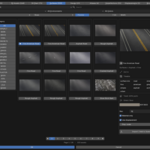
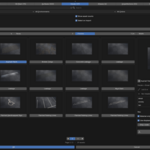
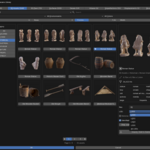
Browse and import your locally-downloaded Megascans library directly inside Blender — no jumping between apps.
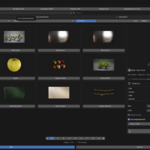
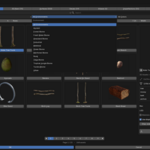
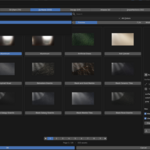
Point it at your downloaded Megascans folder, scan once, and get a full browsing window with a thumbnail grid, detail sidebar, and instant import with automatic PBR material setup.
Features:
All 8 asset types: 3D Assets, 3D Plants, Surfaces, Decals, Atlases, Imperfections, Displacements, and Brushes
Nested subcategory filtering with adjustable depth
Filter by size, environment, and color
Smart search across names and tags — find "woven" or "floor" even when it's not in the name
Per-asset resolution and LOD selection, with LOD-matched textures
Triangle-count display (summed for multi-object assets)
Automatic PBR materials: albedo, normal, roughness, metalness, displacement, opacity
Material-only mode, favorites that persist between sessions, and asset info (size, tileable, texel density, color)
Works with assets you've already downloaded — it doesn't connect to or download from any online service. Blender 4.2 and up.
Not affiliated with or endorsed by Epic Games or Quixel. Megascans is a trademark of Epic Games.
