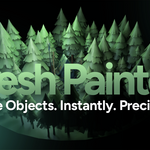
Mesh Painter
 Egret Studios LLC


What happens if I change the Collection Name after painting?
Changing the Collection Name after painting breaks the connection between Mesh Painter and your already painted objects. The erase tool and stroke editing tools will no longer detect them because they look for collections that match the current collection name. To avoid this, set your Collection Name before you start painting and do not change it during your session. If you accidentally changed it, simply set it back to the original name you used and the connection will be restored.
My painted object count shows 0 and erase is not detecting anything after opening a different Blender version.
This happens because Mesh Painter settings are saved inside the .blend file itself. If the data gets corrupted, open Blender's Python console and run the following to reset:
pythonbpy.context.scene.mesh_painter.collection_name = "MeshPainter"
bpy.context.scene.mesh_painter.mode = "NONE"
bpy.context.scene.mesh_painter.target_object = None
Can I change the brush object after creating a brush?
Yes, you can click on the source object field in the brush settings and select a different object.
Can I undo painting strokes?
Yes, Ctrl+Z undoes painting actions. Each stroke is grouped as a single undo step.
Why does changing the seed give different results?
The seed controls which random pattern is used. Same seed always gives same results, different seed gives different results with the same settings.
What is the difference between Randomize and Uniform Adjust?
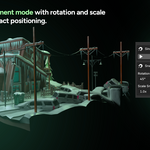
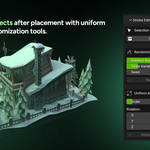
Randomize gives each object a different random value within your set range, creating natural variety. Uniform Adjust sets every selected object to the exact same value, giving consistent results.
Why are my objects not aligning to the surface?
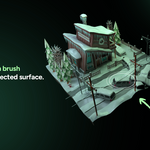
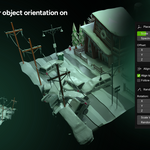
Make sure "Align to Surface Normal" is enabled in your brush settings. This is on by default.
Can I paint on curved or complex surfaces?
Yes, Mesh Painter uses raycasting which works on any mesh surface including curved terrain, imported CAD models, and complex geometry.
Do brushes save with my blend file?
Yes, all brush settings and the brush library are saved with your blend file. They will be available next time you open the file.
Can I use any object as a brush?
Yes, any mesh object in your scene can be used as a brush. This includes imported objects, custom shapes, and complex assets.
$19.99$11.99
Have questions about this product?
Login to message
| Blender Extension Compatible | Yes |
| Sales | 70+ |
| Published | 8 months ago |
| Blender Version | 4.0 - 5.1 |
| Extension Type | Add-on |
| Render Engine Used | Cycles, Eevee |
| License | GPL |

Discover more products like this
austin bcon26 3D Object Placement raycasting scatter placement