MeshFit Pro: Attach and Fit Mesh Parts Face to Face
 Salman Animator

Requirements
Blender 4.2 or newer. Two mesh objects, a target and a source.
Install
- Keep the ZIP as it is. Do not unzip it.
- Open Edit > Preferences > Add-ons and choose Install from Disk.
- Pick MeshFit-Pro-1.14.0-SalmanAnimator.zip and enable MeshFit Pro.
- In the 3D Viewport press N and open the MeshFit Pro tab.
First attach
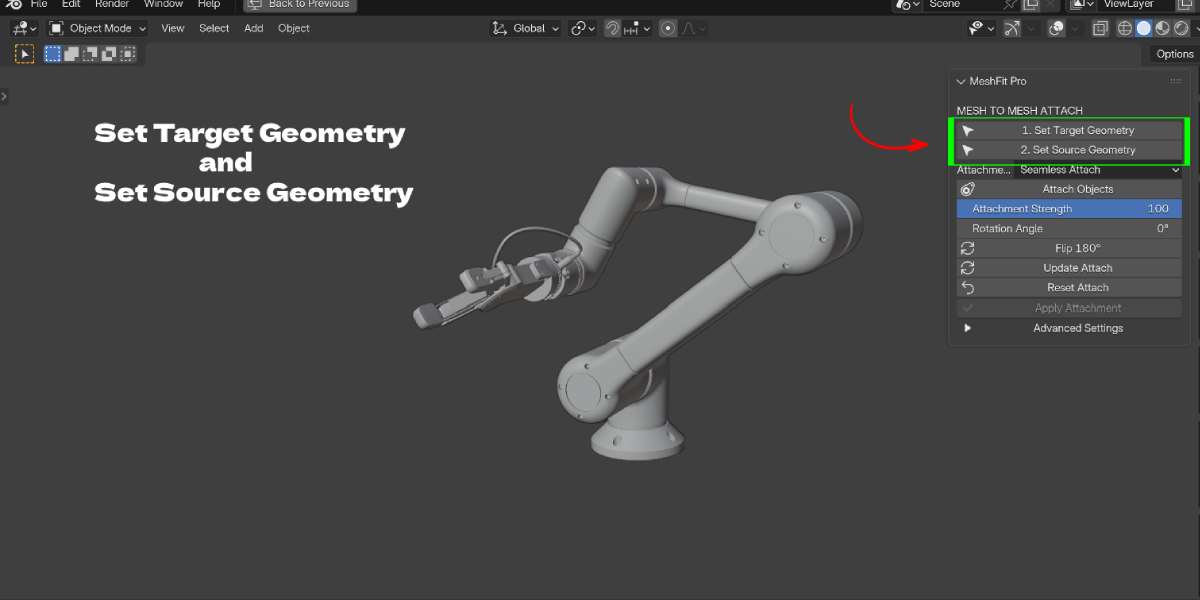
- Select the target object, go to Edit Mode and select faces, edges or vertices. Click Set Target Geometry.
- Select the source object, go to Edit Mode and select the same kind of geometry. Click Set Source Geometry.
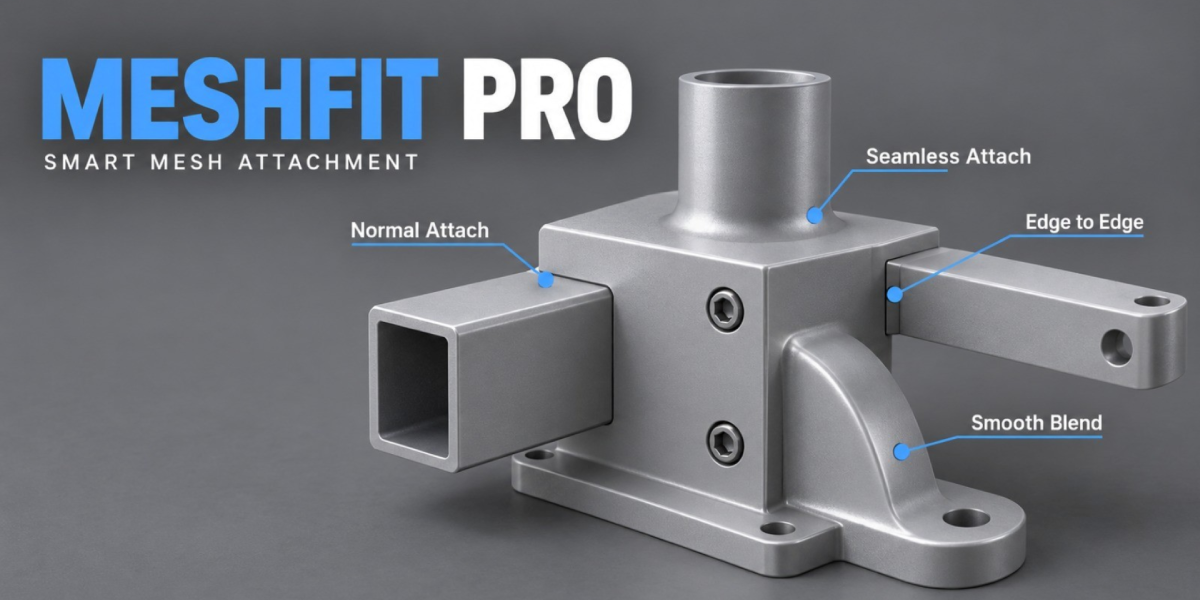
- Choose Attachment Style: Normal Attach or Seamless Attach.
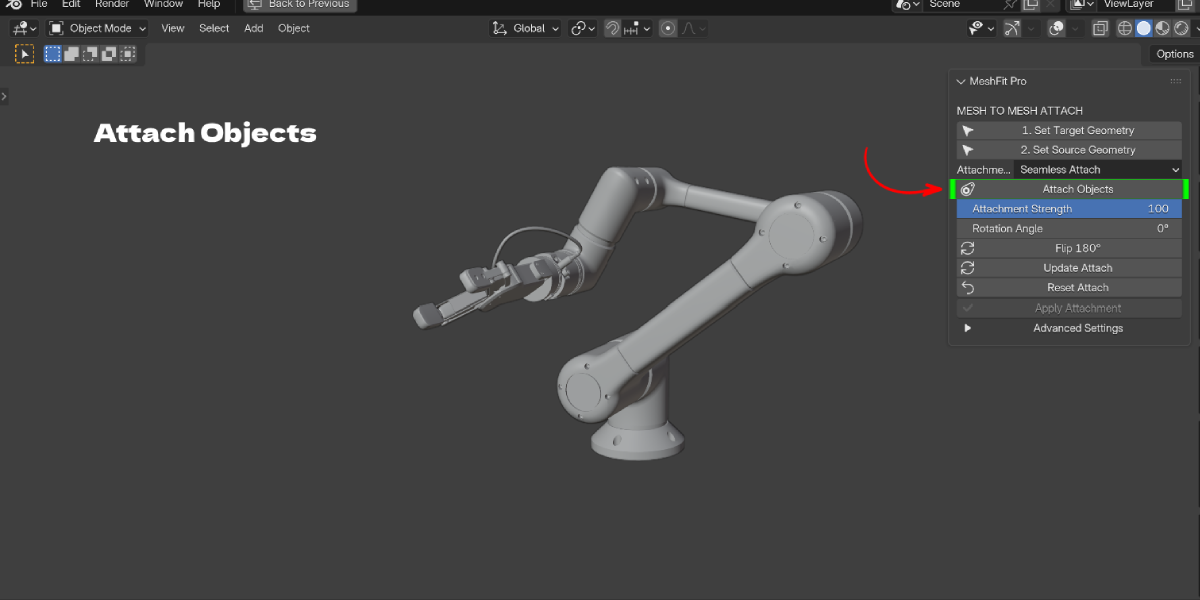
- Click Attach Objects.
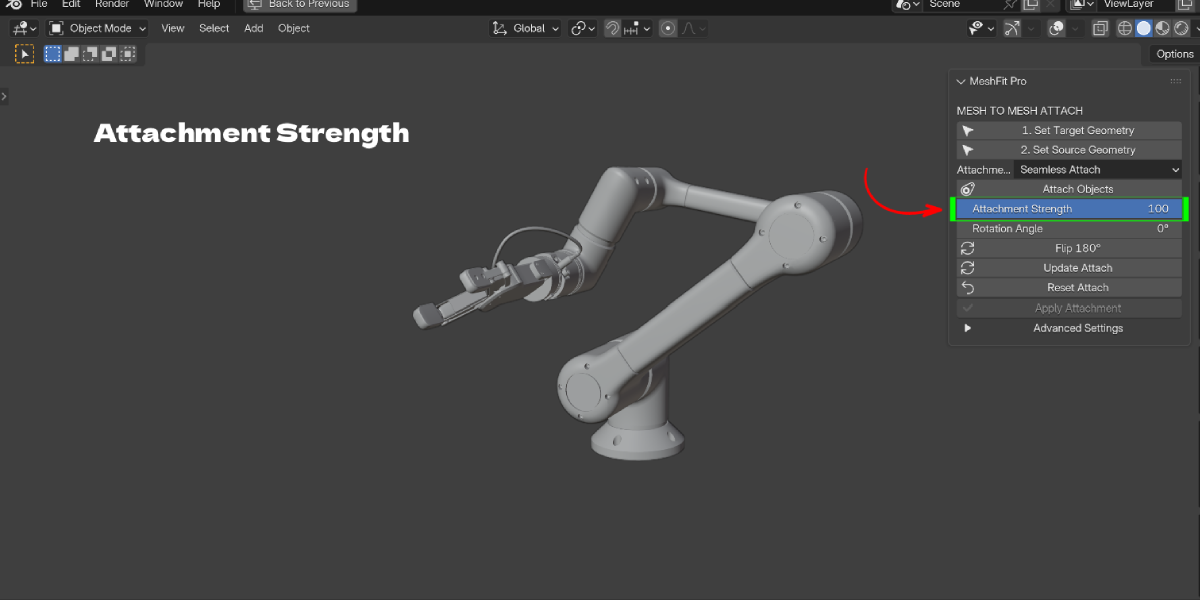
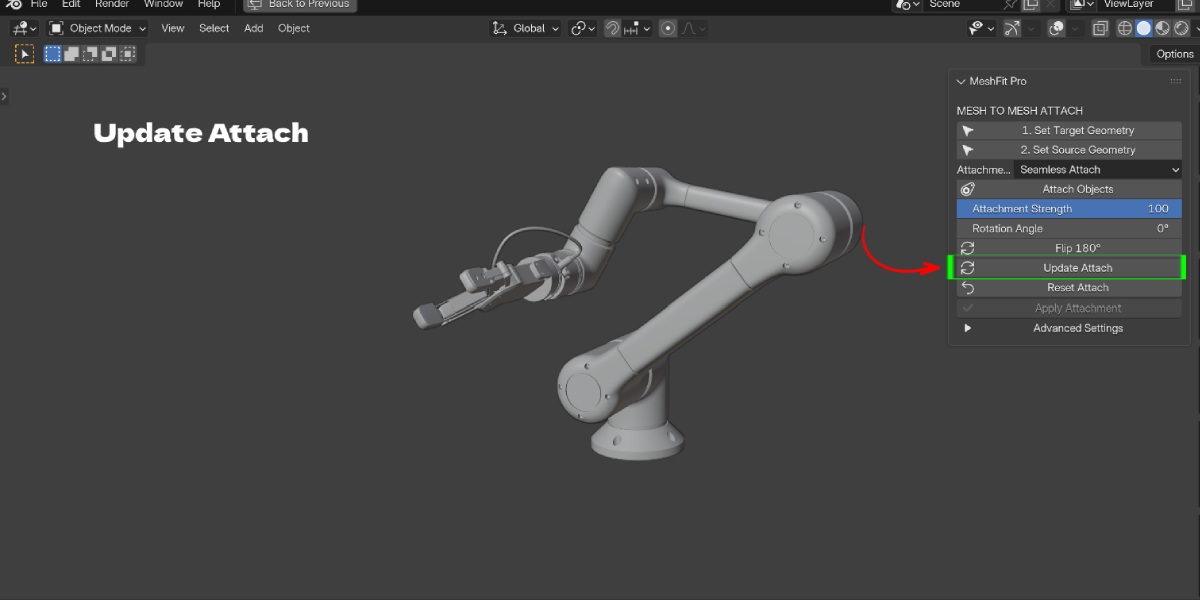
- Adjust Attachment Strength, Rotation Angle or Flip 180, then Update Attach.
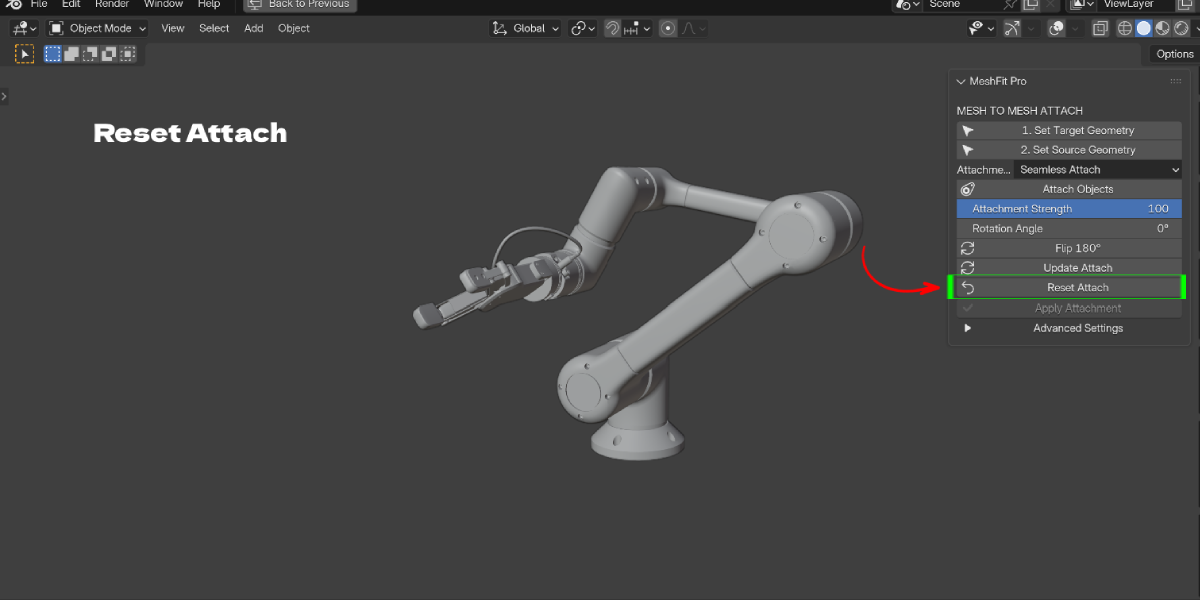
- Click Apply Attachment to commit, or Reset Attach to go back.
Settings
- Attachment Style: Normal (rigid) or Seamless (fits the contact region).
- Attachment Strength: how strongly the source fits.
- Rotation Angle: rotate around the contact normal.
- Flip 180: flip the source over the contact.
- Advanced Settings: Auto Subdivision, Seamless Fit Strength, Smooth Transition, Maximum Deformation, Maximum Gap, Smart Intersection Prevention, Collision Tolerance, Collision Correction Limit, Detailed Intersection Check, Preserve Original Transform, Preserve Body Shape.
Limits
Select the same kind of geometry on both objects (faces with faces, edges with edges). Very low poly sources may need Auto Subdivision for a smooth Seamless fit.
Troubleshooting
- Attach Objects is greyed out: set both Target and Source Geometry first.
- The part is upside down: click Flip 180.
- The part sinks into the target: turn on Smart Intersection Prevention or raise Collision Tolerance.
- Seamless result looks faceted: enable Auto Subdivision or add geometry to the source contact area.
- I want my original back: click Reset Attach before applying.
Have questions about this product?
Login to message
| Blender Extension Compatible | Yes |
| Published | about 19 hours ago |
| Blender Version | 4.2 - 5.2 |
| Extension Type | Add-on |
| License | GPL |
