MeshMod
 Orxan Suleymanov


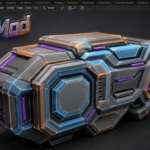





Meshmood Documentation
Supported Blender versions: 4.1 – 5.2
Installation:
1. Download the Meshmood .zip file
2. Open Blender
3. Go to Edit → Preferences → Add-ons
4. Click Install and select the downloaded .zip file
5. Enable Meshmood in the add-ons list
6. The tools will appear in the 3D Viewport sidebar (press N)
How to use:
- Select an object and enter Edit Mode
- Open the Meshmood panel in the sidebar
- Use the available modeling tools to edit your mesh
Tips:
- Meshmood works best in Edit Mode
- Most tools support multi-object editing
- You can assign shortcuts to frequently used tools in Blender preferences
Support:
If you have any questions or encounter issues, feel free to contact me through the support system on this platform.
 Included
Includes 12 months of
- Support from Orxan Suleymanov
- Product updates
Extend this product’s Support Period +12 months: 25% of product price
Have questions before purchasing?
Login to message
| Published | about 2 months ago |
| Blender Version | 4.1 - 5.2 |
| Extension Type | N/A |
| Render Engine Used | Cycles, Eevee |
| License | GPL |
Discover more products like this
mesh 3ds max blender topology modeling Modeling tools blender addon hard surface editpoly mesh editing