 Skava
Skava


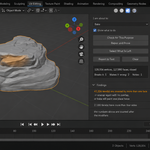
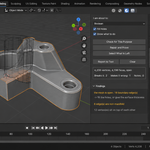
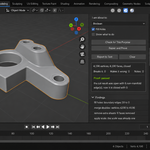
Download the zip and do not unpack it. In Blender open Edit > Preferences > Add-ons, click the drop-down arrow in the top-right corner and choose Install from Disk, then pick the zip. Tick the checkbox next to MeshProof. Press N in the 3D Viewport and open the MeshProof tab.
Blender 4.2 and later. Tested live on 5.1 and 5.2.
Because there is no such thing as a broken mesh in general. An open surface is useless for a boolean and fine for an export; overlapping UV islands ruin a bake and mean nothing for a subdivision. Set About to (Boolean, Bake, Export, Subdivide or Render), press Check for This Purpose, and only what stands in the way of that operation is reported.
It runs the operation, or measures its condition, on a temporary copy before and after the repair, so the two numbers are comparable. Boolean cuts the copy with a probe cutter and checks the result is closed and manifold. Bake rasterises the UV layout and counts texels covered twice. Subdivide subdivides a copy and counts sharp normal breaks. Export measures the mesh after your modifiers. Render counts coincident faces, wrongly facing faces and faces with no area on the mesh the renderer receives. There is no test render: flicker depends on the camera, so a clean frame proves nothing about the next one. The copy is removed afterwards.
Depending on the purpose: merging coincident vertices, dissolving degenerate faces and edges, deleting loose geometry, removing interior faces, removing faces that stand in the same place as another face, recalculating normals and applying the object scale. Fill Holes and Triangulate N-gons are off by default and run only when you tick them, because they change the shape. Each step reports what it changed as a number, also when it changed nothing. It is a normal undo step.
It says so. The proof comes back not passed, the finding stays in the list, and Select What Is Left takes you to that geometry in Edit Mode. A mesh shared with another object is reported, not repaired. MeshProof does not retopologise, simplify or unwrap, and does not touch objects you did not select.
No. It runs entirely locally and makes no network calls. Nothing is written to disk; Report to Text writes the findings, repair steps and proof into a text block inside your .blend.
Yes. MeshProof is licensed under GPL-3.0; the license covers the add-on code, and your models are yours to use in commercial projects. Full documentation is on the Documentation & FAQ tab of this product page, and a README.txt is inside the zip.
Have questions about this product?
Login to message
| Published | about 2 months ago |
| Blender Version | 4.2 - 5.2 |
| Extension Type | N/A |
| Render Engine Used | Cycles, Eevee |
| License | GPL |