MoCast - Momentum Screencast Overlay
 Momentum Creative Technology Inc.


What is MoCast?
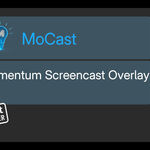
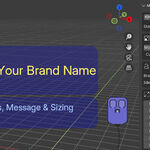
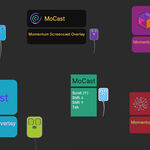
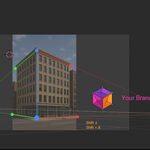
MoCast is a lightweight, customizable input-visualization overlay that runs directly inside Blender’s 3D Viewport. It visually displays mouse actions, clicks, keystrokes, and transform feedback in real time, helping viewers clearly follow what you’re doing on screen.
MoCast is designed for creators who teach, record tutorials, livestream, or present Blender workflows—and want to do so in a way that looks professional and reinforces their personal or studio branding.
How MoCast Works
MoCast does not record video or capture your screen.
Instead, it overlays visual input cues directly inside Blender while you work.
This means:
-
You can use MoCast alongside OBS, screen recorders, or streaming software
-
The overlay is captured naturally as part of your viewport
-
Your audience sees clear, readable input feedback without clutter
Key Capabilities
-
Real-time input visualization
Displays mouse clicks, keystrokes, modifier keys, and transform actions as they happen. -
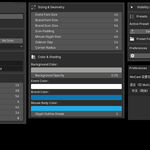
Customizable, brand-friendly overlay
Adjust icon styles, colors, sizes, opacity, and layout to match your personal or studio branding. -
Flexible positioning
Drag and place the overlay anywhere in the viewport to suit different tutorial or recording layouts. -
Built-in and custom icons
Use included icons or load your own images for a personalized look. -
Preset support
Save and load different configurations for teaching, recording, or livestreaming. -
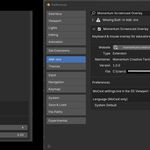
Language override options
Override visible text to support multilingual audiences or customized terminology. -
Lightweight and unobtrusive
Designed to stay out of the way while keeping viewers informed.
Typical Use Cases
-
Blender tutorials and walkthroughs
-
Educational content and courses
-
Livestreams and recorded demos
-
Branded instructional videos
-
Studio or educator presentations
System Requirements
-
Operating System: Windows 11
-
Blender Version: Blender 4.4 or newer
-
Compatibility: Tested up to Blender 5.0
-
Platform Note: macOS and Linux versions are being explored
Getting Started
Once installed:
-
Open Blender and enable MoCast
-
Start the overlay from the MoCast panel
-
Customize the appearance to match your branding
-
Begin recording or streaming using your preferred software
No additional setup or external tools are required.
Learn More
-
Video Walkthrough: Available on YouTube
-
Full Documentation & Updates:
https://momentumcreativetech.ca/products/mocast/
Support
If you have questions, feedback, or run into issues, support and documentation links are available via the MoCast product page.
Have questions about this product?
Login to message
| Blender Extension Compatible | Yes |
| Published | 11 months ago |
| Blender Version | 4.4 - 5.0 |
| Extension Type | Add-on |
| License | GPL |
Discover more products like this
shortcuts branding Momentum Screencast Overlay MoCast ui overlay mouse overlay tutorial education input visualization keystrokes