Model Rush documentation
Install the add-on, learn how every round is scored, and find help when a level won't give you that third star.
Blender 4.2 or newerInstalls as an extensionNo restart needed38 levels in 5 chapters
1
Download the zip
Get it from your Superhive receipt page. Don’t unzip it.
2
Drop it into Blender
Drag the zip into the Blender window and confirm. Or open Edit › Preferences › Get Extensions, choose Install from Disk from the menu at the top right, and pick the zip.
3
You’re ready
Model Rush is enabled straight away. No restart is needed.
Updating
If you’ve added Superhive as an extension repository, updates appear inside Blender. Otherwise, install the new zip the same way. Your progress is always kept.
Uninstalling
Open Edit › Preferences › Get Extensions, find Model Rush and choose Uninstall. Your progress stays in Blender’s settings folder; use Reset all progress first if you want it gone too.
1
Open an empty scene
Use File › New › General. The game adds its own Your Build collection and a build zone, so an empty scene is best.
2
Open the Model Rush tab
In the 3D Viewport, press N and click the Model Rush tab.
3
Press Play
The big blue Play button starts the next level you haven’t finished. You can also click any unlocked level.
?
The rules are inside Blender too
The How to play box at the top of the tab explains every rule. Pick a topic from its menu.

Every round is the same loop: study the target, rebuild it on the white square, and submit before the clock runs out.
1
Look at the target

It appears as a light-blue ghost, a wireframe or both. In early levels it sits on the white square; later it stands beside it, with its sizes and modifiers listed in the sidebar.
2
Build on the white square
Even when the target is shown beside it, your copy must stand on the square, at the same size and facing the same way.
3
Use any tools
Edit Mode, modifiers, several objects and Geometry Nodes are all allowed. Shift+A in the viewport adds a mesh. Only objects in the Your Build collection are scored, with their modifiers applied.
4
Submit
Click Submit build when you’re ready. If the timer reaches zero, your build is submitted for you, without a time bonus.
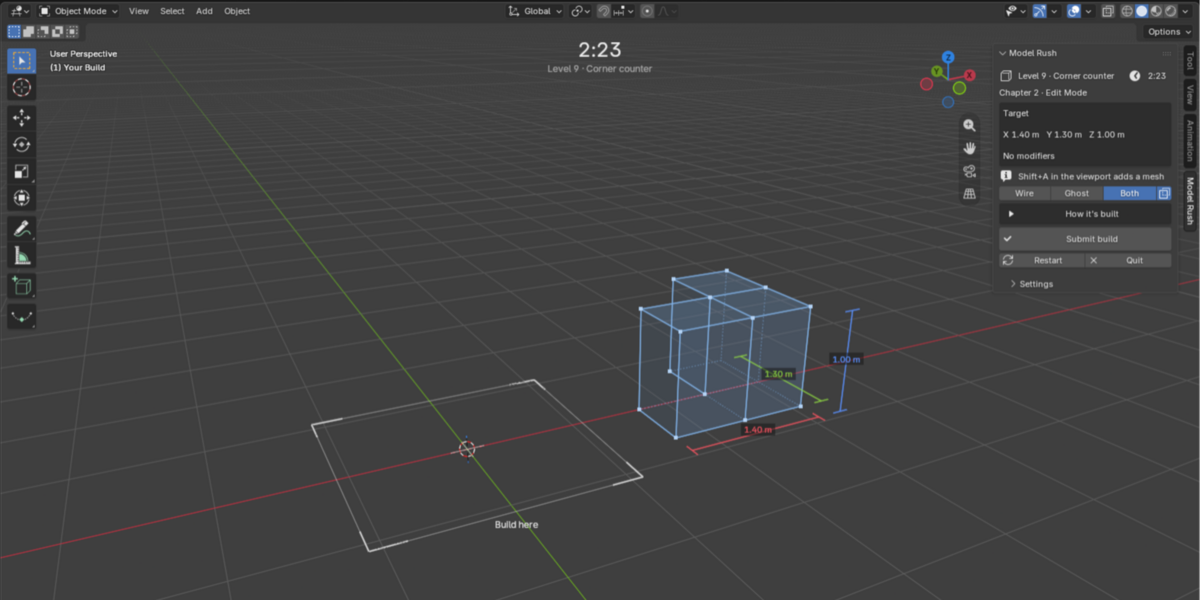
1
2
3
4
5
1
Timer. Turns amber under 30 seconds and pink under 10.
2
Target. Shown as a ghost, a wireframe or both, with its sizes.
3
Build here. Your copy must stand on this square.
4
Sidebar. Target sizes, draw modes, How it’s built, Submit build, Restart and Quit.
5
Your Build. The only collection that gets scored.
While you play
Target display
WireGhostBothX-ray
Wire, Ghost and Both set how the target is drawn. X-ray shows it through your build. The sidebar also shows your vertex and face counts.
Restart or quit
Restart gives you a fresh timer at no cost.
Quit leaves without recording anything.
Your match percentage decides your stars. Speed only adds points once the build is already close.
Match %
Shape 60% Size 20% Topology 20%
Match % compares your build with the target. Shape counts 60%, size 20% and topology (vertex, edge and face counts) 20%. 100% is an exact copy.
Stars
One star opens the next level.
Points
Match %how close you got×Time bonusup to 1.5× for finishing early=Pointsyour round score
Below 70%
No time bonus yet.
70% to 90%
The bonus starts and grows with your match.
90% and up
The full time bonus applies.
★
Careful beats fast
Because the bonus only starts at 70% match, a fast, sloppy build can’t beat a careful one.
Par medal
Earn 3 stars within the level’s par time, without breaking a rule. Hover a level to see its par.
Best records
Your best stars, match and points are kept separately. Your best build is saved too, and Show best build brings it back into the scene.
☰
Chapters and level types
Each chapter shows you less about the target, so you rely more on your eye.
Chapter 1
Blockout
Levels 1–7
The target on the white square, with its sizes
Chapter 2
Edit Mode
Levels 8–14
The target beside the square, with its sizes
Chapter 3
The Stack
Levels 15–21
Beside the square, with sizes and modifier values
Chapter 4
Eyeball
Levels 22–28
A blueprint only: front, right and top views on a grid, no sizes
Final chapter
Final
Levels 29–38
The target for 10 to 30 seconds, then it hides
★
Unlocking
One star opens the next level. The Final chapter also needs 56 stars from levels 1–28.
Blueprint levels
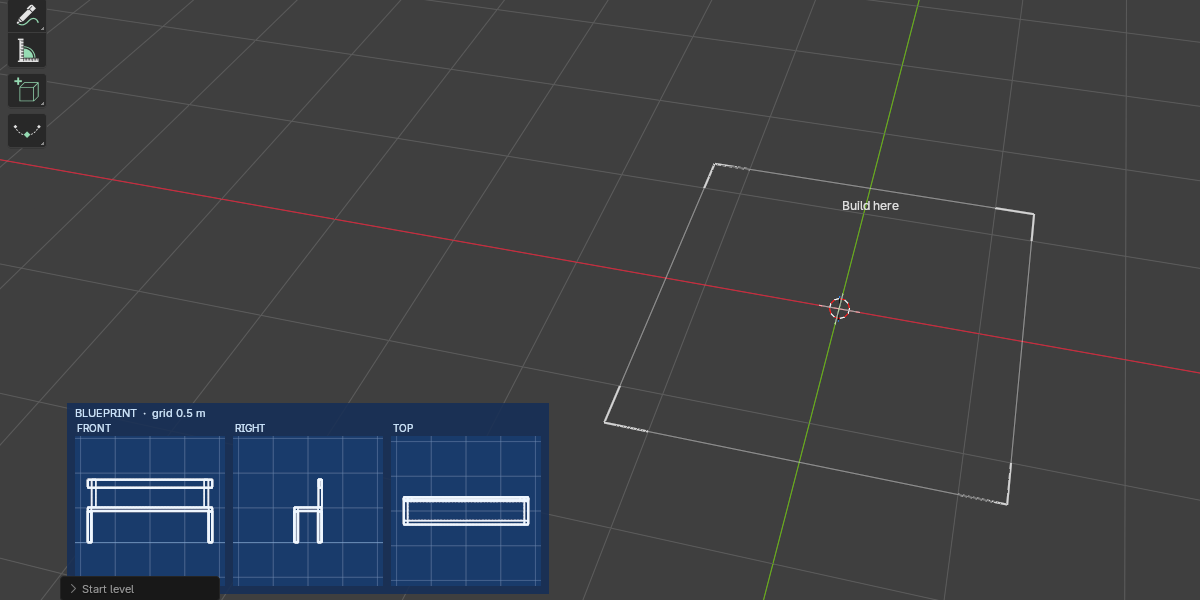
Blueprints appear at the bottom left of the viewport. Read sizes off the grid; the card’s title gives the grid size. A few Chapter 3 levels are blueprints too, with sizes printed under each view.
Chapter 4 blueprint on a 0.5 m grid. Read every size from the grid, then build on the square.
Final levels
Final levels are complex models you see only briefly, so study the target, then build from memory.
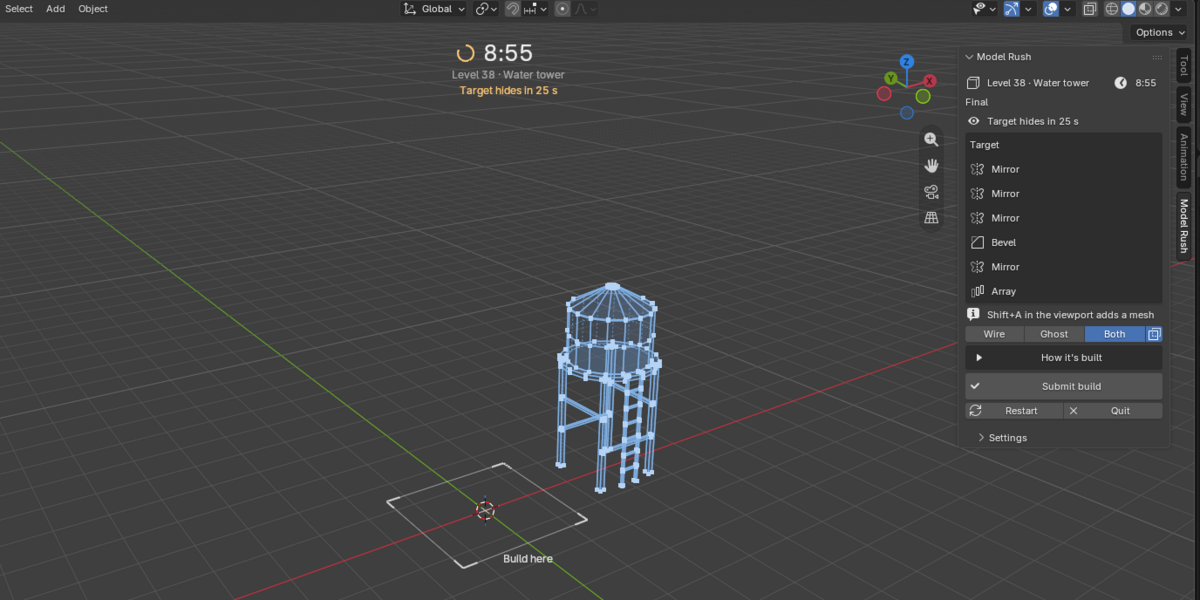
Level 38, Water tower. The countdown under the timer shows when the target hides.
Rule levels
Rule levels add one rule, shown in a box with a tip and a live check.
Face budget
Stay within the face count shown, so no extra cuts or loops.
One object
Join parts with Ctrl+J, or extrude everything from one block.
Use Mirror
Your build needs an enabled Mirror modifier.
Rush
The same shape with 60% of the usual time.
!
Breaking the rule caps your match at 60%
So the attempt earns no stars. Watch the live check while you build.
The game tells you what to fix, shows you where, and eventually shows you how.
Fix first
The results name your two biggest point losses in plain words.
Height is 12% too tall
8 faces, target has 6
Heatmap
Colors on your build show where it’s off. The same colors on the target ghost mark parts your build is missing.
How it’s built

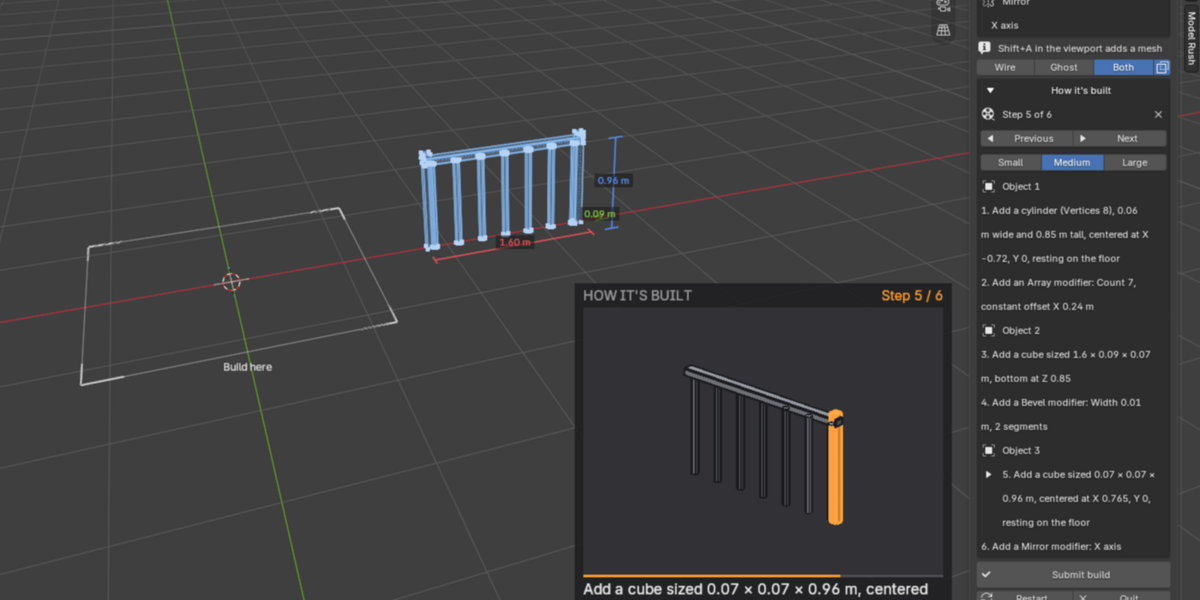
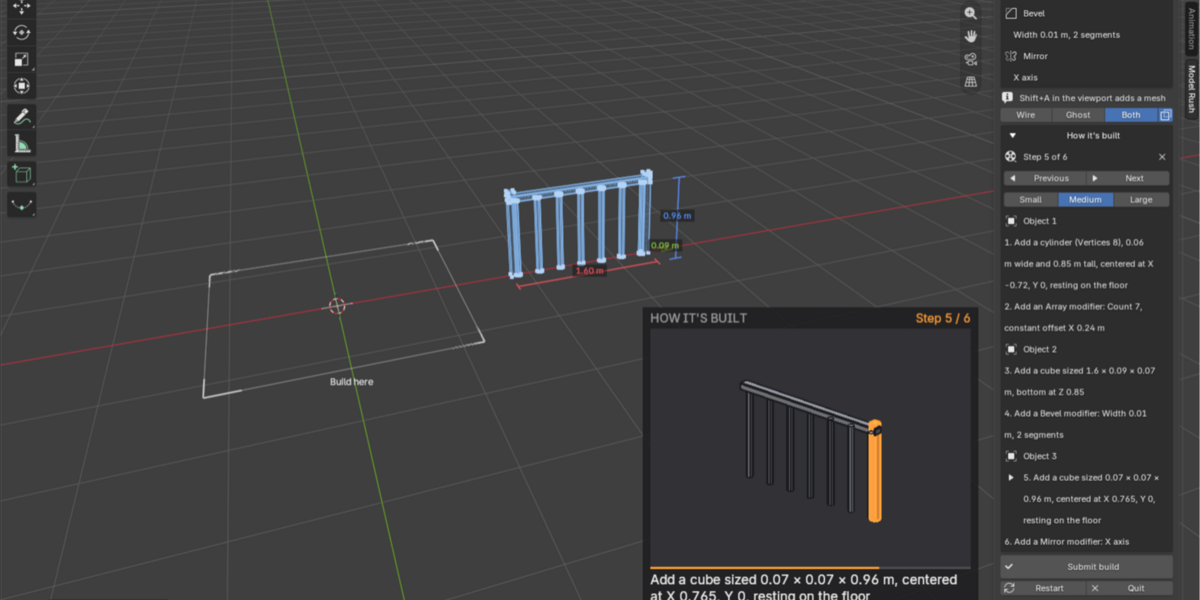
After 3 attempts with 0 stars on a campaign level, the sidebar shows the exact steps that build the target, and a replay appears in the viewport. It shows one picture at a time and only changes when you press Previous or Next. Small, Medium and Large set its size, and X closes it.
Level 16, Railing. Step 5 of 6 is highlighted in the replay and listed in the sidebar.
✦
Daily challenge and challenge codes
One new shape every day
The same for every player, played from the Daily box at the top of the tab. Retry as often as you like; your best attempt of the day counts.
Mon
Tue
Wed
Thu
Fri
Sat
Sun
EasiestHardest
Streak
Example: 5 days in a row
Your streak is the number of days in a row with at least 1 star on the daily.
Challenge codes
Copy result puts your score and a code such as MR-P3-L17-112-CM on the clipboard. A friend clicks Play a challenge code, pastes the code or your whole message, and plays the same shape with your score to beat.
Copy result›Send it›Friend pastes it›Beat the score
i
Your campaign is safe
Dailies and codes never change your campaign progress, and How it’s built isn’t available in them.
Same difficulty. All-new models.
Earn at least 1 star on level 38 to unlock Prestige at the bottom of the level list. Prestige restarts the campaign with all-new models at the same difficulty, plus new rule and blueprint levels.
Starts over
Your stars, scores and best builds.
Fair for everyone
Everyone gets the same shapes in the same prestige, so scores stay comparable.
Settings sits at the bottom of the tab:
How the target is drawnOpacityX-rayHeatmapColorblind paletteSoundVolumeReset all progress
Saves
Progress and best builds save automatically to Blender’s settings folder, so they carry over between files and sessions.
Fair play
Undoing past the start of a round restarts the round. Objects that existed before the round started don’t count, even if you move them into Your Build.
| Problem |
Fix |
| No Model Rush tab |
Press N in the 3D Viewport, and check the add-on is enabled in Preferences. |
| My build scored almost nothing |
Make sure your objects are in Your Build and were made during this round. |
| A red warning in the sidebar |
Click Add new objects to Your Build, so new objects land in the scored collection. |
| The round restarted by itself |
You undid past the start of the round. |
| No sound |
Check Sound and Volume in Settings. |
Still stuck?
Message us through Superhive with your Blender version and a screenshot of the sidebar.
MODEL RUSH
 Enjoy Learning

 Included