Modelling Helper
 Bonaventure Labs



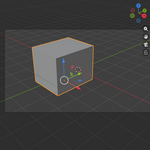
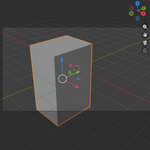
I get a warning that says "Select a mesh object first."
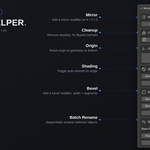
Several tools (Mirror, Cleanup, Bevel, Auto Smooth) require a mesh object to be the active object, not just selected. Click directly on the object in the viewport or outliner so it's highlighted as active, then try again
Can I use "Clean Up Mesh" on multiple objects at once?
It currently runs on the active object. Run it once per object, or select-all and adapt to your workflow, batch mesh cleanup across a full selection is on the roadmap.
Does this add-on modify my files without asking?
No. Every action is a normal, undoable Blender operator — press Ctrl+Z to undo any step, same as built-in tools
Which Blender versions does this support?
Blender 4.2 and newer (built as a native Blender Extension)
$8
Have questions about this product?
Login to message
| Blender Extension Compatible | Yes |
| Published | about 2 months ago |
| Blender Version | 4.2 - 5.2 |
| Extension Type | Add-on |
| Render Engine Used | Cycles, Eevee |
| License | GPL |
Discover more products like this
2026-add-ons-for-blender 3d-modelling 3d addon 3d model 3d花,花,geomety,节点 3d modeling workflow mesh