 Epicloot


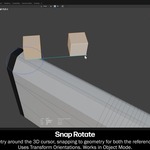
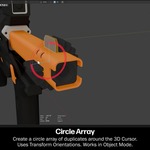
Modox is a basic Blender mesh-editing utility addon that makes routine modeling actions easier.
Modox streamlines basic Blender modeling actions to significantly reduce the required clicks and shortcuts. Designed as a lightweight companion to your existing tools and workflow, it makes everyday modeling tasks faster and more direct.
Spend more time experimenting and exploring ideas rather than recalling key combinations or setting up systems to perform a single edit that you may not even keep in the end.
Requires Blender 5.1.0 or later.
Update 1.0.1 Applied
Check Documentation tab for update notes.
FEATURE HIGHLIGHTS
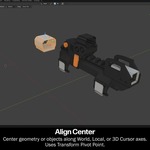
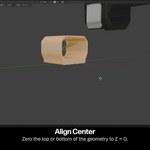
- Align Center: Center geometry along Global, Local, or Cursor axis with single button presses.
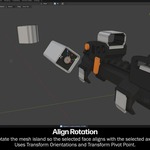
- Align Rotation: Rotate mesh islands so the selected face aligns with the selected axis, respecting the active Transform Orientation, with single button presses.
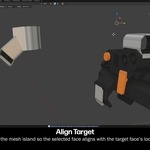
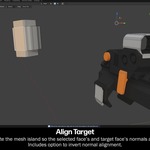
- Align Target: Move mesh island so the selected face aligns with the target face's location. Rotate mesh island so the selected face's and target face's normals align.
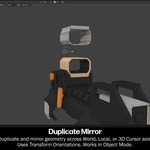
- Duplicate Mirror: Duplicate and mirror geometry or objects across World, Local, or 3D Cursor axis.
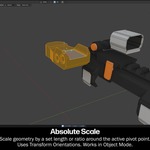
- Absolute Scale: Scale geometry or objects to a set length around the active pivot point.
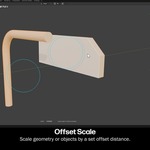
- Offset Scale: Scale geometry by a set offset distance. Works in Object Mode.
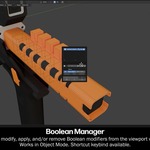
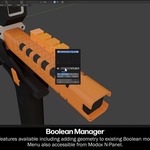
- Boolean Manager: Create, modify, apply, and/or remove Boolean modifiers from the viewport window. Works in Object Mode.
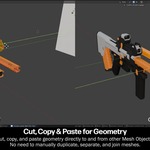
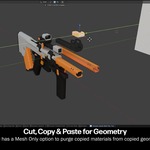
- Cut, Copy & Paste for Geometry: Cut, copy, and paste geometry directly to and from other Mesh Objects.
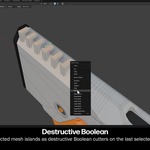
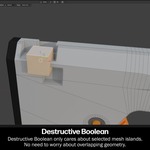
- Destructive Boolean: Use multiple selected mesh islands as destructive Boolean cutters all within Edit Mesh Mode.
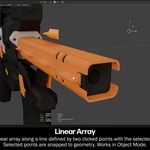
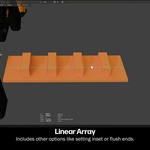
- Linear Array: Create a linear array of duplicates along a line defined by two clicked points with the selected geometry or objects. Includes options to have the first and last duplicates be centered, inset, or flush with the end points.
- Linear Slide: Slide geometry or objects along a direction defined by two clicked points, snapping the pivot's coordinate to nearby geometry while sliding. This makes it possible to slide elements in a fixed diagonal direction with precision while still snapping to surrounding geometry in the Global axis orientation.
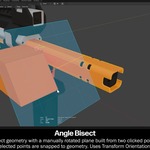
- Angle Bisect: Bisect geometry with a manually rotated plane built from two clicked points.
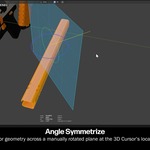
- Angle Symmetrize: Mirror geometry across a manually rotated plane at the 3D Cursor's location.
- And much more!