 Skava
Skava


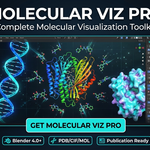
Molecular Viz Pro - Documentation
Installation
1. Download molecular_viz_pro_v1.0.0.zip
2. Open Blender → Edit → Preferences → Add-ons
3. Click "Install" and select the downloaded zip file
4. Enable "Molecular Viz Pro" checkbox
5. Access the addon in View3D → Sidebar (N key) → Molecular tab
Requirements: Blender 4.0 or later
Quick Start
1. Press N in 3D Viewport to open sidebar
2. Go to Molecular tab
3. Import a molecule or fetch from online database
4. Click Build Molecule
5. Apply journal preset and render!
Features
Import Formats
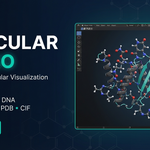
- PDB - Protein Data Bank format
- mmCIF - Macromolecular CIF format
- MOL/SDF - Small molecule formats
- XYZ - General molecular coordinates
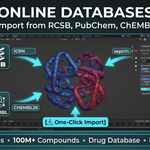
Online Databases
- RCSB PDB - 200,000+ protein structures (enter PDB ID like "1CRN")
- PubChem - 100M+ chemical compounds (search by name)
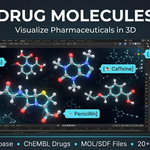
- ChEMBL - Drug database with 20+ common drugs built-in
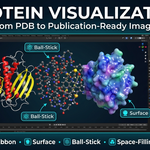
8 Visualization Styles
- Ball-Stick - Classic representation with atom spheres and bond cylinders
- Space-Filling - Full Van der Waals radii spheres
- Wireframe - Thin bond lines only
- Sticks - Thick bonds without atom spheres
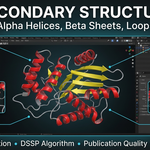
- Cartoon - Protein secondary structure (helices, sheets, coils)
- Ribbon - Smooth backbone trace
- Surface - Molecular surface representation
Color Schemes
- CPK - Standard element colors (C=gray, O=red, N=blue)
- Chain - Color by protein chain
- Secondary Structure - Helix/Sheet/Coil colors
- Residue - Amino acid type coloring
- Hydrophobicity - Hydrophobic scale
- B-factor - Temperature factor gradient
- Rainbow - N→C terminus gradient
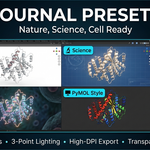
Journal Presets
Publication-ready presets for scientific journals:
- Nature
- Science
- Cell
- PNAS
- Presentation
- PyMOL Default
- Chimera
- MolecularNodes
Each preset includes optimized lighting, materials, and render settings.
Animation Tools
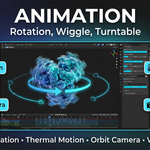
- Rotation - 360° smooth rotation
- Tumble - Random axis rotation
- Wiggle - Thermal motion simulation
- Turntable - Orbit camera setup
Export Options
- Resolution presets (HD, 4K, 8K)
- Journal-specific sizes (Nature single/double column)
- Transparent background support
- High-DPI export (up to 300 DPI)
Panel Overview
Import Panel - Import local files in PDB, CIF, MOL, SDF, XYZ formats.
Online Panel - Fetch structures directly from RCSB, PubChem, or ChEMBL databases.
Style Panel - Switch between 8 visualization styles with one click.
Coloring Panel - Apply different color schemes to your molecule.
Animation Panel - Add rotation, wiggle, or turntable animations.
Export Panel - Apply journal presets, setup lighting, and render images.
Tips
- Use Cartoon style for proteins to show secondary structure
- Use Ball-Stick for small molecules and drug compounds
- Apply Nature preset for clean publication figures
- Enable Transparent Background for compositing
- Use Turntable animation for presentation videos
Support
For issues or feature requests, contact support.
Have questions about this product?
Login to message
| Sales | 10+ |
| Published | 9 months ago |
| Blender Version | 4.0 |
| Extension Type | N/A |
| Render Engine Used | Cycles, Eevee |
| License | Mit |
Discover more products like this
biology atoms chemistry molecular molecule Science drug Visualization scientific protein PDB biochemistry