 Skava
Skava
Momentum v1.0.0 — Documentation
Installation
Blender 4.2 or newer. Edit > Preferences > Add-ons > Install from Disk, pick the Momentum zip you downloaded and enable Momentum. In the 3D Viewport press N and open the Momentum tab.
Quick start
- Select the character's armature (Object or Pose Mode, not Edit Mode).
- Set the scene frame range to the part you want corrected.
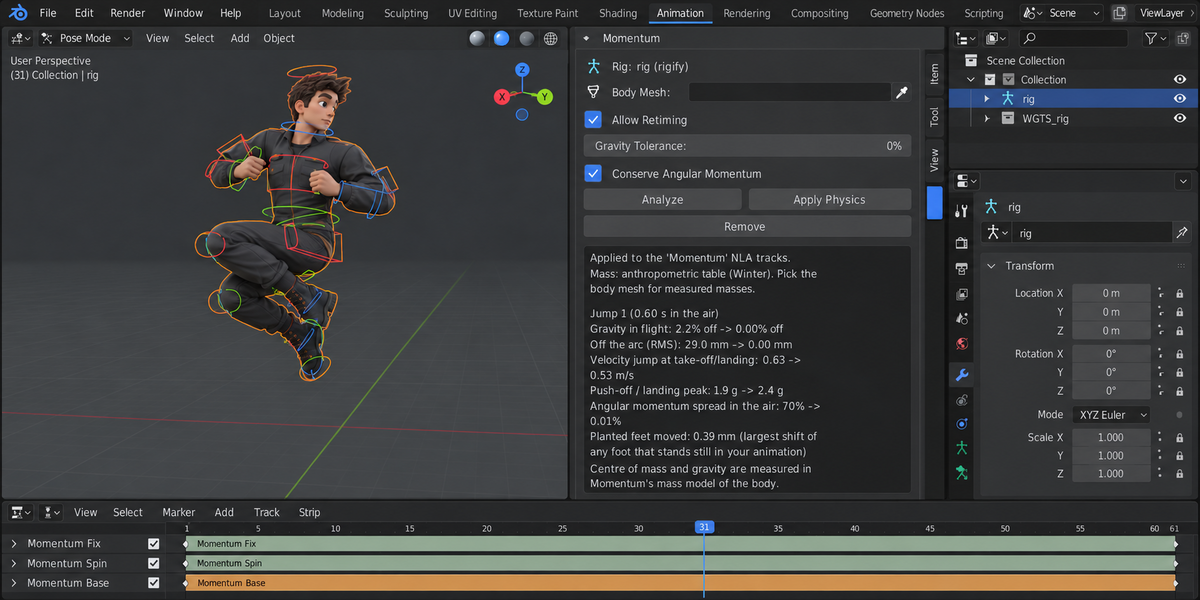
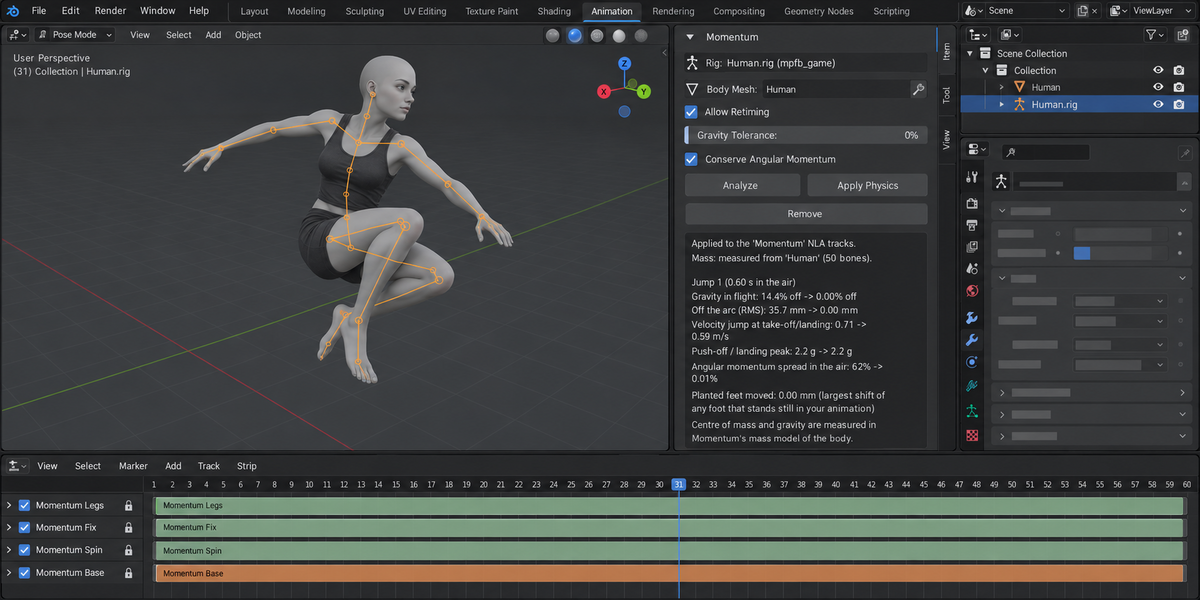
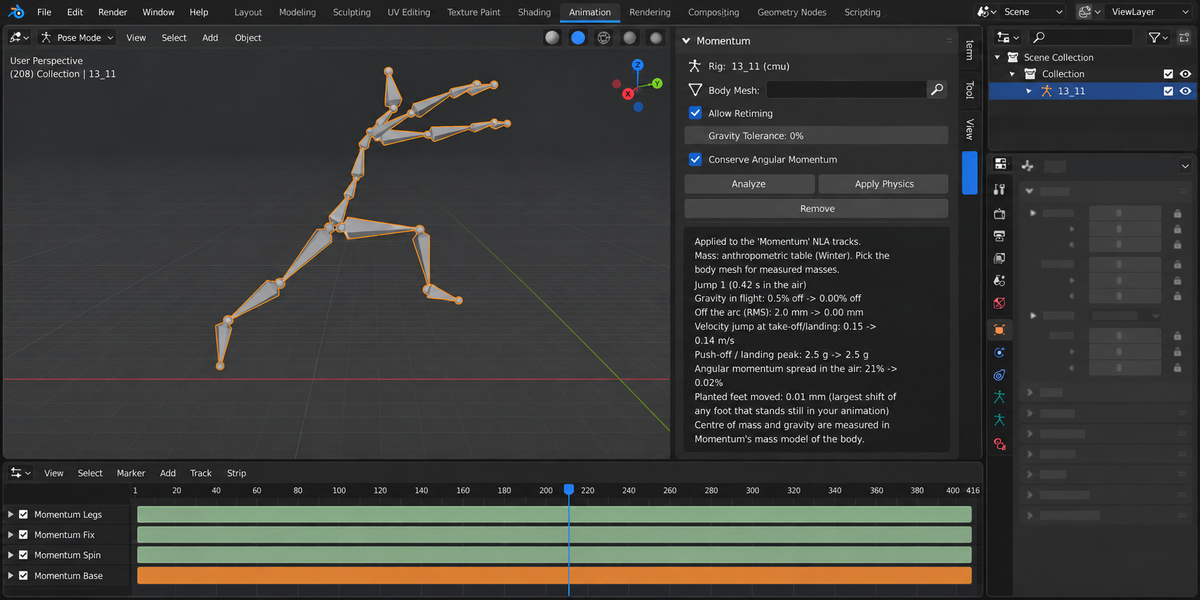
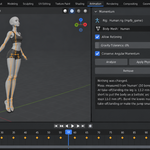
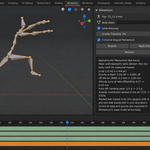
- Press Analyze: the panel lists the jumps it found, how long each is in the air, how far gravity is off and how far the centre of mass is from a ballistic arc (all in Momentum's model of the body). Nothing is changed. If there is no jump in the frame range, it says so.
- Press Apply Physics. The panel shows every number before and after, or — if a jump cannot be made physical — why, with a number, and nothing is changed.
- Remove takes the correction away: Momentum's NLA tracks are deleted, and your active action, the scene frame range and the armature's pose values come back as they were right before Apply. Remove is not Undo — anything you changed on the armature after Apply stays; use Ctrl+Z for that.
The panel
- Rig — the selected armature and the rig type Momentum recognised: rigify, mixamo, mpfb_game or cmu (BVH). An unrecognised rig is named as such and nothing is changed.
- Body Mesh — optional. The skinned, closed body mesh of the character. With it, the mass of every bone is measured from the mesh (the volume is filled with voxels that follow the skin weights, and the deformed mesh is read once for the frame range). Without it, the anthropometric table of Winter is used. The panel always states which one was used. A mesh that is not closed falls back to the table, with the reason.
- Allow Retiming — on by default. Used only when the exact correction does not pass its checks. Momentum then tries keeping your height and shortening (or lengthening) the time in the air, step by step, and keeps the first result that passes every check; if none does, nothing is changed. The frames after that jump move and the scene end frame is updated (Remove gives the old end frame back). Retiming is not tried when the armature has NLA tracks of its own, because their timing would no longer match; the panel says so.
- Gravity Tolerance — 0% by default (exact ballistic arc). For noisy motion capture you may accept flights whose gravity is already within this tolerance.
- Conserve Angular Momentum — on by default. Spin in the air follows the body's shape: tucked in, it turns faster. Take-off and landing orientation stay as animated.
What happens when you press Apply Physics
- Contacts. A foot is on the ground when it is low and its lowest point barely moves. A foot that stands still for at least 0.1 s on something higher (a box, a step) is also support — as long as the body above it moves; a pose held still in the air ("hang at the top") stays part of the flight. A flight is the stretch where neither foot is on the ground, at least 50 ms long, in which your animation really falls, and in which no foot stays low and still (that is a step, not a jump — motion-capture walks are not taken for jumps).
- Centre of mass. From the segments of the skeleton and the mass model (table or measured mesh). Every number Momentum shows — gravity, distance from the arc, angular momentum — is measured in this model of the body.
- The arc. The flight is fitted with gravity of 9.81 m/s² in scene units, staying as close to your flight as possible while the frames before take-off and after landing (up to 0.6 s, halved between neighbouring jumps) absorb the difference. The velocity jump at take-off and landing is kept no larger than in your animation; the push-off stays within 3 g or within your own animation's push-off; the ground is never asked to pull harder than 1.1 g where your animation did not; the supporting leg is never asked to be longer than it is anywhere in your animation.
- Writing. The root is moved so the centre of mass follows the arc, frame by frame, and checked again until it sits on it. Planted feet are held in place (Rigify foot IK controls — the legs must be in IK; on FK skeletons a two-bone IK of thigh and shin). Spin in the air is solved so the angular momentum stays constant.
- Checks. The result is measured again: gravity in flight, distance from the arc, velocity jumps, push-off peak, planted feet, the shape of the upper body, bone lengths, frames outside the jumps, and every foot that stands still in your animation (if a correction would move one, it is not kept). Only a result that passes them all is kept.
Where the correction lives
Your active action is played, unchanged, from an NLA track named Momentum Base, placed above your own NLA tracks with the same blending the action had. The correction is written to tracks named Momentum Fix (root and foot controls), Momentum Legs (FK leg rotations, only on FK skeletons) and Momentum Spin (spin). Momentum keeps a list of the tracks it created on the armature and only ever touches those; your own NLA tracks and actions are left alone, whatever they are called. Remove deletes Momentum's tracks and actions and makes your action active again.
When it says no
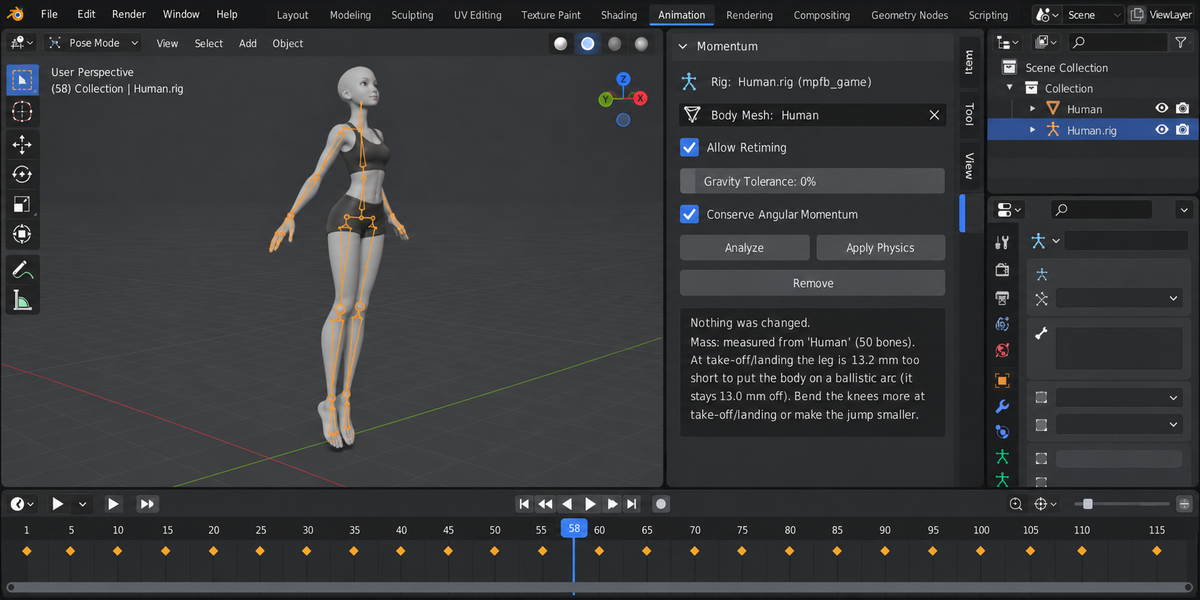
- At take-off/landing the leg is N mm too short… — the body would have to be higher than the straightened leg allows. Bend the knees more at take-off or landing, or make the jump smaller.
- This jump needs a push-off of N g… — the jump is higher or longer than its crouch can push. Make the crouch longer, the jump lower, or allow retiming.
- The ground would have to pull the body down… — the crouch or landing is faster than a free fall. Make it slower.
- The rig could not place the centre of mass on the arc… — the root bone does not move the whole body (for example a rig where the feet do not follow the root and cannot be reached). Check the root.
- The legs are in FK… — on Rigify, planted feet are held through the IK foot controls. Set the IK-FK slider of the legs to IK for the frames you want corrected.
- No jumps found… or No ground contact found… — there is nothing to correct in the frame range.
- Leave NLA tweak mode first — press Tab in the NLA editor to leave tweak mode, then Apply again.
Rigs
Tested: generated Rigify human (IK legs; its foot IK parent may be Root, Torso or None — Momentum tests which controls follow the root before writing), Mixamo-style skeletons with "mixamorig:" bone names (also at object scale 0.01), UE-style game rigs (MPFB game_engine: pelvis, thigh_l, calf_l, …) and BVH skeletons (CMU names). Auto-Rig Pro has not been tested.
Speed
Without a body mesh: a 300-frame clip with five jumps took about 1 s on FK skeletons and 4–6 s on a generated Rigify rig, spin included, on a MacBook Air (Apple M4). With a body mesh the mass pass reads the deformed mesh once per frame: for a 78-frame jump with a 137,000-vertex character, Analyze took 15 s and Apply 36 s on a Windows desktop PC; when every retiming attempt has to be tried before a refusal, Apply can take a few minutes.
Limits
- A correction that does not pass every check is not kept, and the panel gives the failed number. In our tests: a dwarf body on Rigify, where the correction would have stretched a leg bone by 14% (a bone would stretch by …), and a motion-capture run whose worst frame stayed 1.7% off gravity (gravity … off; Gravity Tolerance accepts such flights if you want).
- Jumps and flight phases only. Balance while standing and walking foot-sliding are not corrected in this version.
- Human bipeds. Four-legged rigs, fingers and faces are not handled.
- The measured-mass model needs a closed body mesh skinned to the armature.
- Nothing is simulated: no ragdoll, no joint torques, no forces on the root — only the kinematics you animated, corrected.
References
- M. Girard, Constrained optimization of articulated animal movement in computer animation, 1994.
- C. K. Liu, Z. Popović, Synthesis of complex dynamic character motion from simple animations, SIGGRAPH 2002.
- A. C. Fang, N. S. Pollard, Efficient synthesis of physically valid human motion, SIGGRAPH 2003.
- A. Shapiro, S.-H. Lee, Practical Character Physics for Animators, IEEE Computer Graphics and Applications, 2011.
- Spin conservation follows the open-source add-on Balance Point by Ray Allen Datuin (rdat5), GPL-3.0-or-later, re-implemented.
- D. A. Winter, Biomechanics and Motor Control of Human Movement — segment mass table.
Uninstalling
Press Remove on every armature you corrected first — otherwise Momentum's NLA tracks stay in the file and keep playing. Then Edit > Preferences > Add-ons, find Momentum and choose Uninstall.
License
GNU General Public License v3.0 or later. No AI model, no network access, no extra Python packages.
Have questions about this product?
Login to message
| Published | 2 days ago |
| Blender Version | 4.2 - 5.2 |
| Extension Type | N/A |
| Render Engine Used | Cycles, Eevee |
| License | GPL |