Motion Camera Addon
 EdenWeby 3D




How to Use
1. Installation
- Download the Motion Camera addon ZIP file
- Drag and Drop into Blender
2. Accessing the Addon
After installation, you can find all controls in the 3D View sidebar:
- Press N in the 3D viewport to open the sidebar
- Look for the "Motion Camera" tab
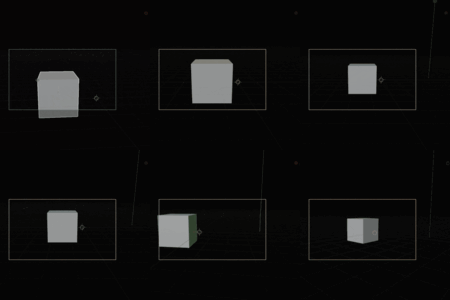
3. Using Camera Shake
- Select your camera
- Enable "Motion" in the sidebar
- Press Play
- Choose a shake preset or customize parameters
- Adjust the translation/rotation amplitudes and speed
- For fine control, expand the Advanced section
4. Camera Orbit & Third Person
- Select your camera
- Press Play
- Choose either Orbit & Zoom or Third Person Follow
- Select a target object
- Adjust the follow parameters and offsets
- Fine-tune smoothness and influence settings
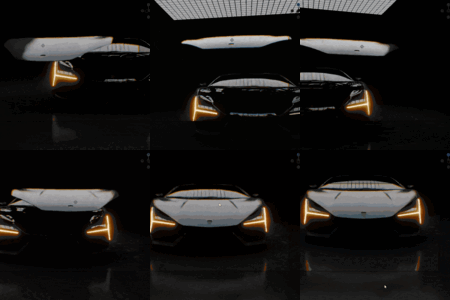
5. Creating Dolly Zoom
- Select your camera
- Open the Dolly Zoom section
- Enable Dolly Zoom
- Adjust the Dolly Amount slider between -1 and 1
- Fine-tune focal length range and movement distance
Pro Tips
Tip #1: For the best cinematic shake, use the Cinematic preset and reduce the Translation Amplitude slightly.
Tip #2: When using orbit, set your camera's rotation mode to XYZ Euler for the most predictable results.
Tip #3: For third-person follow, start with high smoothness and gradually reduce it until you get the responsiveness you want.
-
$12
camera Dolly Zoom Vertigo Effect Camera Third Person procedural All Basic features, future updates
-
$5
Camera Shake Camera Track Camera Orbit around object
Have questions about this product?
Login to message
| Blender Extension Compatible | Yes |
| Sales | 60+ |
| Dev Fund Contributor | |
| Published | over 1 year ago |
| Blender Version | 3.0 - 4.4 |
| Extension Type | Add-on |
| Render Engine Used | Blender-Internal, Cycles, Eevee |
| License | GPL |

Discover more products like this
camera motion-camera camera orbit camera follow dolly camera camera shake track camera dolly effect camera animation camera dolly camera zoom