MP_Comp
 Momo
Momo


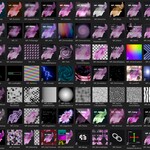
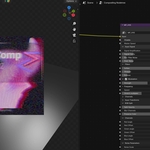

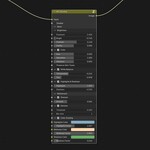
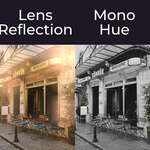
This update adds support for the compositing stack of Blender 5.3.
It will still work with Blender 5.2 LTS
Changes:
- Marked relevant node-groups as “Scene Effects”, to make them usable in Blender 5.3’s new stack compositor
Fixes:
- Repacked missing texture for MP_TapePlayback
- Value of MP_Kaleido’s image-input is now hidden, to match the rest of the assets.
MP_Comp V4.0.0 Changelog
Added:
MP_Kaleido: Generates a symmetry/kaleidoscope effect for an
image
MP_LiquidGlass: Blurs and refracts an image with a custom
mask to create a glass effect
MP_Transform: Collection of basic
transformation effects
MP_TypewriterText: Reveals letters of a
string one by one
Changes:
- Added “Clip Input”-toggle to MP_BayerDithering and changed some of its default settings
- Added “Jitter Animation”-settings to animated displacement-effects, to “posterize” their animations (MP_WaveDisplace and MP_TurbulentDisplace)
Fixes:
- Changed displacement effects to use screenspace texture
coordinates instead of image coordinates
- Added
“Clip-Input”-toggle to several node-groups to work with new
scaling/clipping behavior
- Changed MP_PerspectiveTilt default
settings to make the effect appear more seamless
- Changed
lowest possible value of MP_VenetianBlind’s “Falloff”-value
from “0.0” to “0.001” to avoid the image turning black when
setting it to “0”
MP_Comp V.3.2.0 Changelog
New effects:
MP_DustParticles: Generates texture-based pseudo-particles to be used as an overlay
MP_TapeDamage: Lightweight solution to add some visual artifacts and displacements to footage
MP_TapePlayback: Animated display of playback time to mimic screen elements from VHS-players
Changes:
-Ensured image-inputs, are always located before “Disable”-toggles, to ensure compability with Blender 5.2s VSE modifier
MP_FilmGrain+:
-Added a toggle to en- and disable “Film Damage”
-Added a “Clamp Grain”-toggle, which can be enabled to keep the colors from clipping
MP_FilmLook:
-Added a toggle for the “Color”-panel, to optionally skip color processing
-Moved the “Highlights Gain” and “Shadows Lift” into the “Split Tone”-panel
-”Highlights Gain” and “Shadows Lift” will now be disabled when disabling Split Tone
-Added the “Clamp Grain”-toggle into the “Film Grain”-panel
MP_Comp V.3.1.1 Changelog:
-Fixed an issue that would make a lot of nodes incompatible with Blender 5.1 due to its automatic conversion of 5.0 compositing asset (Alpha-channel passing of Mix Color node)
-Added inputs for silver hallide clumping to MP_FilmLook
MP_Comp V3.1.0 Changelog:
All thumbnails have been reworked, to now show an overlay with a icon that indicates the category of the effect
-Added MP_ChromaGlow: Creates a rgb-split glow for the highlights of the input-image
-Added MP_DetailClarity: Gives control over the local contrast of different detail levels (texture, detail, clarity)
-Added MP_FilmGrain+: A more realistic filmgrain-effect, which recreates the image using grain instead of applying it like an overlay
-Added MP_FilmColors: An advanced split-tone and color-balance effect, optimized to recreate film looks
-Added MP_FilmLook: Applies a collection of adjustable and modular film emulation effects, like film grain, vignetting, halation and more
-Added MP_PseudoJPEG: Mimics JPEG compression artifacts
-Added MP_LensFlareStreaky: Generates a highly customizeable procedural lens flare with a streaky hotspot
-Added MP_DespeckleMask: Removes coarse pixels / small islands of pixels from a mask
-Added MP_MirroredEdgesVector: Vector math to create a reflection wrapping for an image, thanks to Artem for providing this node-group!
-Added MP_TonalMask: Generates a mask from the shadows, midtones and highlights of an image, which you can output individually and also as a merged mask
-Added MP_ValueContrast: Increases/Decreases the Contrast of a float-field linearly, to adjust the distance of values within the field
-Added MP_ValueVisualizer: Renders an input-value as text. Made to monitor math-nodes, but can also be used as a countdown
-Added MP_IsEven: Checks whether an input-integer is even or odd and outputs a value of “1” (true) or “0” (false) accordingly
-Added MP_ScreenCoordinates: Outputs Image Coordinates, that are derived from the scenes resolution and always fill out the entire screen
-Added MP_MakeBidrectional: Maps a displacement-texture to displace into both directions on each of its axis, instead of just one
Changes:
-MP_BokehBlur3D: Now also has the ability to blur foreground-objects instead of only background-objects
-MP_Develop: Replaced the Detail/Clarity-effect with the method
“MP_Detail/Clarity” uses. Added “Balance” (Linear Contrast)-
and Gamma-slider. Improved quality of the denoising-effect.
Improved
overall performance and added documentation to some inputs
-MP_DropShadow: Changed UI of the node-group to use a menu to switch between angle and offset mode and made the blur relative to pixels
-MP_LensDirt: Re-arranged inputs for a better user experience, now
the strength/opacity of each element are in a dedicated panel at the
top of the node-group. Added a “Bokeh Spots Width”-input to
easily change the look of the Bokeh Spots, which also makes them more
visible by default.
Some default values have been changed to
work more like expected
-MP_LightLeaks: Added a mode to switch between compositing the light leaks on an input-image or to only output the light leaks. Added several post-processing effects to increase the complexity of the light leaks and to make them look more appealing
-MP_RGBSlide: Added a menu to switch between the different extension modes, including the new mirrored edges mode
-MP_RGBSplit: Added “Master Offset”-input, to control the offset for all channels using a single value
-MP_Shake: Implemented new mirrored tiling based on vector-math to increase performance, added vector motion blur and a toggle for it, added inputs to control individual elements of the motion blur (translation, rotation and scale), added interpolation-menu, changed a few default settings, organized node-group, edited some tooltips
Fixes:
MP_LensFlare: “Tonemap”-flare, will now use Blenders new “Convert to Display”-nodes, so it works in all colorspace view-transforms. Previously, it used Blenders “Tonemap”-node, which didn’t offer the same color accuracy and performance
MP_Transition_DissolveLuma: Fixed images with high brightness not disappering at full completion
Requires Blender 5.0 or later
MP_Comp V3.0.0 Patch notes
New effects:
New “3D”-Category:
MP_BokehBlur3D: Applies Depth-based Bokeh Blur using the renders depth pass
MP_Mist3D: Adds atmospheric fog/mist using the renders mist pass
MP_Snow3D: Adds snow to the surfaces of objects in a scene, by using the renders normal pass
MP_VideogameShading3D: Simplifies the look of a scene by using the renders albedo and Ambient Occlusion pass to mimic the limitations of early 3D videogames
“Adjust”-Category:
MP_HueCorrect: Adjusts the colors of individual hues. Unlike Blenders native “Hue Correct”-node, it also gives you the ability to adjust the contrast of each hue and also outputs the different hue masks.
MP_SpotLight: Adds a procedural spotlight to add lighting or relight the input
“Complex Filter”-Category:
MP_ASCII: Maps a set of different symbols/letters to the brightness levels of the input image.
MP_Corruption: Emulates visual artifacts from digital corruption, known from faulty drivers or GPUs and buffer corruption.
“Distort”-Category:
MP_Mirror: Mirrors the input around a moveable and rotateable point.
“Generator”-Category:
MP_Universe: Generates a texture of multiple space elements, like stars and nebula.
New “Shapes”-Category:
MP_BoxSDF: Generates a rectangle with roundadble corners.
MP_CrossSDF: Generates a cross.
MP_EllipseSDF:
Generates a circle/ellipse.
MP_HeartSDF: Generates a
heart-shape.
MP_SuperellipseSDF: Generates a
superellipse/inverse-ellipse.
MP_TriangleSDF: Generates a
triangle using 3 adjustable points.
MP_GridArray: Creates
instances of an input on a grid and animates them with offset between
them.
MP_LinearArray: Distributes instances of an input on a
single axis and animates them with offset between
them.
MP_MaskBoolean: Merges two masks/shapes with each other.
Either additively or subtractively.
MP_MorphSDF: Transforms one
SDF-shape into another SDF-shape in a smooth
transition.
MP_RenderSDF: Applies colors, outlines and textures
to a SDF or mask.
“Stylize”-Category:
MP_EdgeDetect2: A very customizeable approach to edge-detection, that aims to detect very fine outlines without accidentally detecting noise as edges.
MP_Diffuse: Scatters the input into multiple tiny points.
MP_OutlineAlpha: Draws an outline around an object, by using the inputs alpha-channel
MP_Paint: A rework of the old “MP_Paint”-effect, which now moved to the Legacy-Category. The effect aims to create brushstrokes on an image to create a painting effect.
New “Transitions”-Category:
MP_Transition_ChromaPull: Blends between footage by using lens distortion effects
MP_Transition_Diffuse: Blends between footage by scattering both inputs using a diffusion effect
MP_Transition_DissolveLuma: Blends between footage using a luminance-based mask
MP_Transition_Dissolvepixel: Blends between footage by changing individual pixels to the other footage
MP_Transition_Glare:
Blends between footage by using Blenders Glare effect. Uses Bloom by
default but can also be set to Streaks/Sun Beams,
etc.
MP_Transition_SlideOver: Translates the new footage over
the old footage
MP_Transition_TransformBlur: Blends between footage by using directional blur
MP_Transition_WipeCircle: Blends between footage by using scaling an ellipse mask
MP_Transition_ZoomFade: Blends between footage by scaling them and changing their opacity
“Utility”-Category:
MP_KernelCreator: Creates an adjustable 3x3 matrix to use as a kernel for Blenders “Convolve”-node and “Glare”-node
Changes & Fixes:
MP_Chevrons: Replaced the Direction- and Mirror-Toggle with a Menu to switch the direction of the arrows more intuitively
MP_Develop: Added a toggle to clamp the effects result. Fixed an issue affecting changing the contrast on images with alpha-channel.
MP_EdgeShine: Added the ability to apply the shine to be in front or behind the input image. The alpha-channel of the shine is now cleaner. “Glow Cutoff” not controls the Clamping of Blenders Glare node. “Wavyness” no longer clips the shine.
MP_FilmGrain: added a menu to switch between different blend modes for the grain, instead of using a boolean toggle
MP_FilmOverlay: Added a “Global Scale”-value, which controls the texture scale of the entire overlay. Reworked the “Hair Scale”-value, to not change the shape of the hairs when scaling them.
MP_Glitch: Added options to change the Extension-mode of the effect and used a different default setting for “Artifacts Complexity”, to show more artifacts by default.
MP_Grid:
Added options to change the sampling of the perspective transform and
replaced the boolean toggle with a menu to switch between horizontal
and vertical tilt.
The “Angle”-value, will now rotate the
grid around its centre instead of its upper left corner.
MP_HalftoneMono: Now keeps the transparency of the input.
MP_InpaintRegion:
added a menu to switch between the box mask, ellipse mask and custom
mask modes, which will automatically show and hide inputs
(un-)available inputs.
Made the “Inpaint Size”-input for the
custom mask, relative to the inputs resolution to avoid scaling
issues in the realtime compositor.
MP_LensFlare: Fixed issues affecting the alpha-channel caused by limitations of Blenders “Mix Color”-node
MP_LoadingBar: Replaced several boolean toggles with menus
MP_NTSC: Adjusted the snow texture, to have more color variation, to look more accurate
Performance of the effect has been improved
MP_PerspectiveTilt:
Added a “Sampling”-panel, which allows you to control the
interpolation and extenstion method of the effect. This adds the
ability to make the effect tileable/repeating.
Whether the
effects tilt is performed vertically or horizontally, can now be
configured using a menu, instead of using a boolean toggle.
The
“Angle”-value will now rotate the input around it’s centre
instead around its upper-left corner.
MP_PixelSort: Turned the “Flip Direction” and “Sort Y-axis”-toggles into a single menu item, which lets you control the direction of the effect.
MP_RelativeTransform: Simplified the UI and added the ability to change the interpolation and extension.
MP_RGBSlide: Sensitivity of the Master Amplitude and RGB Amplitudes inputs has been reduced, which makes it easier to use the effect in a more subtle manner.
MP_Shake: Added a menu to easily switch between the Clip, Extend, Repeat and my custom Mirror Extension mode. Added a “Loop”-Toggle, which can be used to create a seamless transition between the first and the last frame of the shake-effect.
MP_SphereDisplace: Replaced the “Inpaint”-toggle with a Menu to switch between the different Extension Modes of the Displace-node
MP_TVDamage: Used a menu switch to create a more intuitive way to switch between 4:2:2 and 4:1:1 chroma resolution
MP_Twirl: Replaced the “Inpaint”-toggle with a Menu to switch between the different Extension Modes of the Displace-node
MP_VHS:
Used
the new Extension modes of Blender 5.0, which makes the effect work
better with transparent inputs. You can switch to using the old
inpaint-method by using the “Auto/Legacy”-menu in the
“Misc”-panel.
Changed the appearance of the colorful snow,
to look more complex.
Used a menu switch to switch between
colorful and monochrome pop-line and snow, instead of using
boolean-toggles.
Performance of the effect
has been improved
MP_VoronoiDisplace: Replaced the “Inpaint”-toggle with a Menu to switch between the different Extension Modes of the Displace-node
MP_WaveDisplace: Replaced the “Inpaint”-toggle with a Menu to switch between the different Extension Modes of the Displace-node
MP_WhiteBalance:
Switching between artistic and technical controls for the temperature
can now be performed using a drop-down menu, which will automatically
expose the corresponding input and hide the other one.
The
mapping of the artistic controls have been adjusted to scale more
predictably and be limited to a smaller range of values, to only
output actual useful changes.
Adjusted the “Tint (Purple/Green)”-input, to be “deactivated” on a value of 0, instead of 0.066.
MP_Comp V2.1.1 Changelog
This update is fixing some issues that I didn’t catch when releasing V2.1.0 and also adding some quality of life changes for some effects.
MP_Distort:
Fixed the “Rotate Distortion”-input not being connected to anything.
Removed redundant secondary image output.
Changed the mapping of the displacements values, resulting in the displacement being more predictable.
MP_DropShadow:
Added a new “Angle/Distance”-mode, where you can define the position of the drop-shadow by configuring an angle and the distance to the original location of the input, which can be used instead of defining the offset per axis.
Changed default-settings to enable “Prevent Clipping” by default.
MP_EdgeDetect:
Added “Clip Input”-toggle.
Changed the “Edge Width” to generate smoother edges.
Fixed an issue of the Blur producing unpredictable offsets of the image.
MP_FilmOverlay:
Added “Softness”-value, which can be used to adjust the contrast of the entire overlay
MP_LensDirt:
Added a “Gamma”-value, to apply a gamma correction to the result.
Added a “Clamp Bokeh Spots”-toggle, to enable the user to decide whether the brightness of the Bokeh Spots layer should be clamped or not.
Changed the blend-modes of the Mix Color-nodes inside the node-group, to work better with linear colorspaces.
Changed the default Color Tint of the effect.
Fixed “Clip Input” showing a gradient texture under transparent inputs.
MP_Rain:
Added toggle to visualize the direction of the rain using an overlay.
Fixed the motion-blur not always being aligned with the direction of the rain
Added a “Disable”-toggle.
MP_RainDropLens:
Added “Raindrops Direction”-value, to adjust the direction of the raindrops animation/flow direction.
Added toggle to visualize the direction of the raindrops using an overlay.
Fixed the inpaint not working consistently on all resolutions.
Changed “Mix Color”-nodes to not clamp the result, to preserve the colors of linear inputs.
Removed an unused node.
MP_Shake:
Added options for a Z-Shake/Scale-Shake.
Corrected a typo (“Master Frquency”>”Master Frequency”)
MP_SphereDisplace:
Added toggle to visualize the displacement on a grid-overlay.
MP_TiltShift:
Added toggle to visualize the blur mask.
Adjusted the limits of the “Offset”-value.
Adjusted the limits of the “Falloff”-value, to get rid of flickering when sliding around the value and hitting 0.
MP_TurbulentDisplace:
Added toggle to visualize the displacement on a grid-overlay.
Added an “Inpaint Size”-value, to further control the inpaint of the effect.
MP_TVDamage:
Fixed an issue of “Tape Dropout” not being visible when “Tape Fast Forward Amplitude” isn’t greather than 0.
MP_Twirl:
Added a 2D-Vector input to control the centre of the twirl displacement.
Added a toggle to enable an overlay visualizing the centre of the twirl.
Added toggle to visualize the displacement on a grid-overlay.
MP_WaveDisplace:
Added toggle to visualize the displacement on a grid-overlay.
Added an “Inpaint Size”-value, to further control the inpaint of the effect.
I also have a discord server, which you can join here: https://discord.gg/ffvvcE83wG
MP_Comp V2.1.X, is the final feature update for Blenders 4.5 LTS build.
Future versions are being developed for Blender 5.0
But don't get me wrong — those are actually good news! :)
Changelog:
New effects added:
Adjust-Category:
MP_BleachBypass: Simulates the effect of skipping the bleaching process in film developing. Results in darker, muted colors with a slight blue tint and grain addition
MP_LensReflection:
Simulates the effect of bright highlights reflecting in the cameras
lens
MP_MonoHue: Desaturates the image except for one specified
hue, which can also be recolored to another hue within the effect
MP_Sepia Applies the
color palette of old sepia film to the image
MP_Vibrant_Colorize:
Saturates the input while keeping its highlights and creating hot
colors. Inspired by VideoCopilots VC Color Vibrance plug-in for After
Effects
Distort-Category:
MP_InpaintRegion:
Control a masked inpaint effect to remove elements of an image and
fill it with content of the input
MP_PixelSort: Uses
Displacement to recreate the look of using sorting algorithms on the
pixels of an image
MP_Distort: Distorts the image based on a
gradient that is generated from the inputs luminance channel.
Inspired by S_Distort and S_WarpPuff
MP_PerspectiveTilt: Deforms
the input like its on a 2D-plane in a 3D-space by using Blenders 4
Corner Pin node
MP_WarpBubble: Branch of MP_Distort that is
optimized to produce inflated displacements, looking like a bubble is
wrapped around the input
Generators-Category:
MP_Chevrons:
Generates animated chevron arrows
MP_FilmOverlay: Generates
hairs and splotches to simulate Filmstrip-damage
MP_Fire:
Generates procedural animated flames
MP_GeometryRain: Generates
a procedural geometric pattern that is moving and evolving over
time
MP_Grid: Generates a 2D-grid with customizeable amounts of
rows and columns and the ability apply perspective transformations to
it
MP_LensDirt: Generates a camera lens overlay which is
controlled by the inputs luminance and Emit Pass, to make the overlay
react to bright lights of the input
MP_Line: Generates a line
between two adjustable points
MP_LightLeaks:
Generates animated light leaks that can be used as an
overlay
MP_LoadingBar: Generates a procedural, animateable
loading-bar
MP_Rain: Generates animated raindrops that can be
used as an overlay on top of an image or on its own
MP_RaindropLens:
Simulates raindrops flowing over the camera
MP_Thunder:
Generates a procedural lightning bolt
MP_VortexTexture:
Generates a procedural whirl by mapping noise onto a spiral
MP_闇: Generates a procedural world of darkness. MP_闇 reads “MP_Yami” which translates to MP_Darkness and is a nod to celebrate the big popularity of MP_Comp in Japan
Quickly add Blenders procedural textures with pre-configured controls to rotate and animate the texture:
MP_Quick_BlockNoise:
Generates a procedural noise of pixels
MP_Quick_DiamondsNoise:
Geneates a procedural noise of 45° squares and
triangles
MP_Quick_GradientLinear: Generates a linear
Gradient
MP_Quick_GradientSpherical: Generates a spherical
Gradient
MP_Quick_Sparkle: Generates a procedural Voronoi noise
in the shape of superellipses
MP_Quick_TurbulentNoise: Blenders
fBM noise texture
MP_Quick_VoronoiCells: Generates a
distance-to-edge Voronoi noise
MP_Quick_VoronoiNoise: Generates
a procedural Voronoi noise
MP_Quick_Wave:
Blenders Wave texture
Stylize-Category:
MP_BayerDithering:
Maps bayer-dithering onto the input, based on its
luminance
MP_Flicker: Creates a flickering effect by adding a
glow effect and black solid, to the input, that are animated randomly
over time
MP_HalftoneMono: Apply a black and white Halftone
effect on the input
MP_HalftoneCMYK:
Halftone effect with individual offset on the CMYK-channels of the
input
MP_PaletteReduction: Reduces the amounts of shades per
channel (RGB) of the input, similar to Blenders “Posterize”-node,
but with more controls of the individual channels
New effect-category
“Utility”, which includes the following new
effects:
MP_AfterWrap: Tiles a already transformed image that
moved out of bounds
MP_Merge: Works like the Alpha Over node,
but has a toggle to swap which layer should be on top and
automatically prevents clipping
MP_MirroredEdges: Wraps the
input to display mirrored versions of the input when being displaced
out of the Canvas
MP_Parent: Applies the location, rotation and
scale of a object to another object
MP_PreventClipping: When a
node is causing the input to be clipped, you can put this effect in
front of the node to prevent the clipping
MP_RelativeTransform:
Location, Rotation and Scale controls, relative to the resolution
MP_SeparateCMYK: Splits the image into CMYK colors
MP_CombineCMYK: Merges CMYK-channels back into an image
MP_SineLoopExpression: Generates a looped animated customizeable value, which you can use to animate other effects
MP_WiggleExpression: Generates a random animated value, like using the “wiggle”-expression from After Effects. Can also be used to animate other effects
Effect changes:
MP_BorderBars:
Added a value to control the colors of the generated bars. Thanks to
CypherPoet from my Discord-Server, for making this suggestion and
providing a solution
MP_EdgeDetect:
Reworked the effect to use more like Edge-detections known from other
softwares, by adding inputs to control the blur and width of the
edges
MP_RGBSlide: Added a “Preserve Alpha” and a “Wrap
Edges””-toggle, which enables the effect to be fully opaque and
fill gaps caused by the image moving out of the bounds
MP_FilmGrain:
Added a “Detail”-input to the effect and significantly improved
the performance of the effect. Added a toggle to switch between the
Linear Light and Soft Light Blend Mode of Blender to apply the
grain
MP_Glitch: Added a toggle to make the displacement-effect
bidrectional
MP_VHS: The inputs “Pre-Filter Noise” and “Post
Noise” have been renamed to “Input Noise” and “Output Noise”,
as “Pre-Filter Noise” could have been read like it’s a tool to
remove noise.
Default Values of the effect have been adjusted to
give a more genuine VHS look out of the box.
MP_Vignette: Has
been reworked to provide more intuitve controls and softer feathering
with no harsh edges
Added a “Clip”-toggle to
multiple effects that, if enabled, will crop the input to the render
resolution to prevent effects from being rendered out of bounds
Fixes:
MP_ChromaSlide:
Changed default settings to improve performance on
load
MP_ChromaVortex: Changed default settings to improve
performance on load and added an “Preserve Alpha”-Toggle
MP_CRT:
Fixed Scaling issues
MP_EdgeDetect: Fixed
“Preserve Alpha” not working in some cases
MP_EdgeShine:
Fixed Clipping when using the “Wavyness”-options
MP_EdgeSoftness: Fixed Scaling issues and enhanced its performance
MP_FlowTexture:
Removed the necessity to input an image for the texture to be mapped
correctly
MP_Glitch: Changed default settings to improve
performance
MP_NTSC: Fixed Scaling issues and improved
performance
MP_RGBSlide: Fixed Scaling issues
MP_TV: Fixed Scaling issues and improved performance
MP_VHS: Fixed Scaling issues and improved performance
Since the development of some parts of the planned 2.1.0 update take longer than expected, but a lot of content is already considered to be release-ready, I decided to already release the update as an Alpha-version!
Also, I've now made a discord server, where I announce releases, show WIPs of MP_Comp and where you can exchange with other people into Blender and VFX!
You can join the Discord-Server using this link: https://discord.gg/ffvvcE83wG
Changelog of MP_Comp V2.1.0 Alpha:
New effects added:
Adjust-Category:
MP_Vibrant_Colorize:
Saturates the input while keeping its highlights and creating hot
colors. Inspired by VideoCopilots VC Color Vibrance plug-in for After
Effects
Distort-Category:
MP_InpaintRegion:
Control a masked inpaint effect to remove elements of an image and
fill it with content of the input
MP_PixelSort: Uses
Displacement to recreate the look of using sorting algorithms on the
pixels of an image
MP_Distort: Distorts the image based on a
gradient that is generated from the inputs luminance channel.
Inspired by S_Distort and S_WarpPuff
MP_PerspectiveTilt: Deforms
the input like its on a 2D-plane in a 3D-space by using Blenders 4
Corner Pin node
Generators-Category:
MP_Chevrons:
Generates animated chevron arrows
MP_FilmOverlay: Generates
hairs and splotches to simulate Filmstrip-damage
MP_Fire:
Generates procedural animated flames
MP_GeometryRain: Generates
a procedural geometric pattern that is moving and evolving over
time
MP_Grid: Generates a 2D-grid with customizeable amounts of
rows and columns and the ability apply perspective transformations to
it
MP_LensDirt: Generates a camera lens overlay which is
controlled by the inputs luminance and Emit Pass, to make the overlay
react to bright lights of the input
MP_Line: Generates a line
between two adjustable points
MP_LightLeaks:
Generates animated light leaks that can be used as an
overlay
MP_LoadingBar: Generates a procedural, animateable
loading-bar
MP_Rain: Generates animated raindrops that can be
used as an overlay on top of an image or on its own
MP_RaindropLens:
Simulates raindrops flowing over the camera
MP_Thunder:
Generates a procedural lightning bolt
MP_VortexTexture:
Generates a procedural whirl by mapping noise onto a spiral
MP_闇: Generates a procedural world of darkness. MP_闇 reads “MP_Yami” which translates to MP_Darkness and is a nod to celebrate the big popularity of MP_Comp in Japan
Quickly add Blenders procedural textures with pre-configured controls to rotate and animate the texture:
MP_Quick_BlockNoise:
Generates a procedural noise of pixels
MP_Quick_DiamondsNoise:
Geneates a procedural noise of 45° squares and
triangles
MP_Quick_GradientLinear: Generates a linear
Gradient
MP_Quick_GradientSpherical: Generates a spherical
Gradient
MP_Quick_Sparkle: Generates a procedural Voronoi noise
in the shape of superellipses
MP_Quick_TurbulentNoise: Blenders
fBM noise texture
MP_Quick_VoronoiCells: Generates a
distance-to-edge Voronoi noise
MP_Quick_VoronoiNoise: Generates
a procedural Voronoi noise
MP_Quick_Wave:
Blenders Wave texture
Stylize-Category:
MP_Flicker:
Creates a flickering effect by adding a glow effect and black solid,
to the input, that are animated randomly over time
MP_HalftoneMono:
Apply a black and white Halftone effect on the input
MP_HalftoneCMYK: Halftone effect with individual offset on the CMYK-channels of the input
New effect-category
“Utility”, which includes the following new
effects:
MP_AfterWrap: Tiles a already transformed image that
moved out of bounds
MP_Merge: Works like the Alpha Over node,
but has a toggle to swap which layer should be on top and
automatically prevents clipping
MP_Parent: Applies the location,
rotation and scale of a object to another object
MP_PreventClipping:
When a node is causing the input to be clipped, you can put this
effect in front of the node to prevent the
clipping
MP_RelativeTransform: Location, Rotation and Scale
controls, relative to the resolution
MP_SeparateCMYK: Splits the image into CMYK colors
MP_CombineCMYK: Merges CMYK-channels back into an image
MP_SineLoopExpression: Generates a looped animated customizeable value, which you can use to animate other effects
MP_WiggleExpression: Generates a random animated value, like using the “wiggle”-expression from After Effects. Can also be used to animate other effects
Effect changes:
MP_EdgeDetect:
Reworked the effect to use more like Edge-detections known from other
softwares, by adding inputs to control the blur and width of the
edges
MP_RGBSlide: Added a “Preserve Alpha” and a “Wrap
Edges””-toggle, which enables the effect to be fully opaque and
fill gaps caused by the image moving out of the bounds
MP_FilmGrain:
Added a “Detail”-input to the effect and significantly improved
the performance of the effect
MP_Glitch: Added a toggle to make
the displacement-effect bidrectional
MP_VHS: The inputs
“Pre-Filter Noise” and “Post Noise” have been renamed to
“Input Noise” and “Output Noise”, as “Pre-Filter Noise”
could have been read like it’s a tool to remove noise.
Default
Values of the effect have been adjusted to give a more genuine VHS
look out of the box.
Added a “Clip”-toggle to
multiple effects that, if enabled, will crop the input to the render
resolution to prevent effects from being rendered out of bounds
Fixes:
MP_ChromaSlide:
Changed default settings to improve performance on
load
MP_ChromaVortex: Changed default settings to improve
performance on load and added an “Preserve Alpha”-Toggle
MP_CRT:
Fixed Scaling issues
MP_EdgeDetect: Fixed “Preserve Alpha” not working in some cases
MP_EdgeSoftness: Fixed Scaling issues and enhanced its performance
MP_FlowTexture:
Removed the necessity to input an image for the texture to be mapped
correctly
MP_Glitch: Changed default settings to improve
performance
MP_NTSC: Fixed Scaling issues and improved
performance
MP_RGBSlide: Fixed Scaling issues
MP_TV: Fixed Scaling issues and improved performance
MP_VHS: Fixed Scaling issues and improved performance
MP_Comp V2.0.2 Changelog
-
This update focusses on fixing scaling issues with a lot of effects and also increased the quality of some of the existing effects.
Due to the recent support, I was already able to spend more time on the pack, including taking the time to write a more detailed changelog than usual, so thanks for everyone who supported me so far!
My changelogs are sorted like this: New effect > Reworks > Added Features > Fixes
To update the pack, you can just drag and drop the contents of the folder inside the .zip into the directory you installed the pack in and overwrite the existing files.
For a more detailed update-guide check the documentation about it:
https://moportfolio.de/en/mp_comp/start/updating-mp_comp/ Added a new effect called “MP_EdgeShine” which gives the ability to generate detailed and animated shine/streaks effects
Reworked MP_Gamekid to get more controls about the mapping of the colors, added a hue-slider and a dithering effect. The thumbnail was updated accordingly
-
Reworked MP_Jitterpaint to behave more like expected
Added a “Jitter Frames”-input, to hold the animation of the effect for the specified amount of frames, to look more like a traditional animation
Added the option to use inpaint on the effect to get rid of black or transparent edges caused by the effect
Added inputs to rotate the displacement texture
Fixed Alpha Clamp
Fixed scaling issues of the displacement
Fixed the effect outputting the result as “semi-transparent” (0.5 alpha)
Updated the thumbnail
-
Reworked MP_Rainbow
Added a rotation input
Fixed scaling issues
Increased performance by replacing the legacy texture node
Added a toggle and adjustments to use Blenders “Bokeh Blur” on MP_TiltShift
Added a “Strength” and “Halation Color” input to MP_Halation
Changed MP_Vignette to use a Gradient with falloff instead of using a mask with blur, which results in better performance.
Changed the Color Grading panel of MP_Develop to use Blenders Color Balance node, which makes the results more expectable
Slightly changed MP_FilmGrain, to have more control over the strength, added a roughness slider and adjusted the default values and limits of the inputs
-
Fixed multiple issues of MP_WaveDisplace and added some features
Added an “Auto-Rotate”-toggle which will rotate the texture based on an angle generated from the ratio of the Displacement Speed on both axes
When Auto-Rotate is disabled, you can now also manually control the angle of the texture
Added an Inpaint-toggle that will fill transparent edges caused by the effect by using Blenders Inpaint node
Fixed Scaling issues of the Displacement-effect
-
Fixed multiple issues of MP_TurbulentDisplace
Added an Inpaint-toggle that will fill transparent edges caused by the effect by using Blenders Inpaint node
Fixed Scaling issues of the Displacement-effect
Fixed the scaling of MP_SphereDisplace and also adden an Inpaint-toggle
Fixed the scaling of MP_Twirl and also added an Inpaint-toggle
Fixed the scaling and AlphaClamp of MP_Glitch and changed the default values to better represent the purpose of the effect
Fixed some scaling issues of MP_VHS and changed some of its default settings and limits
Fixed some scaling issues of MP_NTSC
Updated thumbnail for 4pointgradient to represent the rework from V2.0.0
Fixed the offset of MP_Modulation’s stretch to work better along different images
Cleaned up multiple node-groups which contained muted or unused nodes
Have questions about this product?
Login to message
| Sales | 50+ |
| Rating | 1 ratings |
| Dev Fund Contributor | |
| Published | about 1 year ago |
| Blender Version | 4.5 - 5.2 |
| Render Engine Used | Cycles, Eevee |
| License | Creative Commons |
Discover more products like this
Blender Compositing color color grading presets color grading aftereffects VFX FX BlenderCompositor compositor procedural effect ae