MSnapshot
 MNC Development


What is the difference between the three capture buttons?
Viewport captures the 3D view as it is shaded right now. Current Slot captures the render held in the active render slot. All Slots walks through every render slot and captures the filled ones, skipping the empty ones.
Can I capture a viewport set to Rendered shading?
Yes. MSnapshot first draws the view into an offscreen buffer at render resolution, with overlays and gizmos switched off for the shot.
Why is the Viewport button greyed out?
Either you are in the Image Editor, where there is no 3D view to capture, or the fullscreen viewer is running and covering the viewport. Quit the viewer first; hovering the button tells you which case you are in.
My snapshot shows the grid and the selection outlines.
That is the viewport being captured faithfully in Solid, Material Preview or Wireframe shading. Turn Show Overlays off in the viewport header before capturing. In Rendered shading MSnapshot already removes them for you.
At what resolution are snapshots captured?
At your scene's render resolution, including the percentage scale. Every capture therefore comes out the same size, which is what keeps an A/B comparison aligned pixel for pixel.
Where are my snapshots saved?
As PNG files in a snapshots folder created next to your .blend, named snap_... for viewport captures and render_... for render slots. Until the .blend has been saved once they go to Blender's temporary folder instead, so save your file first if you want to keep them.
How do I choose the two images to compare?
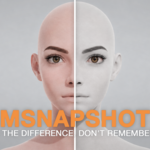
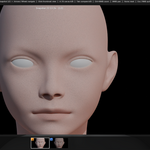
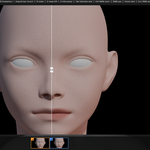
Open View Fullscreen, bring up a snapshot with the arrow keys or by clicking its thumbnail, and press A. Do the same on another one and press B. Then press Tab to compare, and Tab again to come back.
Can I move and turn the split bar?
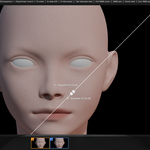
Drag it anywhere along its length to slide it across the image. Press R to rotate it around its handle — vertical, horizontal, diagonal or any angle in between. Hold Shift while turning to snap to 45°, Ctrl to 15°. Left click or Enter confirms, Esc cancels and puts the bar back.
Can I zoom into a detail?
Ctrl with the middle mouse button, or Ctrl with the wheel, zooms from a tenth of the fitted size up to forty times, anchored under the cursor. The middle button alone pans, Home restores the fitted view.
Have questions about this product?
Login to message
| Blender Extension Compatible | Yes |
| Published | about 2 months ago |
| Blender Version | 5.0 - 5.2 |
| Extension Type | Add-on |
| License | GPL |
Discover more products like this
snapshot A/B comparison snapshot compare Workflow Render snapshot tool quick viewport snapshots productivity tool ab viewport