 HR


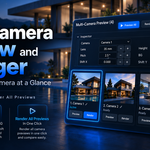
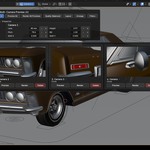
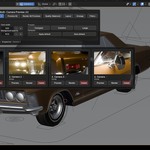
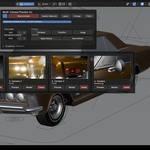
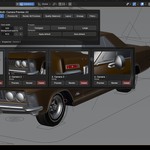
Version 1.2 adds per-camera formats and a clearer preview workflow.
- Per-camera resolution: set custom width and height in the collapsible Inspector, or restore the scene defaults with one click. Previews, camera framing and standard F12 renders follow the camera's format.
- Adaptive preview cards: compare portrait, square, landscape and panoramic previews without distortion, with compact side controls for portrait cards.
- Improved camera creation: the + button matches the viewport's perspective or orthographic projection, using a centered crop when output proportions differ.
- Full camera frame in view: the viewport adjusts when you switch cameras through the add-on.
- Cleaner Quad View: one Board in the camera or perspective/free quadrant, leaving the other views available for navigation.
Additional fixes: two-line camera names on portrait cards, complete card borders and Blender 4.5 drawing compatibility.
Please note: previews are thumbnails, not final renders. Native animation renders use one output size for the entire render job.
Version 1.1 makes camera fine-tuning faster and clearer directly from the Preview Board.
• Drag Inspector values horizontally to adjust the active camera in real time.
• The Board now fades smoothly while dragging, leaving the camera view and active value visible.
• Click a value to edit it inline with full selection, a visible caret, mouse positioning, arrow-key navigation, Backspace/Delete, and paste support.
• Hold Shift for fine adjustments or Ctrl for snapping.
• Added camera-by-camera progress and cancellation controls for batch previews.
• Improved preview-generation stability and Undo/cancel behavior.
Compatibility: Blender 4.5 LTS–5.2 LTS.
Initial release of Multi-Camera Preview and Manager.
Have questions about this product?
Login to message

Discover more products like this
camera-manager archviz cameras Camera Thumbnails multi-camera Camera Workflow camera Camera Preview packshot product rendering rendered preview Blender Cameras preview board