 Dawid Gerula
Remesh messy models to clean quads, project onto a sculpt, build LOD chains and bake normal and AO maps. One panel in Blender, a one-time purchase, fully offline.
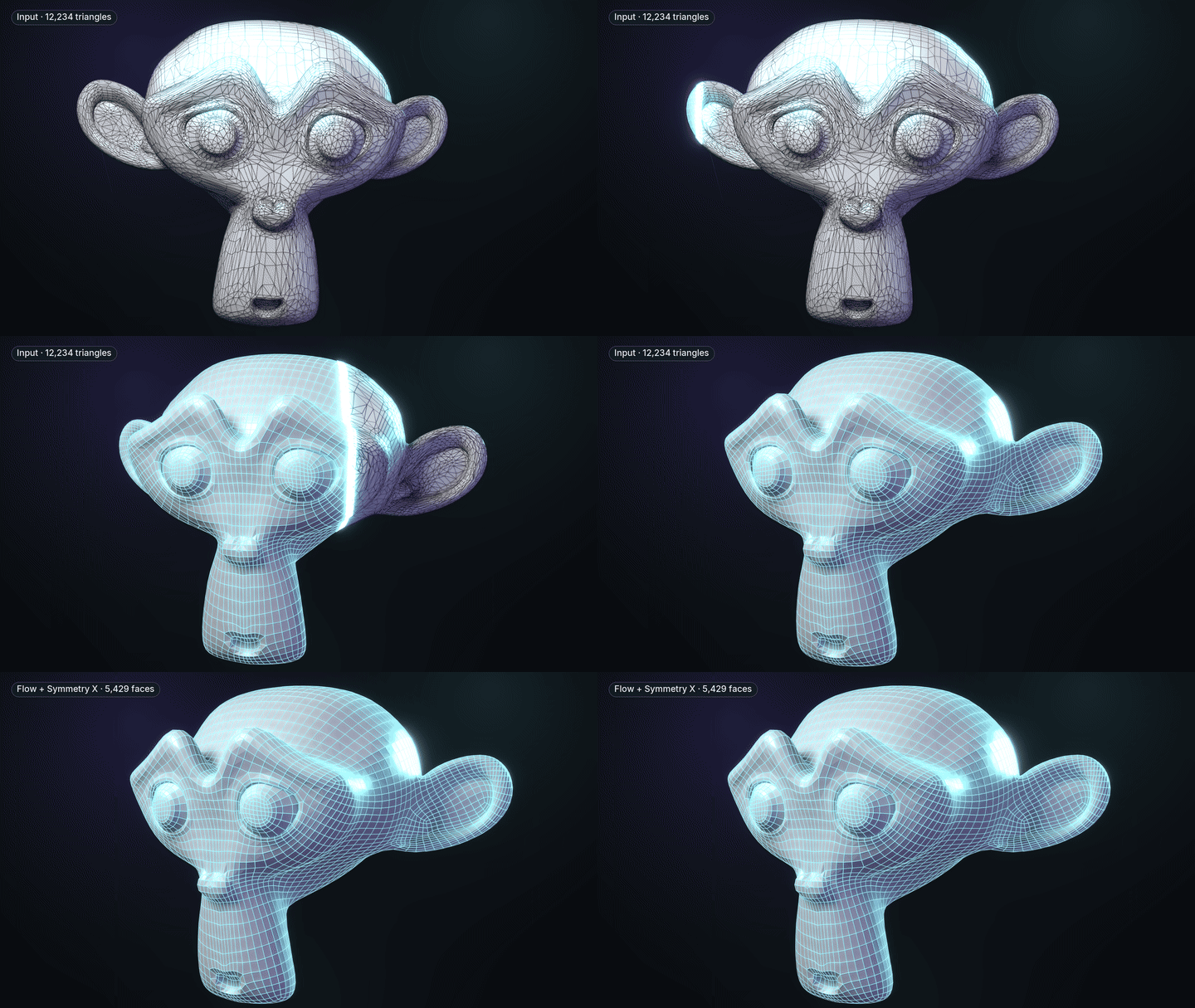
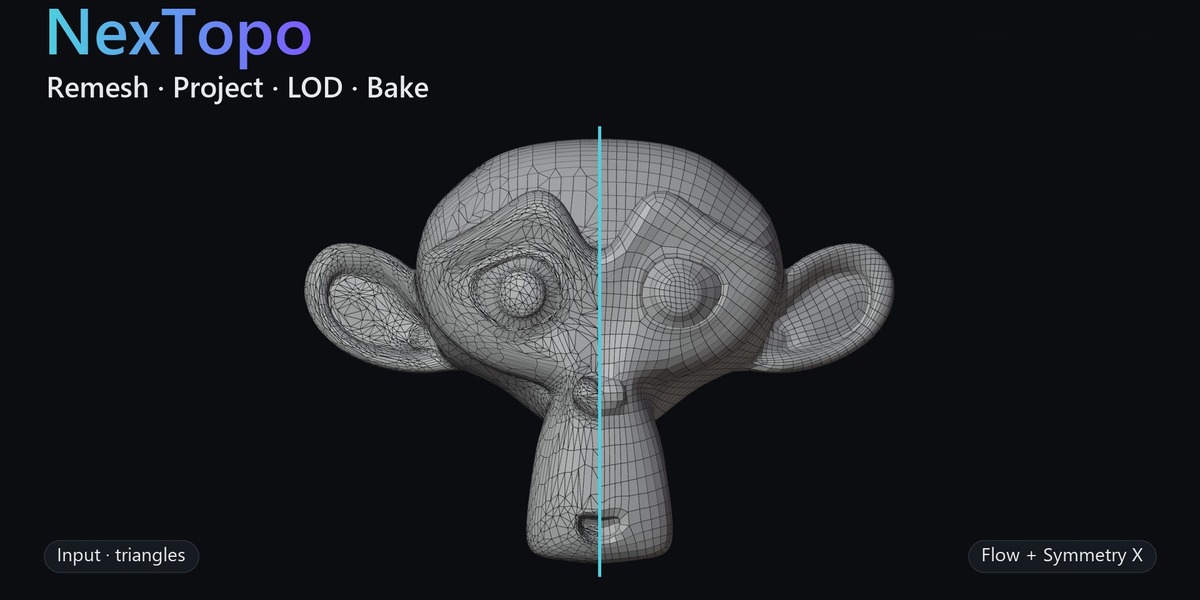
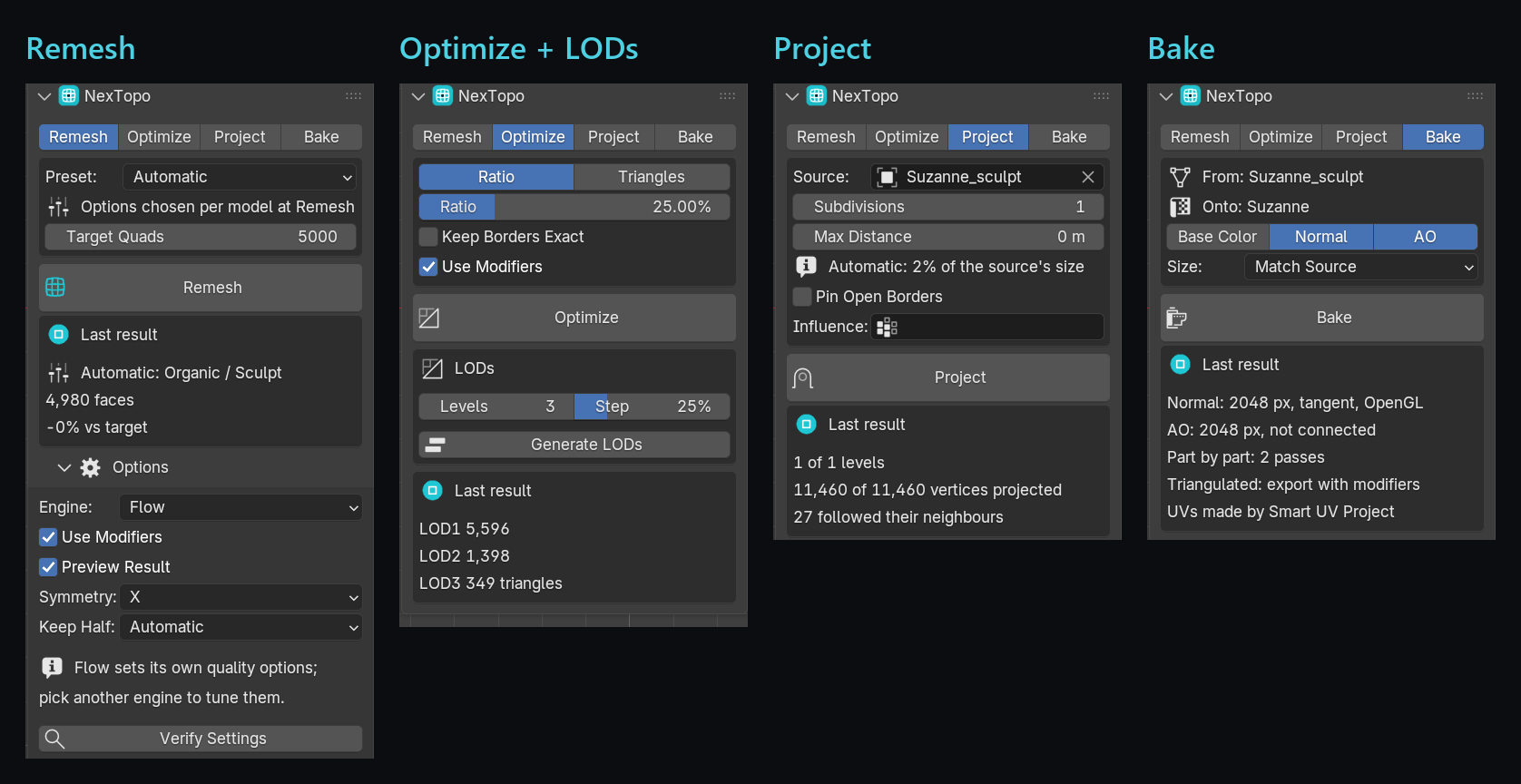
A decimated triangle mesh becomes clean, symmetric quads. One click, target 5,000.
⚡Remesh: one button, even quads
The default Flow engine lays quads along the shape of the surface at an even density. Set roughly how many quads you want and press Remesh.
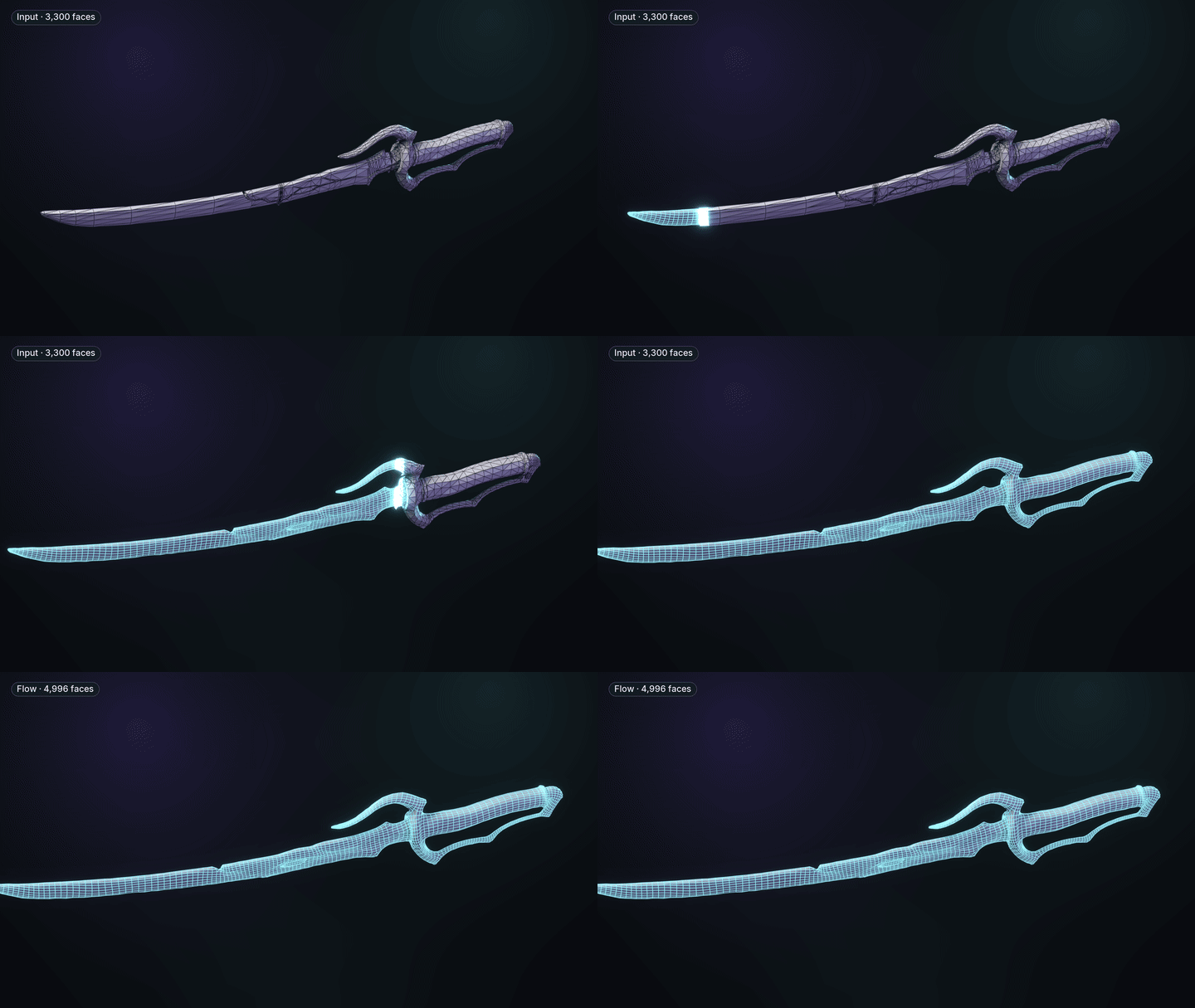
Inferno Kaen katana, target 5,000.
Non-manifold edges, flipped normals, near-duplicate vertices and small cracks are fixed before the remesh. Openings you modelled on purpose stay open.
The original stays hidden under the preview: Accept, Discard, or change the count and run again.
Across our 13-model test set, and no result opened a hole its input did not already have.
Materials, shading, vertex groups, colour attributes and shape keys come across to the new mesh.
The solver is a separate program: a mesh that defeats it returns an error instead of crashing your scene.
On mechanical parts each piece may switch to the engine that keeps its edges best, when that result is sound.
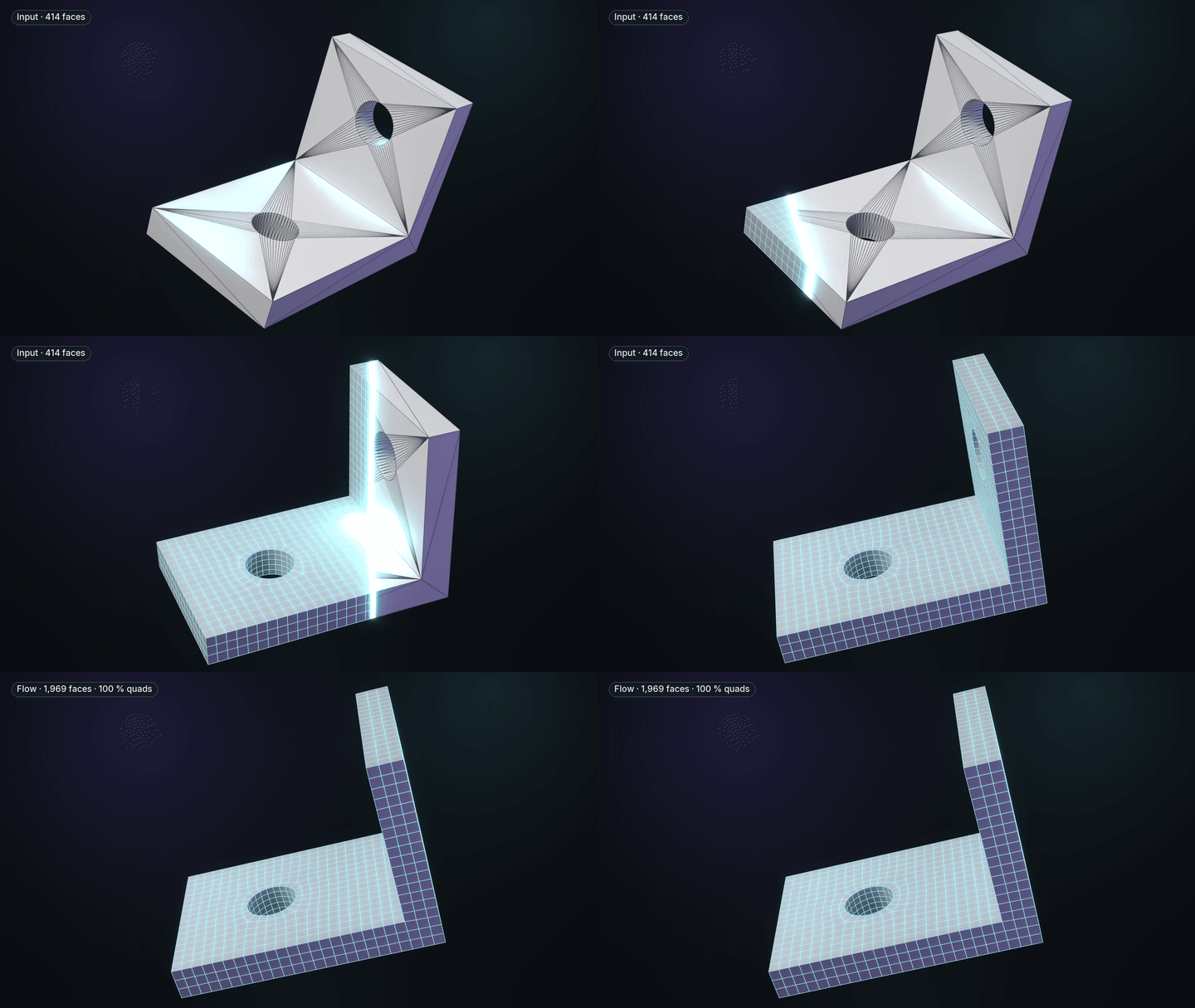
A CAD bracket: 414 faces in, 1,969 faces out, 100 % quads.
⧉Multi-part models, part by part
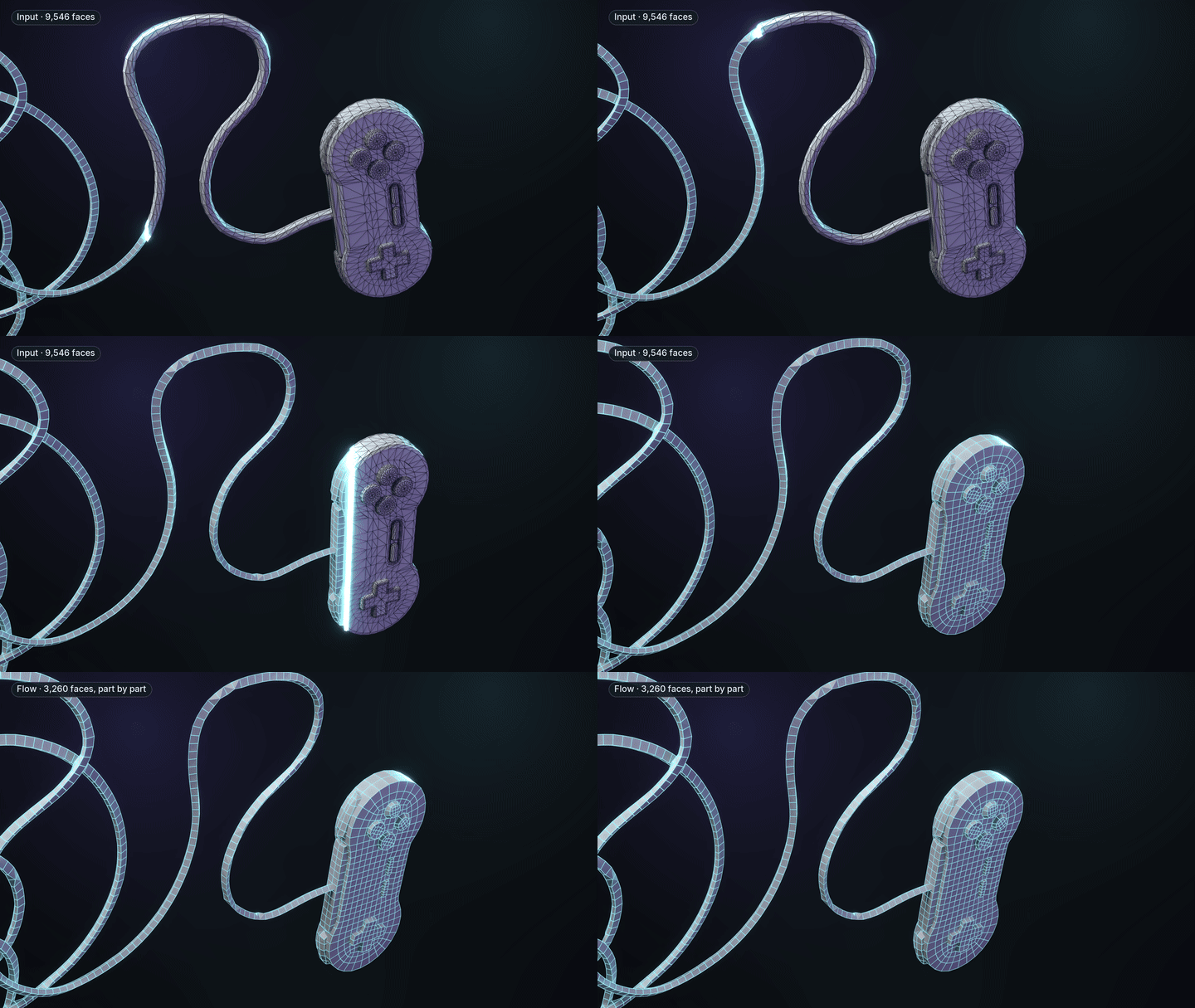
Gamepad (Poly Haven, CC0), target 3,000.
Every separate piece gets its own remesh and its own share of the quad budget, so buttons, rivets and straps come out as quads instead of being swallowed. Identical copies get identical topology.
⇋Symmetry: one loop down the mirror line
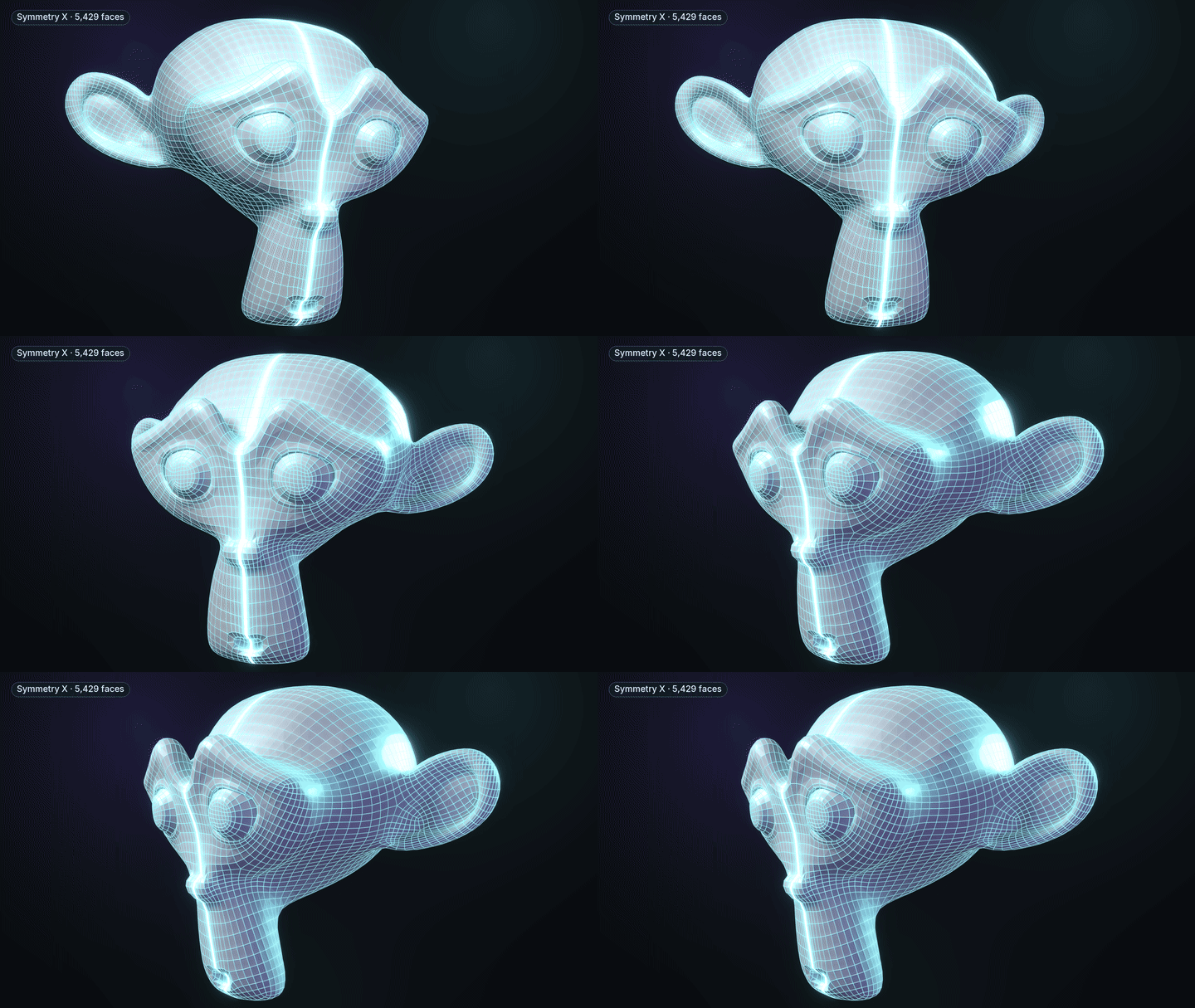
Symmetry X: an exactly mirrored result, one loop down the mirror line.
Pick an axis and the two halves weld into one mesh. If the seam does not weld cleanly, NexTopo runs again without the guide loop and tells you so.
◎Project: fit one mesh onto another
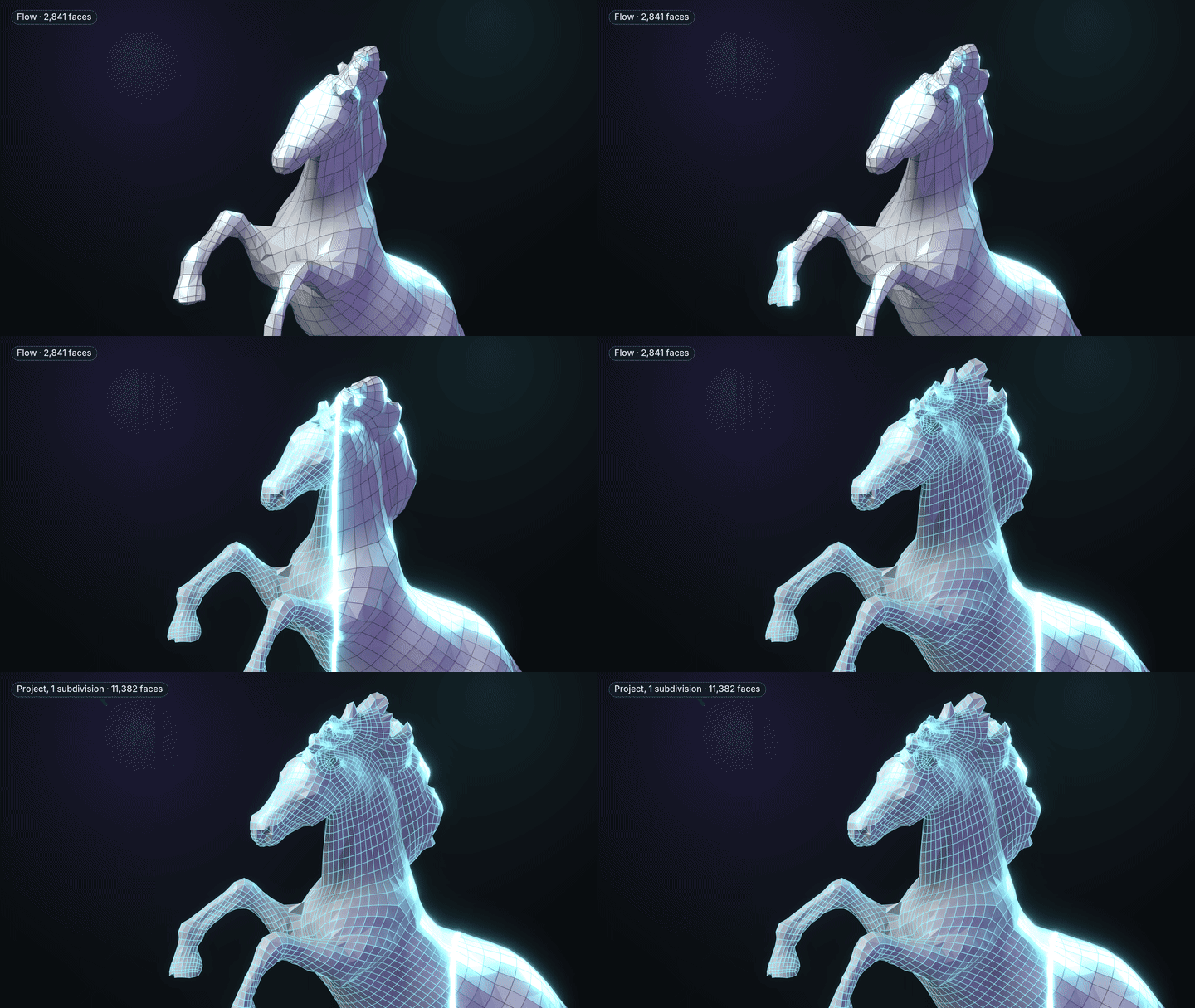
Horse Statue 01 (Poly Haven, CC0): 2,841 faces, then Project with one subdivision: 11,382 faces.
Move a light mesh's vertices onto a detailed one: a retopology onto its sculpt, or a remesh onto its original. Subdivisions picks up finer detail one level at a time.
- A vertex only goes to a surface that faces its way, so two lips or two close fingers do not swap.
- A move that would fold a face is shortened or taken back.
- Refit as a shape key, pin open borders, or weight it with a vertex group.
▤Optimize + LODs
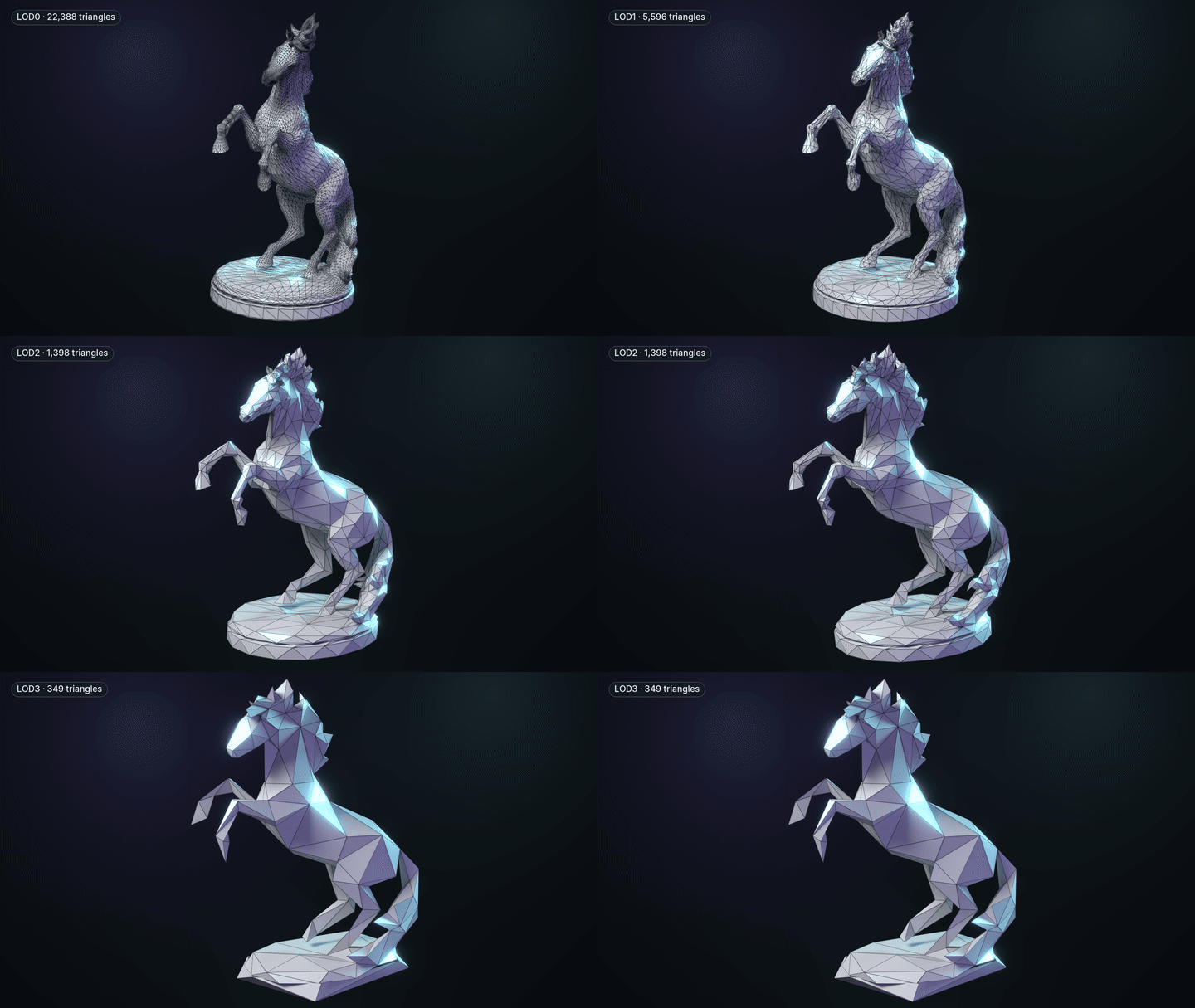
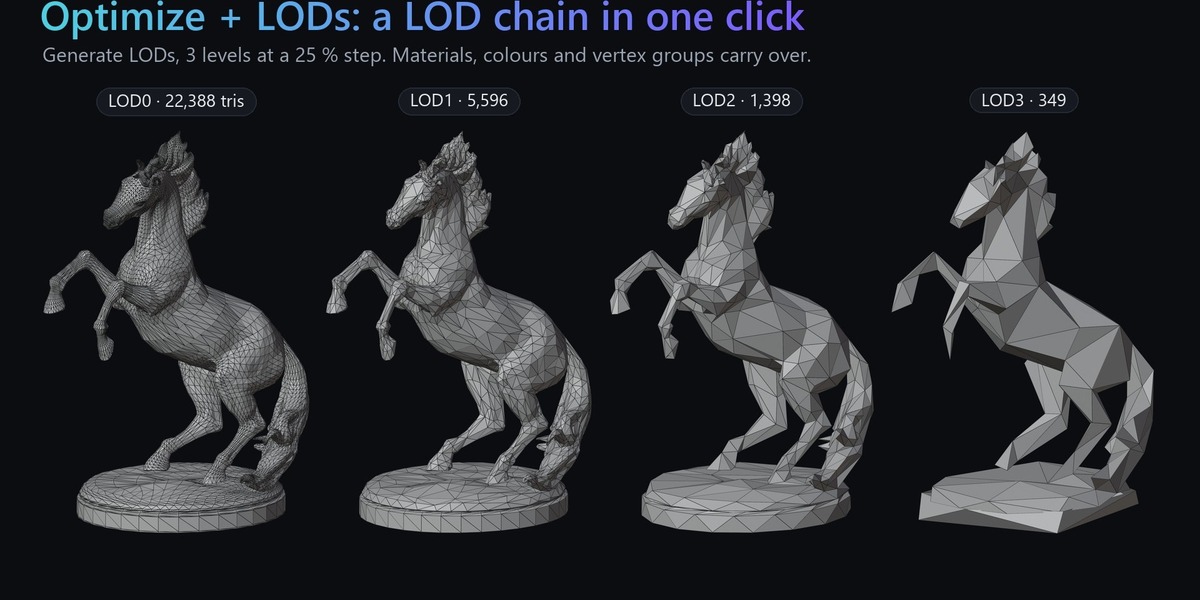
Generate LODs, 3 levels at a 25 % step: 22,388 → 5,596 → 1,398 → 349 triangles.
A lighter triangle copy to a ratio or a triangle count, or Generate LODs for a whole chain in its own collection, with buttons to show one level at a time. Materials, colours and vertex groups carry over, so a rig still applies. Blender's own Decimate does the reduction.
◐Bake: the detail back onto the light mesh
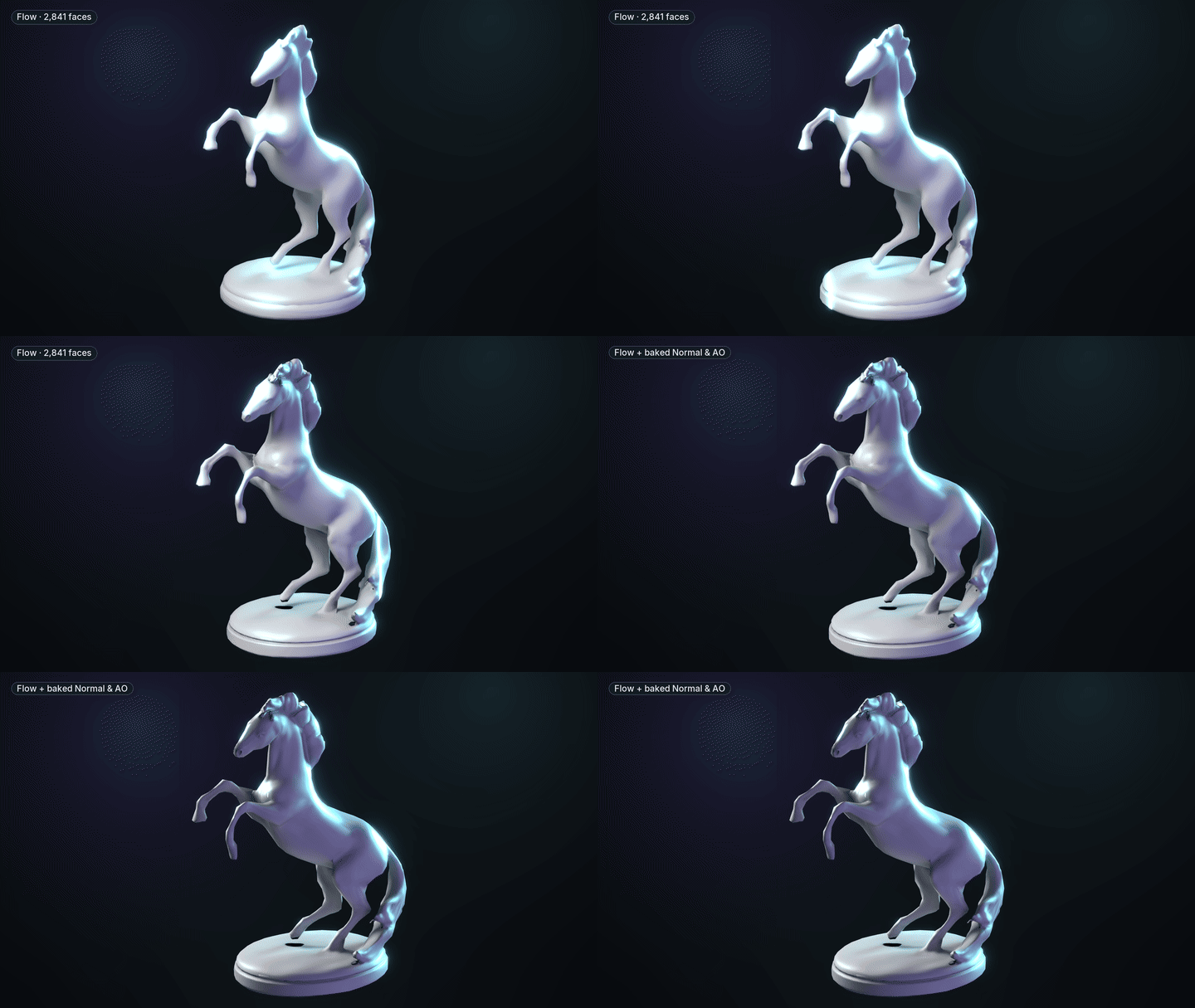
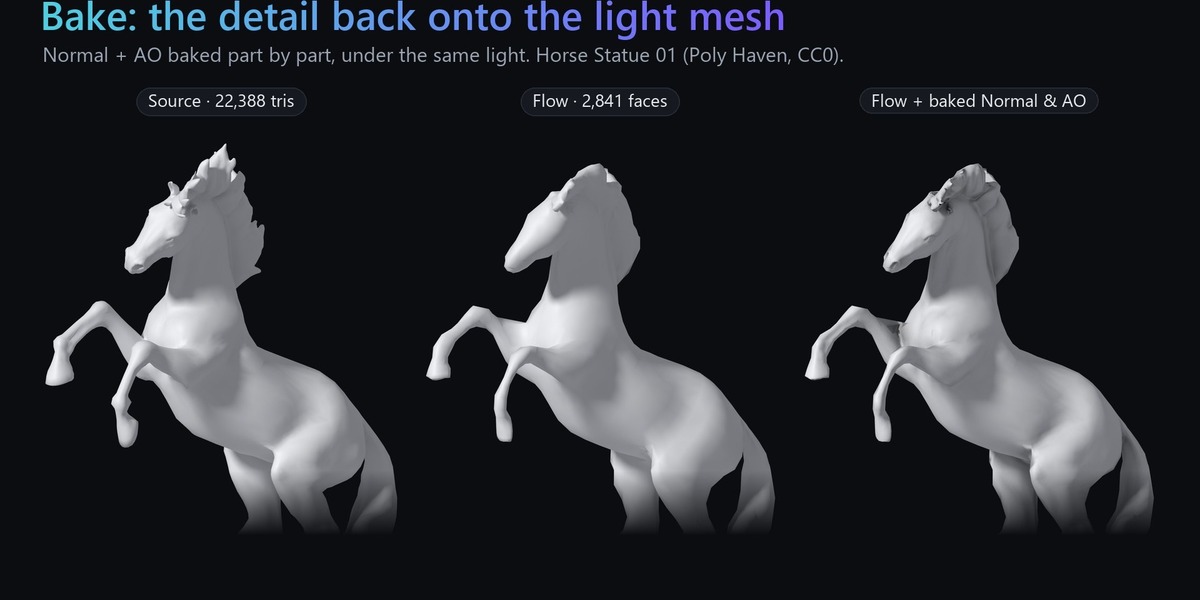
The 2,841-face result, plain, then with Normal and AO baked from the original as the light moves.
Bake Base Color, Normal (tangent space, OpenGL) and AO from the detailed mesh with Cycles, wired into a copy of the light mesh's material. Models made of parts bake part by part: each face reads only the piece it lies on, so a ray never lands on a neighbouring part across a gap. The original is never changed.
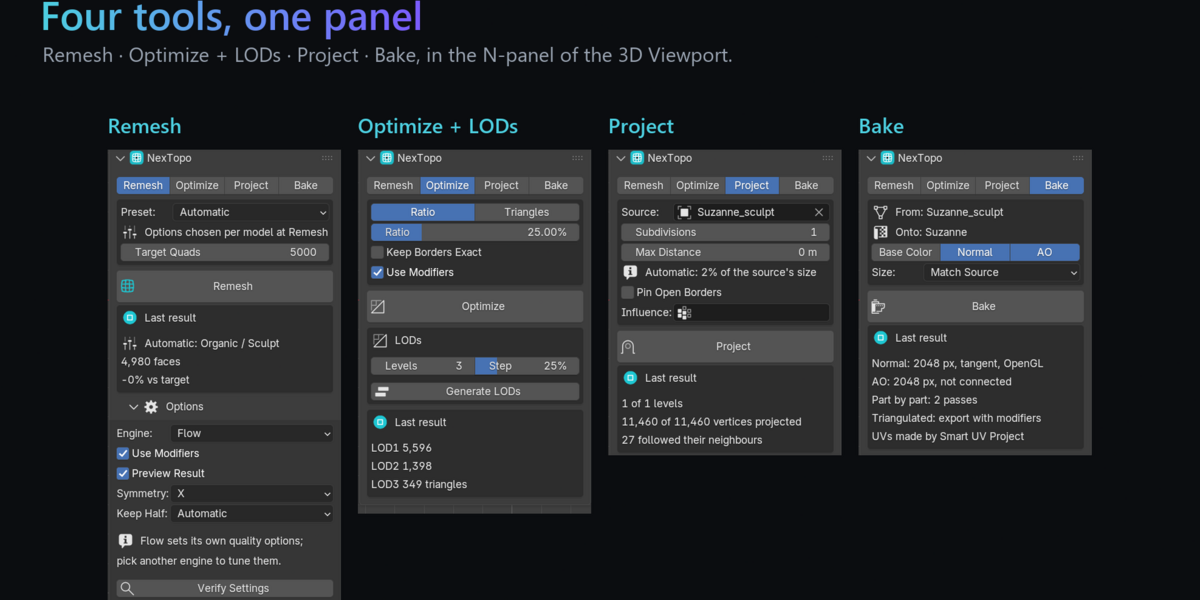
✔Four tools, one panel
The same mesh with the same settings gives the same result every time on your machine, however many CPU cores it uses.
No account, no activation, no licence server. The add-on makes no network connections.
The add-on is pure Python and the engine a standalone program, so one install covers Blender 4.2 through 5.2.
Switch to the QuadriFlow or Feature-line engine for presets, hard-edge preservation and match-target refinement.
▶See it in 40 seconds

Opens the trailer on YouTube.
+Free and full editions
Two downloads, no licence key, no activation, no expiry. NexTopo Free is the same add-on and the same engine with two limits.
| Free | Full | |
|---|---|---|
| Remesh output | up to 5,000 quads | unlimited |
| Project target | up to 10,000 vertices | unlimited |
| Optimize + LODs, Bake | ✓ | ✓ |
| Repair, preview, symmetry, materials | ✓ | ✓ |
| Commercial use of your results | ✓ | ✓ |
| Where | GitHub Releases | this page |
- NexTopo (full): this product page. Buy once, download the zip, install it.
- NexTopo Free: github.com/Dawczens/nextopo.github.io/releases/latest. That link always opens the newest free release, and every future free version is published there. Download the zip under Assets, not the "Source code" archives.
At or below 5,000 quads the free edition produces byte-for-byte the same result as the paid one. Install the full version over it when you need more; your preferences are kept.
!Requirements and limitations
- Windows x64 only. macOS and Linux are not supported in this release.
- Blender 4.2 LTS or newer, developed and tested on Blender 5.2 LTS. Bake needs Cycles (built in).
- Plan to re-unwrap or re-bake textures for production. Bake makes the light mesh its own maps.
- The quad count is a target, not a guarantee on models with many small parts.
- Windows shows a SmartScreen prompt the first time the unsigned engine runs: More info ▸ Run anyway, once.
- Very dense meshes (multi-million triangles) are slow to remesh; the Optimize tab can thin them first. If a mesh defeats it, send it to me.
Install
- Download the zip (nextopo-…-windows-x64.zip, or the free one from GitHub). Don't unzip it.
- In Blender: Edit ▸ Preferences ▸ Get Extensions, the ▾ menu at the top right, Install from Disk…
- Press N in the 3D Viewport and open the NexTopo tab.
Every option is explained in the full guide and on the Documentation tab.
?Questions
From GitHub: github.com/Dawczens/nextopo.github.io/releases/latest. That link always opens the newest free release; every future free version is published there. Download the zip under Assets.
The built-in remesher refuses a lot of real geometry: non-manifold input, inconsistent normals, near-duplicate vertices. NexTopo repairs the mesh first, remeshes each separate part on its own budget, previews the result before replacing anything and carries materials and shading across. Project, LODs and Bake then take the result the rest of the way.
No. The paid version installs over the free one as the same extension.
No and no: not to install, activate or run. One-time purchase, perpetual, commercial use included.
Plan to re-unwrap or re-bake for production. Bake gives the light mesh its own maps, and unwraps it first when it has no UVs. Materials and shading do carry over.
Tangent space, OpenGL (+Y), as Blender, Unity and glTF read it. In Unreal, flip the green channel.
It is built so that it should not: the add-on is pure Python and the engine is a standalone program. Tested on Blender 5.2 LTS; the minimum is 4.2.
Contact me first, and send the mesh if you can. Superhive's refund policy applies.
◇1.0.0: first release
- Remesh: the Flow engine with input repair, part-by-part multi-part models, Symmetry, preview, and materials, shading, vertex groups, colour attributes and shape keys carried over; QuadriFlow and Feature-line engines with presets.
- Project: fit a mesh onto another, with progressive subdivision and a fold guard.
- Optimize + LODs: a lighter triangle mesh, or a LOD chain in one click.
- Bake: Base Color, Normal and AO, part by part on multi-part models.
- Two editions: Free (5,000-quad cap, on GitHub) and Full. Windows x64, Blender 4.2–5.2.
Models shown: Suzanne (Blender); Gamepad and Horse Statue 01 (Poly Haven, CC0); the author's Inferno Kaen katana; a test CAD bracket. Made by Dawid Gerula · Product site · Free version · Trailer
