 SkdSam



Blender Add-on
Node Mapper — Interactive Minimap & Navigation Overlay
Shader & Geometry Nodes & Compositor & Custom Node Trees Interactive Overlay Click-to-Navigate N-Panel Integrated
Get a bird's-eye view of your node soup and zip across massive projects in a single click. Node Mapper adds a high-performance interactive minimap overlay to your node editors. Instantly find where you are, see your selected nodes highlighted in context, and teleport your view anywhere by clicking the map. No more endless scrolling through complex shader webs or procedural geometry rigs.
Blender
3.6 – 5.0+
Platforms
✅ Windows
macOS • Linux (Should work but not tested)
macOS • Linux (Should work but not tested)
Includes
Minimap Overlay • Click-to-nav • Smart Highlights • Perf Throttling
Overview
Node Mapper is a navigation tool designed for technical artists working with deep node systems. It renders a sleek, live-updating map of your entire node tree at the edge of your viewport. Whether you are dealing with 10 nodes or 1,000, Node Mapper maintains your spatial awareness, showing you exactly where the active selection is relative to the rest of the logic. Built for speed, it uses a smart throttled analysis engine to ensure your viewport stays snappy even in production-heavy scenes.
Smart N-Panel Integration
Engineered to respect the Blender UI; the mapper automatically shifts when the N-panel (sidebar) is toggled, ensuring it never overlaps your controls across any Blender version.
Rapid Navigation
left-click to jump instantly or left-click and drag to pan around the tree with zero friction. It's a massive time-saver for large-scale procedural geometry.
Never Lose a Node
All nodes are always represented on the map, even those floating miles away from your current zoom level. If it's in the tree, you can see it and jump to it.
Optional Node Links
Toggleable node connections on the minimap provide a complete "utility noodle" overview, making complex logic flow visible at a glance.
Deep Customization (N-Panel)
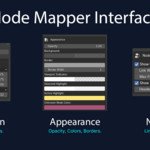
Full control over Size Mode (Fixed/Percentage), Corner Placement, Opacity, Background & Border colours, and custom Active/Selected highlights.
Built for Performance
Throttled analysis engine handles massive 1,000+ node setups without sacrificing viewport FPS or Blender responsiveness.
Navigation in Action
Current limitations
- The minimap is a 2D projection; stacked nodes will overlap on the map, but clicking the area still navigates correctly.
- Extreme node trees (1,000+ nodes) may require a higher update interval in preferences to maintain high viewport FPS.
- Blender's API does not currently allow direct retrieval of node header colors. These have been manually added for standard nodes, with a custom color fallback used for unknown or custom node types.
- Full compatibility with Blender 5.0 is supported, utilizing the latest drawing APIs for maximum clarity and performance.
Updates & Changelog
Last updated: 07 Mar 2026
v1.1.4 – Performance Overhaul
- Implemented high-speed node analysis engine for massive trees.
- Added teleport navigation (click map to centre view).
- Added custom placement options for all four corners.
Version 1.1.4 focuses on stability and navigational speed for Blender 5.0.