Node Vault
 martinworks


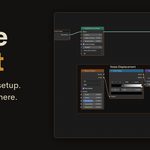
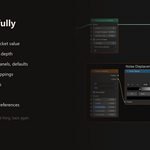
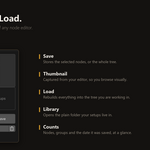
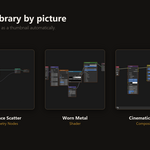
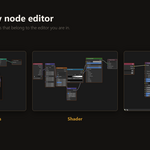
Categories for your library
Group your saved setups into categories like Shaders, Masks or Patterns. Pick a category when you save, then use the new category buttons at the top of the panel to filter to it. A category is just a subfolder in your library folder, so you can rearrange things in your file browser too and it stays in sync. Make as many as you like.
Name list view
A new toggle switches the gallery between thumbnails and a compact list of names, for the times you just want to find a setup by the name you gave it. Set your preferred view as the default in the add-on preferences.
Overwrite when saving
Saving over a name that already exists now offers an "Overwrite if it exists" option, so you can replace a setup instead of ending up with a numbered copy. It is off by default, so nothing is ever replaced by surprise.
Also fixed
Importing a node group into a node tree that already had its own inputs and outputs could come in only partway. Groups now import complete into an existing network.
Works on Blender 4.2 and newer, including 5.2. Free update for existing customers
Fixes importing node groups into an existing node tree. Previously a saved group would only come in partway when loaded into a tree that already had its own inputs and outputs; it now imports complete, without disturbing what was already in the tree.
 Included
Includes 12 months of
- Support from martinworks
- Product updates
Extend this product’s Support Period +12 months: 100% of product price
Have questions before purchasing?
Login to message
| Blender Extension Compatible | Yes |
| Dev Fund Contributor | |
| Published | 2 months ago |
| Blender Version | 4.2 - 5.2 |
| Extension Type | Add-on |
| Render Engine Used | Cycles, Eevee |
| License | GPL |
Discover more products like this
Node Editor materials productivity node groups node-library presets geometry nodes asset management 3D nodes compositor Workflow shader nodes