NodeFlow 2.0
 FreddyMakesaMovie


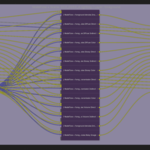
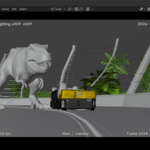
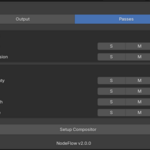
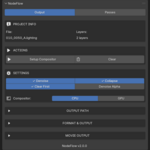
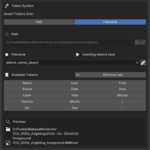
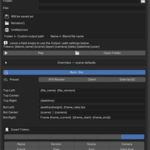
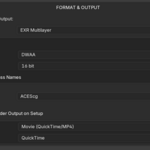
NodeFlow automates your Blender multi-pass EXR and compositor setup. Instead of wiring a denoise-and-file-output node tree by hand on every shot, you pick your scenes, layers, and passes from a clean panel and NodeFlow builds the correct, fully-organized, Nuke-ready node graph in a couple of clicks — plus review-ready movies with studio burn-ins.
A full illustrated User Guide (PDF) is included with your download.
——— Requirements ———
- Blender 5
- FFmpeg (for movie output + burn-ins) — installs in one click from the add-on preferences, no manual setup
——— Installation ———
- Edit ▸ Preferences ▸ Add-ons ▸ Install…
- Select the NodeFlow .zip and enable it.
- Open the NodeFlow preferences and click “Download & Install FFmpeg.”
——— Quick start ———
- In the 3D Viewport N-panel, click NodeFlow ▸ Open Compositor.
- In the Passes tab, tick the passes you want per layer.
- In the Output tab, set your output path (with tokens) and format.
- Click Setup Compositor. Your denoised, organized, Nuke-ready EXRs are ready to render.
——— What it does ———
- Auto-builds the full compositor node tree per scene and layer
- Smart denoise that protects your data passes (position, normal, depth)
- Nuke-ready pass names and clean multi-layer EXR output
- Per-layer control — rebuild or split-output any single layer without touching the others
- Grouped Passes view of every scene and view layer at a glance
- Light groups created directly in NodeFlow
- Custom passes: anti-aliased depth (AA Depth) and Fresnel
- Token-based output paths with automatic filename versioning
- Studio data burn-ins (VFX Review / Client / Internal QC presets) with live preview, at viewport speed or full render quality
- CPU/GPU compositor switching
——— Support ——— Questions, bugs, or ideas? Email [email protected]
License: add-on code is GPL-3.0-or-later; the NodeFlow name, branding, and documentation are © Federico La Tona, all rights reserved. Full terms are in the included LICENSE file.
Have questions about this product?
Login to message
| Published | about 1 year ago |
| Blender Version | 5.0 - 5.1 |
| Render Engine Used | Cycles |
| License | GPL |