 Skava
Skava




NodeGenius — Documentation
v1.0.0 · Blender 3.2 + · Windows / macOS / Linux · OpenAI / Anthropic / Ollama backends
1. Install
- Download
node_genius_v1_0_0.zip, install via Add-ons preferences. - Open the Geometry Nodes editor.
- Press
N→ NodeGenius tab in the N-panel.
2. Pick a backend
In addon preferences pick OpenAI (GPT-4o), Anthropic (Claude), or Local (Ollama). Paste the matching API key / set the local URL. The plain-text key stays in Blender's user preferences file.
3. Generate from prompt
- Type a description in the prompt field — for example "scatter rocks on a steep slope only".
- Click Generate Nodes.
- The request runs on a worker thread; the UI stays responsive. The status bar shows "contacting AI…" until the response arrives.
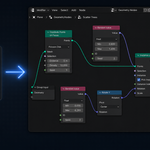
- The generated Geometry Nodes group is added as a modifier on the active object.
4. Generate from selection
Like the plain prompt path but also sends the selection's bounding box and material info to the AI, so prompts like "make these objects glow brighter where they overlap" produce setups that reference your existing scene.
5. Explain a graph
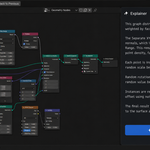
Select a node group in the Geometry Nodes editor → Explain Node Tree. The addon serialises the node tree, sends it to the AI, and prints a plain-English breakdown of what the graph does. Useful for inheriting setups from someone else.
6. Curated presets
20+ ready-made setups (Scatter on Surface, Slope Scatter, Random Scale, Voronoi Scatter, Terrain Noise, Array Grid, …). Pick from the dropdown → Apply Preset. No API call needed.
7. Modal worker thread
The AI HTTP request can take up to 120 seconds on a slow connection or a large model. The Generate operator runs the request in a background thread and finalises node construction on the next modal tick when the response arrives — Blender stays usable throughout.
8. Troubleshooting
"Could not parse AI response" — the model returned text not in the expected JSON format. Retry, or use a stronger model (GPT-4o, Claude Opus).
"API request failed (HTTP 401)" — wrong API key or expired credit.
"Could not connect to API" — for Ollama, check that ollama serve is running on the URL you set in preferences.
9. Limitations
- The AI sometimes invents node types that don't exist. The builder skips unknown nodes with a warning.
- Complex setups (caustics, simulation graphs) usually need a preset rather than a raw prompt.
10. Support & License
Through marketplace messaging. GPL-3.0.
Have questions about this product?
Login to message
| Published | 3 months ago |
| Blender Version | 3.2 - 5.1 |
| Extension Type | N/A |
| Render Engine Used | Arnold, Blender-Internal, Blender-Game-Engine, Cycles, Eevee, Freestyle, Luxrender, Mental-Ray, Octane, Vray, Yafaray |
| License | GPL |
Discover more products like this
optimization ai-assistant scatter AI-powered gn-presets procedural node-generator node-explanation natural-language geometry nodes node-library Blender Nodes