Nuke Style Color Grade Tool (Ca Grade)
 Compositing Academy


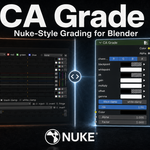

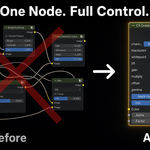
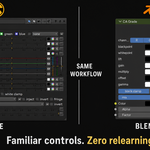

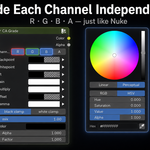
CA Grade
A Nuke-style Grade color-correct node for the Blender shader graph. Works in both EEVEE and Cycles. It's built entirely from standard shader nodes, so there's no engine dependency. Per-channel control over blackpoint, whitepoint, lift, gain, multiply, offset, and gamma, plus black/white clamp and a mix slider.
Install
Simply drag the .zip file into Blender 5+, and enable CA Grade in the Add-ons menu.
Or install manually:
Edit > Preferences > Add-ons > Install... > pick ca_grade.zip > enable CA Grade. Done.
You can also install the .py file directly if you want.
Use
In the Shader Editor, hit Add > CA Grade.
Note: CA Grade only works in the Shader Editor. It is not a compositor node and won't appear in the Compositing workspace.
Requires
Blender 5+
Have questions about this product?
Login to message
| Blender Extension Compatible | Yes |
| Published | 3 months ago |
| Blender Version | 5.0 - 5.2 |
| Extension Type | Add-on |
| Render Engine Used | Cycles, Eevee |
| License | GPL |

Discover more products like this
shader editor texture blender nuke BlenderNuke grade Compositing curves nuke blender nuke color color correct color correction